Page cover
For the complete documentation index, see llms.txt. This page is also available as Markdown.

list

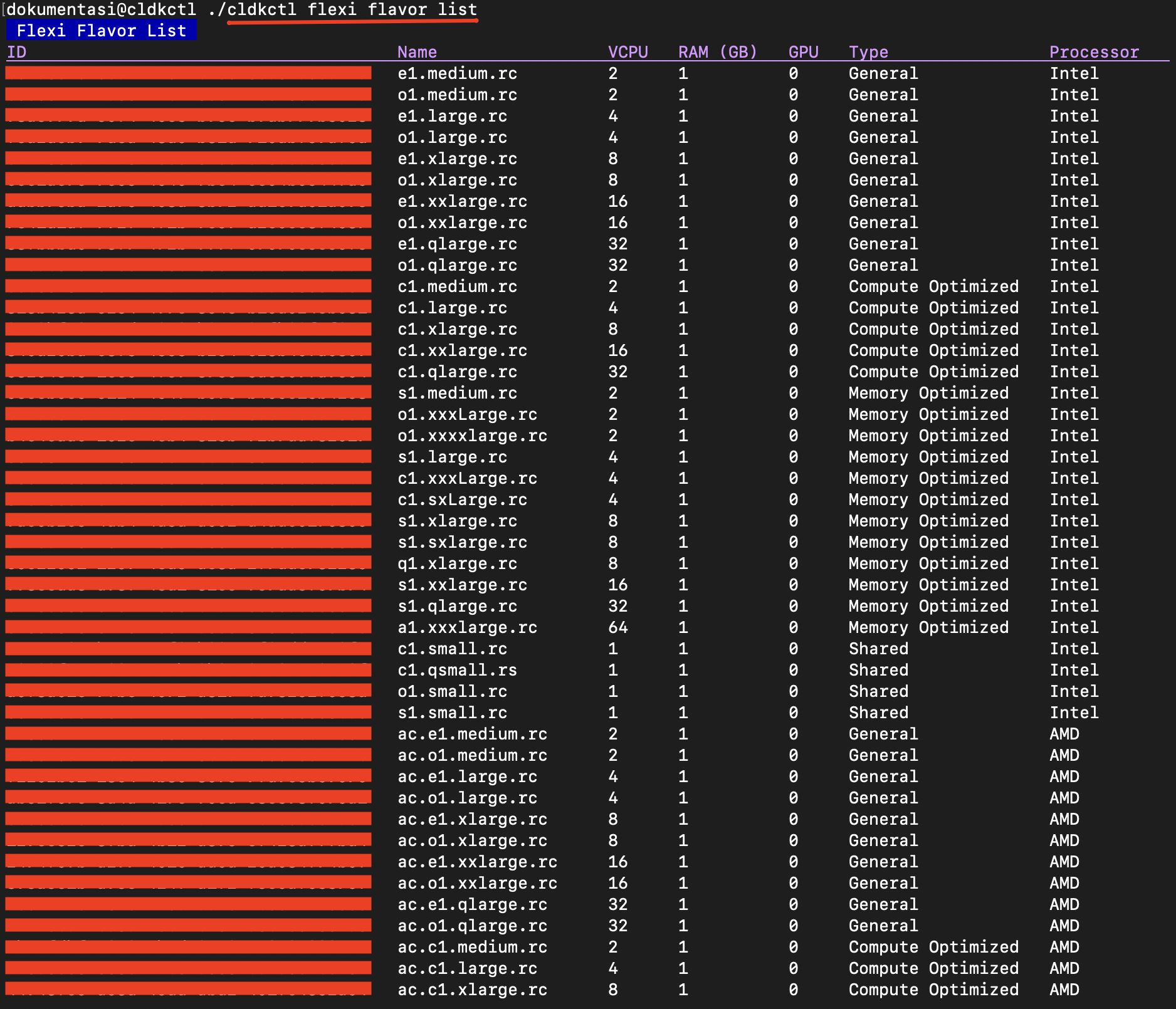
List all available flexi instance flavors. The ID column shows the value to use for --flavor-id in flexi instance create.

Usage

cldkctl flexi flavor list [flags]

Aliases

list, ls

Steps

Follow the steps below to run and view the result of this command:

  1. Run the following command in your terminal:

cldkctl flexi flavor list
  1. The terminal displays the command output.

Column
Description

ID

Unique identifier of the flavor.

Name

Name of the flavor configuration.

VCPU

Number of virtual CPUs allocated to the flavor.

RAM (GB)

Amount of memory allocated to the flavor in GB.

GPU

Number of GPUs allocated to the flavor.

Type

Category of the flavor, such as General, Compute Optimized, or Memory Optimized.

Processor

Processor type used by the flavor, such as Intel or AMD.

Flags

This command supports global flags. Refer to the Global Flags section for details

Flag
Shorthand
Description

--help

-h

Help for the list command.

--project string

-p

Specify project ID.

Last updated