> For the complete documentation index, see [llms.txt](https://docs.cloudeka.ai/llms.txt). Markdown versions of documentation pages are available by appending `.md` to page URLs; this page is available as [Markdown](https://docs.cloudeka.ai/cloudeka-api-list/command-reference/cldkctl-flexi/network/vpc/create.md).
# create
Create a new VPC network in your project. This command allows you to add a new VPC with the specified details.
## Usage
```
cldkctl flexi network vpc create [flags]
```
## Aliases
```
create, vpccreate, vpc-add
```
## Steps
Follow the steps below to run and view the result of this command:
#### Interactive Mode
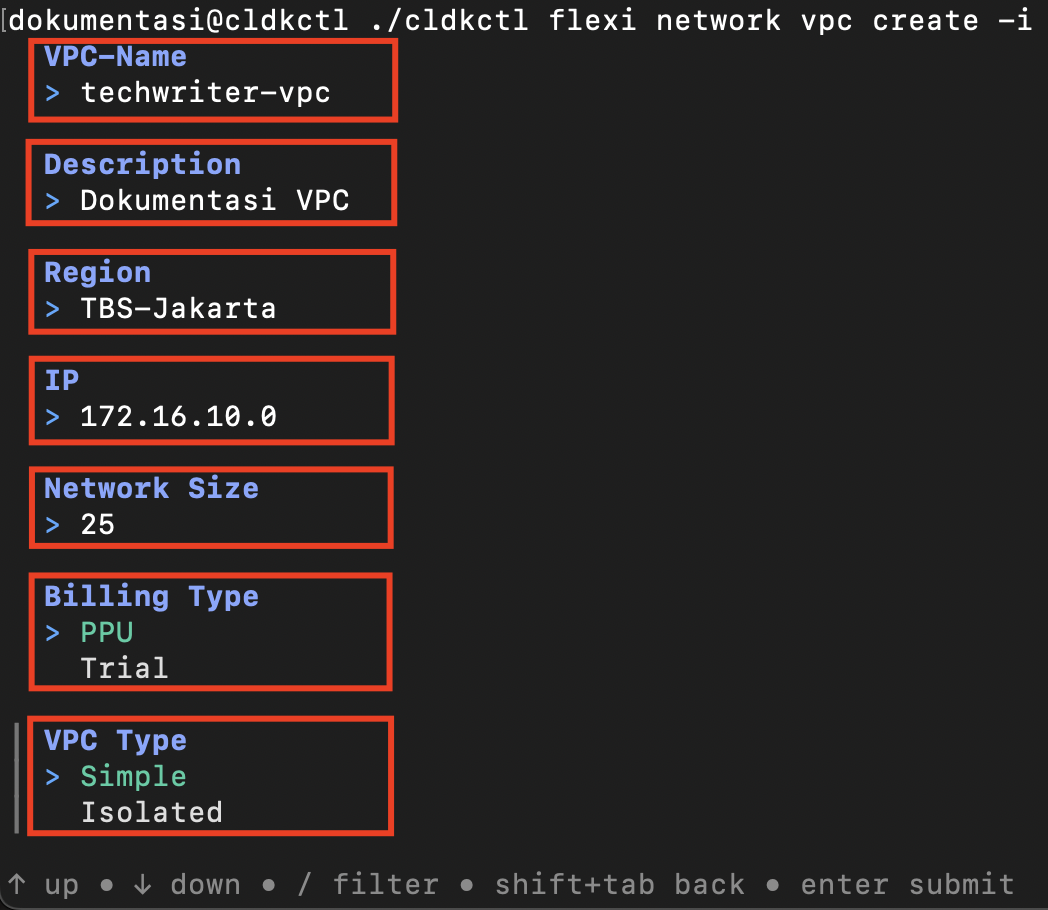
1. Run the following command in your terminal:
```
cldkctl flexi network vpc create -i
```
2. The terminal displays the **Create VPC** form. Provide the required information.
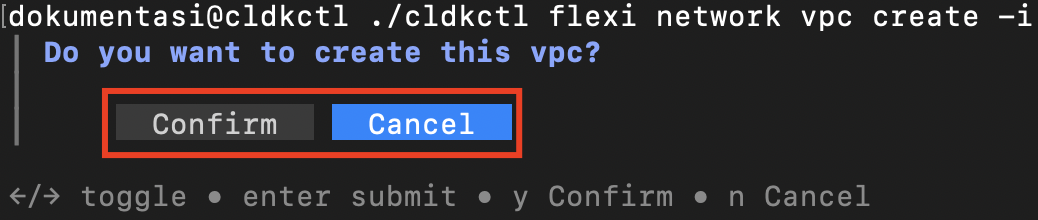
3. When prompted, confirm the creation by selecting **y**, or cancel the process by selecting **n**.
4. Once completed successfully, the terminal displays the success message.
#### Non-Interactive Mode
1. Provide all required values using command flags.
2. Add `--auto-confirm` or `-y` to skip confirmation prompts in non-interactive mode.
3. Run the command in your terminal.
4. Once completed successfully, the terminal displays the success message.
## Flags
{% hint style="info" %}
This command supports [global flags](/cloudeka-api-list/global-flags.md). Refer to the Global Flags section for details
{% endhint %}
| Flag | Shorthand | Default | Description |
| --------------------- | --------- | ------- | --------------------------------------------------------------- |
| --auto-confirm | -y | false |
Skip confirmation prompt in non-interactive mode
|
| --billing-type string | | | Billing type: PPU or Trial (required in non-interactive mode) |
| --description string | | | VPC description |
| --help | -h | | Help for the create command |
| --interactive | -i | false | Force interactive TUI mode |
| --ip string | | | IP address |
| --name string | -n | | VPC name (required in non-interactive mode) |
| --network-size string | | | Network size (required in non-interactive mode) |
| --region string | | | Region |
| --vpc-type string | | | VPC type: Simple or Isolated (required in non-interactive mode) |