> For the complete documentation index, see [llms.txt](https://docs.cloudeka.ai/llms.txt). Markdown versions of documentation pages are available by appending `.md` to page URLs; this page is available as [Markdown](https://docs.cloudeka.ai/cloudeka-api-list/how-to-get-token/delete-token.md).
# Delete token
Delete Token functions to remove tokens that are no longer in use. This feature allows users to disable access associated with the token to maintain system and data security. Once a token is deleted, it can no longer be used to access Cloudeka services
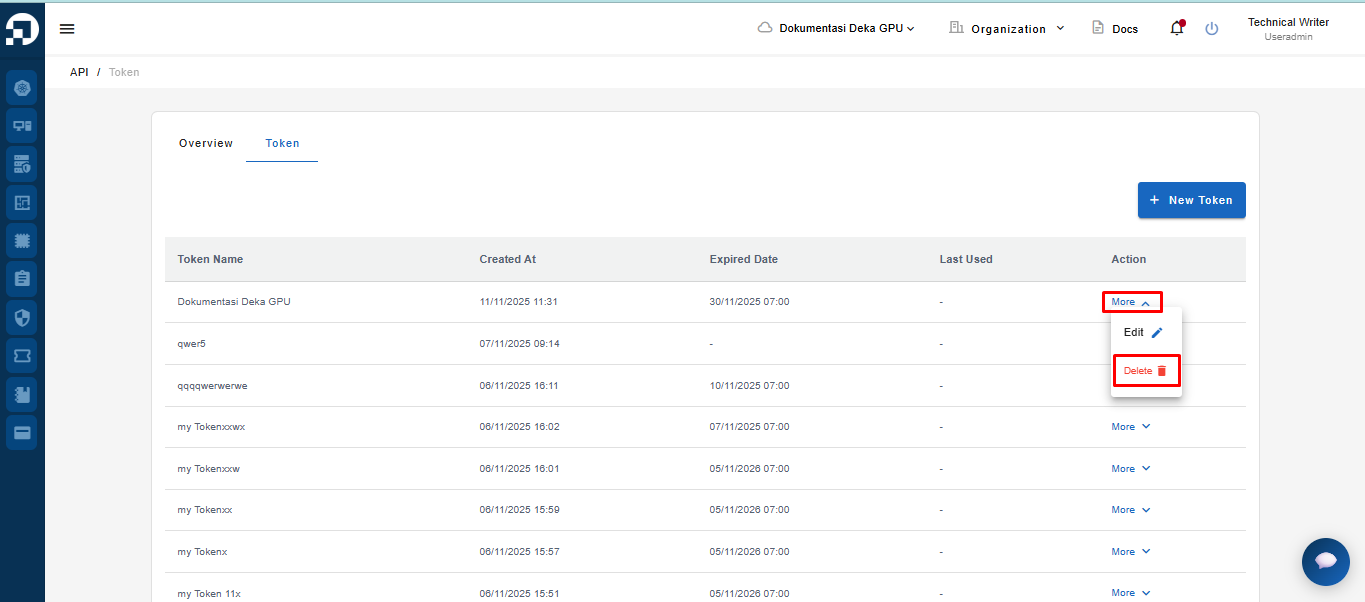
To delete a token, click the More button → then select Delete on one of the tokens that has been created.
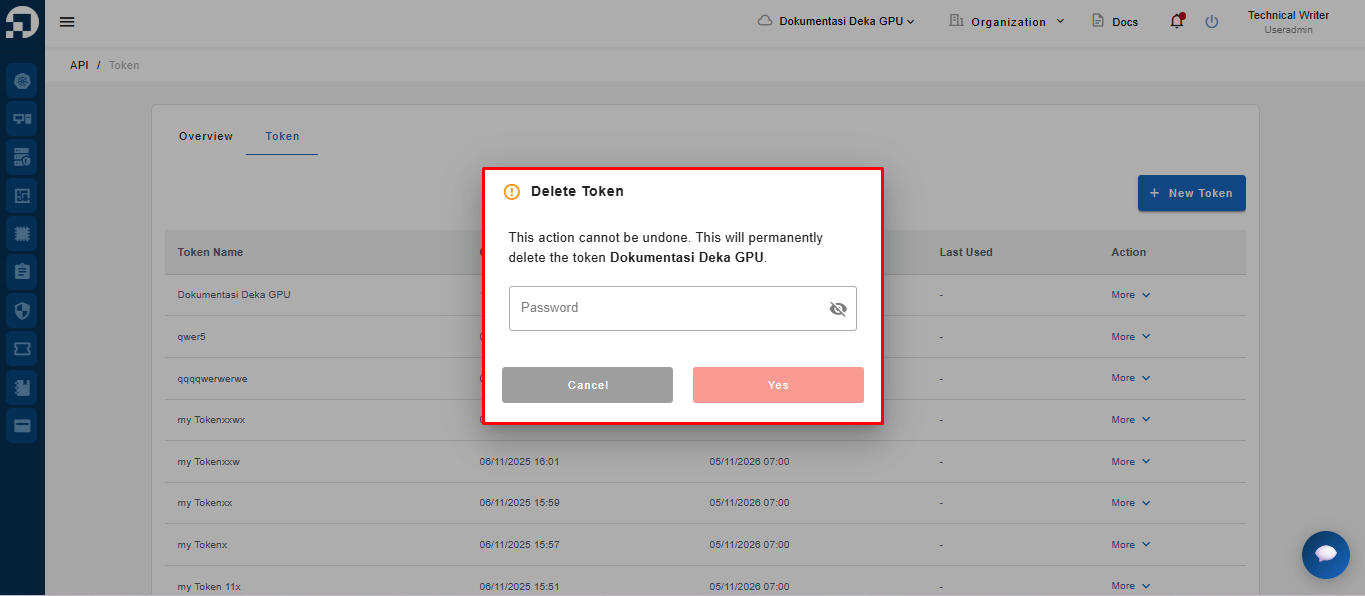
The system will display a confirmation page to delete the token by entering your password
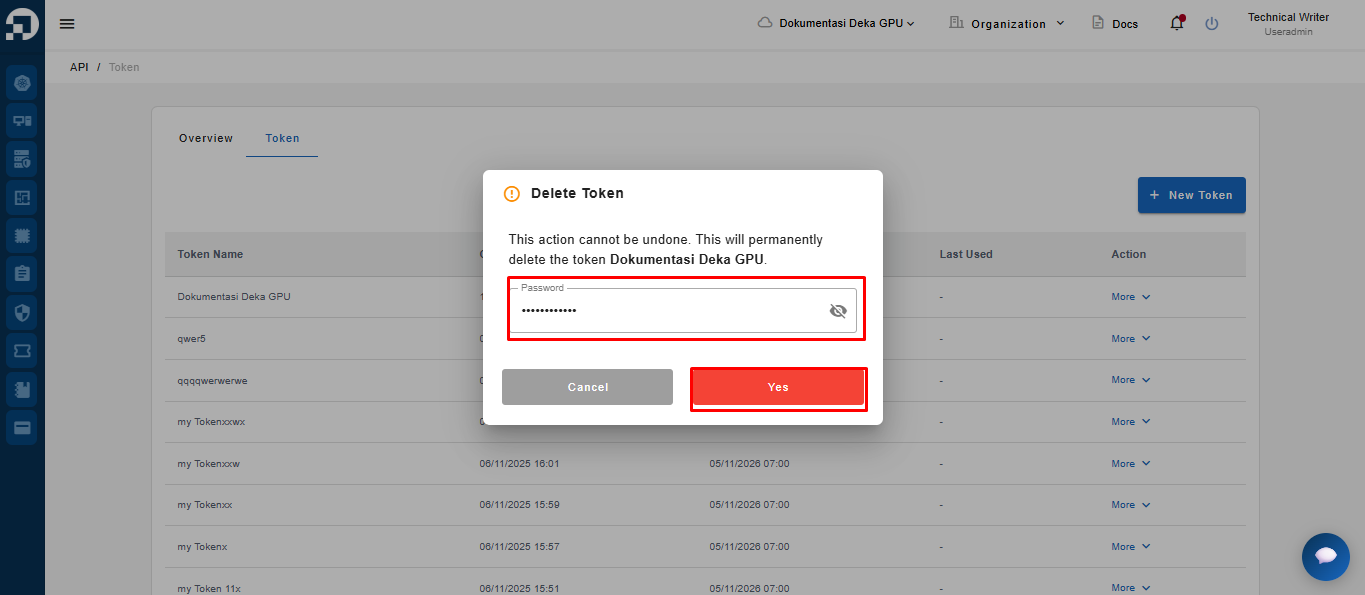
In the Delete Token confirmation dialog, note the warning that this action cannot be undone. → Enter your account password in the password field to confirm the deletion → then click the Yes button.
{% hint style="success" %}
Note : Use the account password that you normally use to log in as confirmation when deleting a token. This ensures that the token deletion is performed by an authorized user.
{% endhint %}
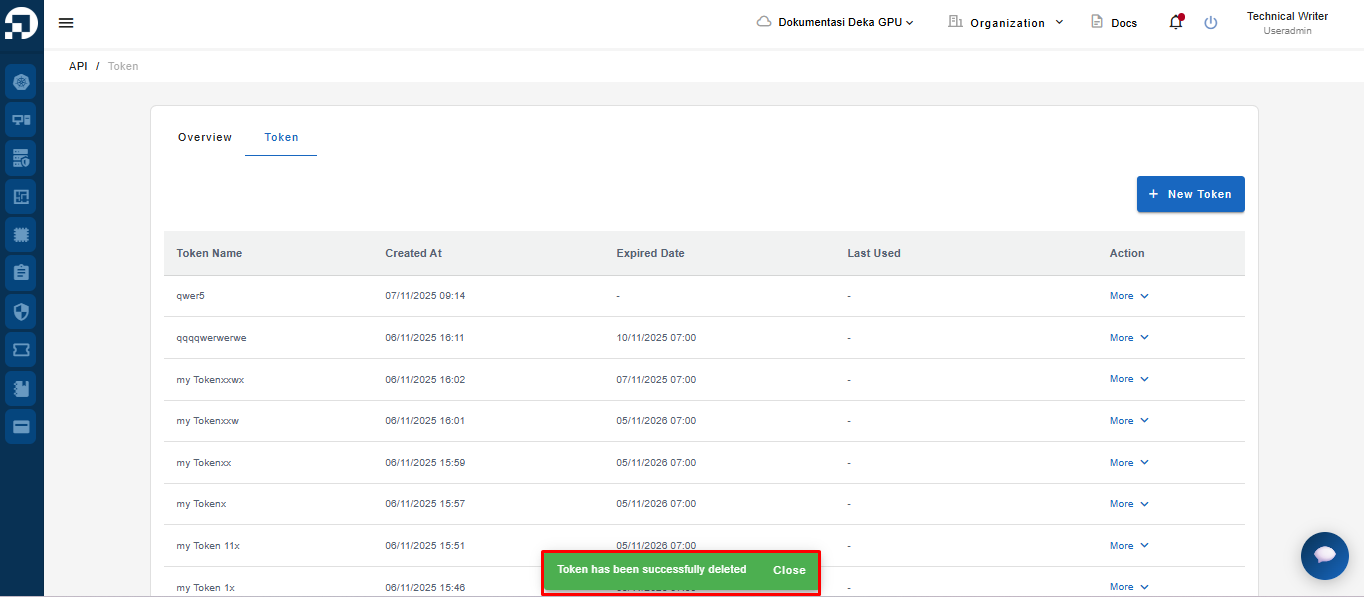
A notification will appear stating “Token has been successfully deleted.” once the token data has been successfully removed