> For the complete documentation index, see [llms.txt](https://docs.cloudeka.ai/llms.txt). Markdown versions of documentation pages are available by appending `.md` to page URLs; this page is available as [Markdown](https://docs.cloudeka.ai/cloudeka-api-list/how-to-get-token/edit-token.md).
# Edit token
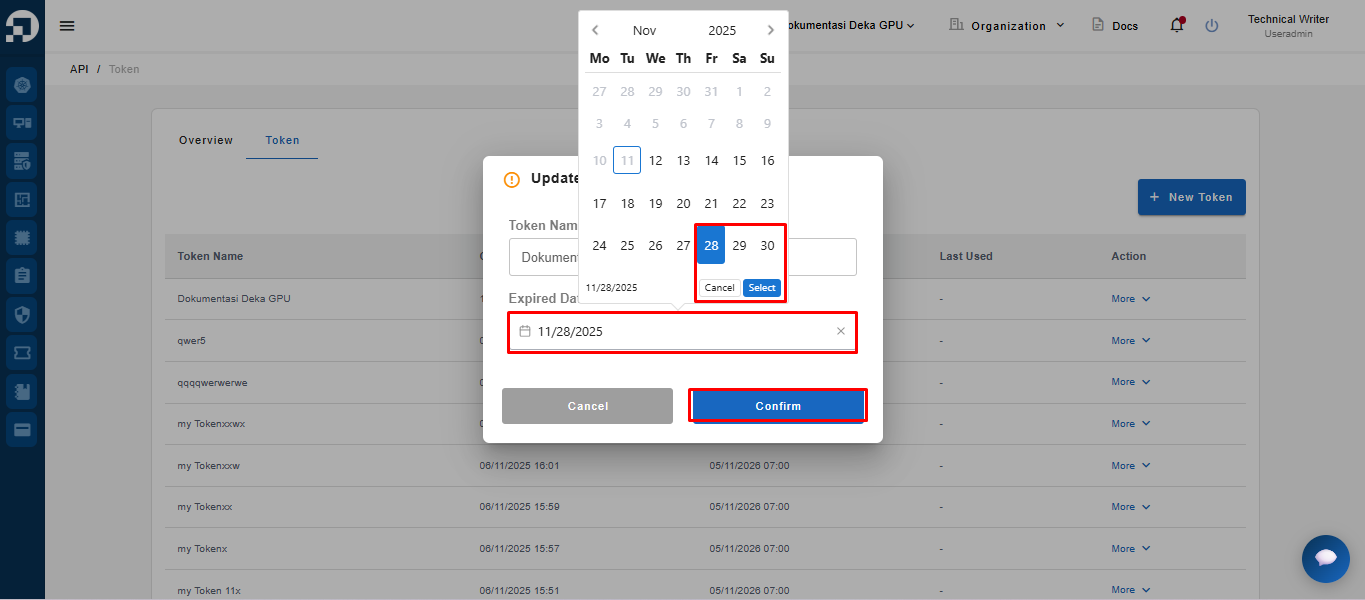
Edit Token displays the token name and expiration date (Expired Date). In this feature, only the expiration date can be modified. This function is used to extend the token’s validity period without changing other data, ensuring that access management remains secure and well-controlled.
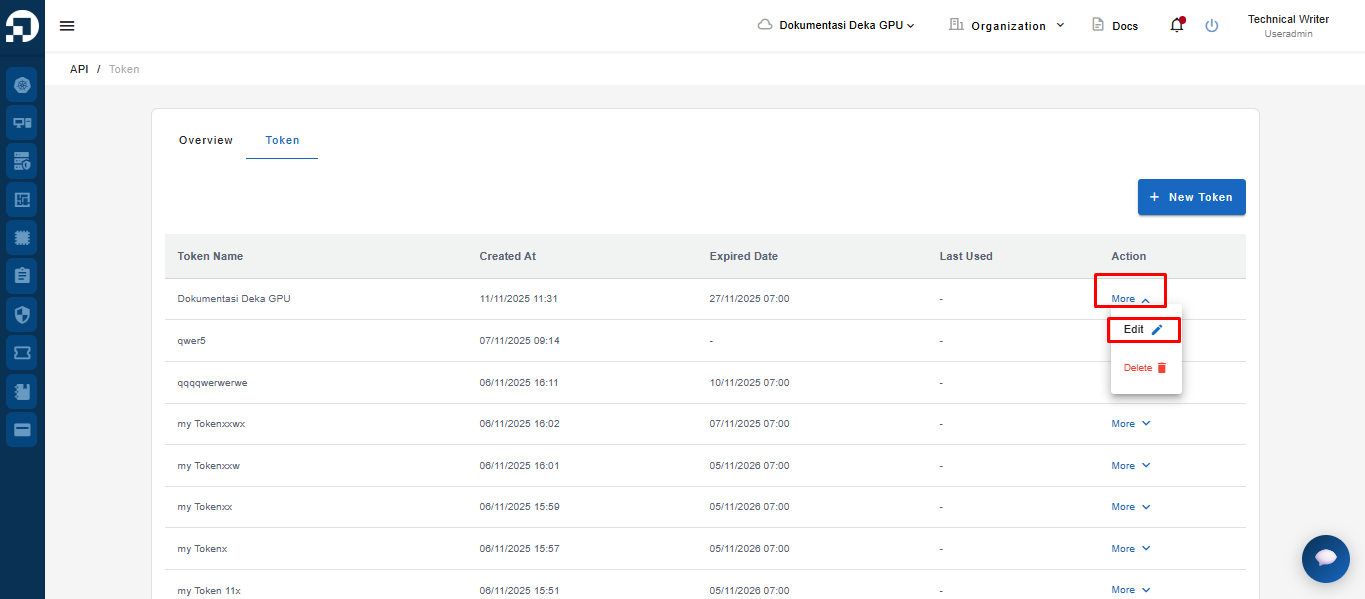
On the Token page, click the More button → then select Edit
The system will display a form page to modify the token data → update the Expired Date → then click the Confirm button.
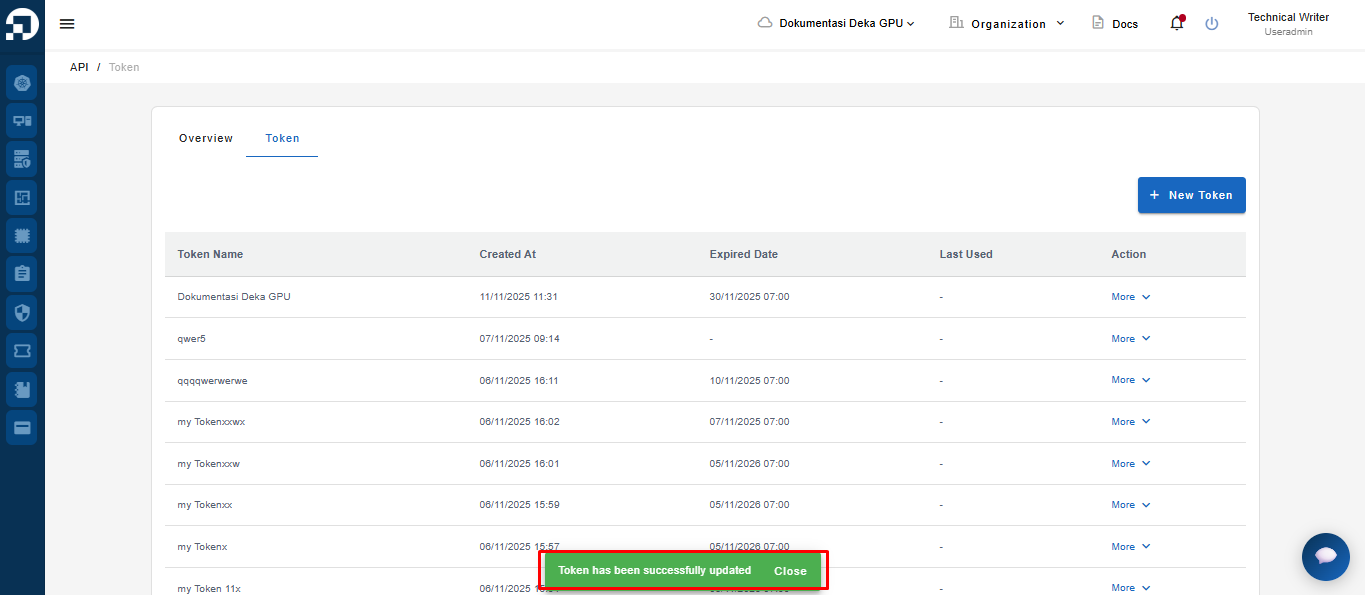
After the data is updated, the system will display a notification: “Token has been successfully updated.”
{% hint style="success" %}
Note :If the selected date is earlier than the existing expiration date, an error message will appear “Expired date cannot be moved backward.”
{% endhint %}