# Access Deka Box using S3 Browser

This section describes how to access your object storage using the S3 browser. Before you can access it, you need to download and install [S3 Browser](https://s3browser.com/) on your computer.

S3 Browser is a Windows application that is used as S3 client to access files stored in buckets and allows to management S3 storage settings. You can upload, download and delete files, create folders, and perform other file management operations without using a web browser. Moreover, you can change options such as bucket policy, logging settings, manage users, edit permissions, and bucket sharing options.

If you already have S3 browser installed on your computer, follow these steps to access your object storage using S3 browser.

* Open the S3 browser on your computer.

<figure><img src="https://lh7-us.googleusercontent.com/docsz/AD_4nXfO_QDLZJKrrPai3c-M2q5ChD6CylC9iGBJ3wWo8pFOIkaYYeHVsOS-nEqPJaPfKpApmacWH449QnHeXUlav2kVbb4JA_enwx2gObdA-QCmjv-129DF4TvKrvD4CDdnz4IIFrVaCjKvUM1URZbEeEKjs5HATPHxWzFdltLr1A?key=46IjkLc3IF9fwKsCfdMWCg" alt=""><figcaption></figcaption></figure>

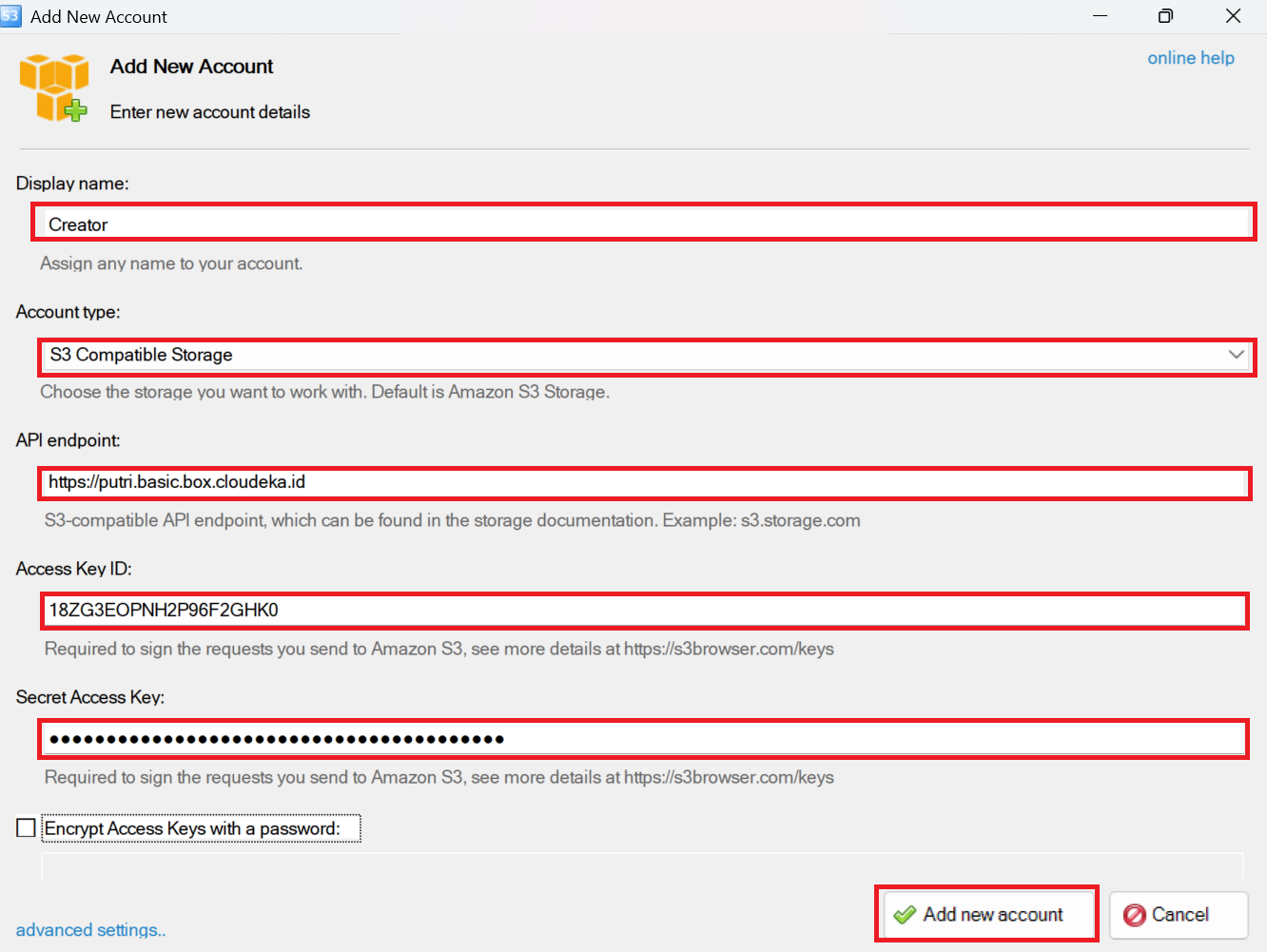
* It will show the window to Add New Account, fill the fields:

<table><thead><tr><th width="229">Column</th><th>Description</th></tr></thead><tbody><tr><td><strong>Display Name</strong></td><td>Your display name.</td></tr><tr><td><strong>Account type</strong></td><td>Choose S3 Compatible Storage.</td></tr><tr><td><strong>REST Endpoint</strong></td><td>Can be seen on the tab Overview of Deka Box Details page on the S3 line of the URL.</td></tr><tr><td><strong>Access Key ID</strong></td><td>Your Access Key ID.</td></tr><tr><td><strong>Secret Access Key</strong></td><td>Your Secret Access Key.</td></tr></tbody></table>

If all fields are filled in, click the Add New Account button.

<figure><img src="/files/uSX1S3erP46kHxTSAqrH" alt=""><figcaption></figcaption></figure>

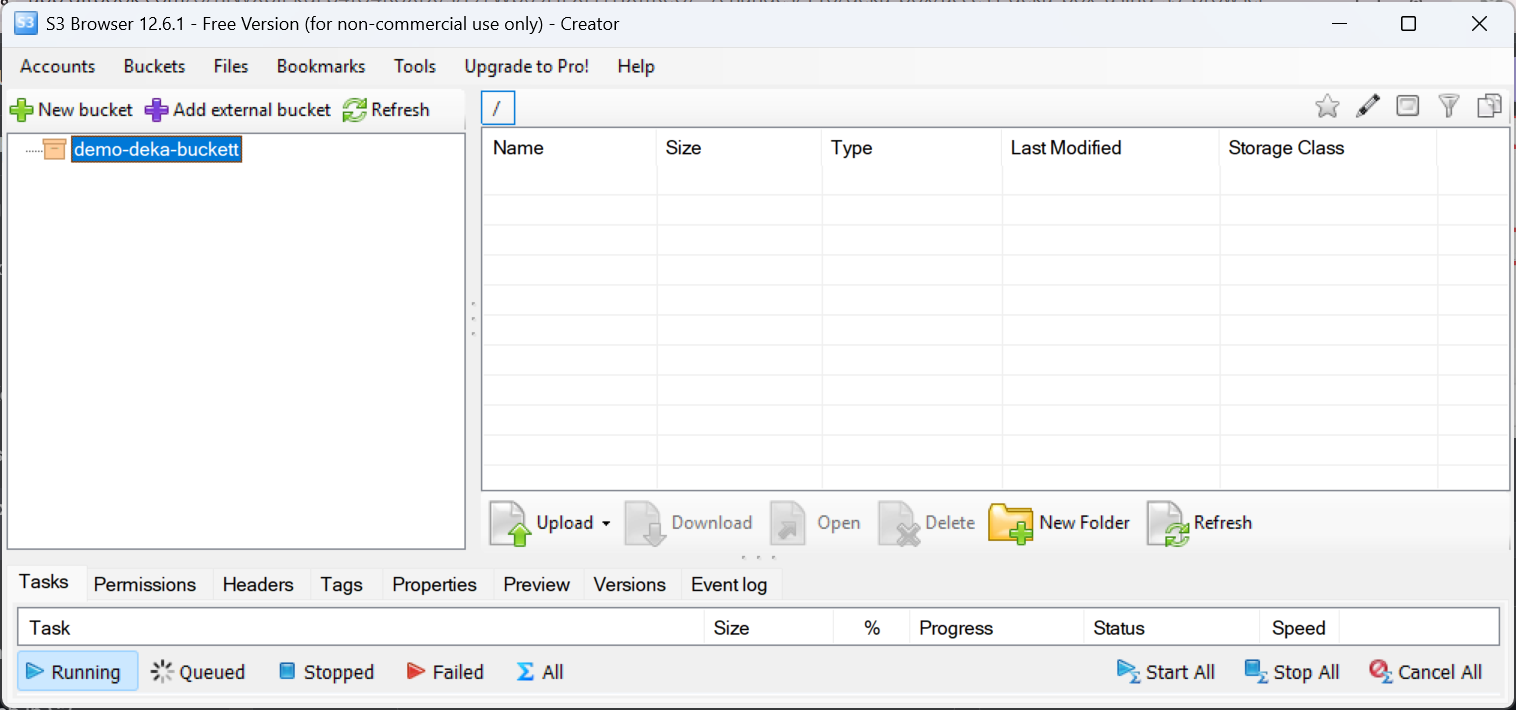
Now you can access your bucket.

<figure><img src="/files/eouuIxsqW37yyWFfR8Kp" alt=""><figcaption></figcaption></figure>


---

# Agent Instructions: Querying This Documentation

If you need additional information that is not directly available in this page, you can query the documentation dynamically by asking a question.

Perform an HTTP GET request on the current page URL with the `ask` query parameter:

```
GET https://docs.cloudeka.ai/deka-box/access-deka-box-using-s3-browser.md?ask=<question>
```

The question should be specific, self-contained, and written in natural language.
The response will contain a direct answer to the question and relevant excerpts and sources from the documentation.

Use this mechanism when the answer is not explicitly present in the current page, you need clarification or additional context, or you want to retrieve related documentation sections.