> For the complete documentation index, see [llms.txt](https://docs.cloudeka.ai/llms.txt). Markdown versions of documentation pages are available by appending `.md` to page URLs; this page is available as [Markdown](https://docs.cloudeka.ai/deka-cdn/detail-deka-cdn.md).
# Detail Deka CDN
**This guide provides detailed information about the Deka CDN service that has been configured for a specific domain through the Cloudeka Service Portal. There are three main tabs available, as follows:**
* Overview Tab
* Editor Tab
* Dashboard Tab
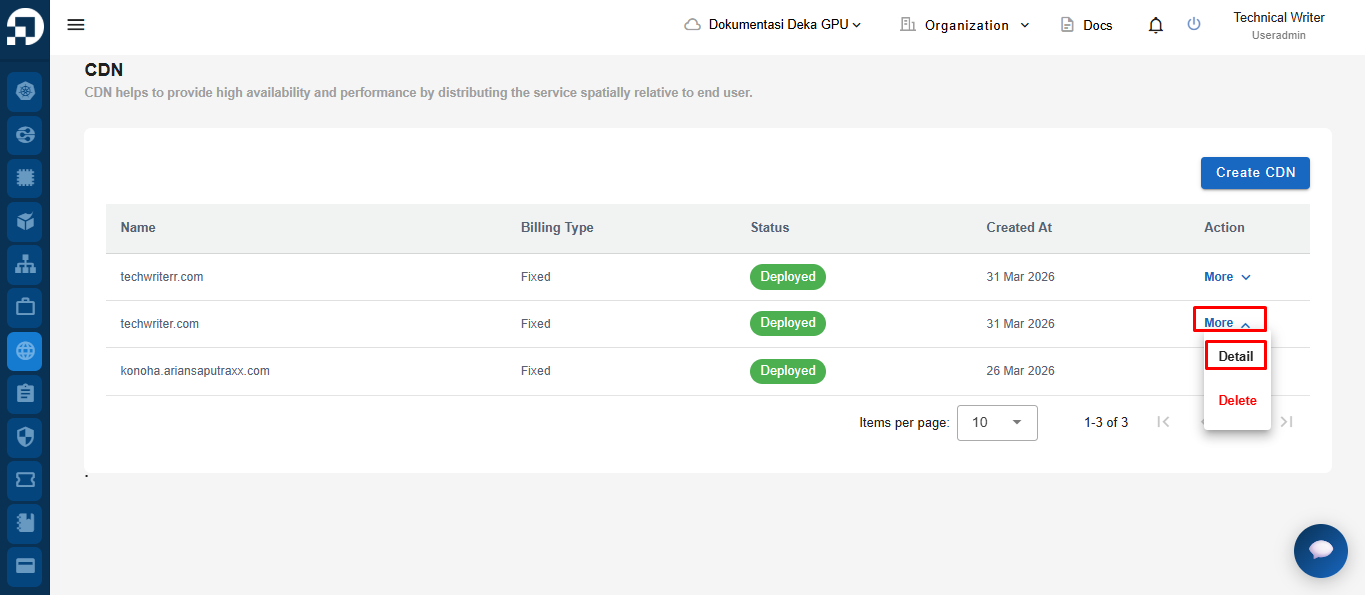
To view the details of Deka CDN, go to the CDN menu, click the Action button, and then select Detail.
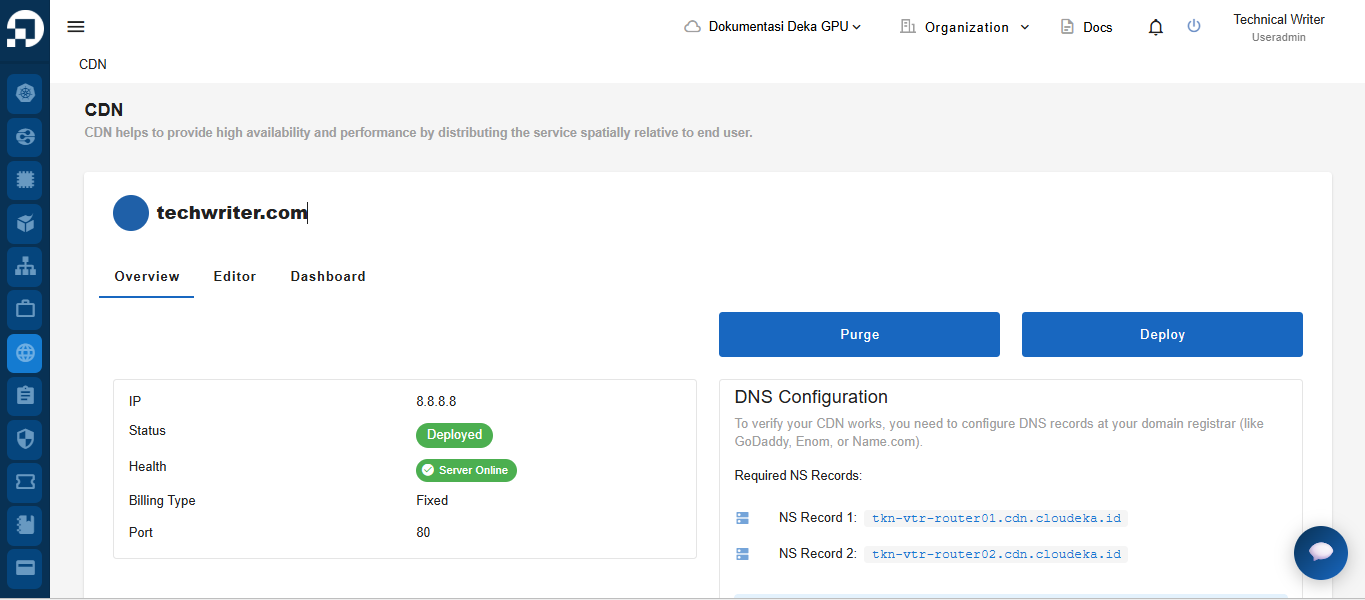
The system will automatically display the **Deka CDN Detail** page, which provides comprehensive information about the selected CDN service, including deployment status, server health, IP address, billing type, and port configuration. This page also allows users to manage the CDN through available actions such as **Purge** and **Deploy**, as well as view the required **DNS configuration** needed to activate and verify the CDN service.