> For the complete documentation index, see [llms.txt](https://docs.cloudeka.ai/llms.txt). Markdown versions of documentation pages are available by appending `.md` to page URLs; this page is available as [Markdown](https://docs.cloudeka.ai/deka-claw/delete-deka-claw.md).
# Delete Deka Claw
The **Delete** feature is used to remove an instance that is no longer needed from the system. This action will delete all configurations associated with the instance.
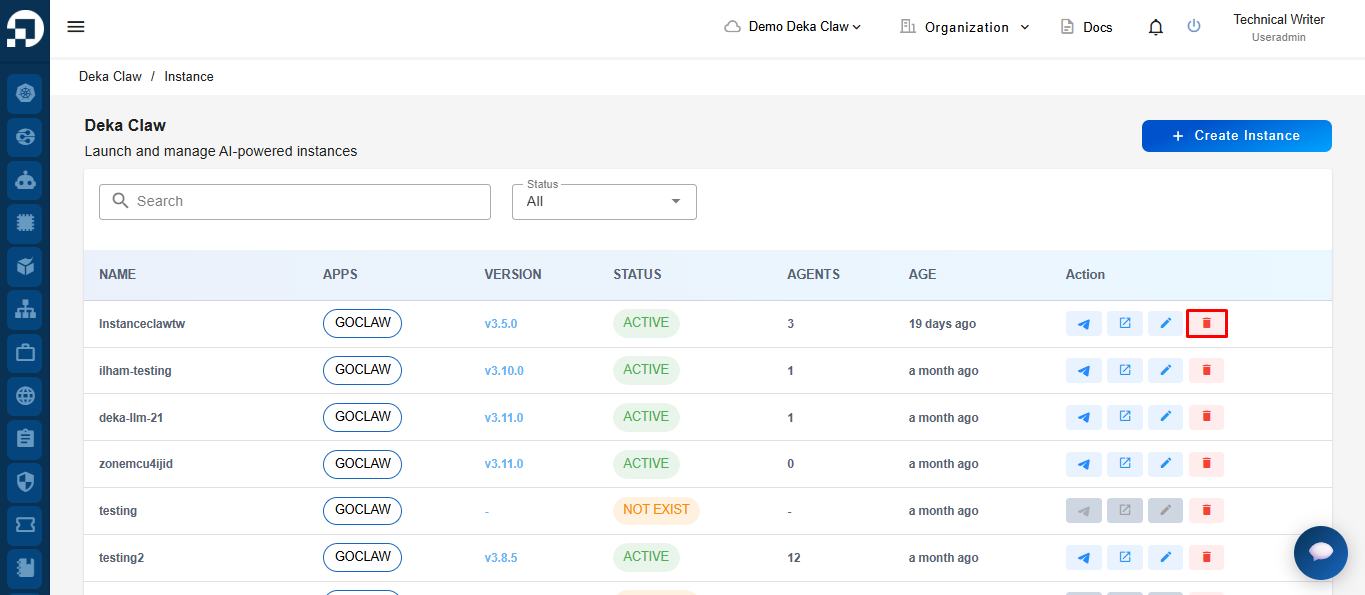
To delete an instance, click the **Delete** icon in the **Action** column of the instance you want to remove.
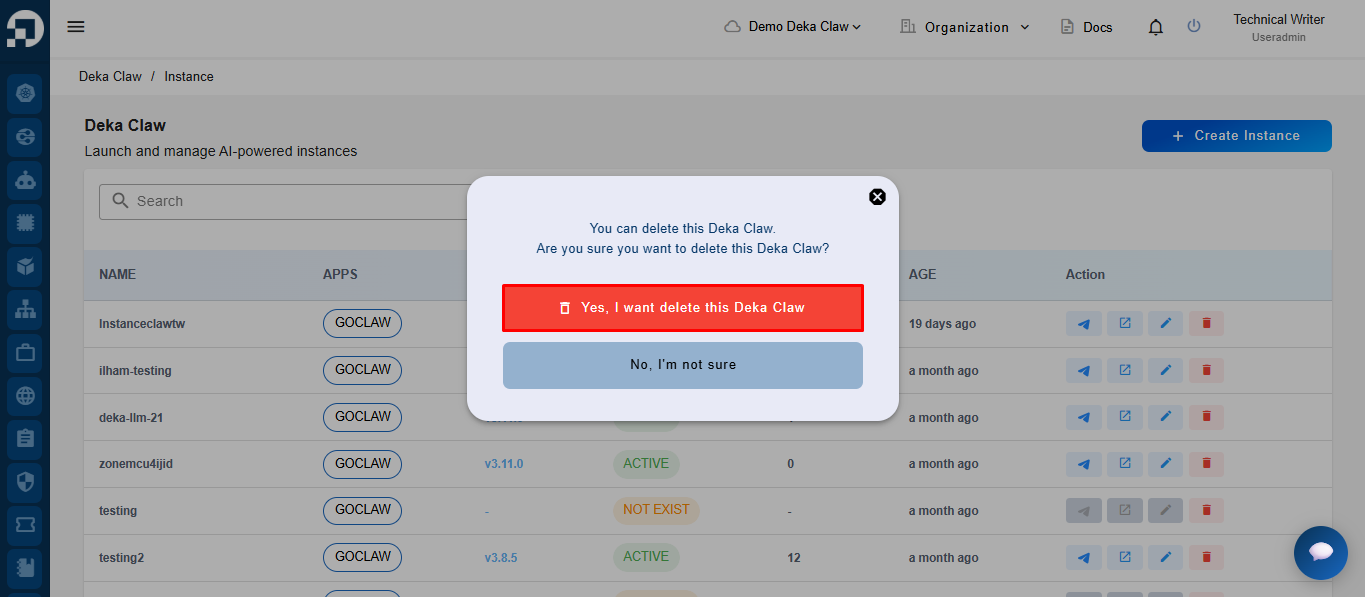
After clicking the **Delete** icon, the system will display a confirmation notification to delete the instance. Click **“Yes, I want to delete this Deka Claw”** to proceed.
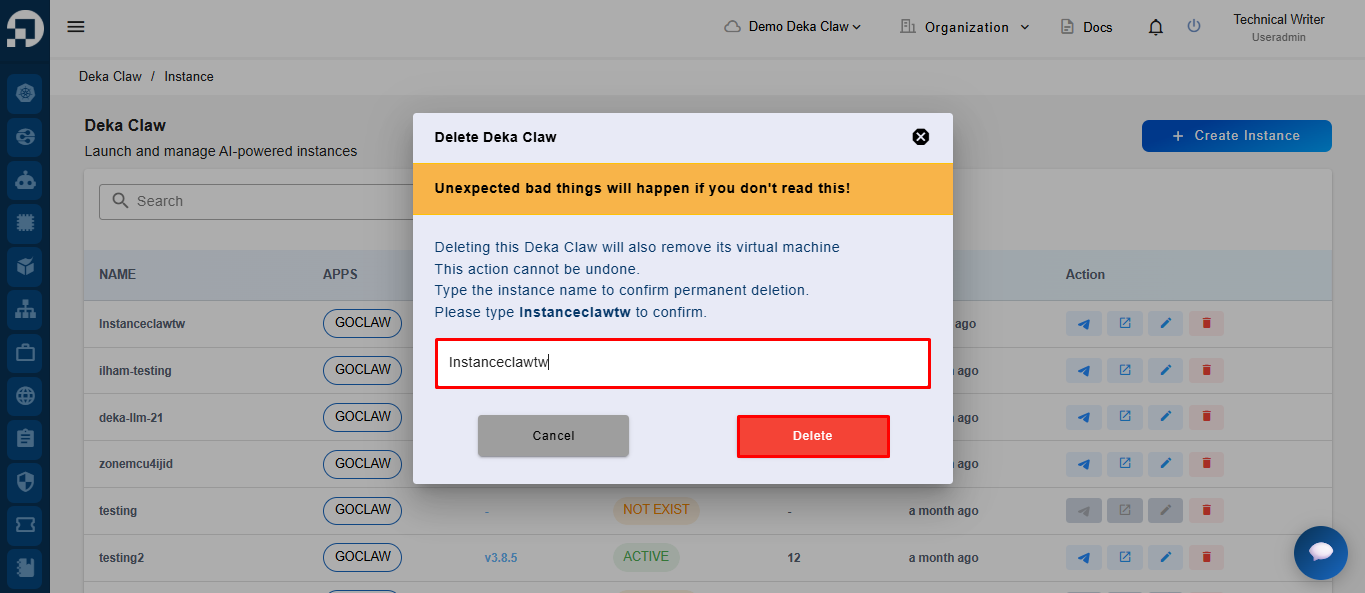
On the confirmation page, retype the instance name in the available field to verify the deletion process. After the instance name matches correctly, click the **Delete** button to continue the permanent instance deletion process.
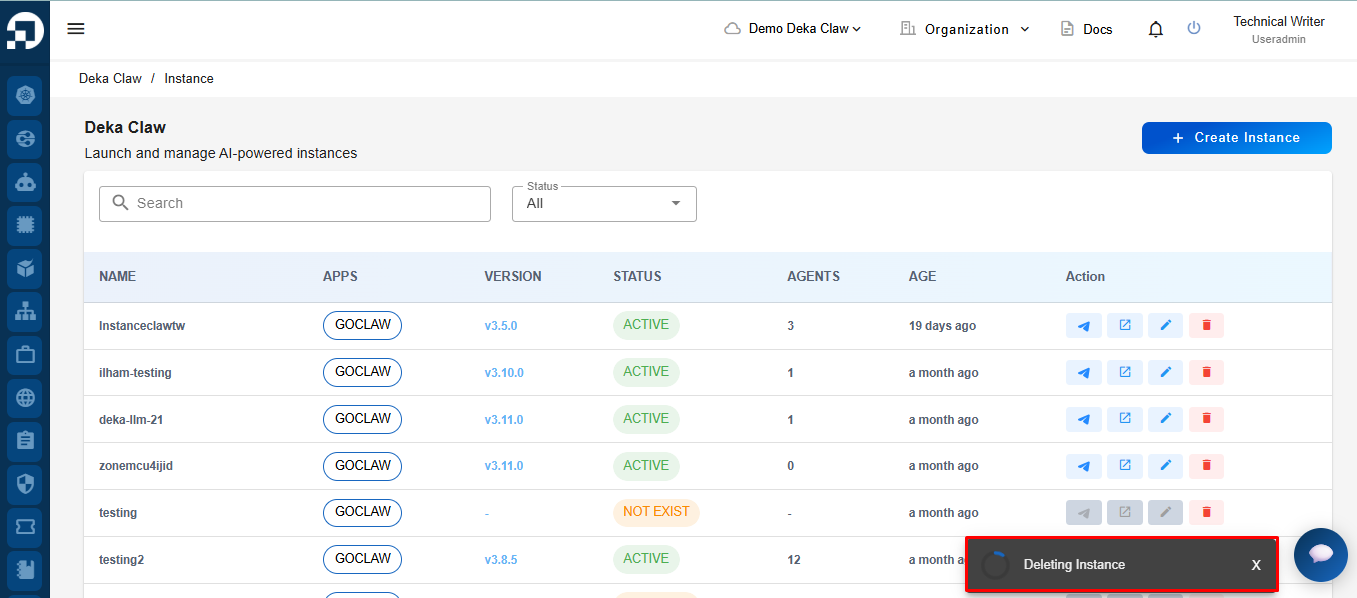
After clicking the **Delete** button, the system will display a **Deleting Instance** notification indicating that the instance deletion process is currently in progress.