> For the complete documentation index, see [llms.txt](https://docs.cloudeka.ai/llms.txt). Markdown versions of documentation pages are available by appending `.md` to page URLs; this page is available as [Markdown](https://docs.cloudeka.ai/deka-claw/detail-deka-claw/agent/edit-agent.md).
# Edit Agent
The **Edit Agent** feature is used to update the configuration of an existing Agent within a Deka Claw instance. Users can modify the Agent personality, AI model configuration, memory settings, budget limits, and evolution settings according to their requirements.
This feature allows users to optimize the Agent's behavior and performance without creating a new Agent.
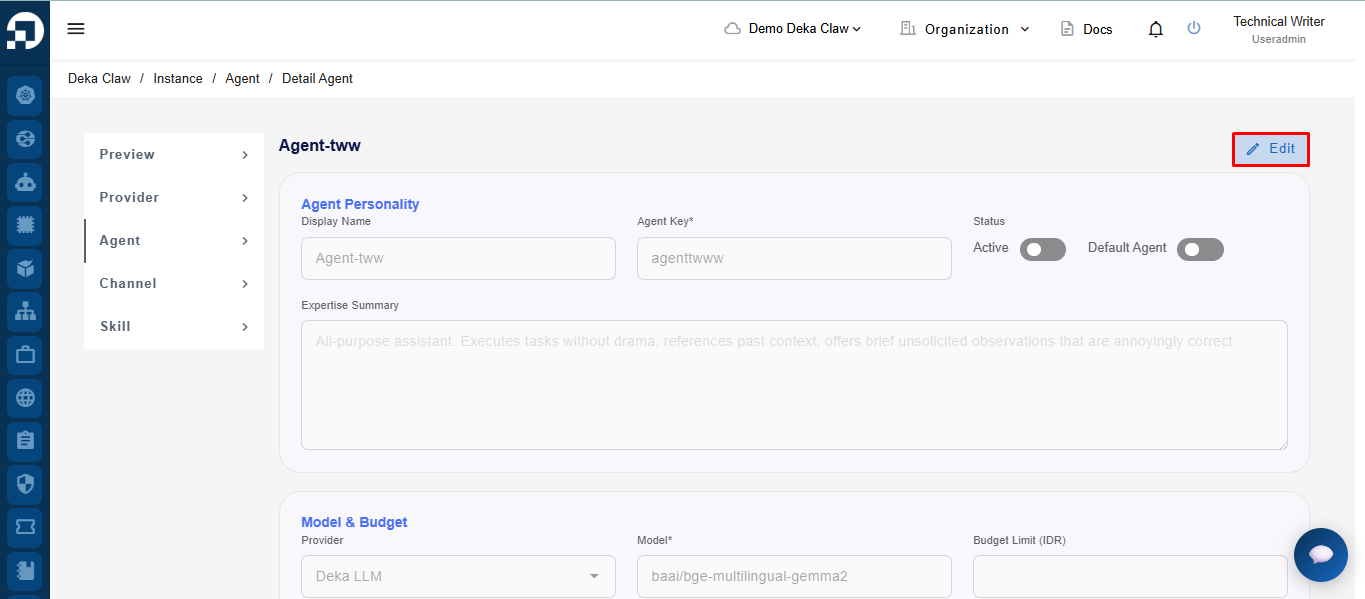
To modify the **Agent** configuration, click the **Edit** button on the **Agent Detail** page.
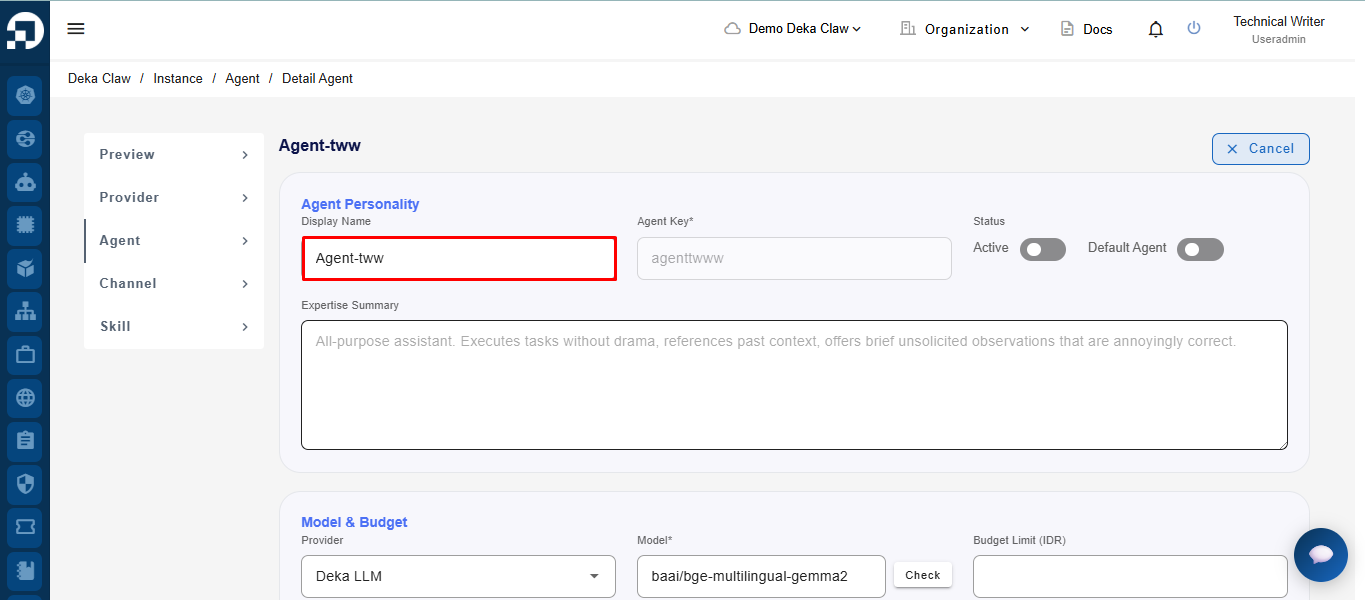
After that, the form will become editable, allowing you to update **Agent** information, model, memory, and other settings as needed.
### Agent Personality
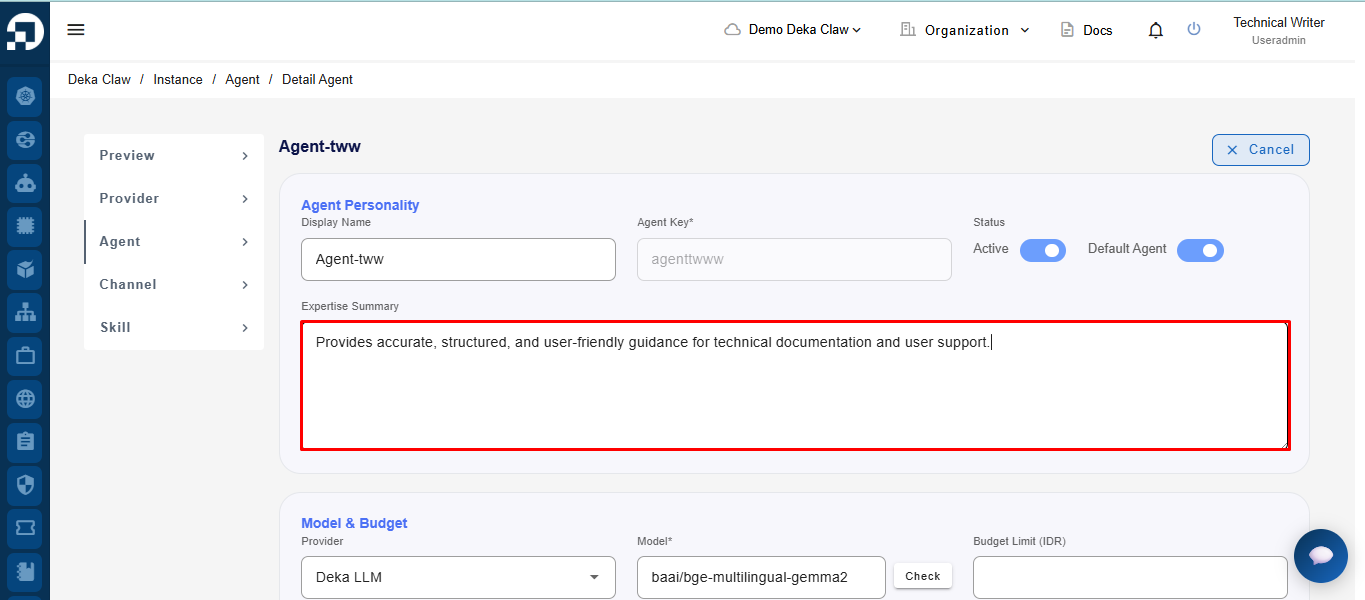
In the **Display Name** field, users can update the Agent display name as needed.
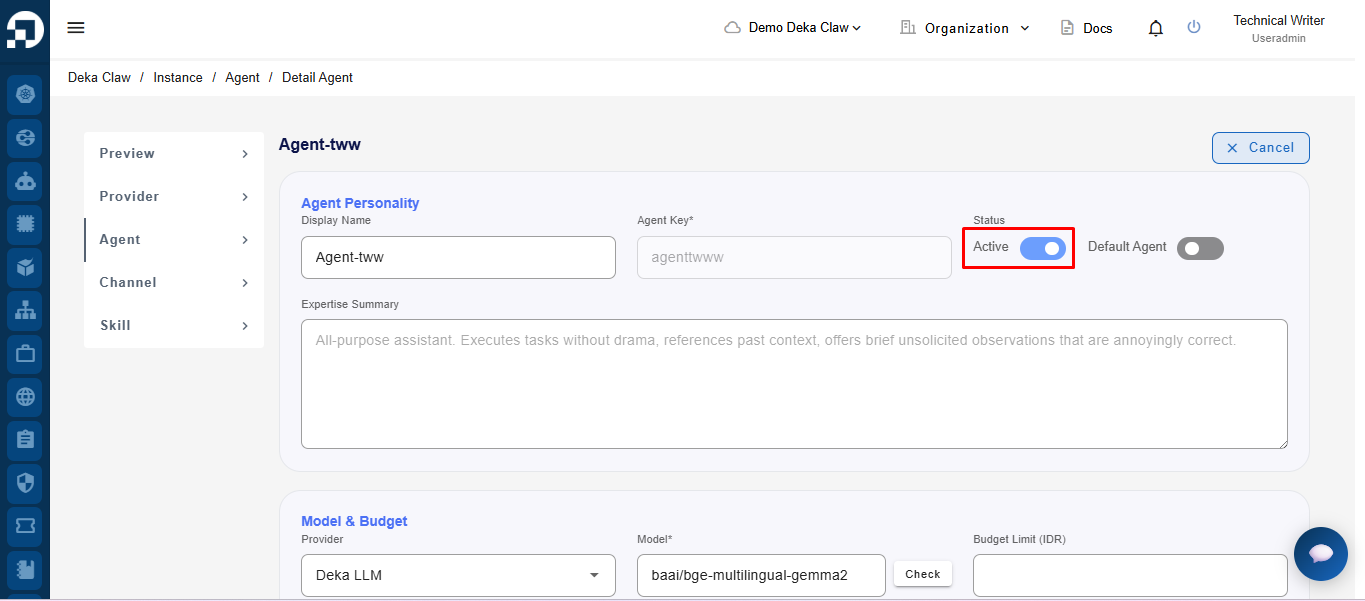
The Active toggle is used to enable or disable the Agent.
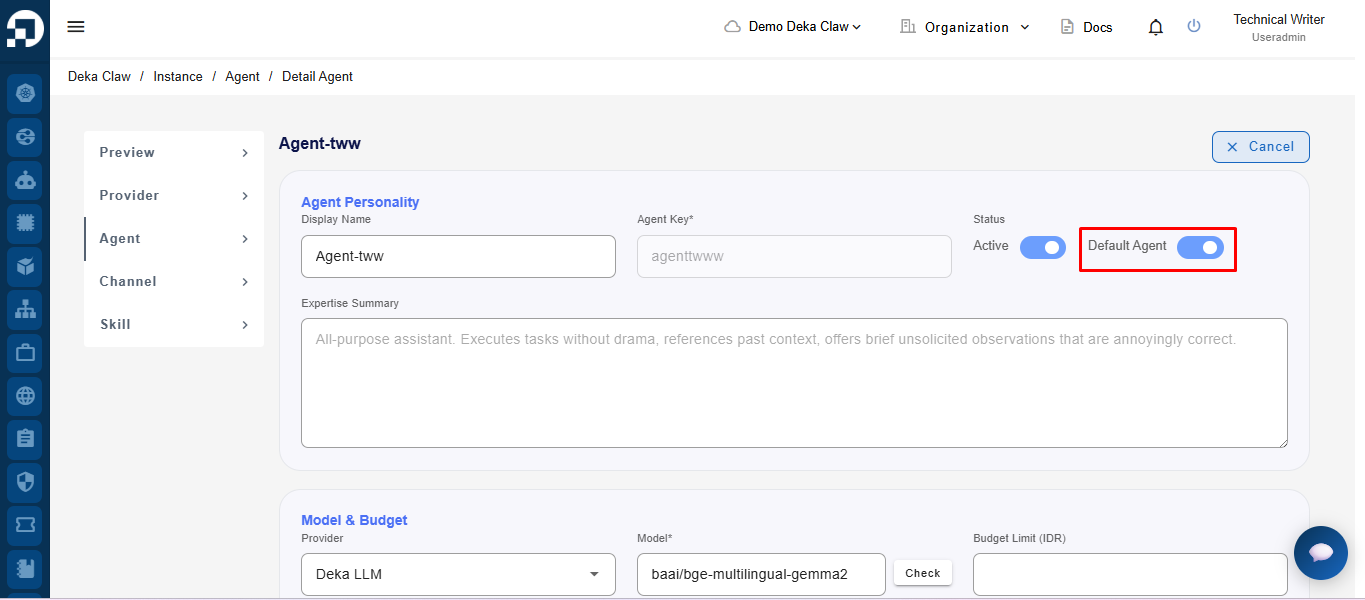
The Default Agent toggle is used to set the agent as the default Agent.
In the Expertise Summary field, users can add or update a brief description of the Agent’s capabilities or functions.
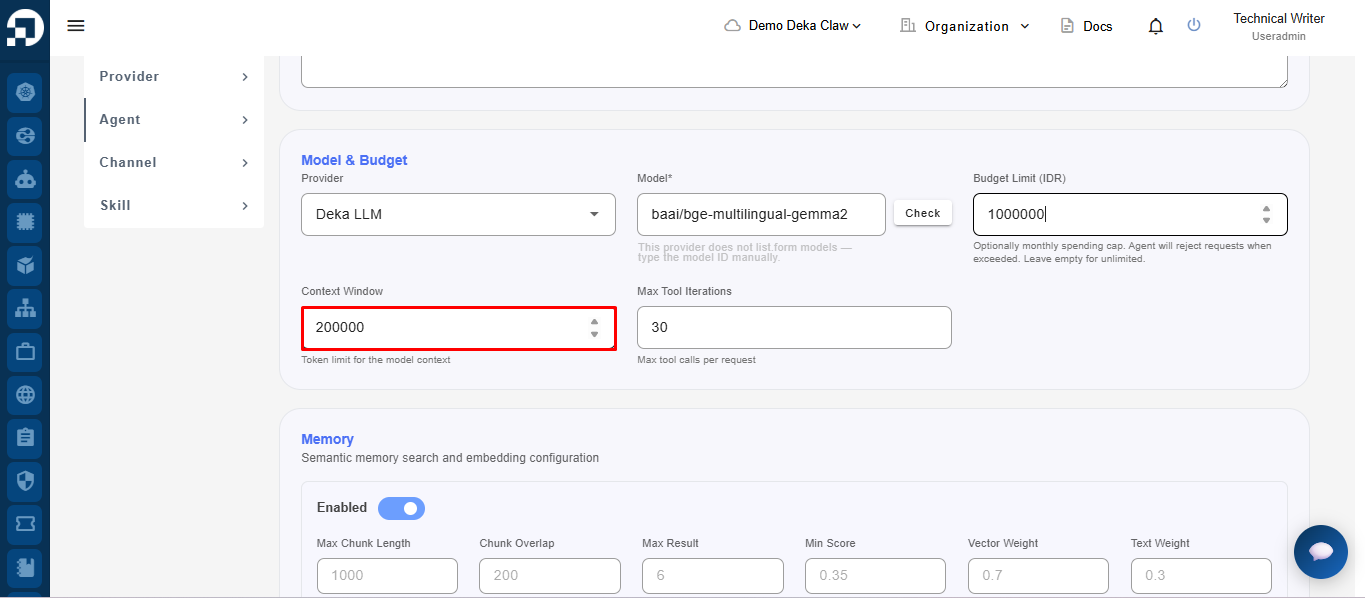
### Model & Budget
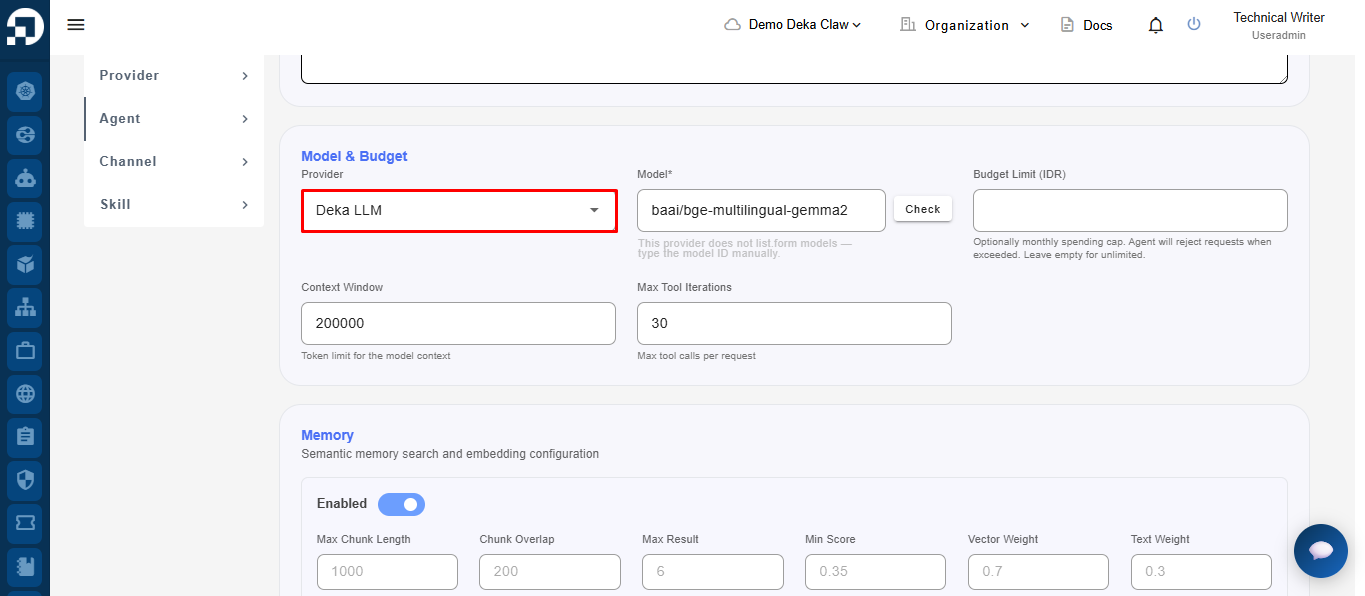
In the Provider field, users can select the model provider to be used by the Agent.
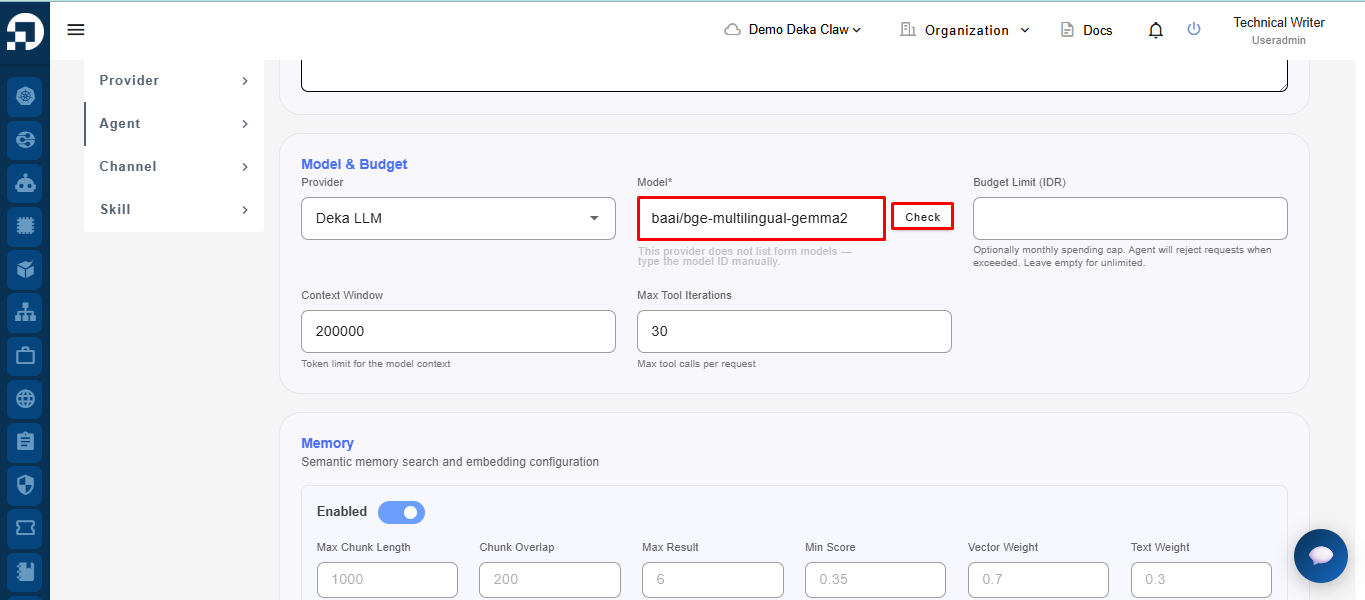
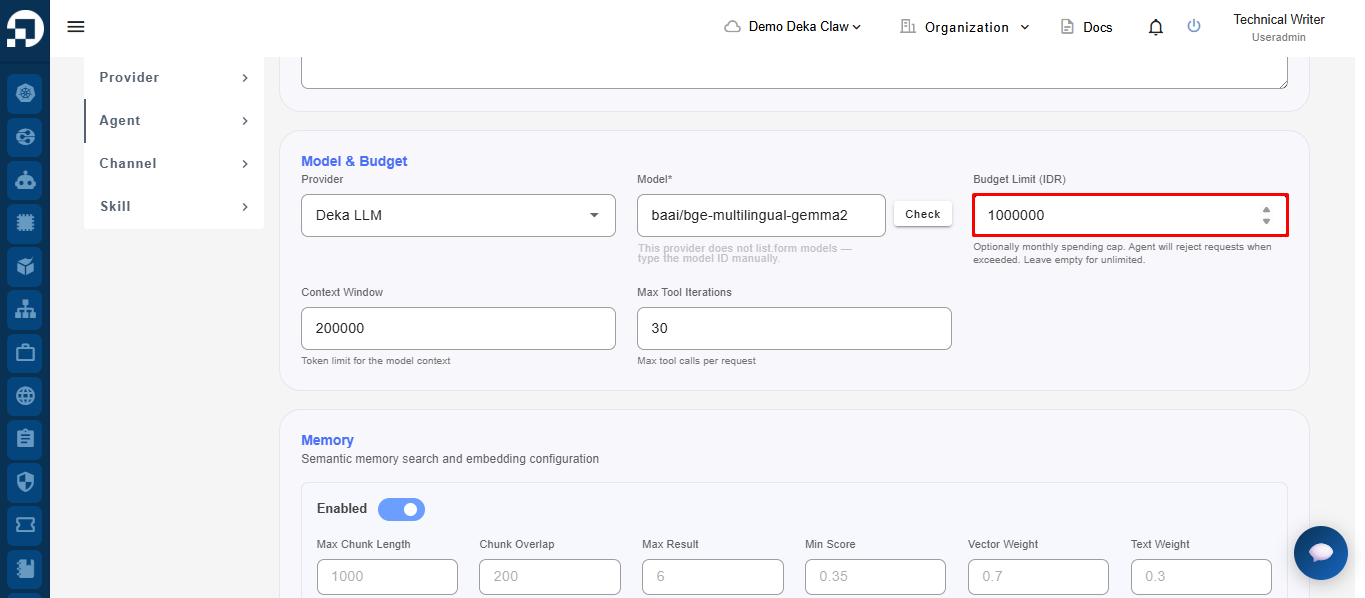
In the Model field, users can select the AI model to be used by the Agent. In the Budget Limit field, users can define the Agent usage budget limit.
Fill in the **Budget Limit (IDR)** field to set the maximum monthly spending limit for the agent.
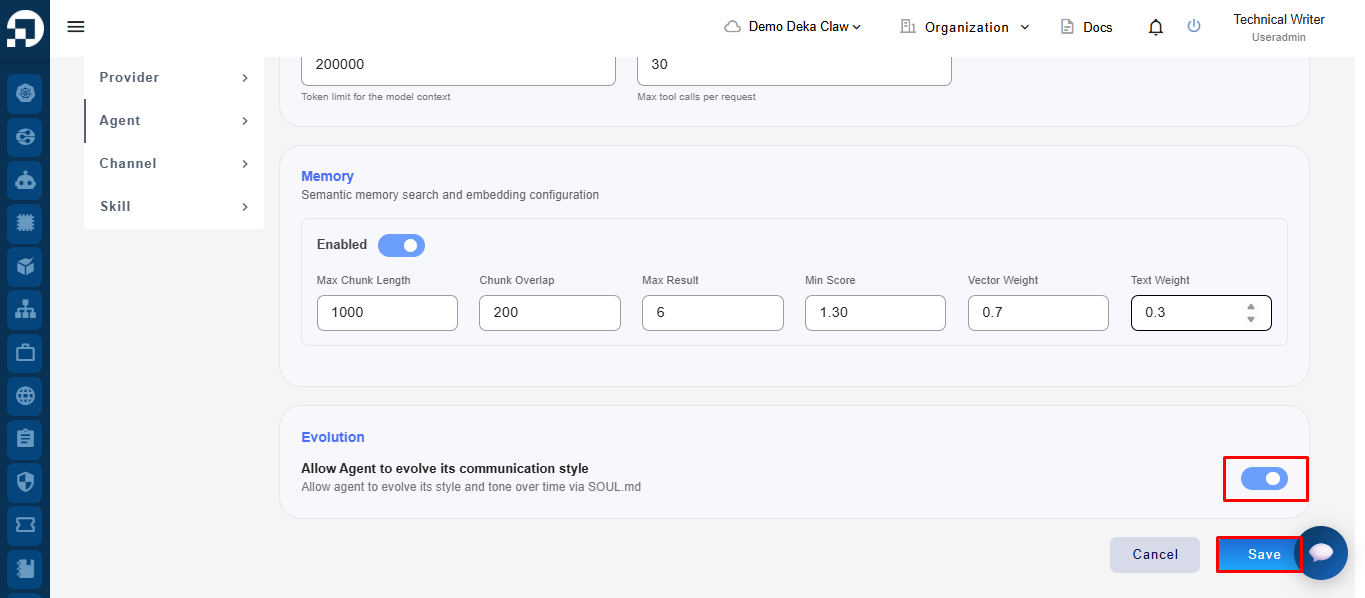
In the Context Window field, users can define the maximum number of context tokens processed by the model.
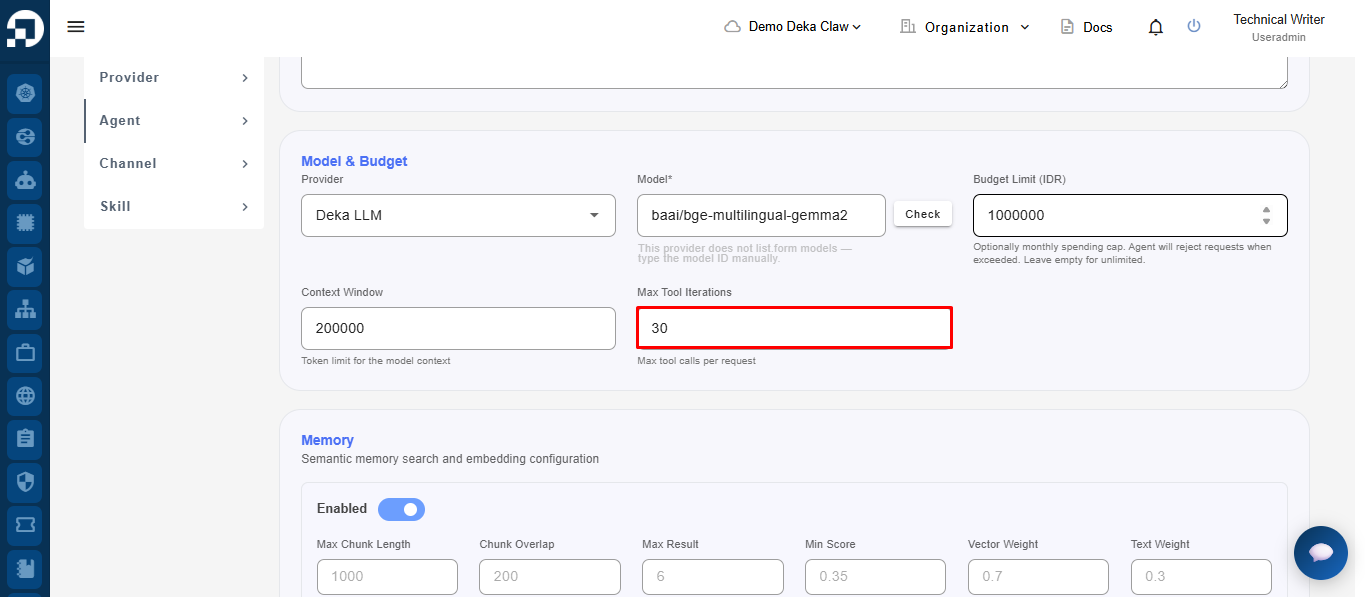
In the Max Tool Iterations field, users can define the maximum number of tool usages within a single request.
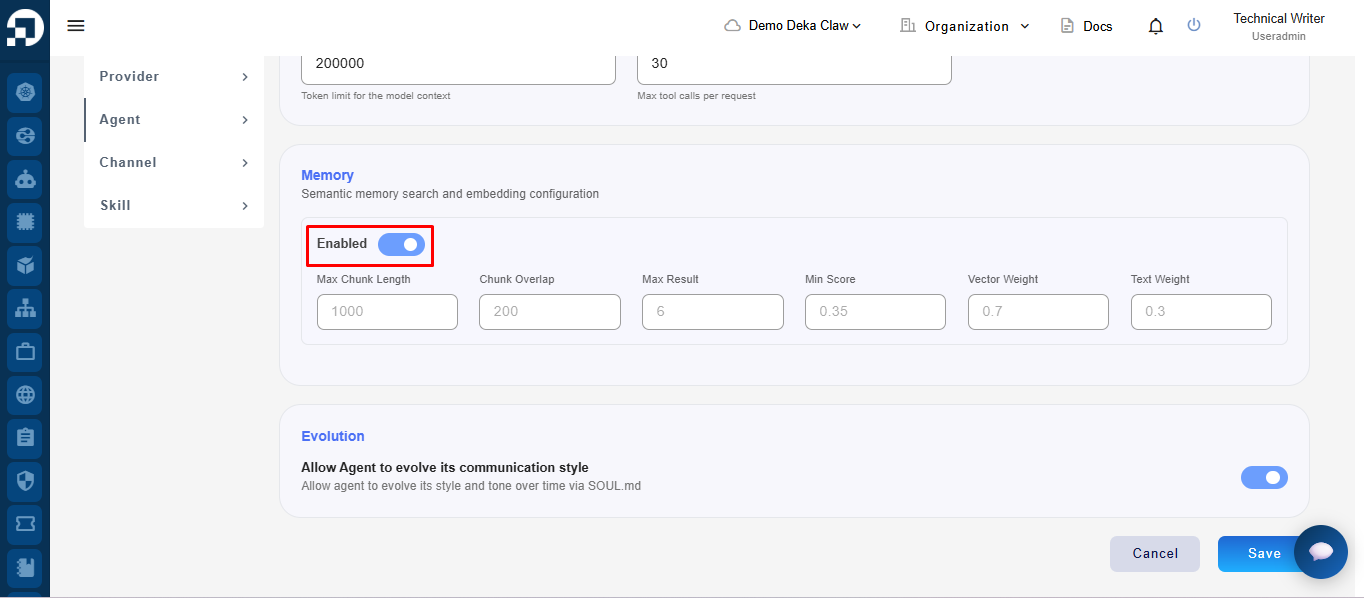
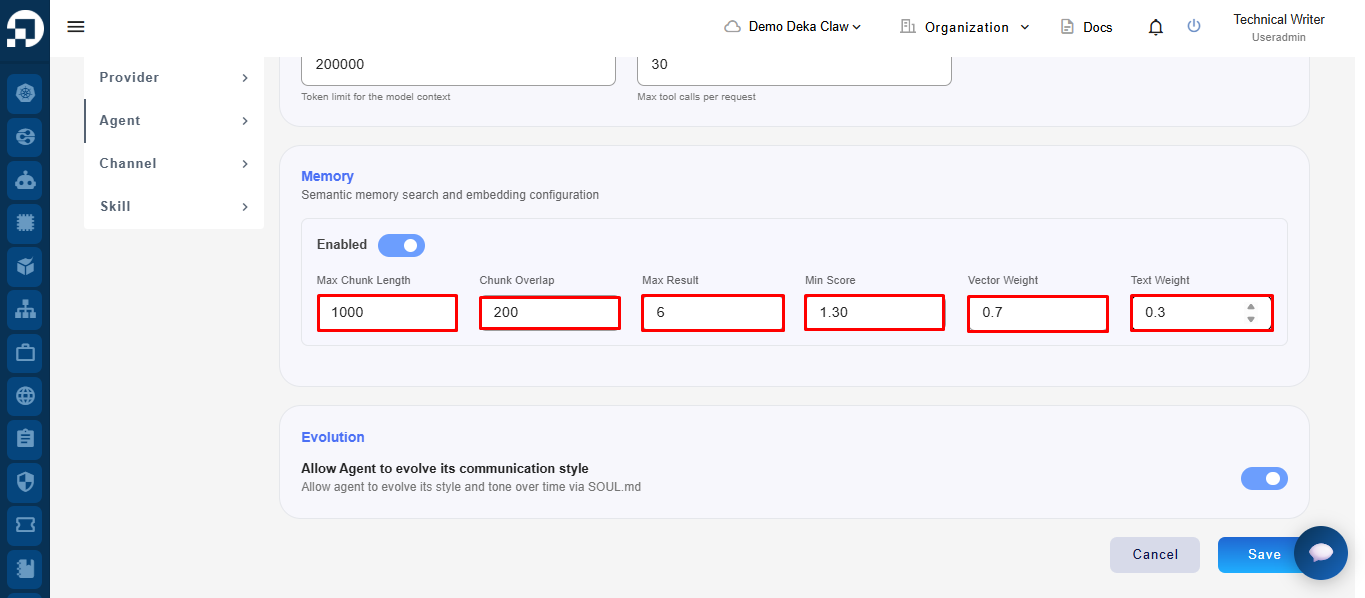
### Memory
The Enabled toggle is used to enable or disable the memory feature for the Agent.
In the **Memory** section, users can configure semantic memory settings such as chunk overlap, maximum memory results, minimum search score, and the weight for vector-based and text-based searches.
### Evolution
The Evolution feature allows the **Agent** to automatically develop its communication style and adapt its conversation tone over time based on the **SOUL.md** configuration.
To enable the **Evolution** feature, enable the **Enable** toggle in the **Evolution** section, then click **Save**.