> For the complete documentation index, see [llms.txt](https://docs.cloudeka.ai/llms.txt). Markdown versions of documentation pages are available by appending `.md` to page URLs; this page is available as [Markdown](https://docs.cloudeka.ai/deka-claw/detail-deka-claw/channel/delete-channel.md).
# Delete Channel
The **Delete Channel** feature is used to remove a Channel from the system. This allows users to delete Channels that are no longer needed so they do not remain in the list.
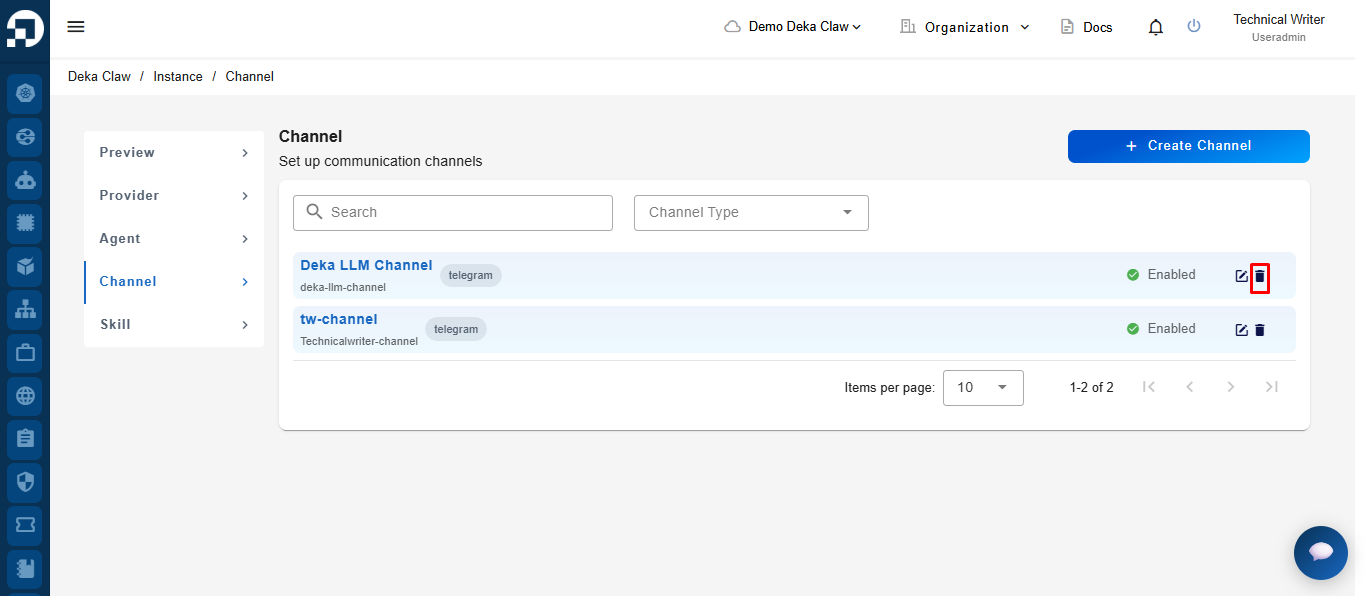
To delete a Channel, click the **Delete** icon on one of the Channel names in the list, then confirm the deletion if prompted.
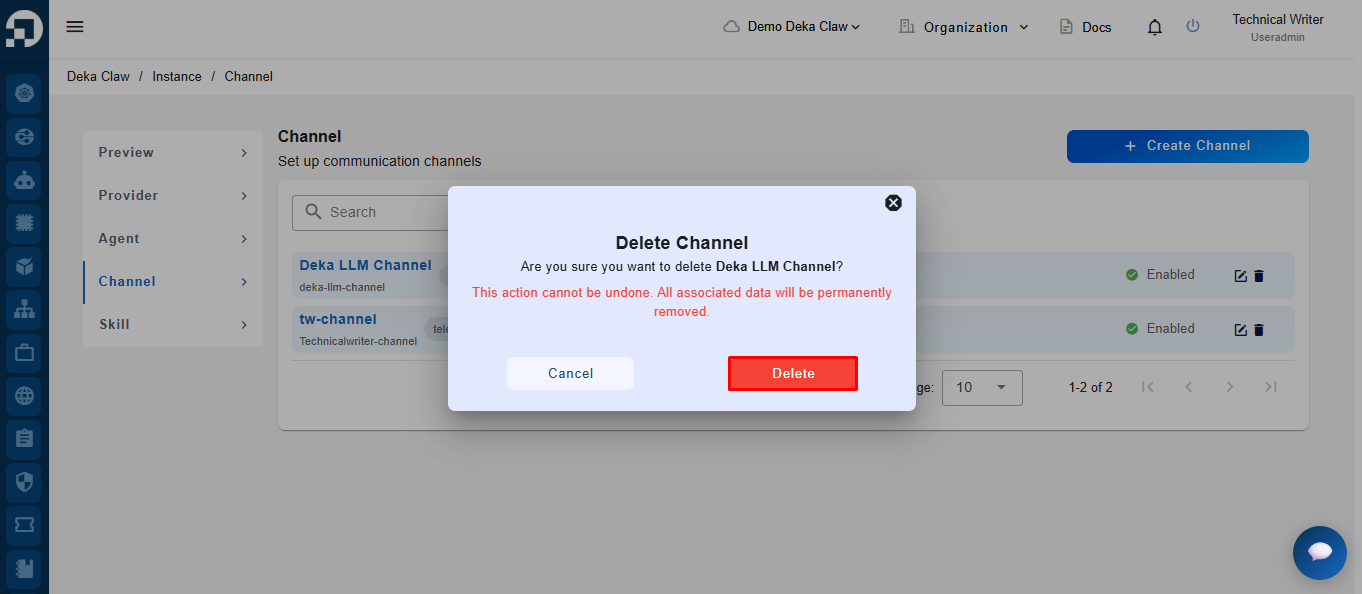
After clicking the **Delete** button, the system will display a confirmation notification to verify the deletion request. Click the **Delete** button to proceed.
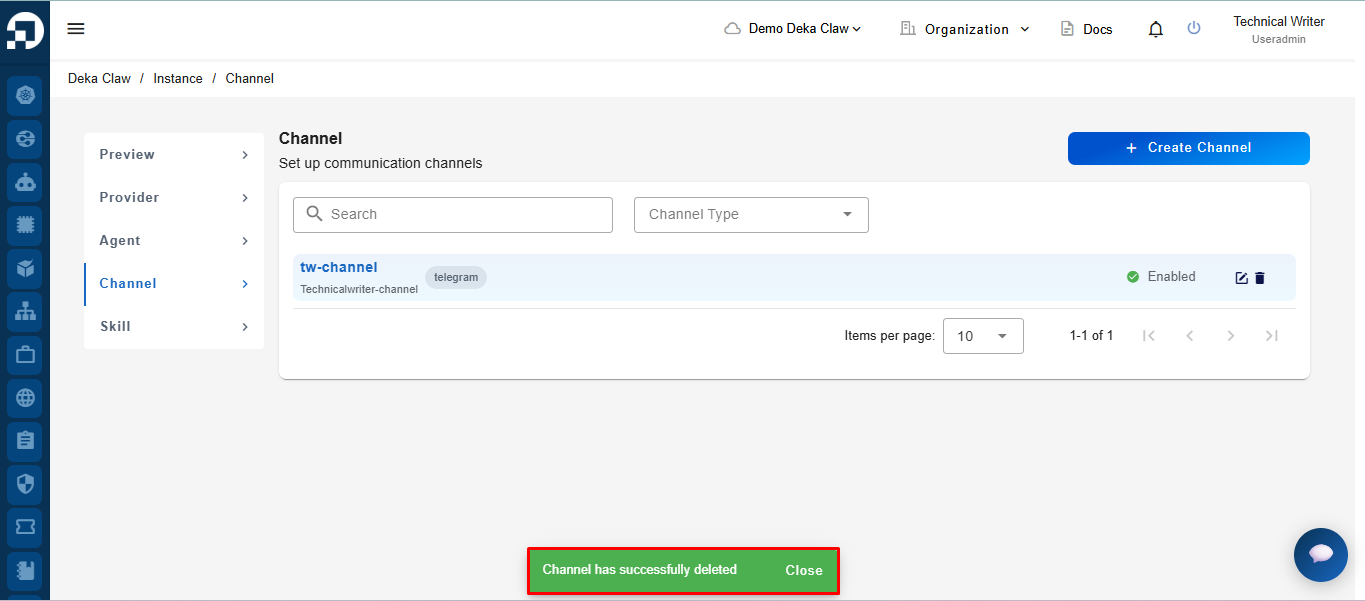
If successful, the system will display the notification message **"Channel has successfully deleted"**.