> For the complete documentation index, see [llms.txt](https://docs.cloudeka.ai/llms.txt). Markdown versions of documentation pages are available by appending `.md` to page URLs; this page is available as [Markdown](https://docs.cloudeka.ai/deka-claw/detail-deka-claw/provider/delete-provider.md).
# Delete provider
The **Delete Provider** feature is used to remove a registered Provider from the system. Once deleted, all related configurations such as **API configurations and models** will no longer be available or usable.
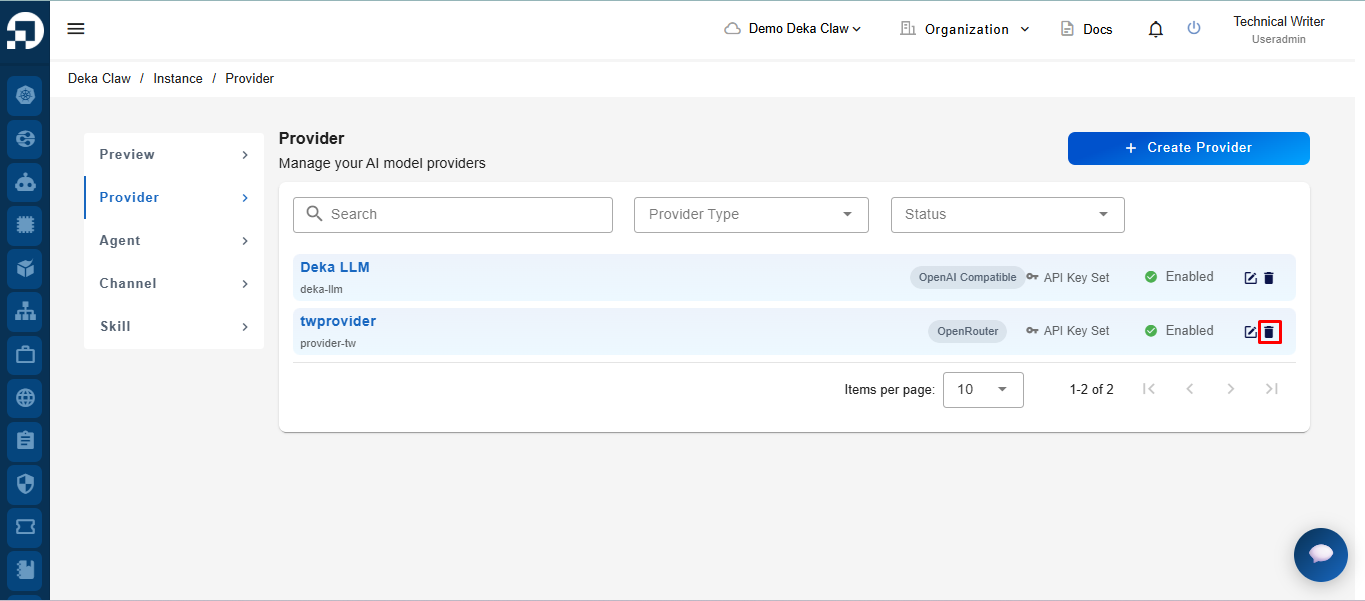
To delete a Provider, click the **Delete** icon on one of the Providers in the table.
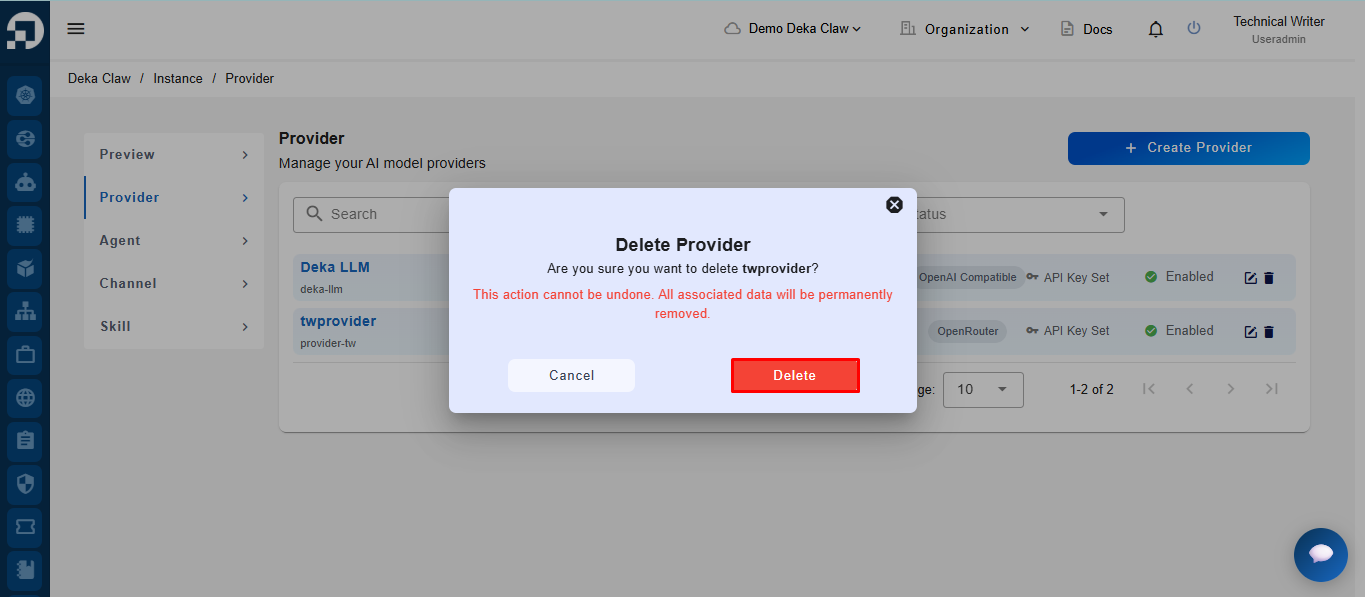
After clicking the **Delete** icon, the system will display a confirmation notification. Click the **Delete** button to proceed.
{% hint style="warning" %}
**Note:** Deleting a Provider is permanent and cannot be undone.
{% endhint %}
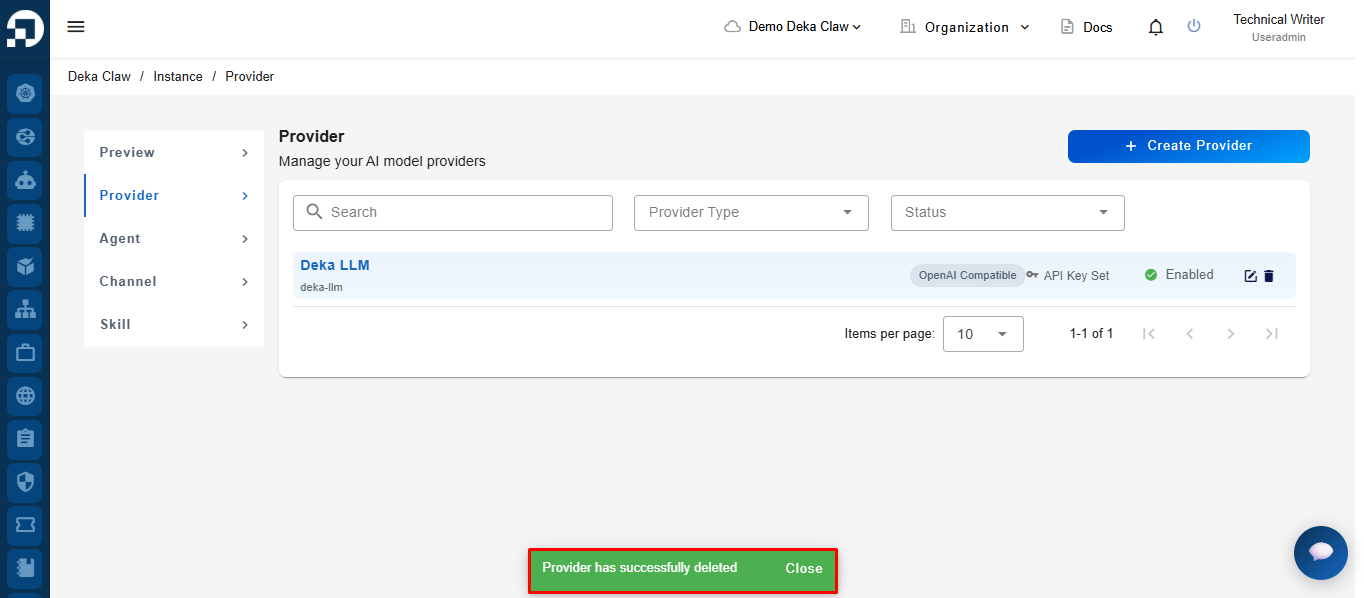
If successful, the system will display the notification message **"Provider has successfully deleted"**, indicating that the Provider has been successfully removed from the list.