> For the complete documentation index, see [llms.txt](https://docs.cloudeka.ai/llms.txt). Markdown versions of documentation pages are available by appending `.md` to page URLs; this page is available as [Markdown](https://docs.cloudeka.ai/deka-claw/detail-deka-claw/provider/edit-provider.md).
# Edit provider
The **Edit Provider** feature is used to update or modify an existing Provider’s configuration, such as **Name**, **Display Name**, **API Base URL**, **API Key**, **Provider Type**, and Provider status.
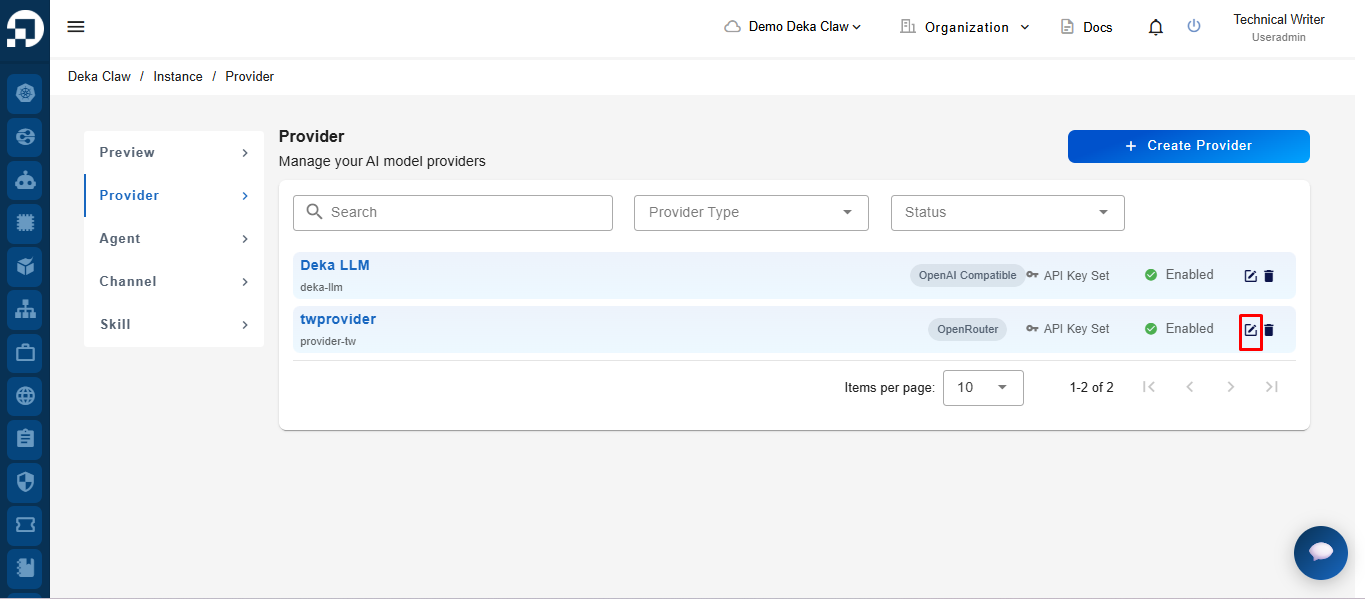
To edit a Provider, click the **Edit** icon on one of the Providers in the table.
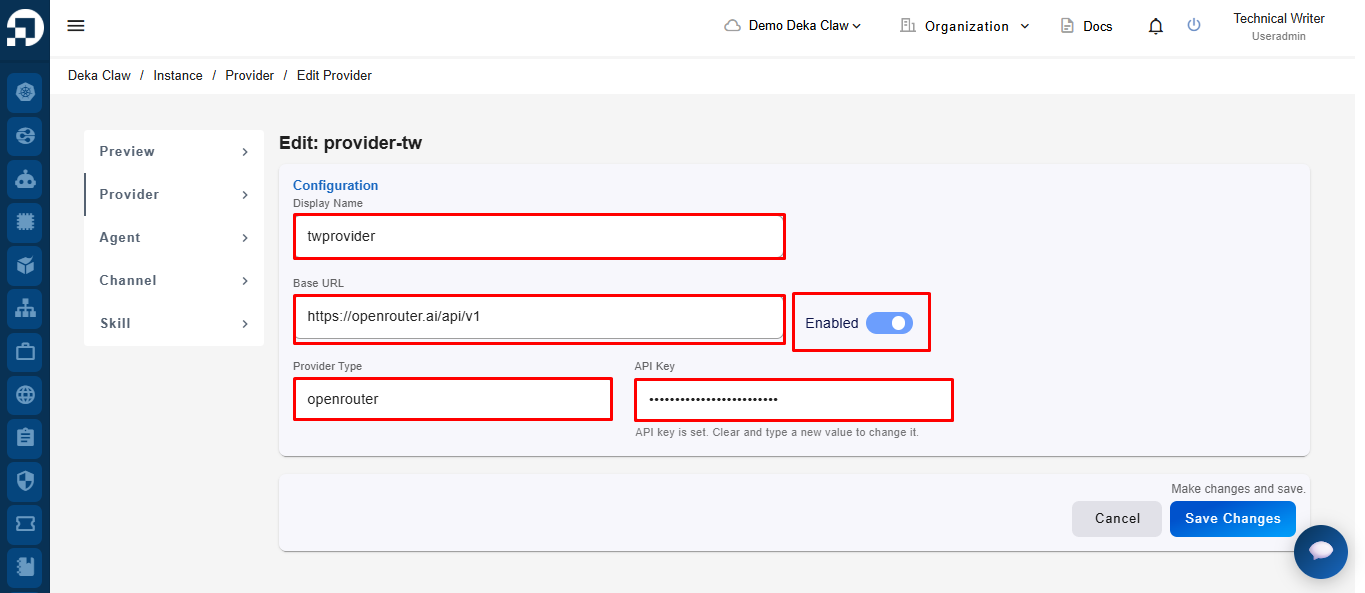
After clicking the **Edit** icon, the system will display the Provider edit form. In the **Configuration** section, users can modify the **Display Name**, **API Base URL**, **Provider Type**, and **API Key** settings. Users can also use the **Enabled** toggle to enable or disable the Provider configuration.
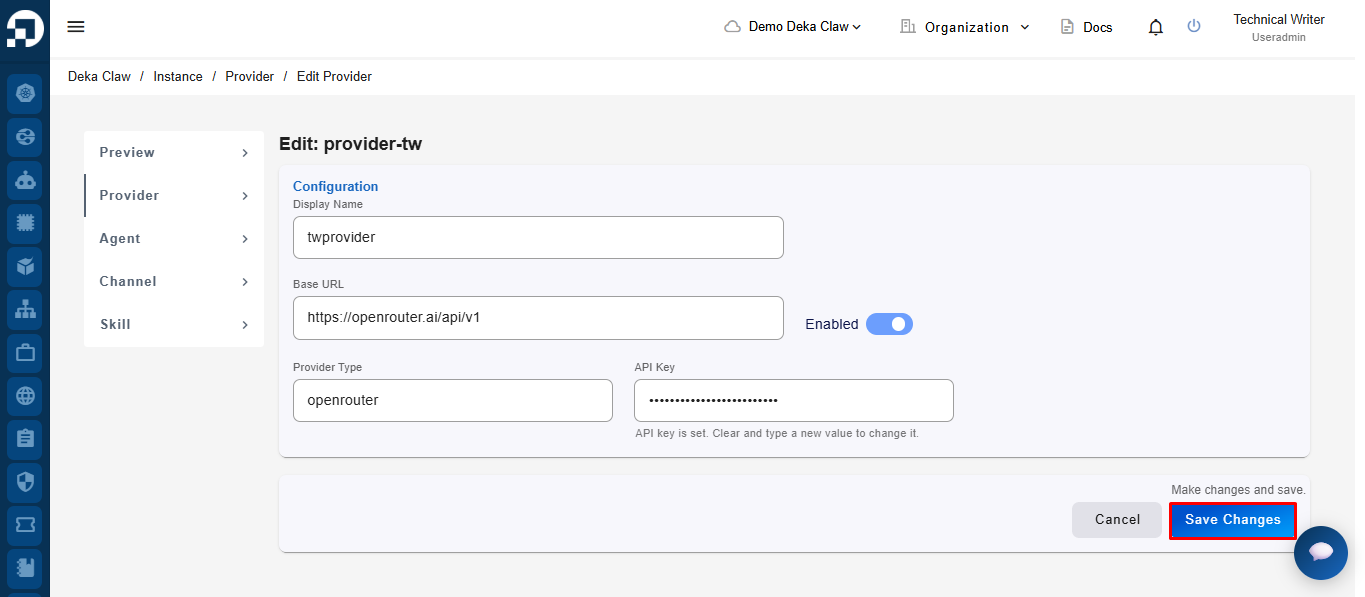
After making changes, click **Save Changes** to save the updates.