> For the complete documentation index, see [llms.txt](https://docs.cloudeka.ai/llms.txt). Markdown versions of documentation pages are available by appending `.md` to page URLs; this page is available as [Markdown](https://docs.cloudeka.ai/deka-gpu-documentations/panduan-untuk-enterprise/cloudeka-api-list/command-reference/cldkctl-flexi/security/update.md).
# update
Update an existing flexi security in your project. This command allows you to modify the details of an existing flexi security.
## Usage
```
cldkctl flexi security update [flags]
```
## Aliases
```
update, edit, modify
```
## Steps
Follow the steps below to run and view the result of this command:
1. Refer to the [**Flexi Security List**](/deka-gpu-documentations/panduan-untuk-enterprise/cloudeka-api-list/command-reference/cldkctl-flexi/security/list.md) section to obtain the **security ID**.
2. Run the following command in your terminal:
```
cldkctl flexi security update [security_id]
```
3. Replace **\[security\_id]** with the actual security ID.
4. Update the **Security Name** by entering the name of the security configuration, and update the **Description** by entering a description for the security configuration if needed.
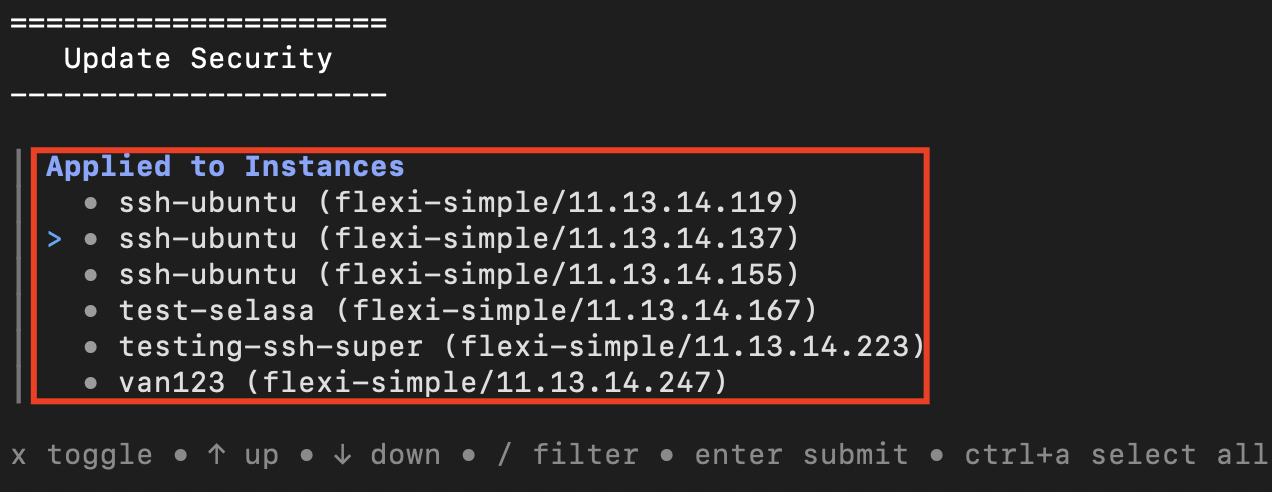
5. Select the instances where the security configuration will be applied.
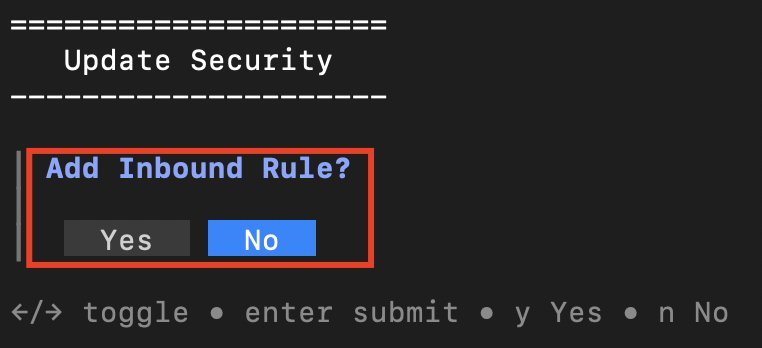
6. When prompted, choose whether to add an inbound rule.
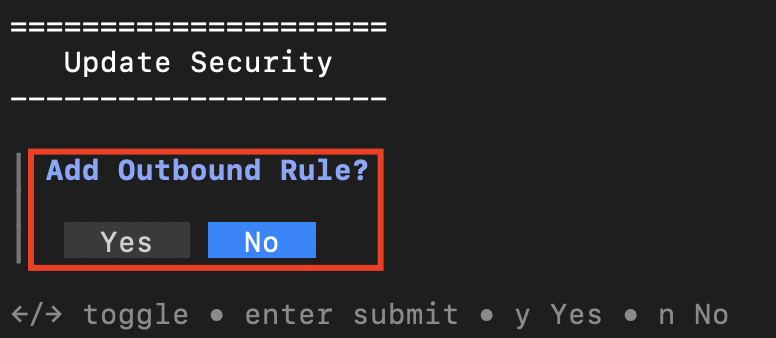
7. When prompted, choose whether to add an outbound rule.
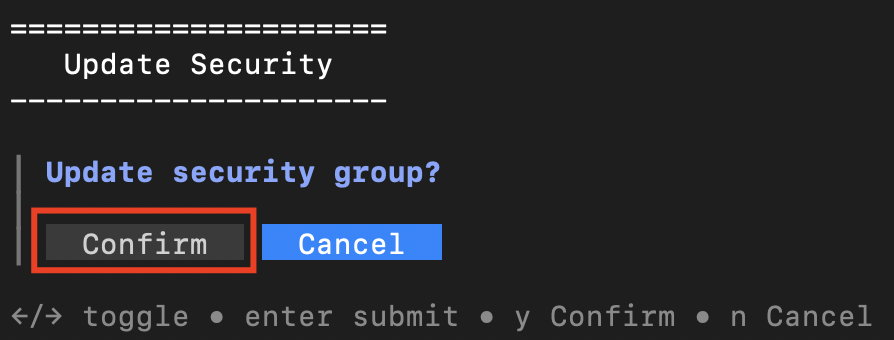
8. Confirm the update by selecting **Confirm**, or cancel the process by selecting **Cancel**.
9. Once completed successfully, the terminal displays the success message.
## Flags
{% hint style="info" %}
This command supports [global flags](/deka-gpu-documentations/panduan-untuk-enterprise/cloudeka-api-list/global-flags.md). Refer to the Global Flags section for details
{% endhint %}
| Flag | Shorthand | Description |
| ------ | --------- | ---------------------------- |
| --help | -h | Help for the update command. |
.png?alt=media)
.png?alt=media)