> For the complete documentation index, see [llms.txt](https://docs.cloudeka.ai/llms.txt). Markdown versions of documentation pages are available by appending `.md` to page URLs; this page is available as [Markdown](https://docs.cloudeka.ai/deka-gpu-documentations/panduan-untuk-enterprise/deka-claw/detail-deka-claw/agent/delete-agent.md).
# Menghapus Agent
Fitur *Delete Agent* digunakan untuk menghapus *Agent* yang ada dari instance *Deka Claw* secara permanen. Fitur ini membantu pengguna mengelola konfigurasi *Agent* dengan menghapus *Agent* yang tidak lagi diperlukan.
Sebelum *Agent* dihapus, sistem menampilkan dialog konfirmasi untuk mencegah penghapusan yang tidak disengaja. Setelah dikonfirmasi, konfigurasi *Agent* dihapus secara permanen dari instance dan tidak lagi tersedia untuk digunakan.
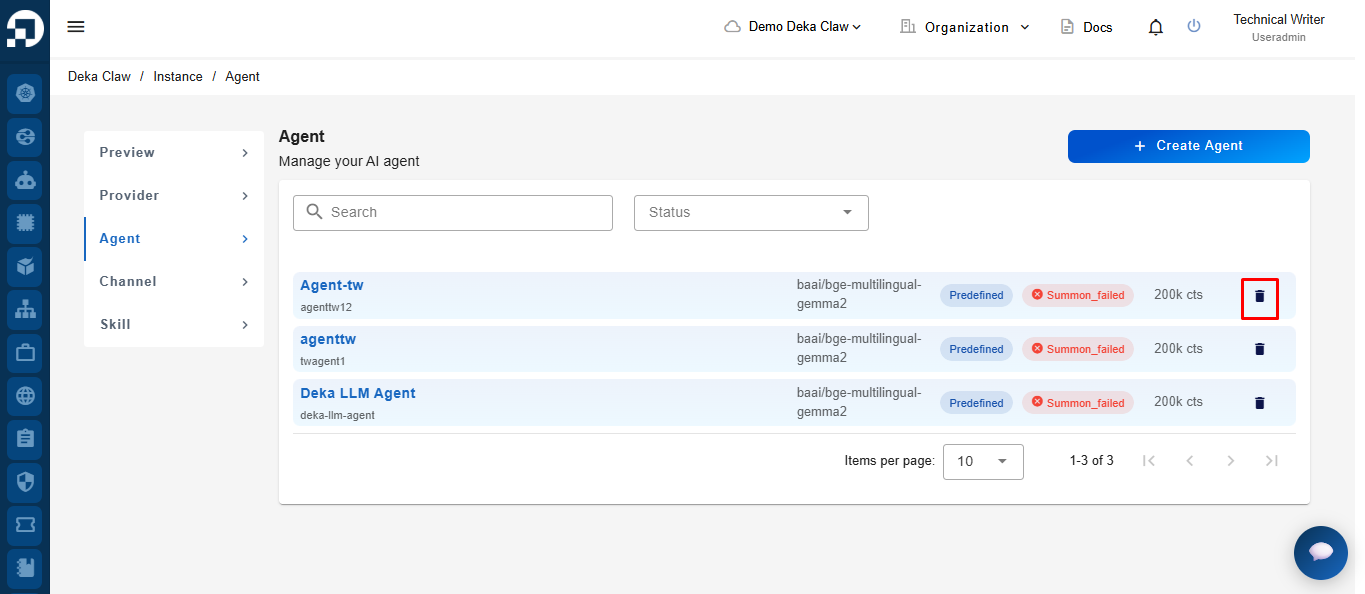
Klik ikon *Delete* pada *Agent* yang ingin dihapus.
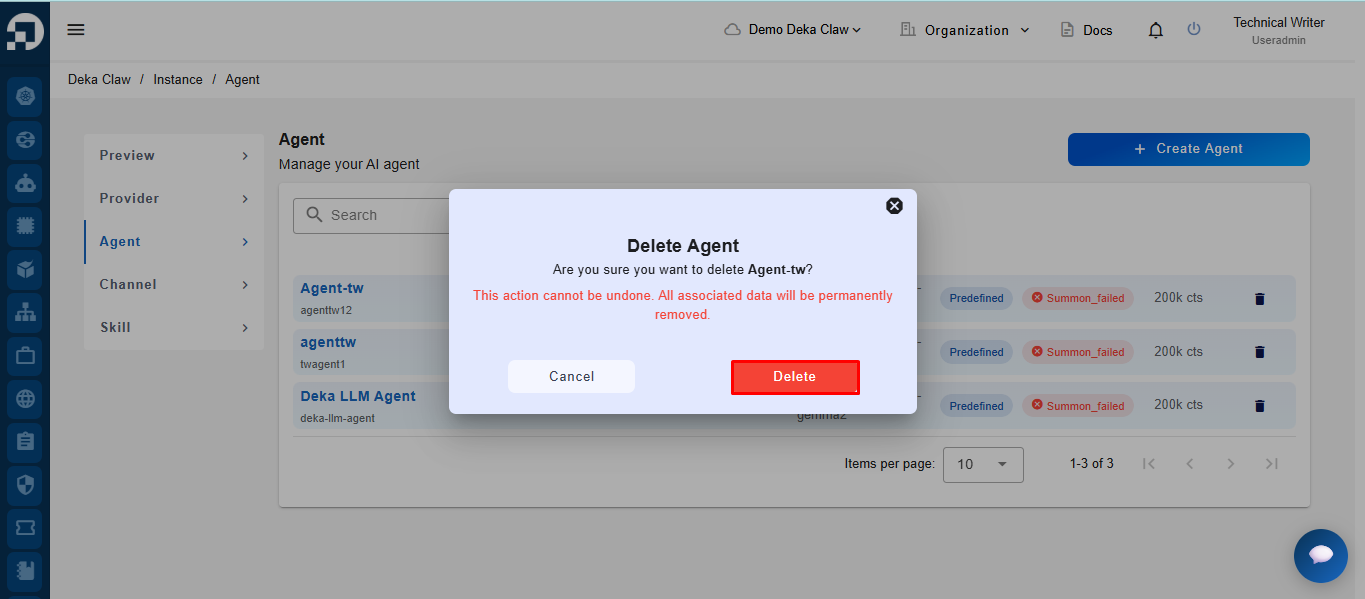
Sistem menampilkan notifikasi konfirmasi penghapusan *Agent*. Klik *Delete* untuk melanjutkan. Setelah *Delete* diklik, sistem otomatis menghapus *Agent* dari daftar.
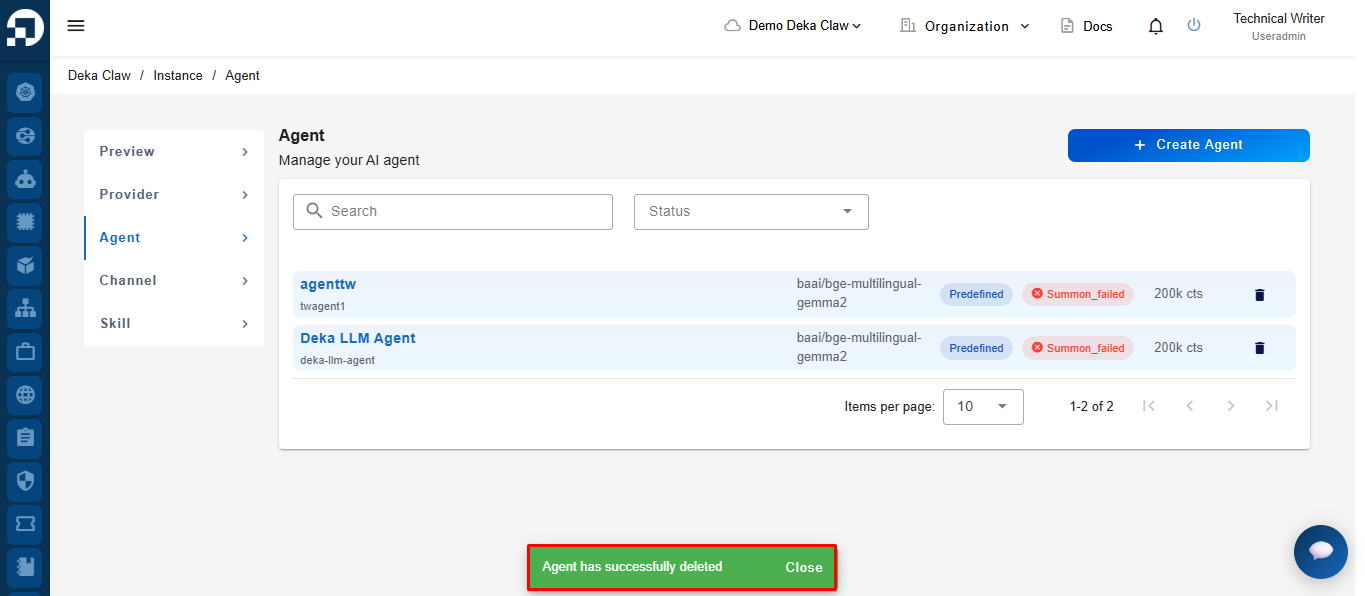
Jika berhasil, sistem menampilkan notifikasi *"Agent has successfully deleted"*.