> For the complete documentation index, see [llms.txt](https://docs.cloudeka.ai/llms.txt). Markdown versions of documentation pages are available by appending `.md` to page URLs; this page is available as [Markdown](https://docs.cloudeka.ai/deka-gpu-documentations/panduan-untuk-enterprise/deka-flexi/deka-flexi-network/vpc-network/delete-vpc-network.md).
# Menghapus VPC Network
{% hint style="danger" %}
Sebelum menghapus VPC Network, lepaskan semua instance dan layanan yang terhubung. Lihat bagian [***Melepaskan Interface***](/deka-gpu-documentations/panduan-untuk-enterprise/deka-flexi/deka-flexi-instance/details-instance/detach-interface.md) ***dari VPC Network*** untuk informasi selengkapnya.
{% endhint %}
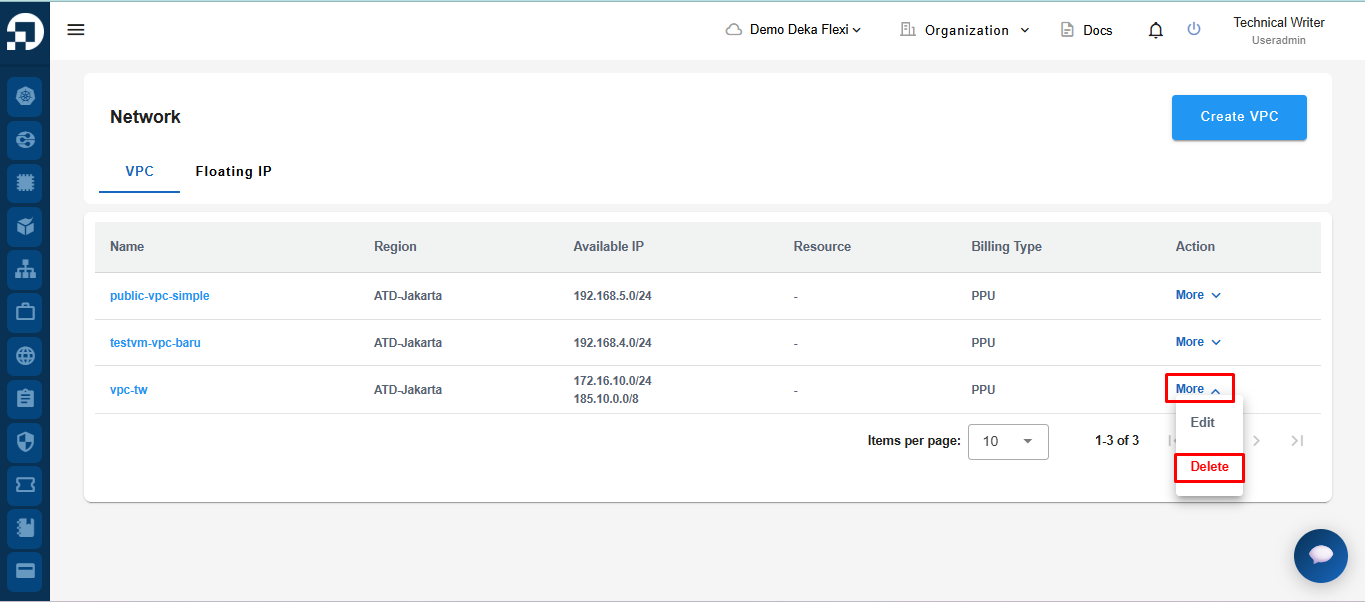
Pada halaman **Network**, klik tombol **Delete**.
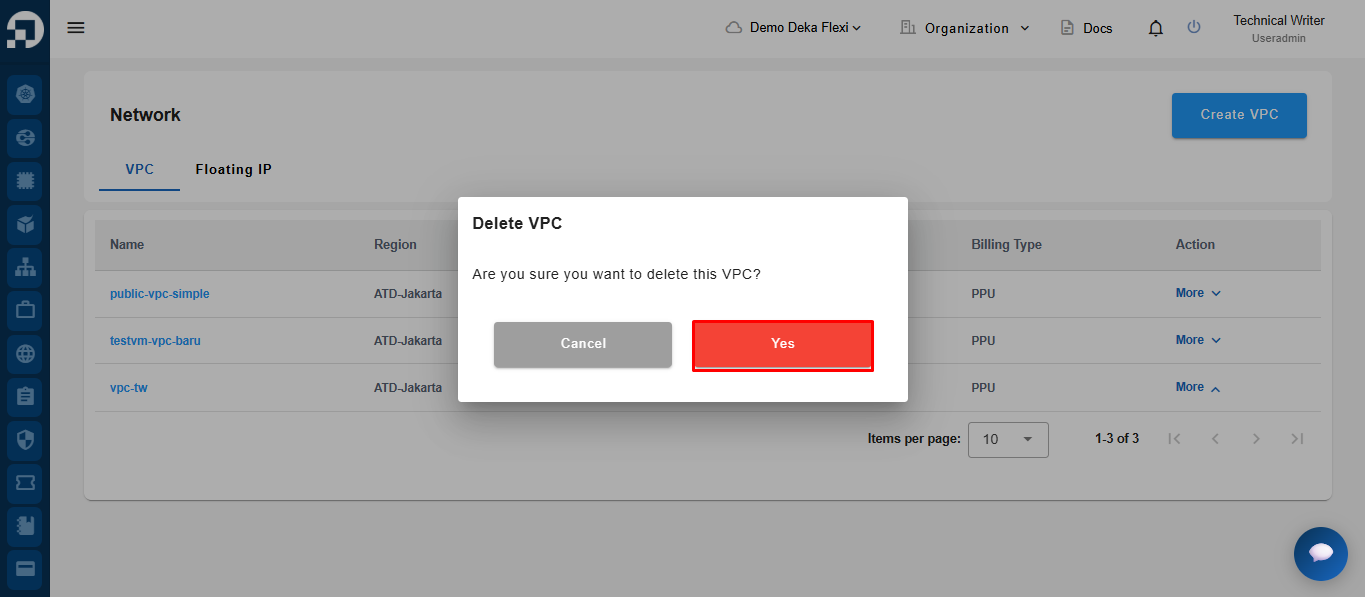
Klik tombol **Confirm** untuk memulai penghapusan data VPC Network, atau **Cancel** jika tidak ingin melanjutkan.
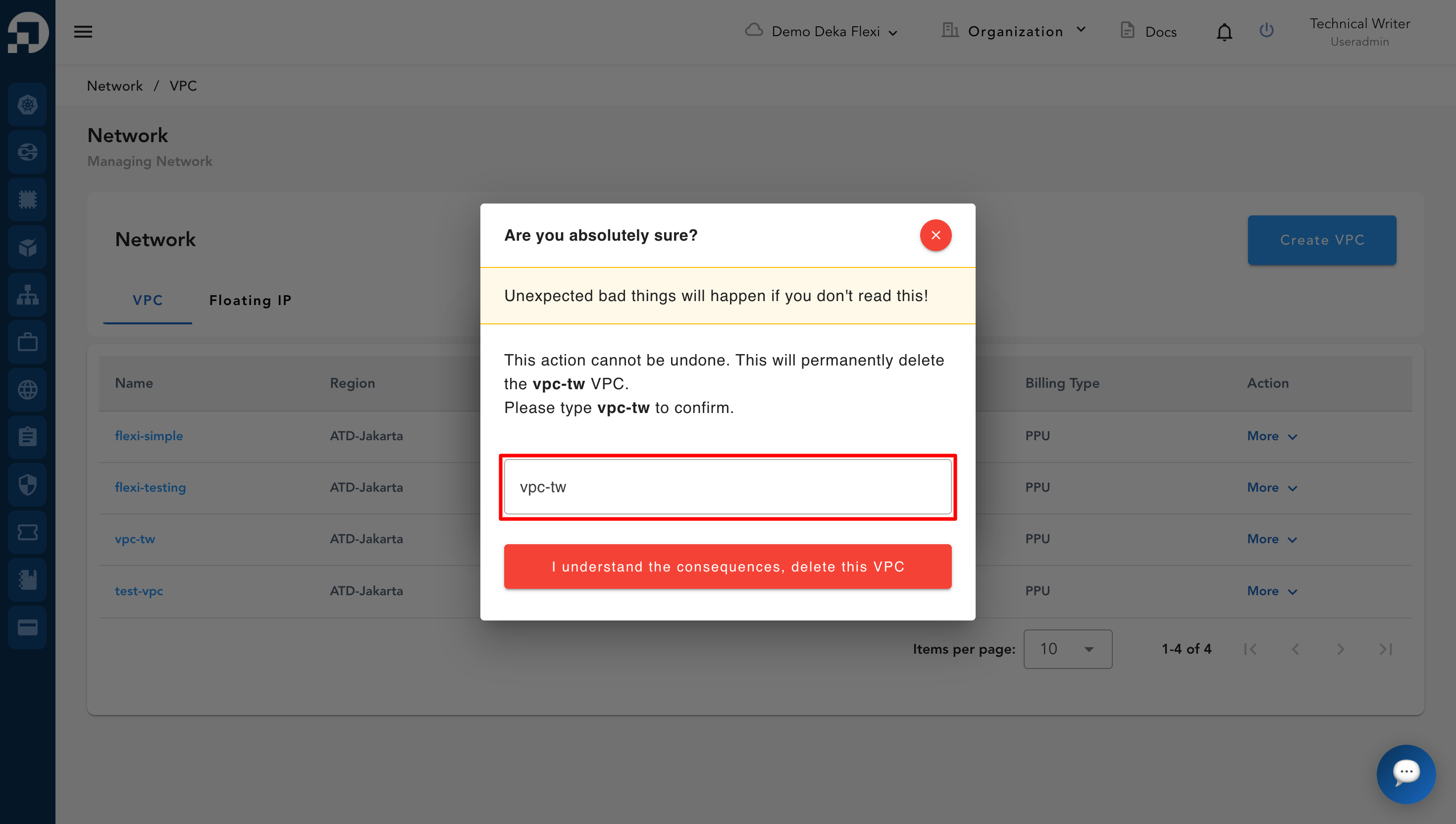
Masukkan nama VPC untuk konfirmasi, lalu klik **I understand the consequences, delete this VPC**.
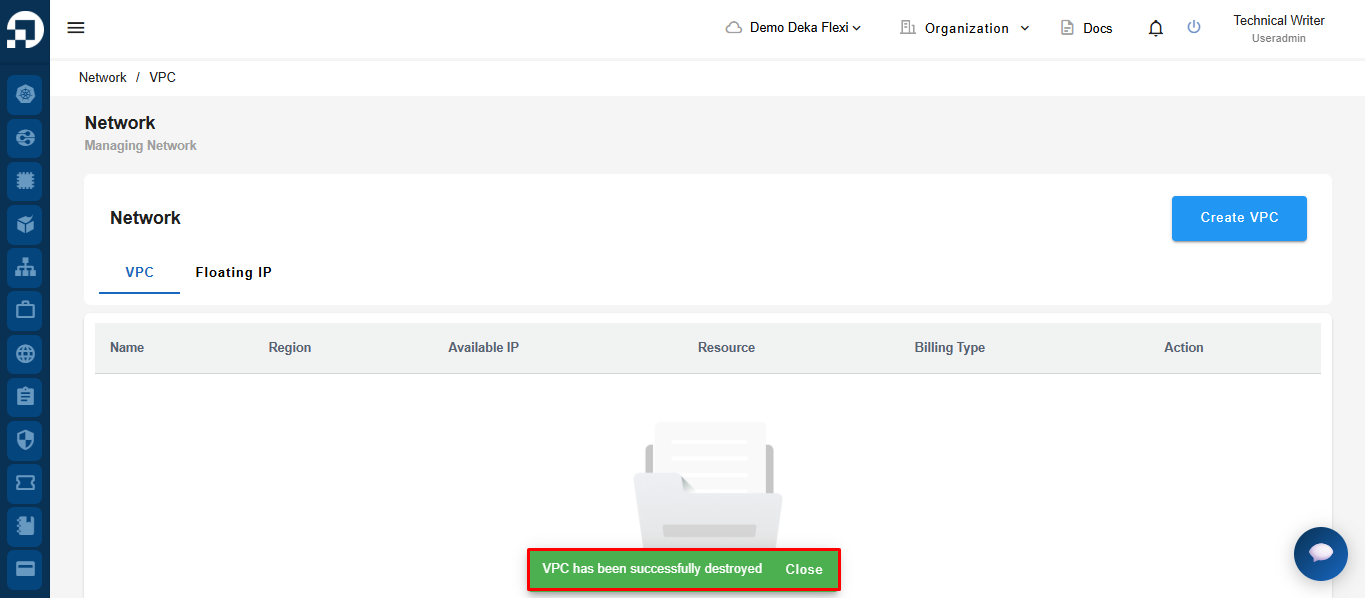
Setelah dikonfirmasi, VPC akan dihapus secara permanen dan tidak dapat dipulihkan. Jika penghapusan berhasil, sistem akan menampilkan notifikasi di bagian bawah halaman bahwa **VPC has been successfully destroyed.**