> For the complete documentation index, see [llms.txt](https://docs.cloudeka.ai/llms.txt). Markdown versions of documentation pages are available by appending `.md` to page URLs; this page is available as [Markdown](https://docs.cloudeka.ai/deka-gpu-documentations/panduan-untuk-enterprise/deka-flexi/deka-flexi-network/vpc-network/edit-vpc-network.md).
# Mengedit VPC Network
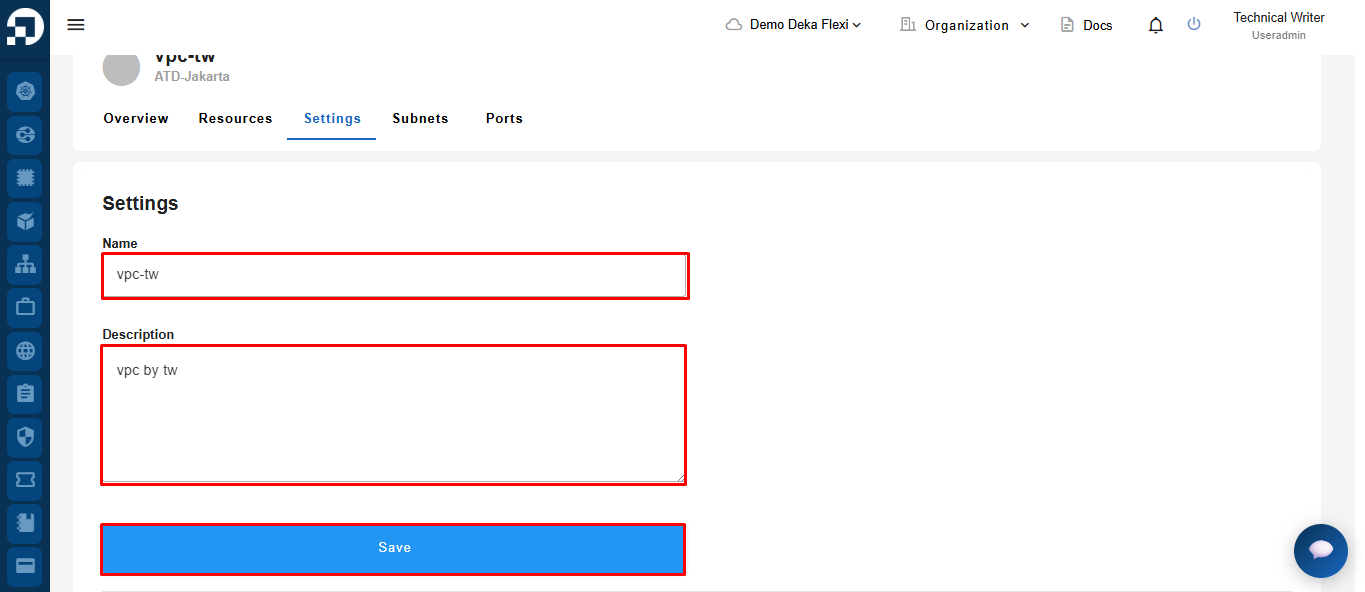
Anda hanya dapat mengedit **Name** dan **Description** pada VPC Network. Konfigurasi alamat IP tidak dapat diubah.
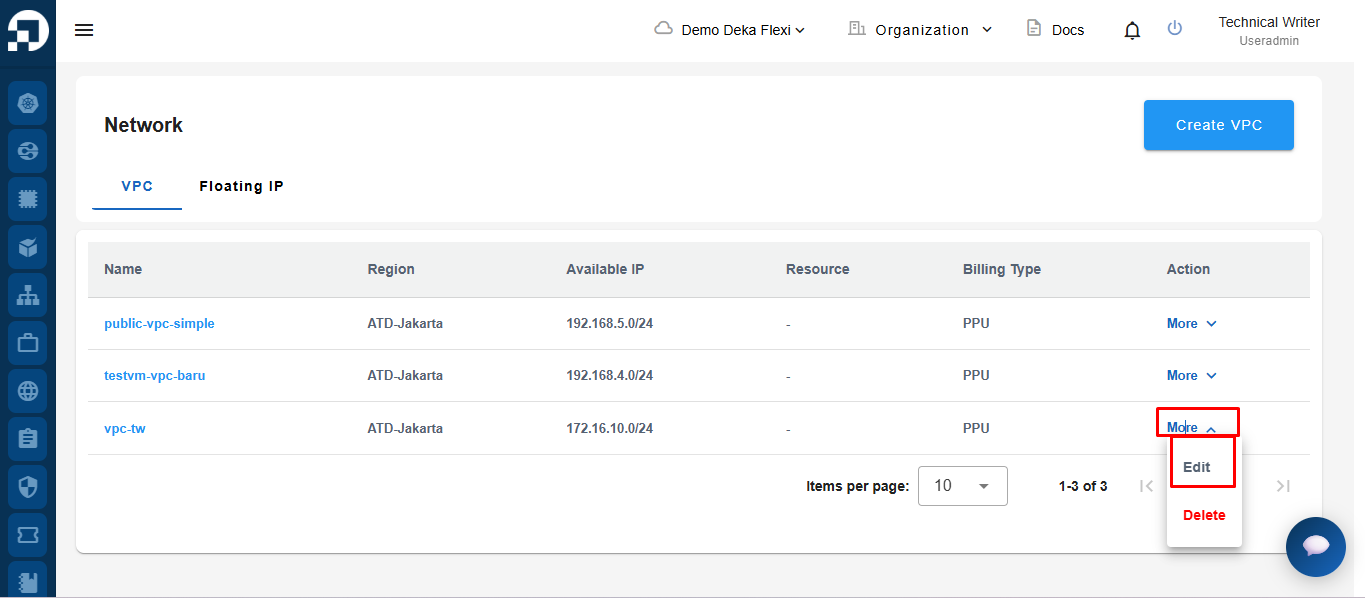
Pada halaman **Network**, klik tombol **Edit**.
Anda hanya dapat mengubah **Name** dan **Description**. Region, Billing Type, dan IP Configuration tidak dapat diubah. Kemudian, klik tombol **Save**.
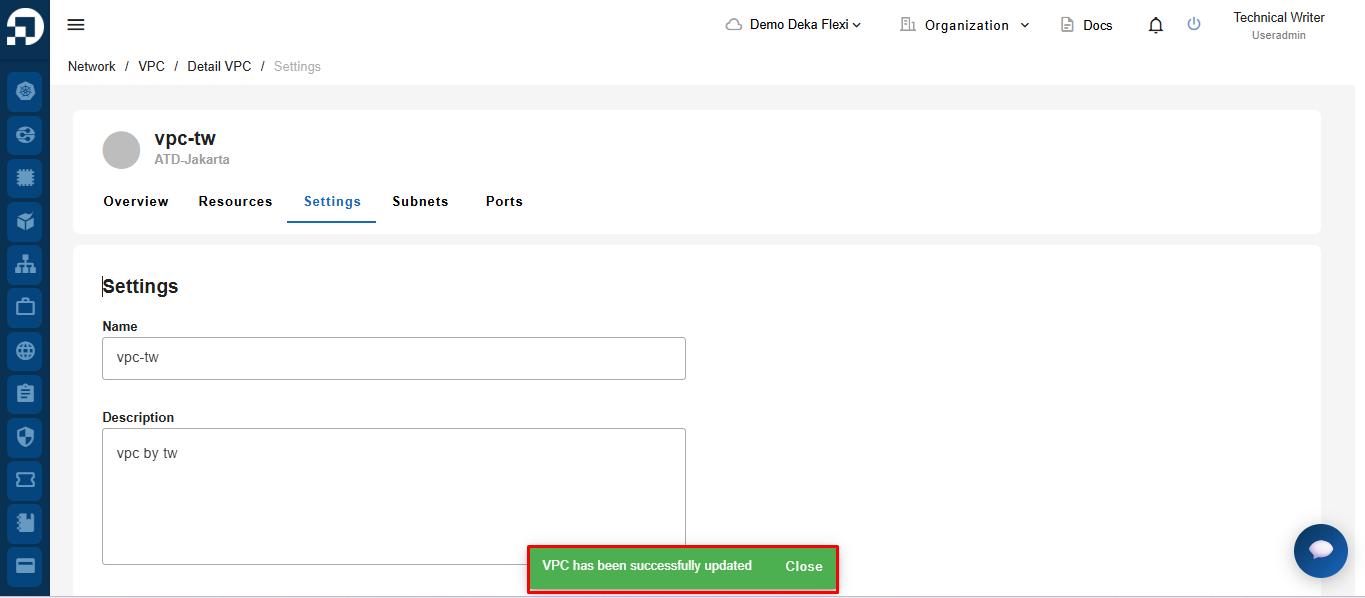
Notifikasi **"VPC network has been successfully updated"** akan ditampilkan saat VPC Network berhasil diperbarui.