> For the complete documentation index, see [llms.txt](https://docs.cloudeka.ai/llms.txt). Markdown versions of documentation pages are available by appending `.md` to page URLs; this page is available as [Markdown](https://docs.cloudeka.ai/deka-gpu-documentations/panduan-untuk-enterprise/deka-flexi/deka-volume-images/custom-image/import-custom-image-via-url.md).
# Mengimpor Image Kustom melalui URL
Panduan ini menjelaskan cara mengimpor image kustom ke Deka Flexi menggunakan URL. Image kustom hanya tersedia dalam proyek cloud Anda dan dapat digunakan saat membuat instance.
Untuk mengimpor image kustom melalui URL, ikuti langkah berikut:
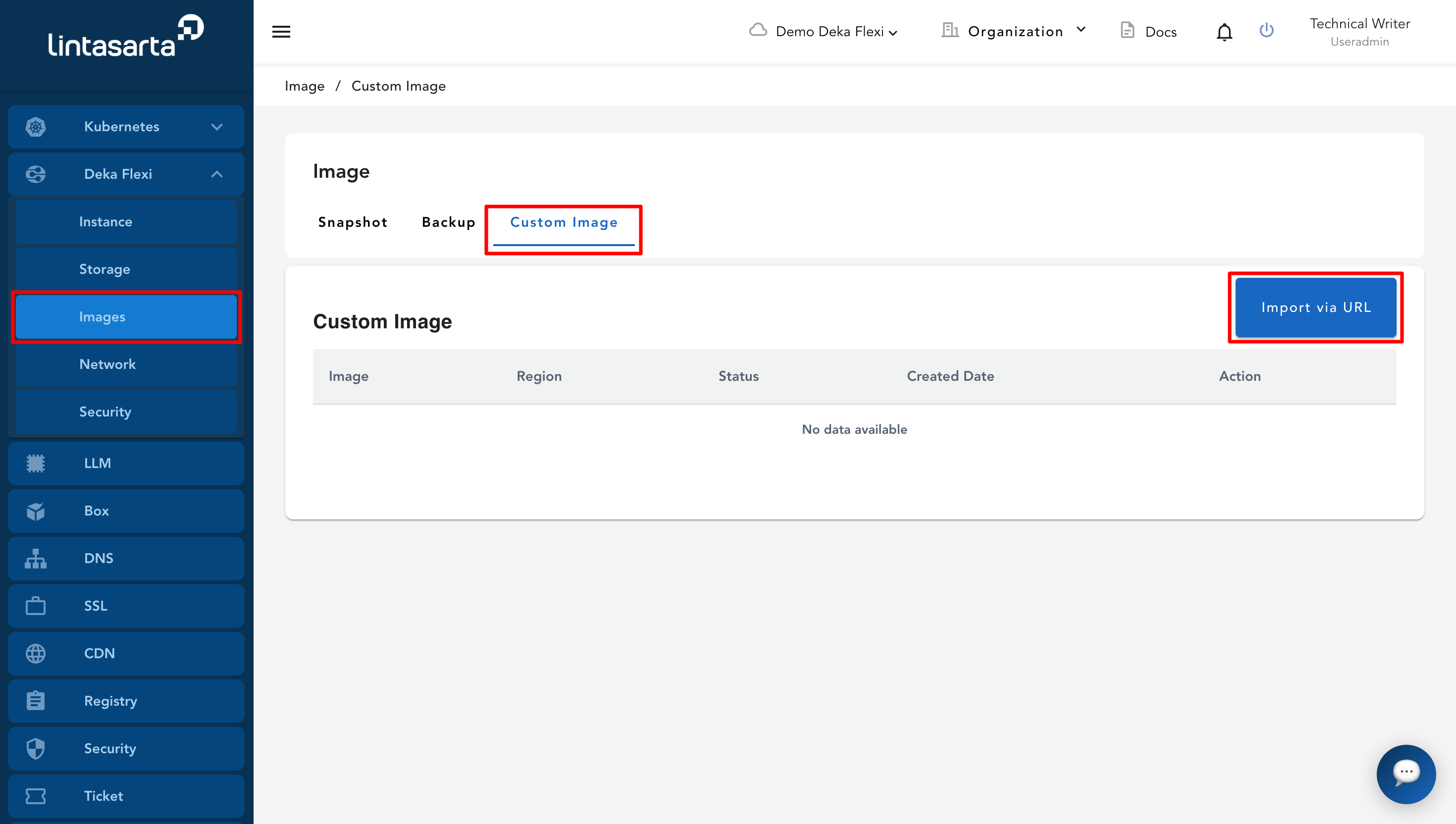
* Klik menu **Images**, lalu buka halaman **Custom Image**. Pada halaman **Custom Image**, klik tombol **Import via URL**.
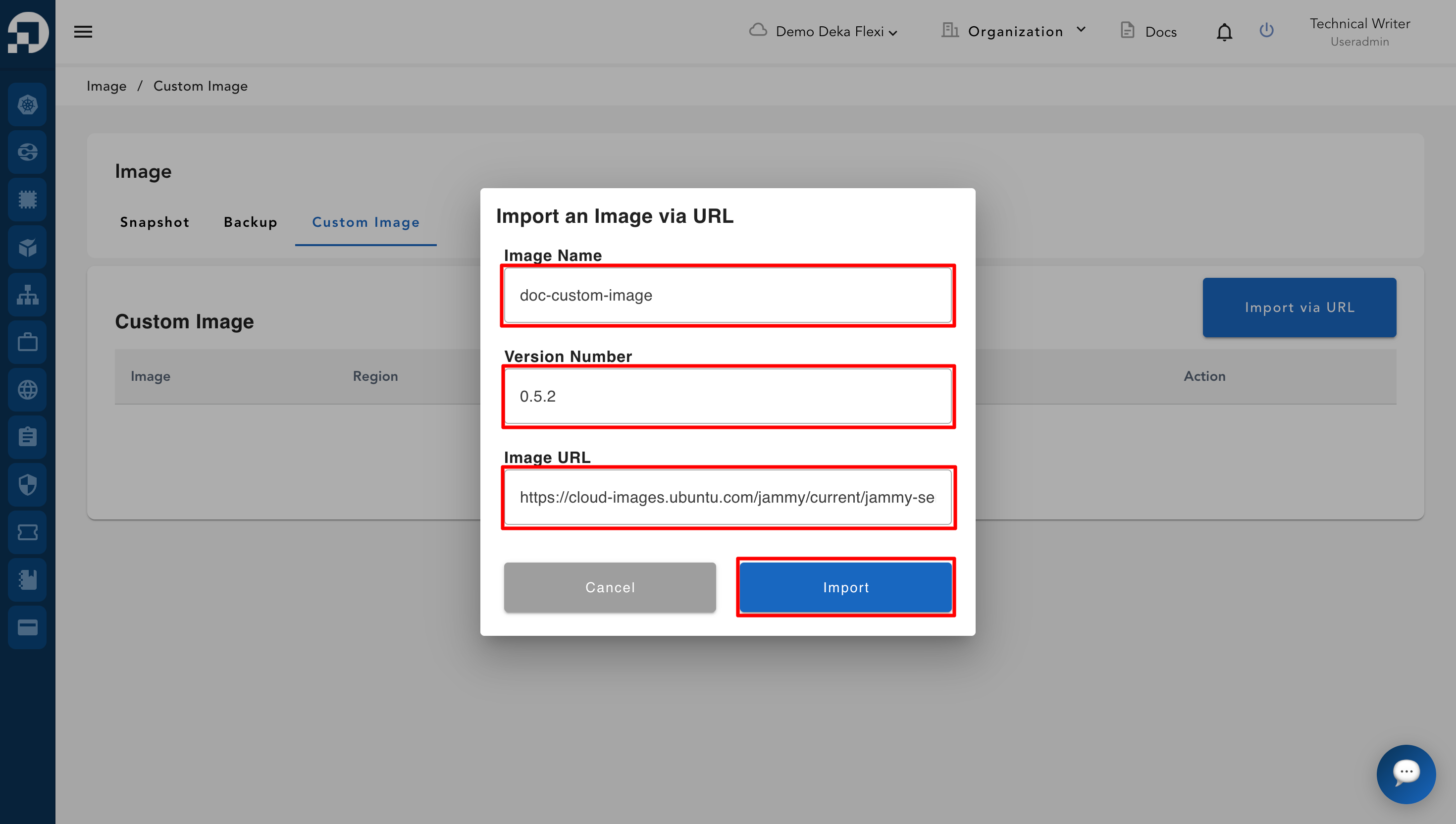
* Pada formulir **Import an Image via URL**, isi kolom yang diperlukan.
Kolom
Deskripsi
Image Name
Nama image kustom.
Version Number
Nomor versi image kustom.
Image URL
URL image yang akan diimpor.
* Setelah semua kolom terisi, klik tombol **Import**.
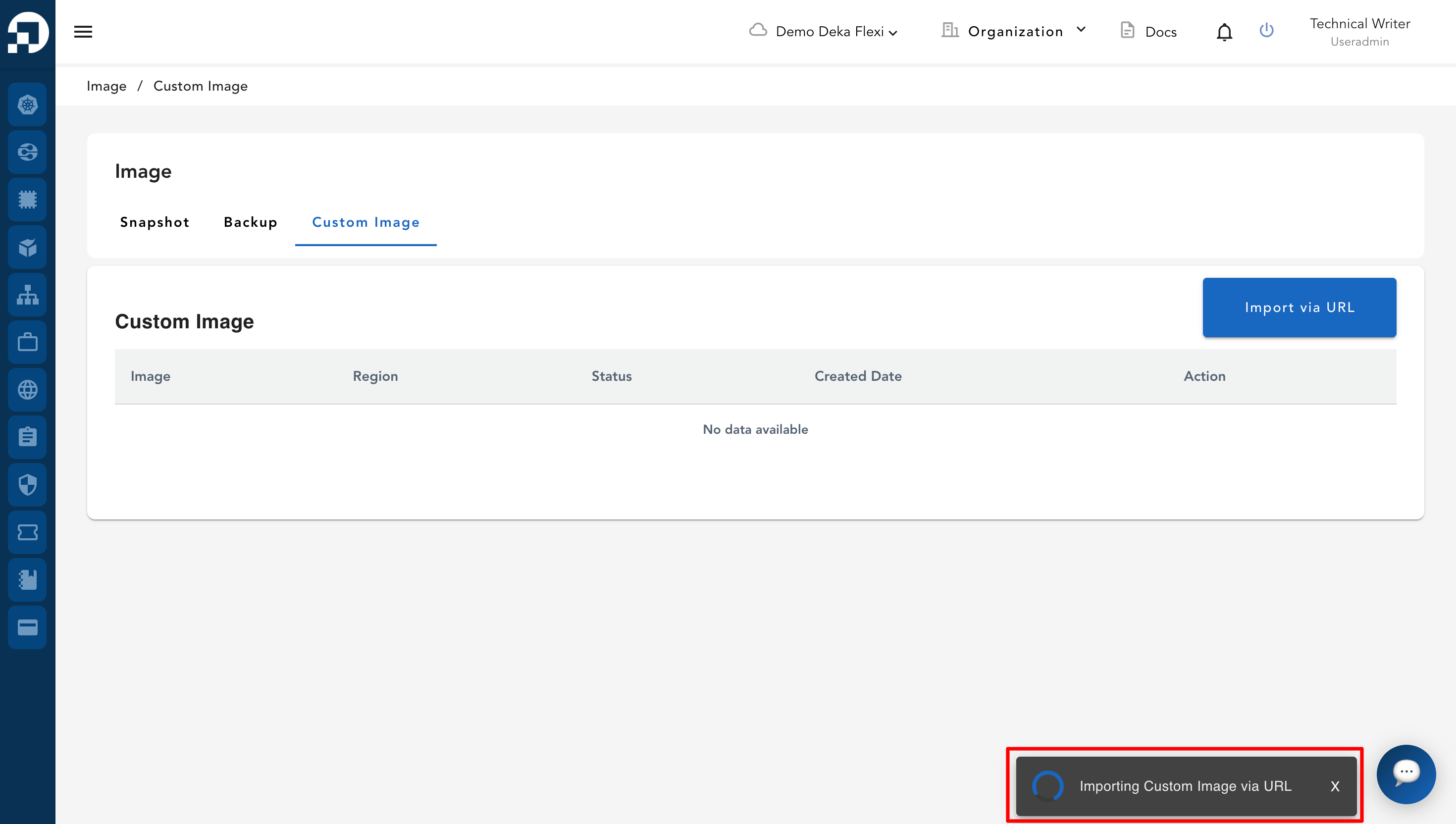
* Sistem akan mulai mengimpor image kustom. Proses impor dapat memerlukan waktu, bergantung pada ukuran image.
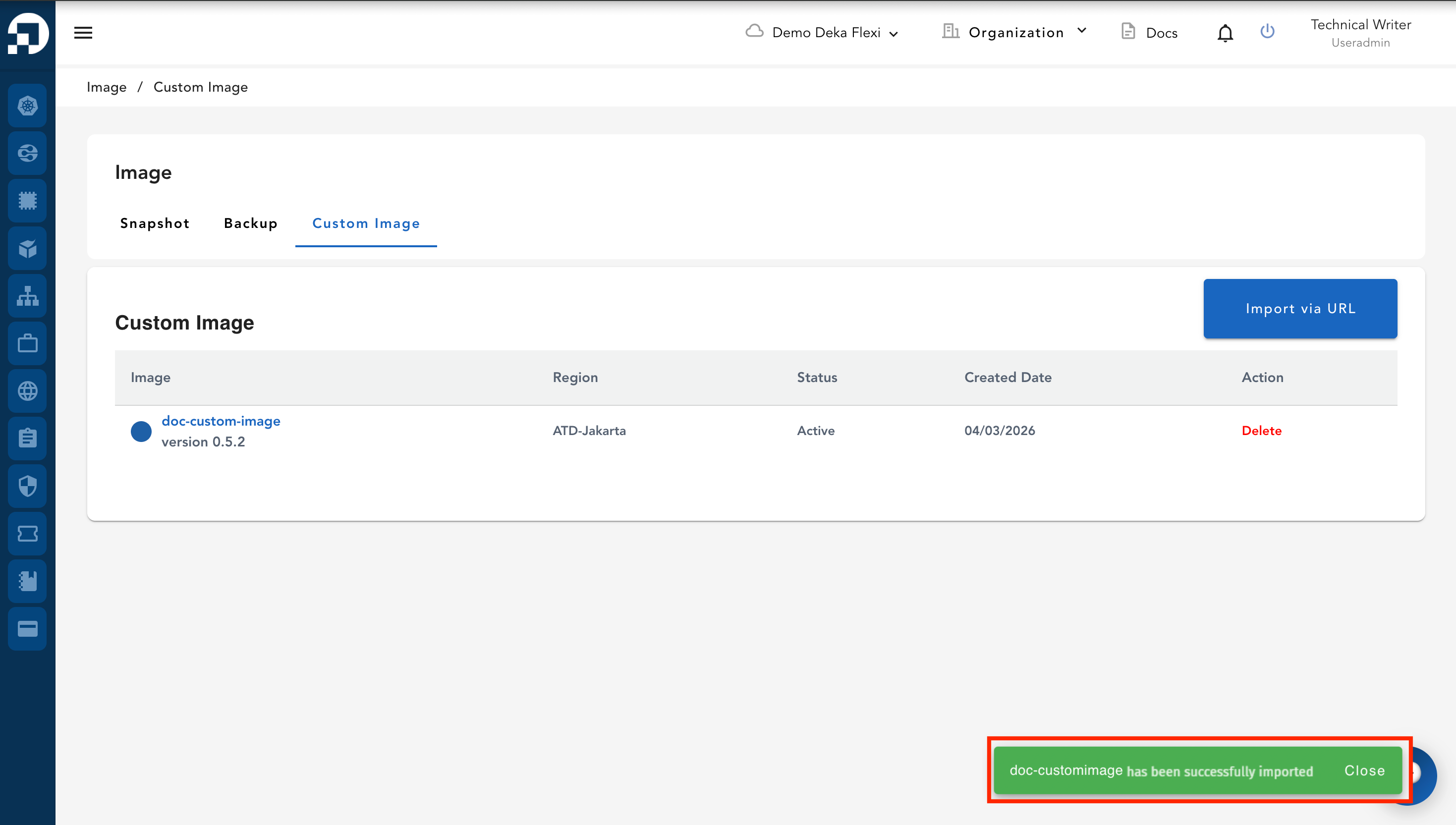
* Jika proses berhasil, notifikasi akan muncul untuk menunjukkan bahwa image kustom berhasil diimpor. Status image akan berubah menjadi **Active**.