> For the complete documentation index, see [llms.txt](https://docs.cloudeka.ai/llms.txt). Markdown versions of documentation pages are available by appending `.md` to page URLs; this page is available as [Markdown](https://docs.cloudeka.ai/deka-gpu-documentations/panduan-untuk-enterprise/deka-flexi/deka-volume-images/snapshot/snapshot-for-instance/take-snapshot.md).

# Membuat Snapshot

Panduan ini menjelaskan cara membuat snapshot untuk instance. Anda dapat membuat snapshot saat instance berjalan.

Sebelum membuat snapshot, pastikan Anda telah memiliki instance. Jika belum memilikinya, buat instance melalui **Create VM Instance**.

{% hint style="warning" %}
Sebelum membuat snapshot, pastikan Anda telah memiliki instance. Jika belum memilikinya, buat instance melalui [**Create VM Instance**](/deka-gpu-documentations/panduan-untuk-enterprise/deka-flexi/deka-flexi-instance/create-vm-instance.md).
{% endhint %}

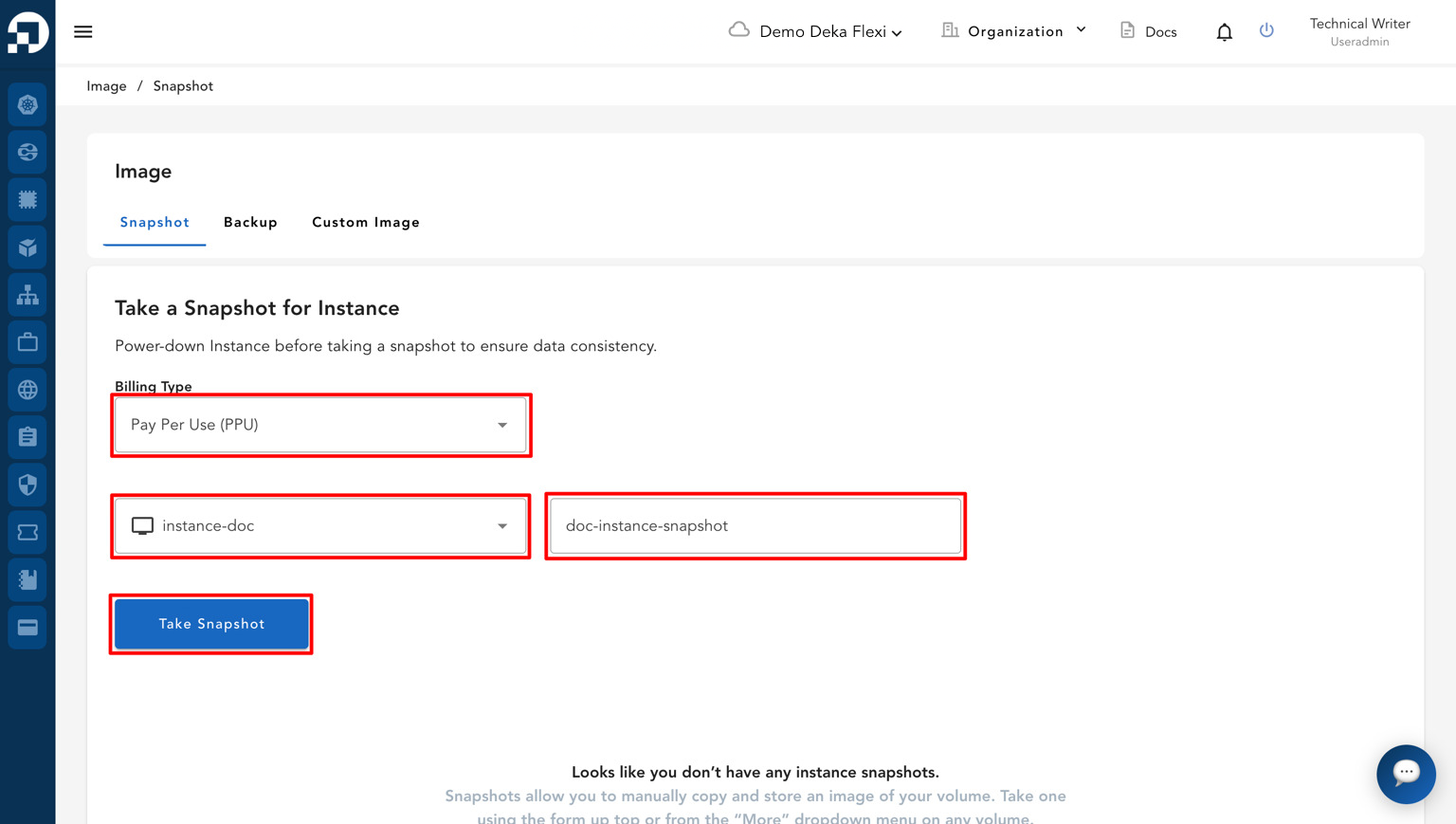
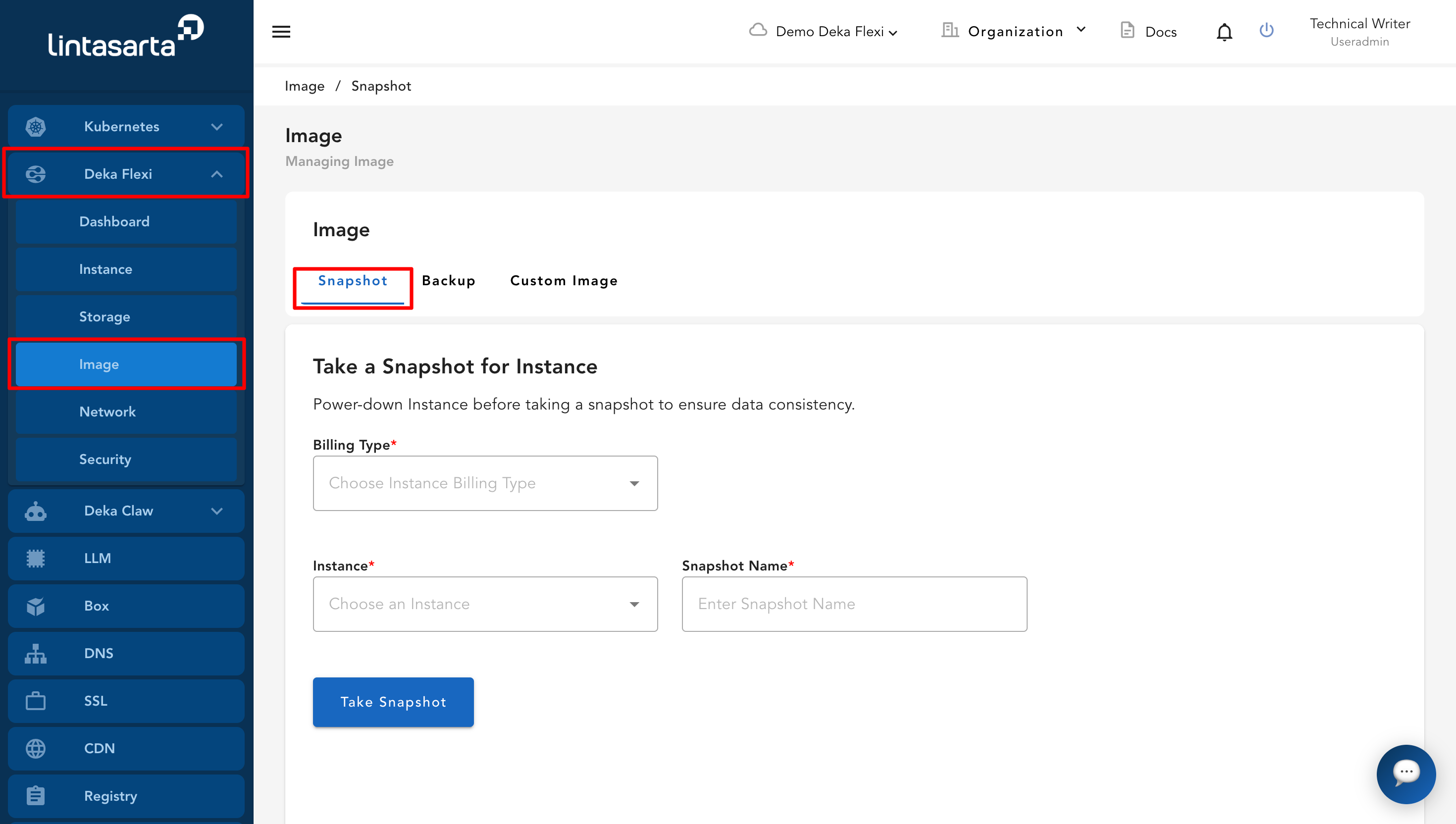
* Buka menu **Images**, lalu masuk ke halaman **Snapshot**.

<figure><img src="https://putri.box.cloudeka.id/cloudeka-assets/docs.cloudeka.ai/6dekaflexi/takesnapshotinstance_01.png" alt=""><figcaption></figcaption></figure>

* Isi formulir **Take a Snapshot for Instance** dengan memilih **Billing Type**, memilih instance yang ingin dibuatkan snapshot, dan memasukkan nama snapshot.

<table><thead><tr><th width="232">Kolom</th><th>Deskripsi</th></tr></thead><tbody><tr><td><strong>Billing Type</strong></td><td>Pilih jenis billing sesuai metode pembayaran yang digunakan pada project Anda, seperti Fixed atau Pay Per Use (PPU).</td></tr><tr><td><strong>Choose an Instance</strong></td><td>Pilih instance yang ingin dibuatkan snapshot.</td></tr><tr><td><strong>Enter Snapshot Name</strong></td><td>Masukkan nama snapshot.</td></tr></tbody></table>

* Setelah melengkapi semua kolom yang diperlukan, klik tombol **Take Snapshot**.

<figure><img src="https://putri.box.cloudeka.id/cloudeka-assets/docs.cloudeka.ai/6dekaflexi/takesnapshotinstance_02.png" alt=""><figcaption></figcaption></figure>

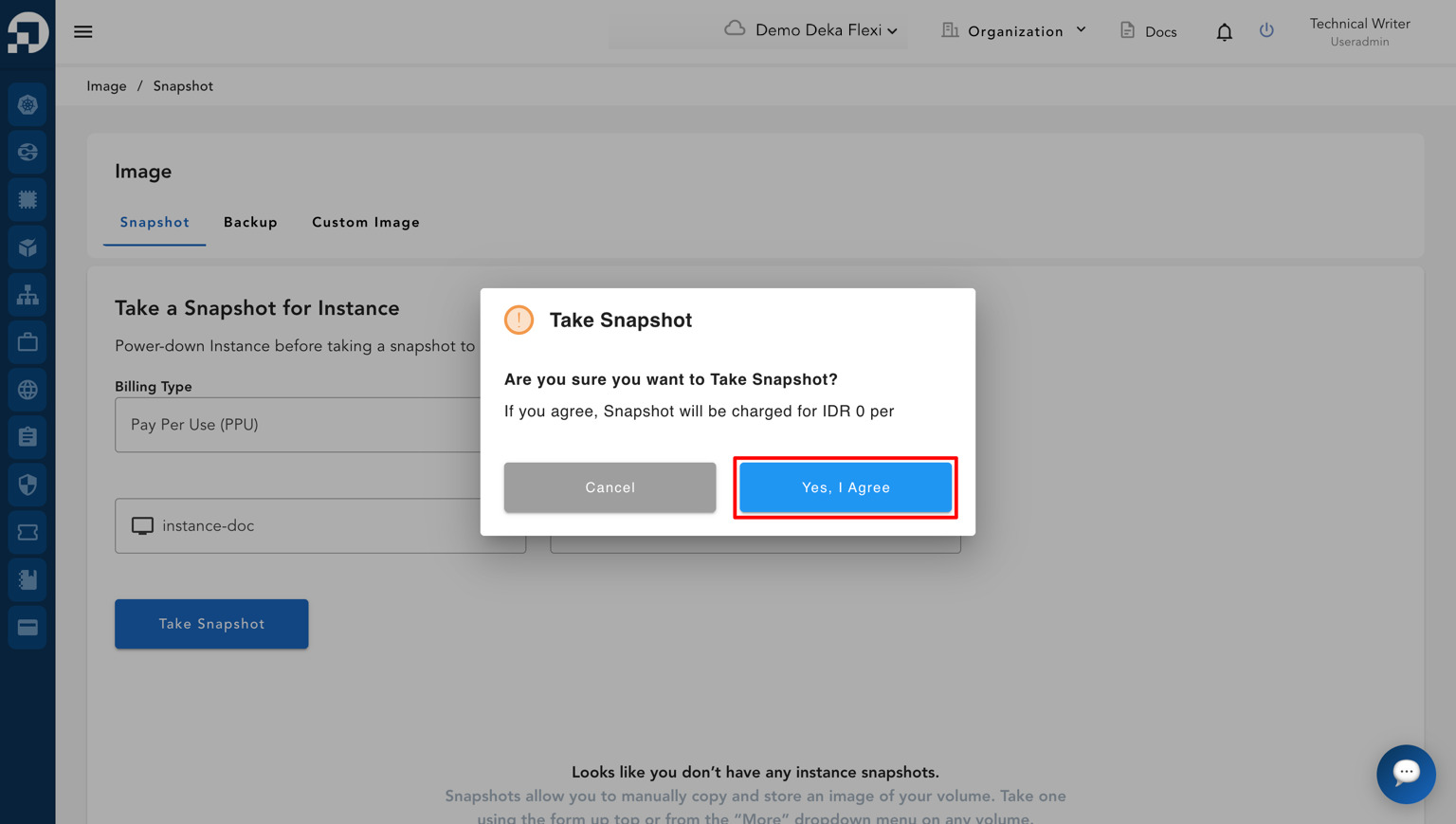
* Pop-up konfirmasi akan muncul. Klik **Yes, I Agree** untuk melanjutkan proses snapshot.

<figure><img src="https://putri.box.cloudeka.id/cloudeka-assets/docs.cloudeka.ai/6dekaflexi/takesnapshotinstance_03.png" alt=""><figcaption></figcaption></figure>

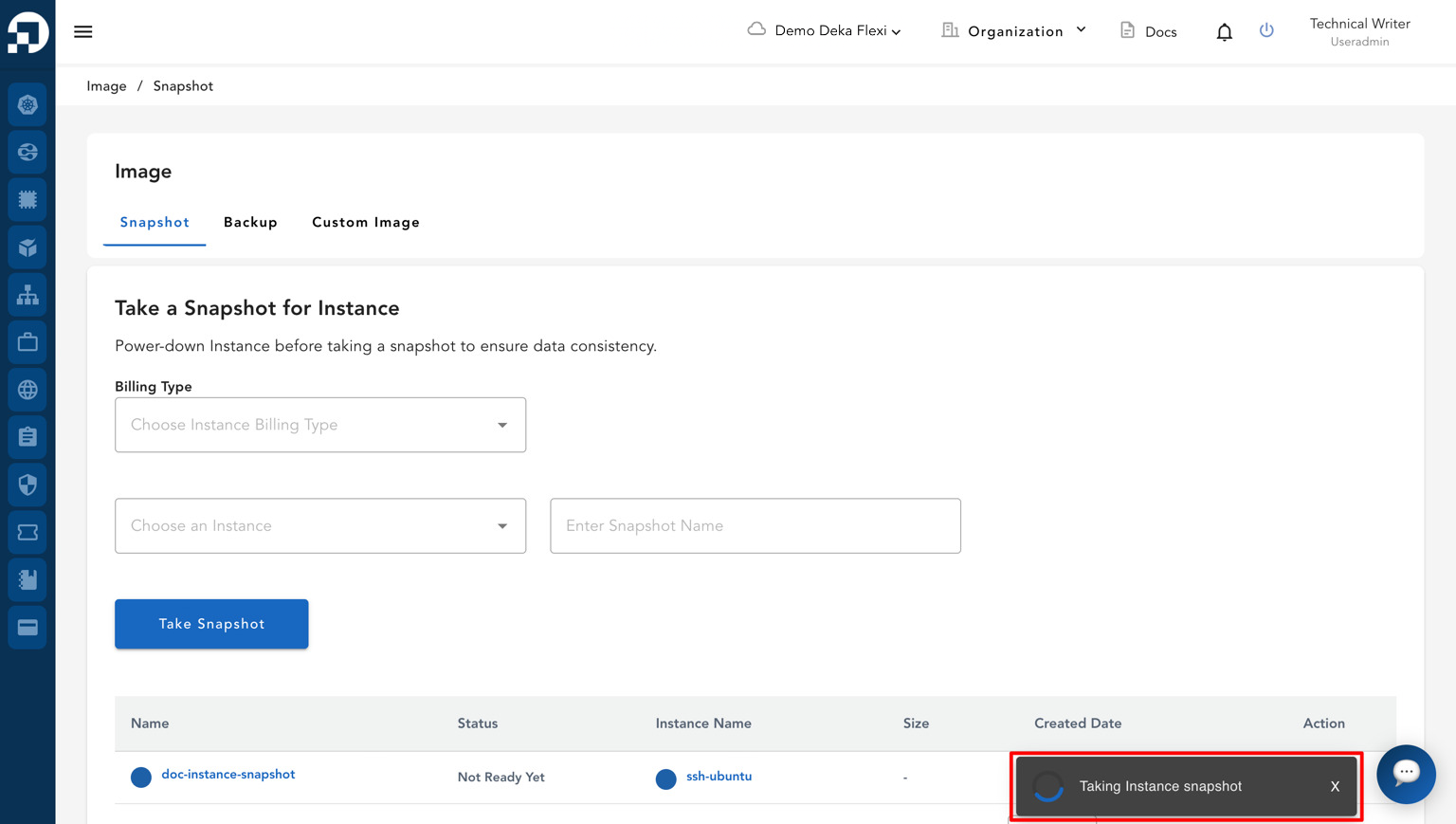
* Sistem akan mulai membuat snapshot instance dan menampilkan statusnya pada daftar snapshot.

<figure><img src="https://putri.box.cloudeka.id/cloudeka-assets/docs.cloudeka.ai/6dekaflexi/takesnapshotinstance_04.png" alt=""><figcaption></figcaption></figure>

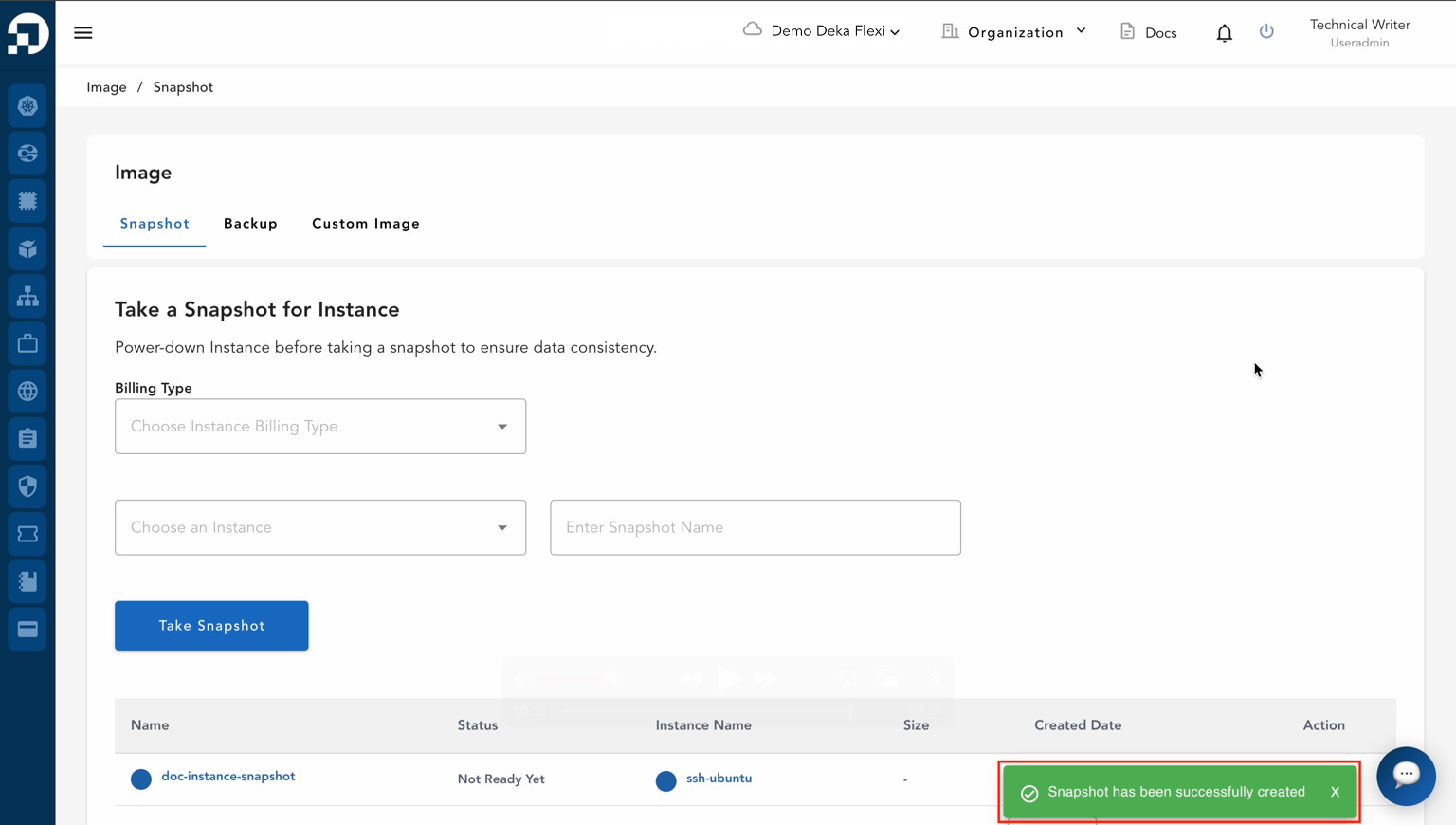
* Jika proses berhasil selesai, notifikasi dengan pesan "**Snapshot has been successfully created**" akan muncul.

<figure><img src="https://putri.box.cloudeka.id/cloudeka-assets/docs.cloudeka.ai/6dekaflexi/takesnapshotinstance_05.png" alt=""><figcaption></figcaption></figure>

* Daftar snapshot instance akan muncul dengan informasi berikut:

<table><thead><tr><th width="329">Kolom</th><th>Deskripsi</th></tr></thead><tbody><tr><td><strong>Name</strong></td><td>Nama snapshot.</td></tr><tr><td><strong>Status</strong></td><td>Status snapshot, seperti <strong>Active</strong> atau <strong>Not Ready Yet</strong>.</td></tr><tr><td><strong>Instance Name</strong></td><td>Nama instance asal snapshot.</td></tr><tr><td><strong>Size</strong></td><td>Ukuran snapshot.</td></tr><tr><td><strong>Created Date</strong></td><td>Tanggal dan waktu pembuatan snapshot.</td></tr><tr><td><strong>Action</strong></td><td>Tindakan yang tersedia untuk snapshot, seperti pemulihan atau penghapusan.</td></tr></tbody></table>

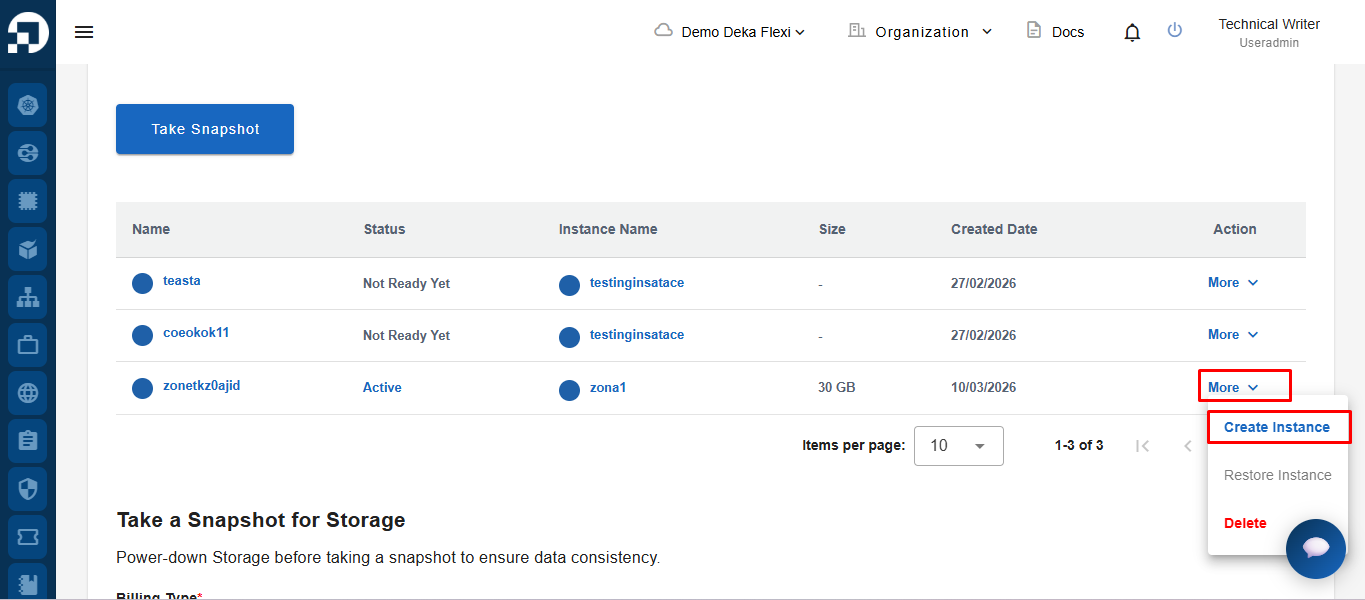
* Untuk membuat instance, klik tombol **More** pada data snapshot yang diinginkan, lalu pilih **Create Instance**.

<figure><img src="https://putri.box.cloudeka.id/cloudeka-assets/docs.cloudeka.ai/6dekaflexi/takesnapshotinstance_06.png" alt=""><figcaption></figcaption></figure>

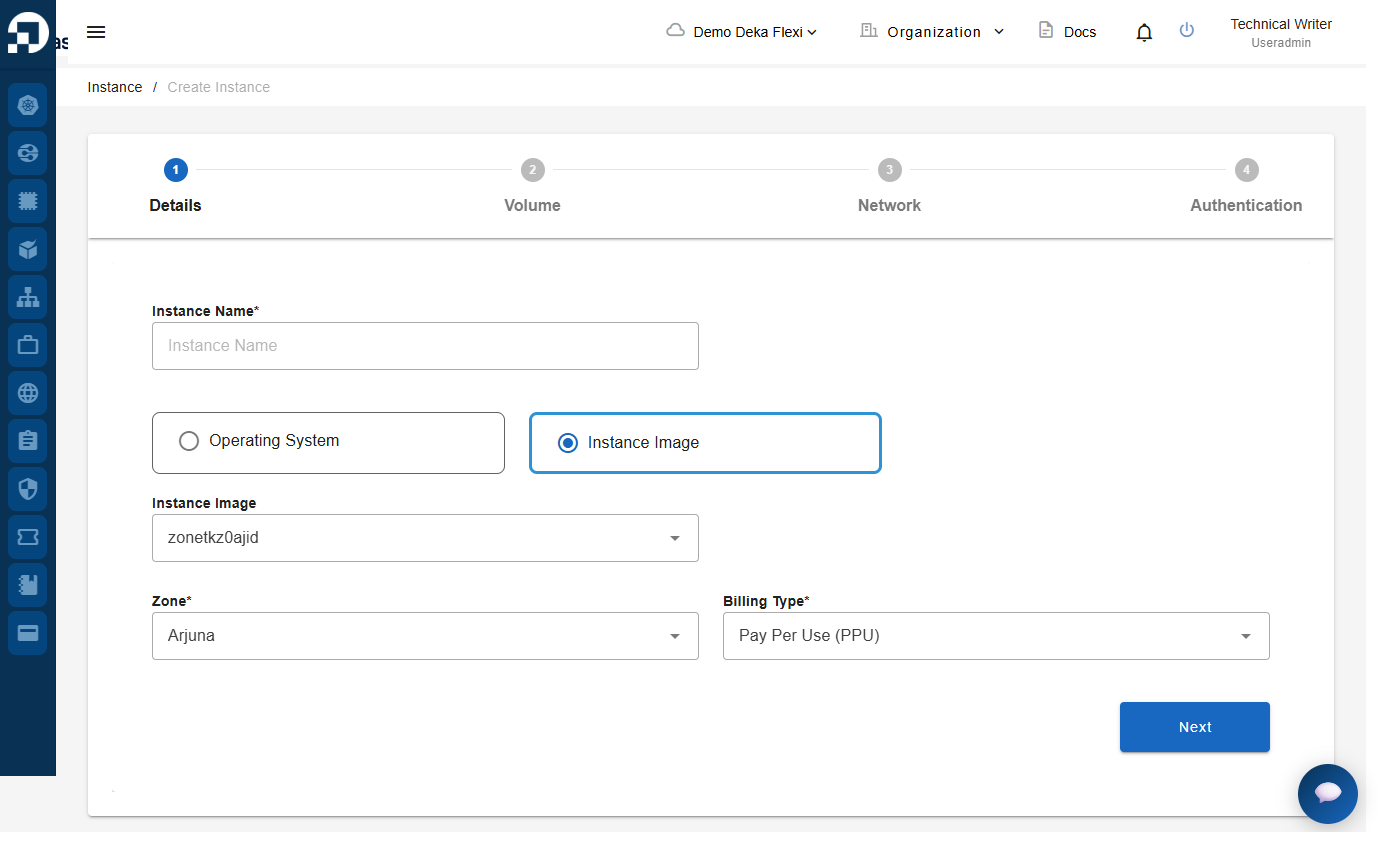
* Setelah mengklik **Create Instance**, sistem akan menampilkan formulir pembuatan instance yang serupa dengan halaman pembuatan instance standar. Isi detail yang diperlukan. Untuk petunjuk lebih rinci, lihat bagian [**Create Instance**](/deka-gpu-documentations/panduan-untuk-enterprise/nat-gateway/remote-instance/create-instance.md).

<figure><img src="https://putri.box.cloudeka.id/cloudeka-assets/docs.cloudeka.ai/6dekaflexi/takesnapshotinstance_07.png" alt=""><figcaption></figcaption></figure>