> For the complete documentation index, see [llms.txt](https://docs.cloudeka.ai/llms.txt). Markdown versions of documentation pages are available by appending `.md` to page URLs; this page is available as [Markdown](https://docs.cloudeka.ai/deka-gpu-documentations/panduan-untuk-enterprise/deka-flexi/deka-vpn/ipsec-configuration/view-pre-shared-key.md).
# Melihat Pre Shared Key
Ikuti langkah berikut untuk melihat shared key yang digunakan project pada IPsec di Service Portal Cloudeka:
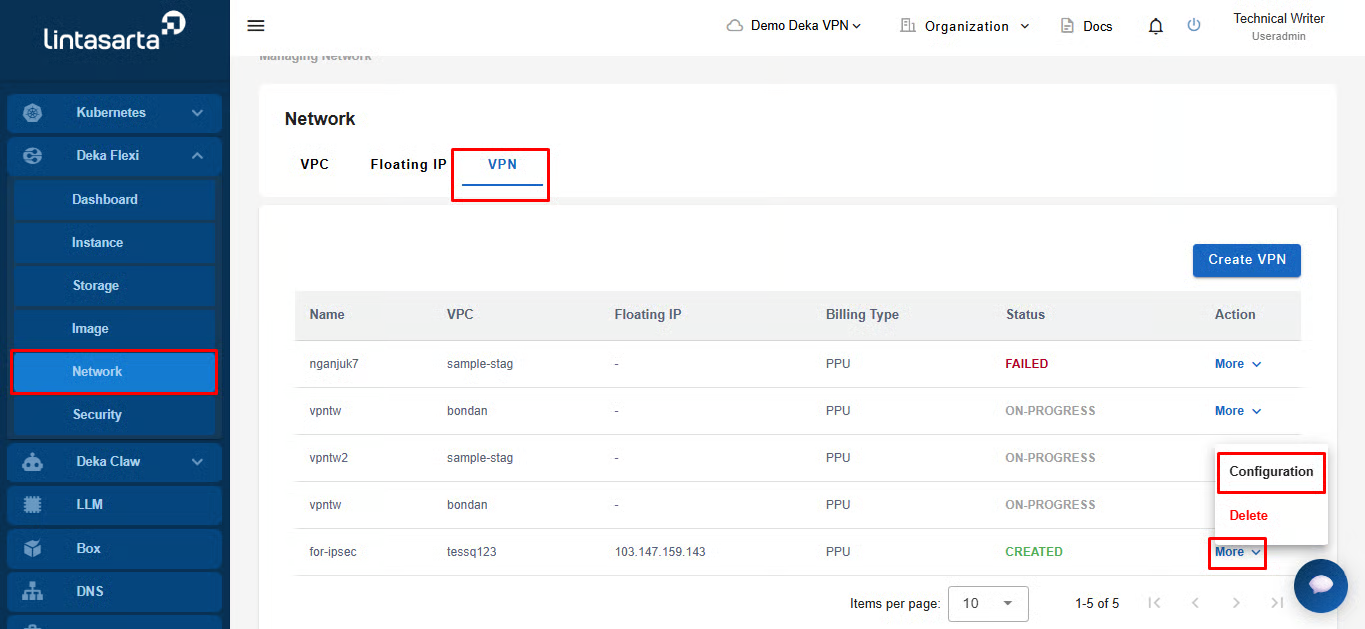
Pada halaman **Network**, pilih tab **VPN**. Di kolom **More**, pilih **Configuration**.
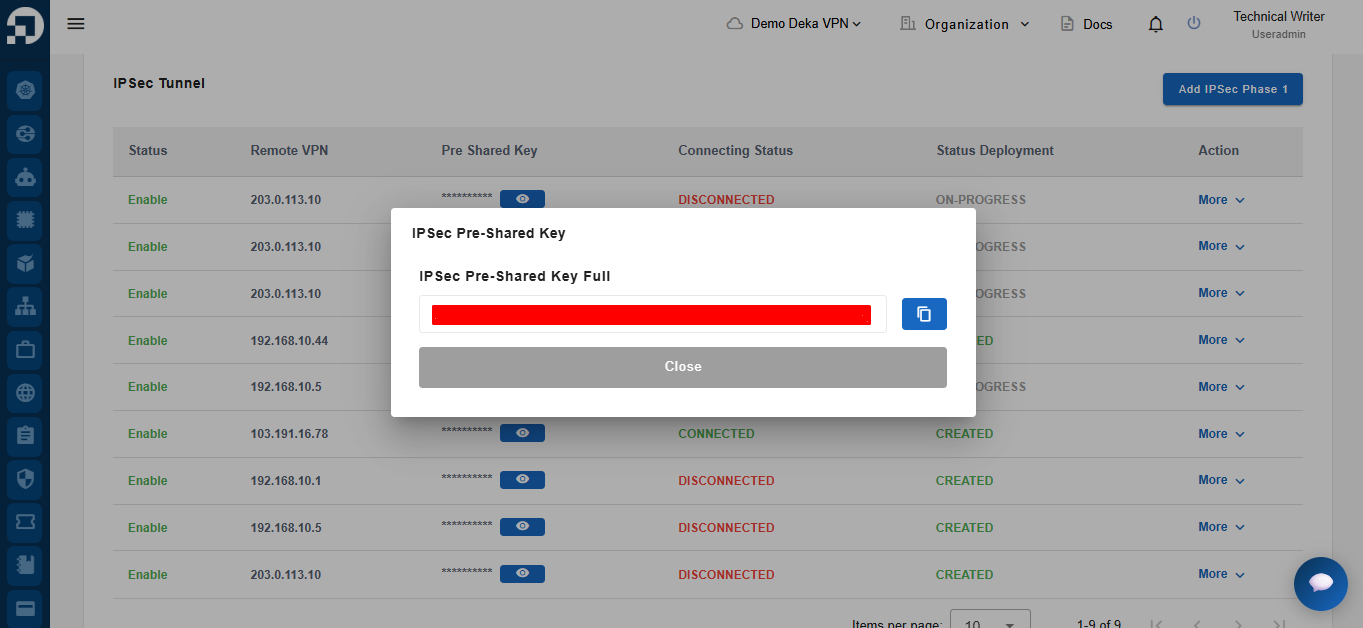
Pilih tab **IPsec**. Pada bagian **IPsec Tunnels**, di kolom **Pre Shared Key**, klik ikon mata.
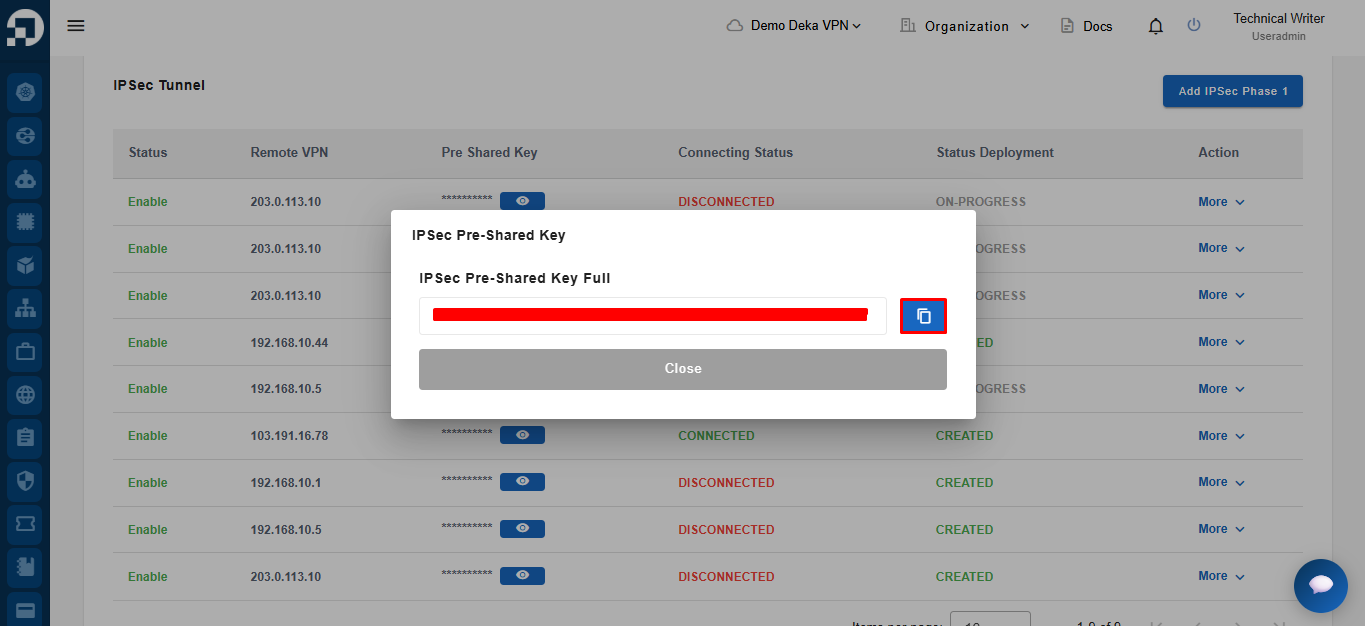
Klik tombol **Copy** untuk menyalin key.