> For the complete documentation index, see [llms.txt](https://docs.cloudeka.ai/llms.txt). Markdown versions of documentation pages are available by appending `.md` to page URLs; this page is available as [Markdown](https://docs.cloudeka.ai/deka-gpu-documentations/panduan-untuk-enterprise/deka-gpu/deka-gpu-kubernetes/services-account/tab-roles/create-roles.md).
# Membuat Role
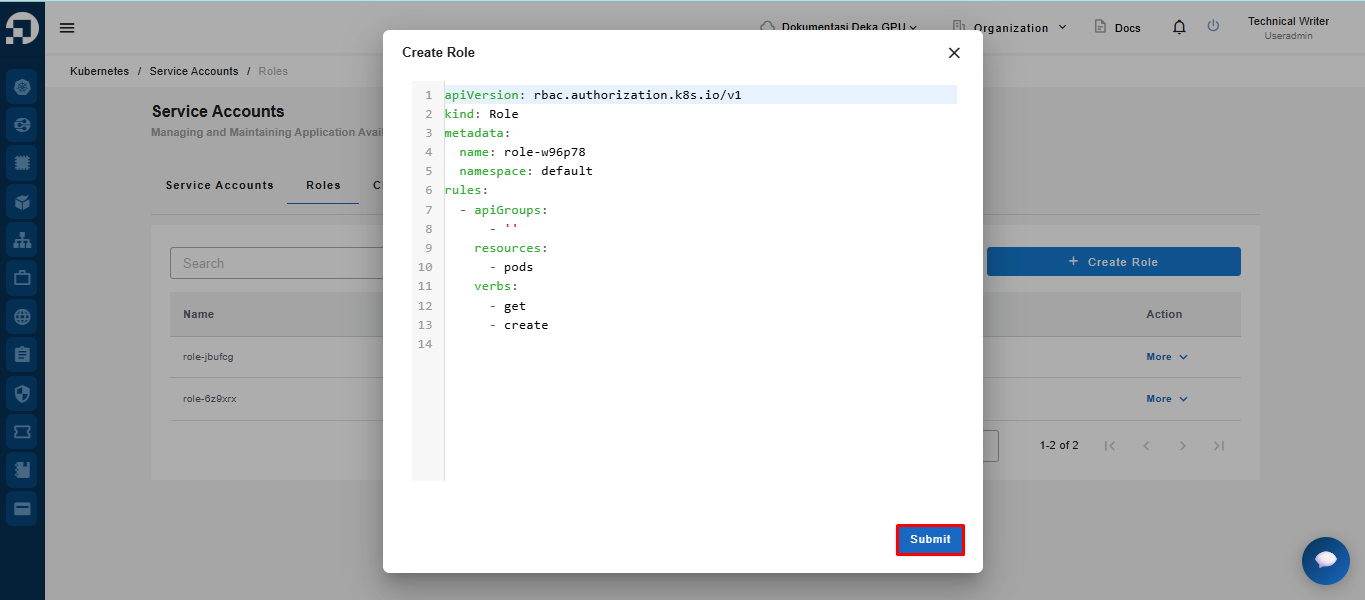
Fitur *Create Role* digunakan untuk membuat *Role* baru yang menentukan izin akses ke sumber daya tertentu dalam cluster. Dengan *Role*, pengguna dapat menentukan tindakan yang diizinkan, seperti `get`, `create`, `update`, dan `delete`.
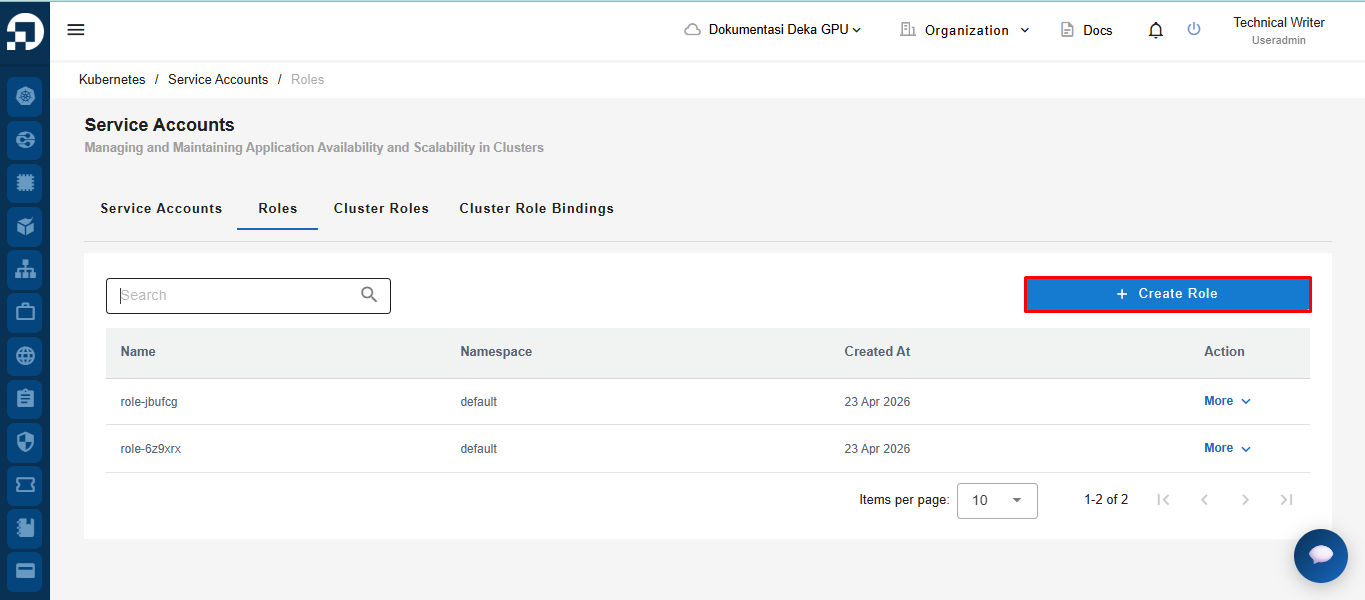
Untuk membuat *Role* baru, klik tombol ***Create Role***.
Setelah menyelesaikan konfigurasi, klik tombol *Submit* untuk membuat *Role*.
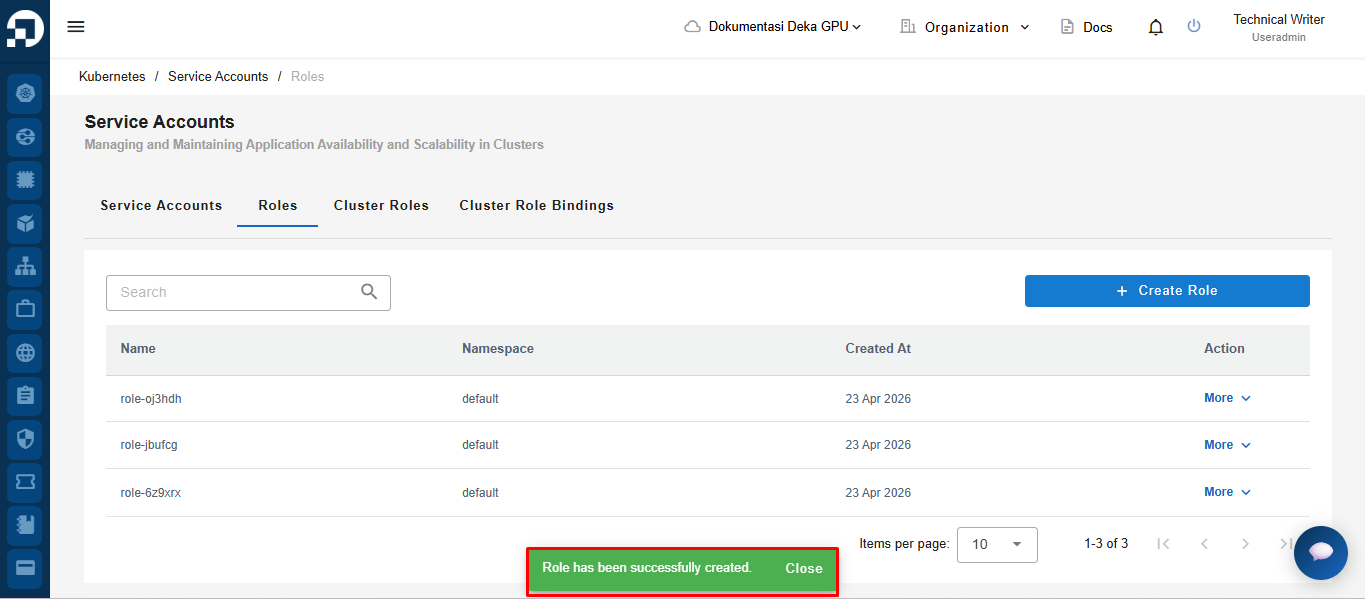
Setelah *Role* berhasil dibuat, sistem akan menampilkan notifikasi *“Role has been successfully created.”*