> For the complete documentation index, see [llms.txt](https://docs.cloudeka.ai/llms.txt). Markdown versions of documentation pages are available by appending `.md` to page URLs; this page is available as [Markdown](https://docs.cloudeka.ai/deka-gpu-documentations/panduan-untuk-enterprise/deka-gpu/deka-gpu-kubernetes/workloads/pods/create-new-pod.md).
# Buat Pod Baru
{% hint style="success" %}
Perhatikan hal berikut saat menggunakan tipe proyek *Prepaid (SME–Shared)*:
1. *Prepaid VCluster* untuk SME harus berstatus *Available* sebelum dapat digunakan. Jika masih berstatus *Unavailable*, pengguna tidak dapat mengakses sumber daya cluster.
2. Saat statusnya *Available*, sistem akan menampilkan tombol *Create Cluster* sebagai langkah awal sebelum mengakses menu *Workloads*.
3. Menu *Workloads* hanya aktif setelah cluster berhasil dibuat. Sebelumnya, halaman hanya menampilkan informasi bahwa tidak ada cluster yang tersedia.
4. Tombol *Create Pods* akan muncul dan dapat digunakan setelah cluster SME *Prepaid* dibuat dan berstatus aktif.
{% endhint %}
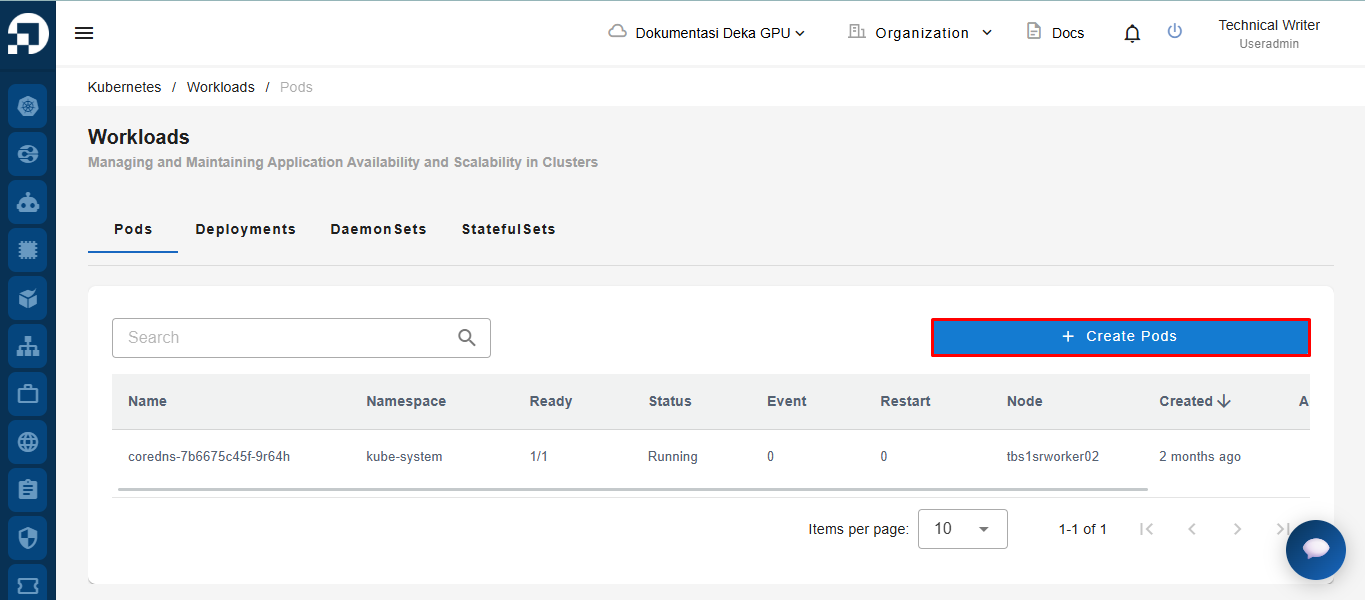
*Create New Pods* adalah fitur untuk membuat *Pod* baru di *Service Portal Cloudeka*. Pada tab *Pods* di halaman *Workloads*, klik tombol *+Create Pods*.
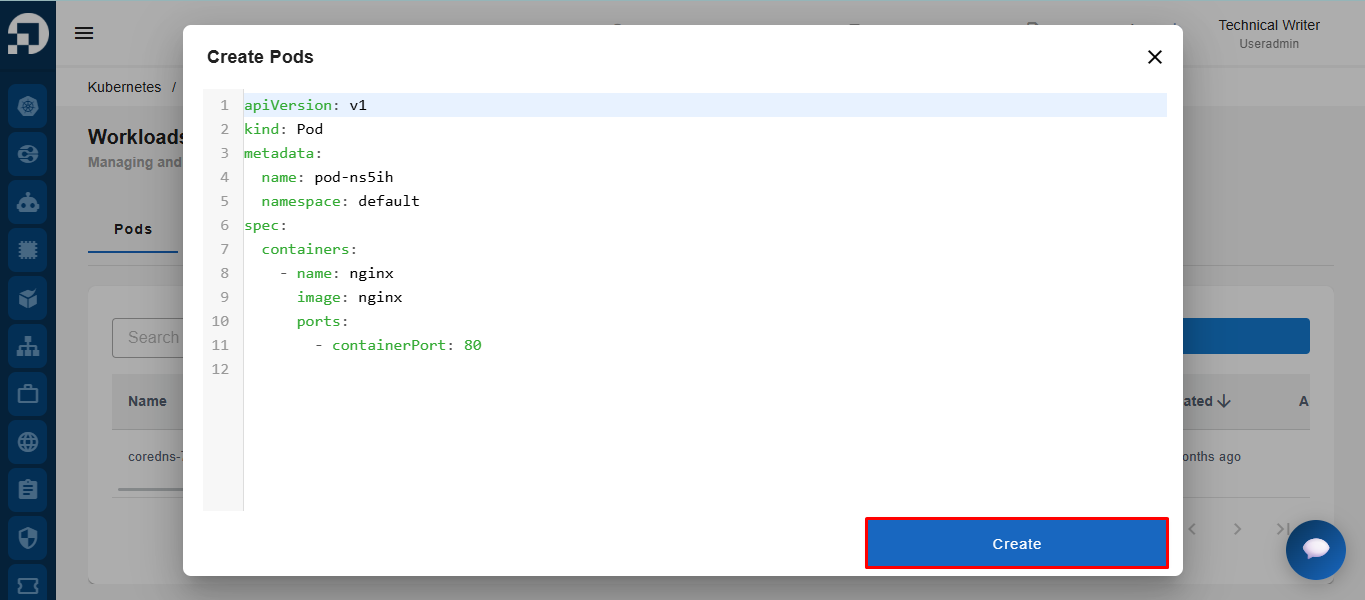
Jendela *Create Pods* akan muncul dan menampilkan kode konfigurasi YAML untuk membuat *Pod* baru. Pada kode tersebut, Anda dapat menyesuaikan kolom *“Name”* dan *“Namespace”*. Klik tombol *Submit* untuk memproses pembuatan *Pod* baru.