> For the complete documentation index, see [llms.txt](https://docs.cloudeka.ai/llms.txt). Markdown versions of documentation pages are available by appending `.md` to page URLs; this page is available as [Markdown](https://docs.cloudeka.ai/deka-gpu-documentations/panduan-untuk-enterprise/deka-gpu/deka-gpu-vms/delete-a-virtual-machine.md).
# Menghapus Mesin Virtual
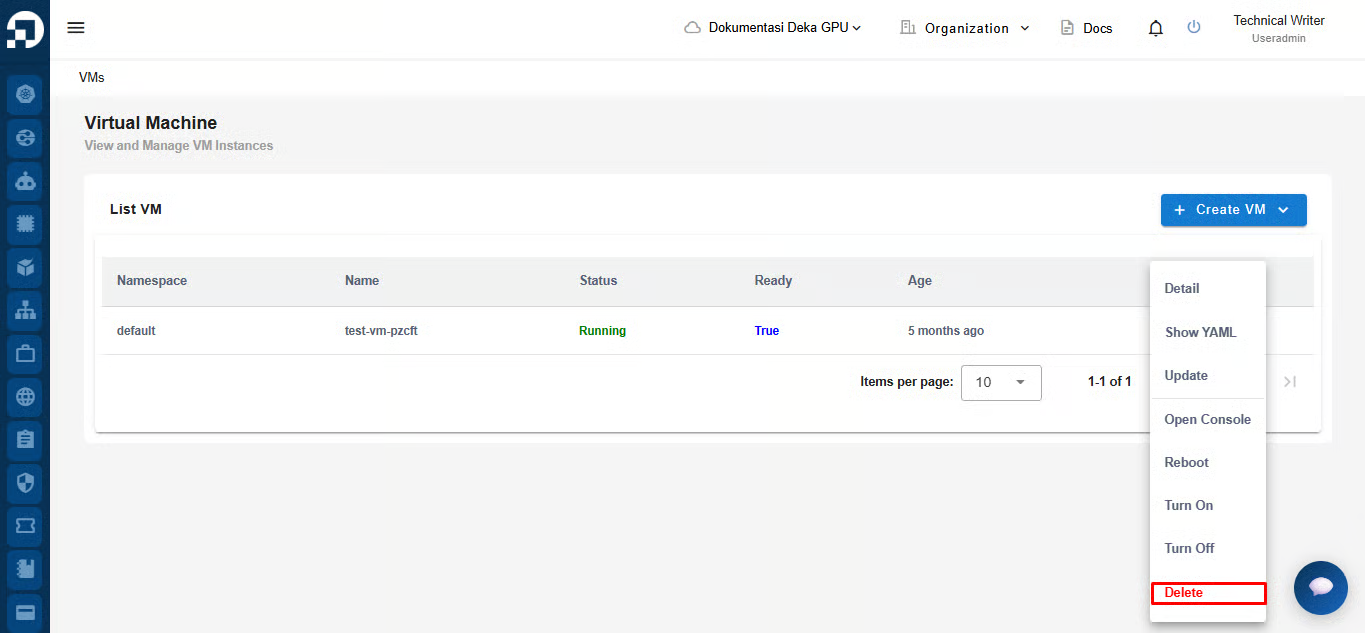
Di halaman Portal Layanan Cloudeka, hapus VM yang tidak digunakan dengan menekan tombol ***More***, lalu pilih ***Delete***.
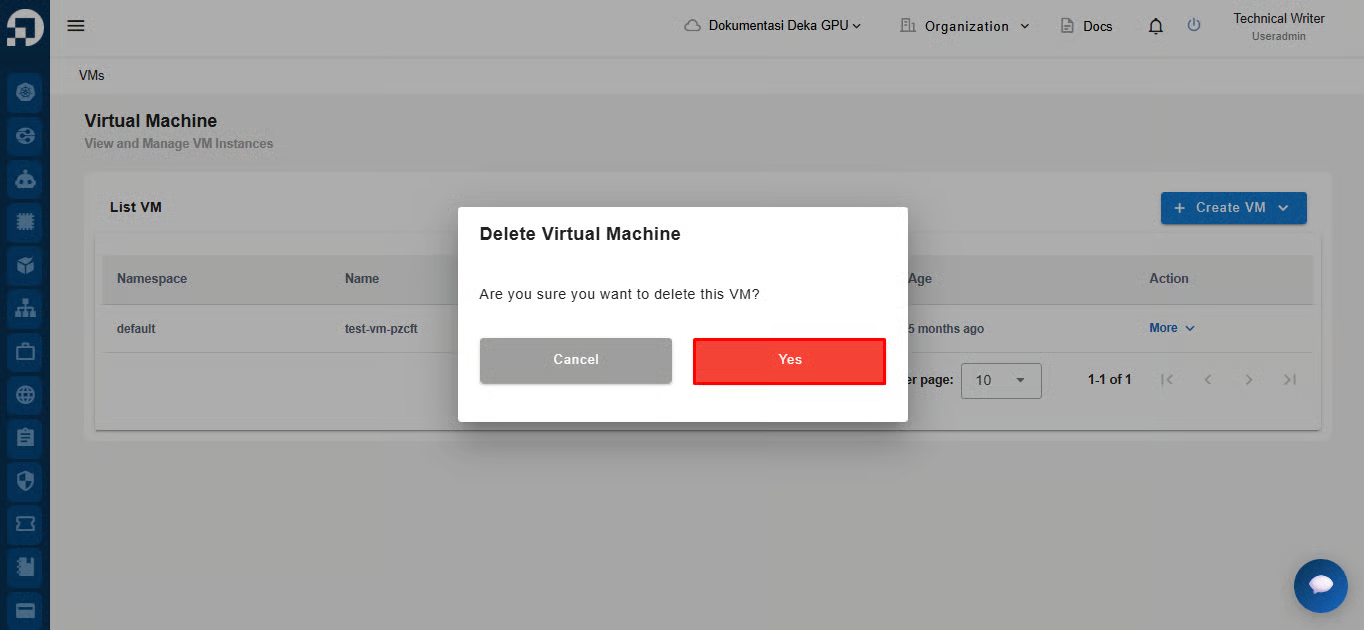
Klik tombol ***Yes*** untuk melanjutkan penghapusan VM yang tidak digunakan.
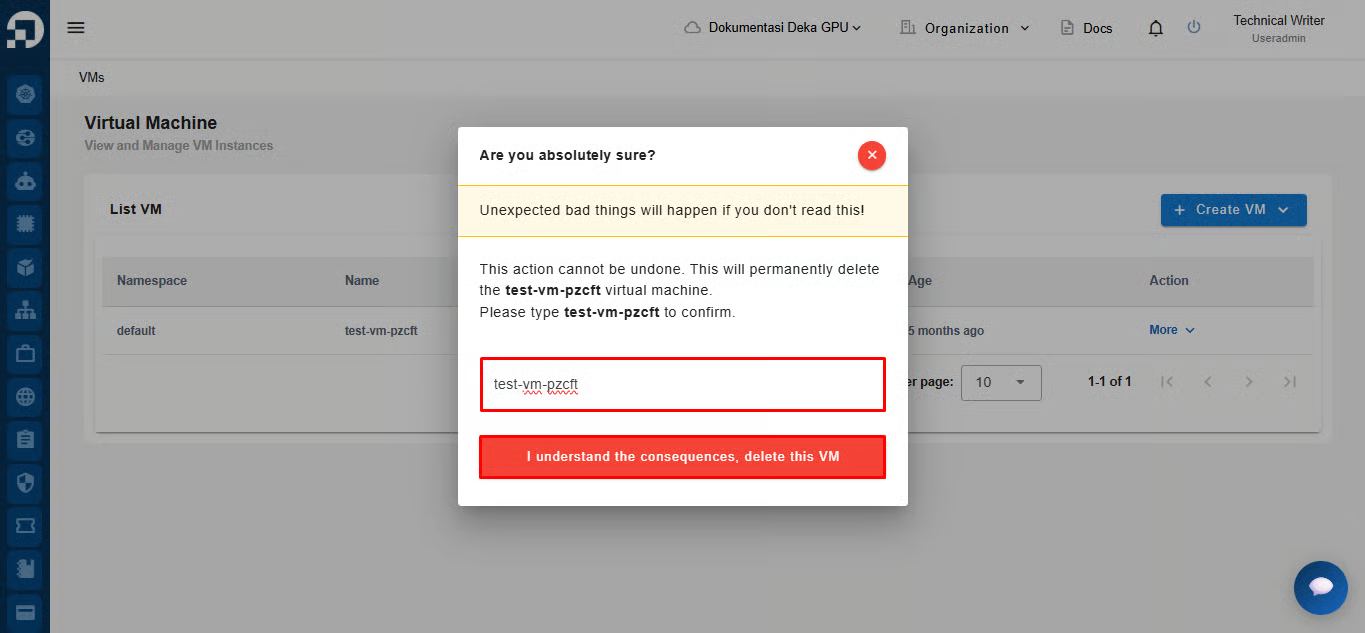
Masukkan nama VM yang akan dihapus, lalu tekan tombol ***I*** ***understand the consequences*****, *****delete this VM***. Tunggu hingga proses penghapusan selesai.