> For the complete documentation index, see [llms.txt](https://docs.cloudeka.ai/llms.txt). Markdown versions of documentation pages are available by appending `.md` to page URLs; this page is available as [Markdown](https://docs.cloudeka.ai/deka-gpu-documentations/panduan-untuk-enterprise/deka-llm/detail-deka-llm/alert-tab/delete-a-alert.md).

# Hapus Alert

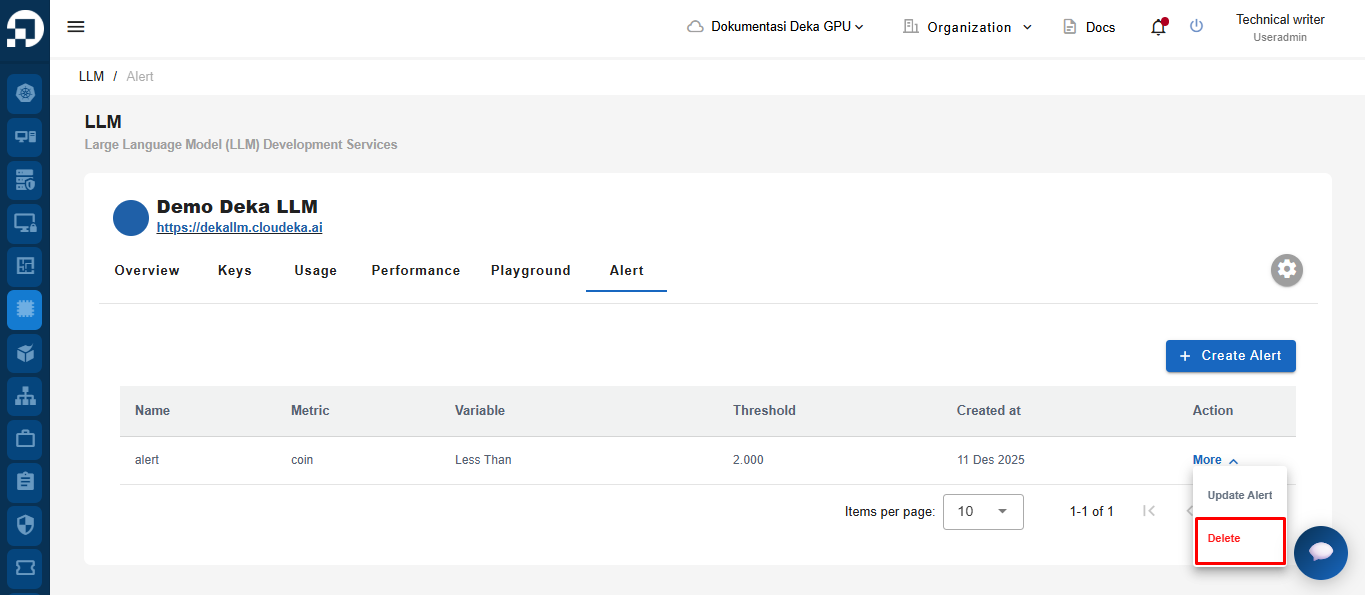
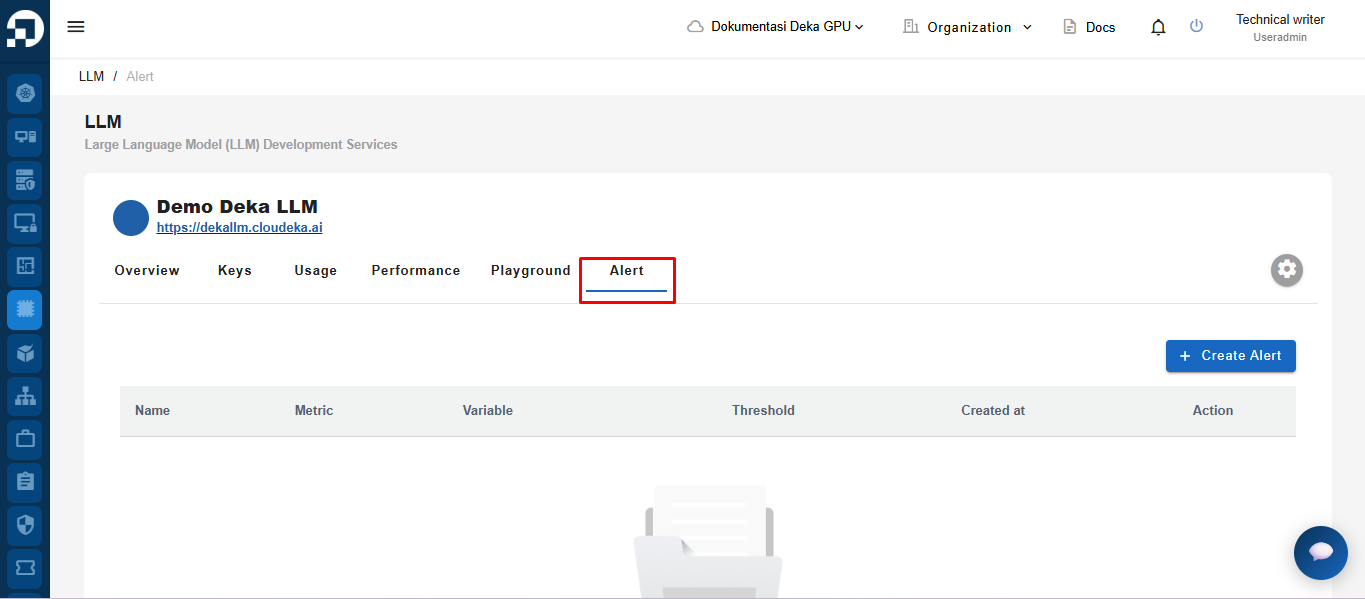
Pada menu LLM di halaman Service Portal Cloudeka, pilih tab Alert.

<figure><img src="https://753761090-files.gitbook.io/~/files/v0/b/gitbook-x-prod.appspot.com/o/spaces%2FtAYQyBIz2BclZ3ZHHlS4%2Fuploads%2Fgit-blob-8319fabebc1e01dc515727ee0dc35d94e9772eda%2Funknown.png?alt=media" alt=""><figcaption></figcaption></figure>

Pada kolom Action, klik tombol **More**, lalu pilih **Delete**.

<figure><img src="https://753761090-files.gitbook.io/~/files/v0/b/gitbook-x-prod.appspot.com/o/spaces%2FtAYQyBIz2BclZ3ZHHlS4%2Fuploads%2Fgit-blob-e60eb7415c22fc8fa3cc5baef45577edaf57a7fe%2Funknown.png?alt=media" alt=""><figcaption></figcaption></figure>

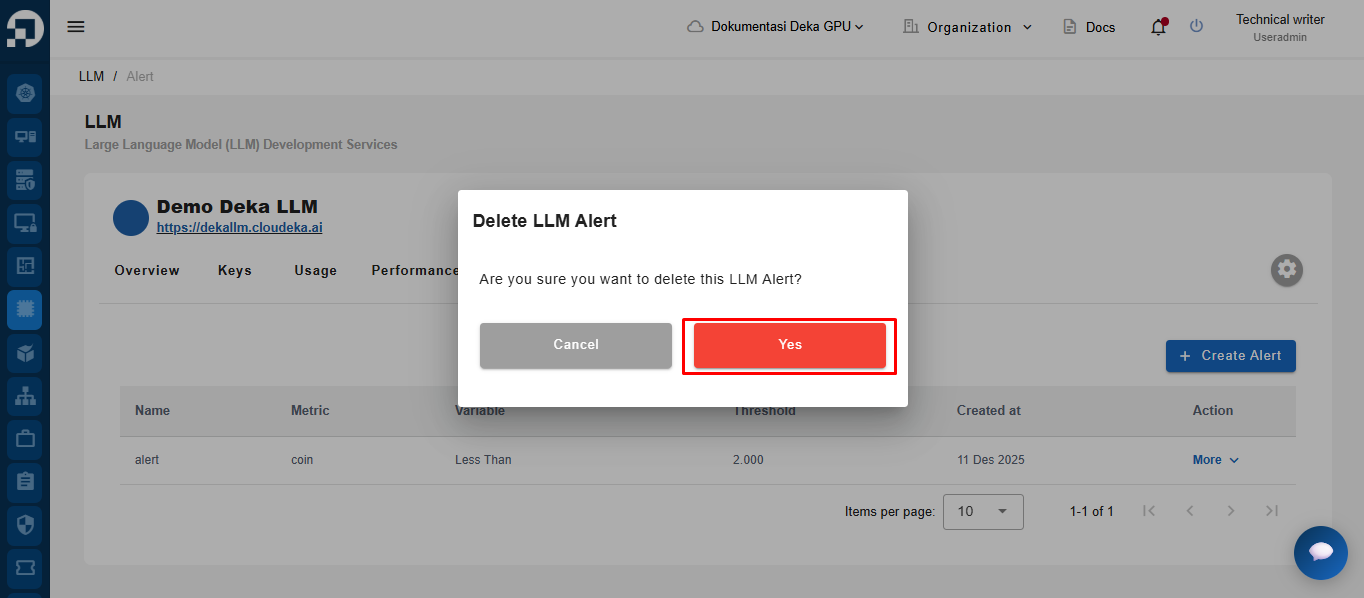
Jendela Delete LLM Alert akan muncul. Klik **Yes** untuk menghapus alert yang terdaftar.

<figure><img src="https://753761090-files.gitbook.io/~/files/v0/b/gitbook-x-prod.appspot.com/o/spaces%2FtAYQyBIz2BclZ3ZHHlS4%2Fuploads%2Fgit-blob-ceda36b880dba5847bc1860301386cecb19c4898%2Funknown.png?alt=media" alt=""><figcaption></figcaption></figure>

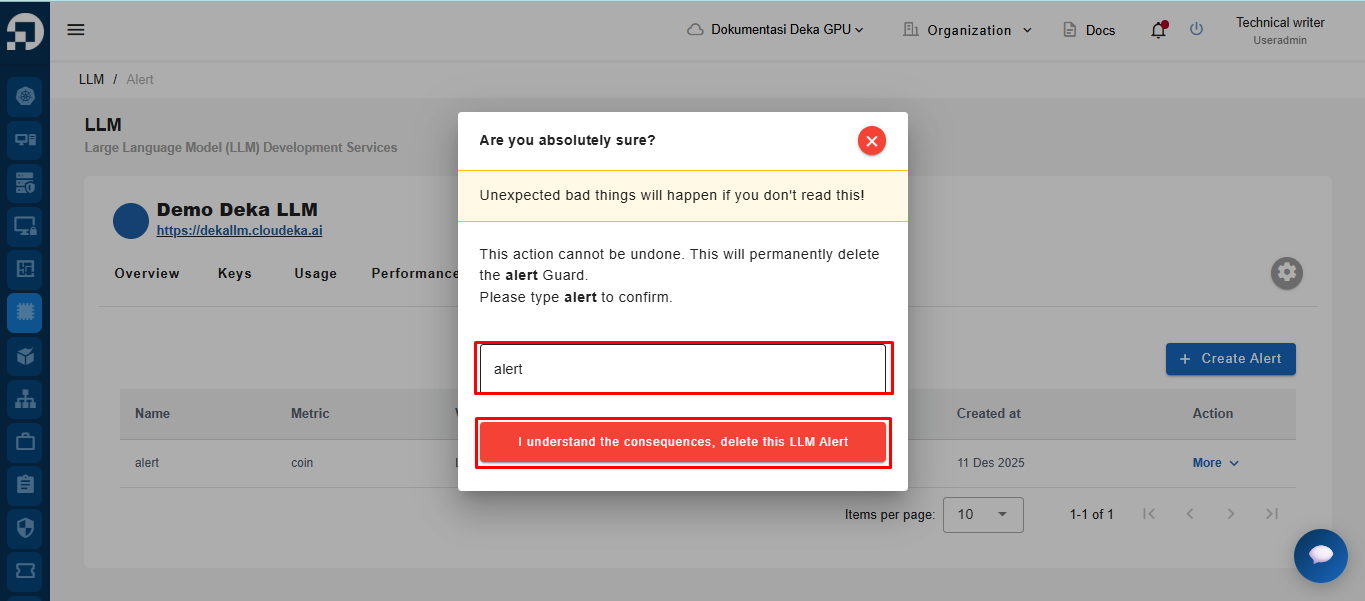
Masukkan nama, lalu klik "**I understand the consequences, delete this LLM Alert**".

<figure><img src="https://753761090-files.gitbook.io/~/files/v0/b/gitbook-x-prod.appspot.com/o/spaces%2FtAYQyBIz2BclZ3ZHHlS4%2Fuploads%2Fgit-blob-56b4391caba2de3ca861767e4c2fbb1da6bf6cd8%2Funknown.png?alt=media" alt=""><figcaption></figcaption></figure>

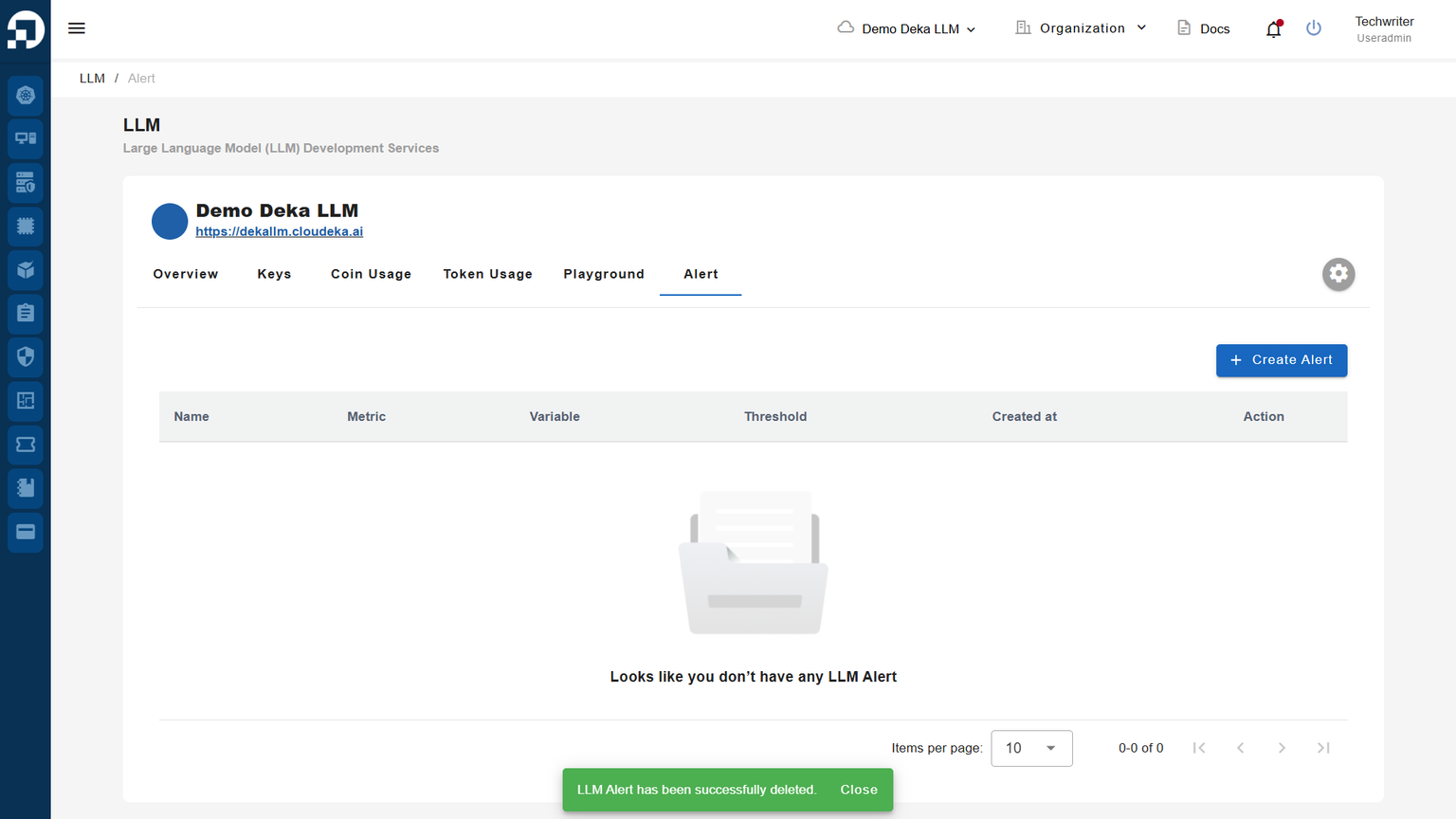
Notifikasi akan muncul: "**LLM Alert has been successfully deleted.**"
<figure><img src="https://753761090-files.gitbook.io/~/files/v0/b/gitbook-x-prod.appspot.com/o/spaces%2FtAYQyBIz2BclZ3ZHHlS4%2Fuploads%2Fgit-blob-0060751e14bed725280935150228a27d233667e7%2Funknown.png?alt=media" alt=""><figcaption></figcaption></figure>