> For the complete documentation index, see [llms.txt](https://docs.cloudeka.ai/llms.txt). Markdown versions of documentation pages are available by appending `.md` to page URLs; this page is available as [Markdown](https://docs.cloudeka.ai/deka-gpu-documentations/panduan-untuk-enterprise/deka-llm/detail-deka-llm/keys-tab/edit-a-key.md).

# Edit Key

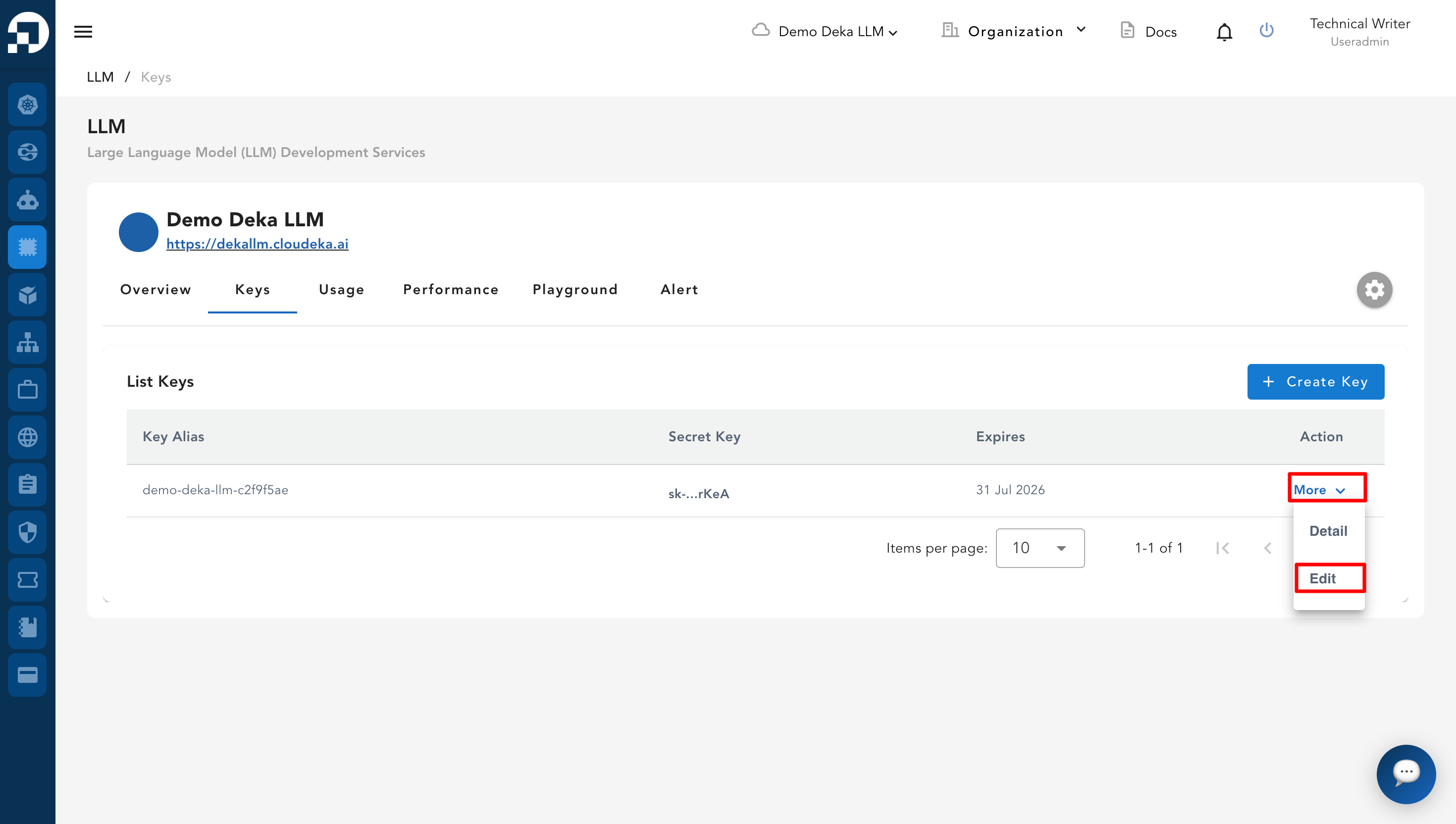
**Edit a Key** adalah fitur pada **Service Portal Cloudeka** yang memungkinkan Anda memperbarui **Key** yang sudah ada. Jika belum membuat **Key**, ikuti [**sub-bagian Create a New Key**](/deka-gpu-documentations/panduan-untuk-enterprise/deka-llm/detail-deka-llm/keys-tab/create-a-new-key.md). Pada halaman **Keys Tab**, klik tombol **Edit**.

<figure><img src="https://753761090-files.gitbook.io/~/files/v0/b/gitbook-x-prod.appspot.com/o/spaces%2FtAYQyBIz2BclZ3ZHHlS4%2Fuploads%2Fgit-blob-2d3456c401b45728b0e842bd4a6ed4278964ed1c%2Fimage.png?alt=media" alt=""><figcaption></figcaption></figure>

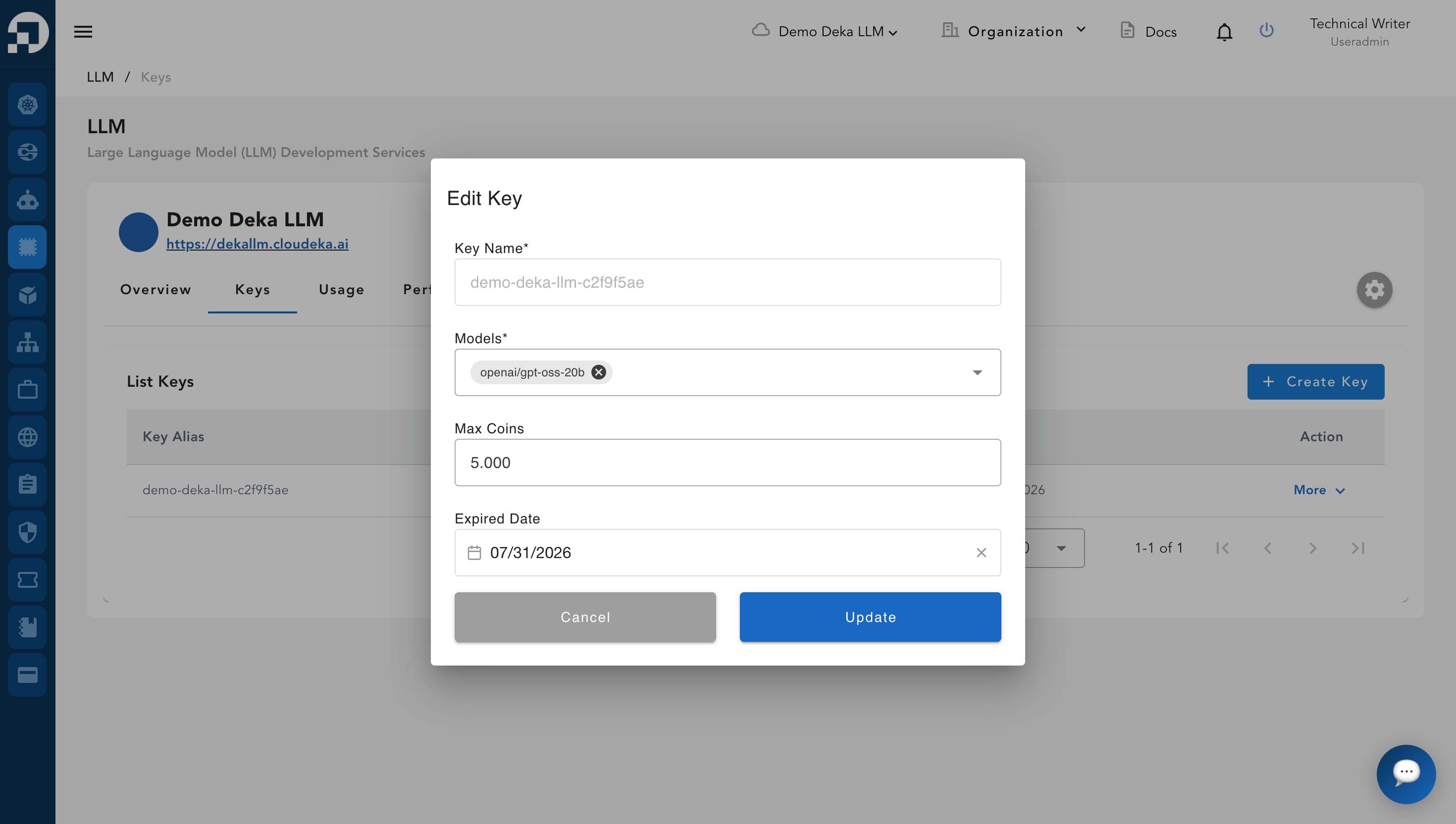
Jendela **Edit Key** akan muncul. Anda hanya dapat memperbarui kolom **Model**, **Max Coins**, dan **Expired Date**.

<figure><img src="https://753761090-files.gitbook.io/~/files/v0/b/gitbook-x-prod.appspot.com/o/spaces%2FtAYQyBIz2BclZ3ZHHlS4%2Fuploads%2Fgit-blob-ac947c741e373d9500030ecd694d29a25f45ff2b%2Fimage.png?alt=media" alt=""><figcaption></figcaption></figure>

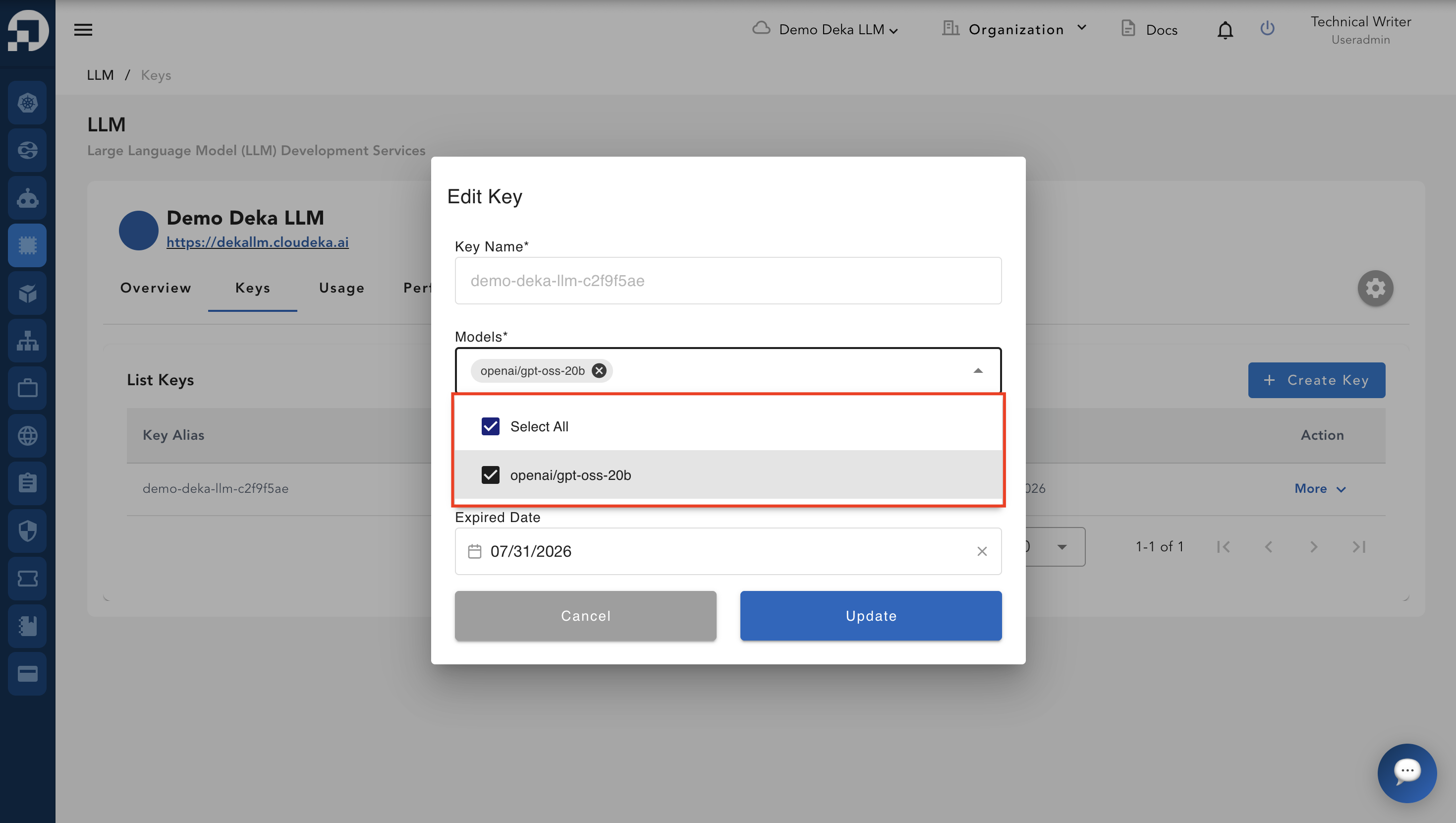
Anda dapat menambahkan model yang ingin digunakan. Jika ingin menggunakan model lain, ikuti langkah-langkah pada bagian [Update Model](/deka-gpu-documentations/panduan-untuk-enterprise/deka-llm/detail-deka-llm/update-models.md).

<figure><img src="https://753761090-files.gitbook.io/~/files/v0/b/gitbook-x-prod.appspot.com/o/spaces%2FtAYQyBIz2BclZ3ZHHlS4%2Fuploads%2Fgit-blob-356edb3120cf66b6a39e297cc2b0c5e435811a62%2Fimage.png?alt=media" alt=""><figcaption></figcaption></figure>

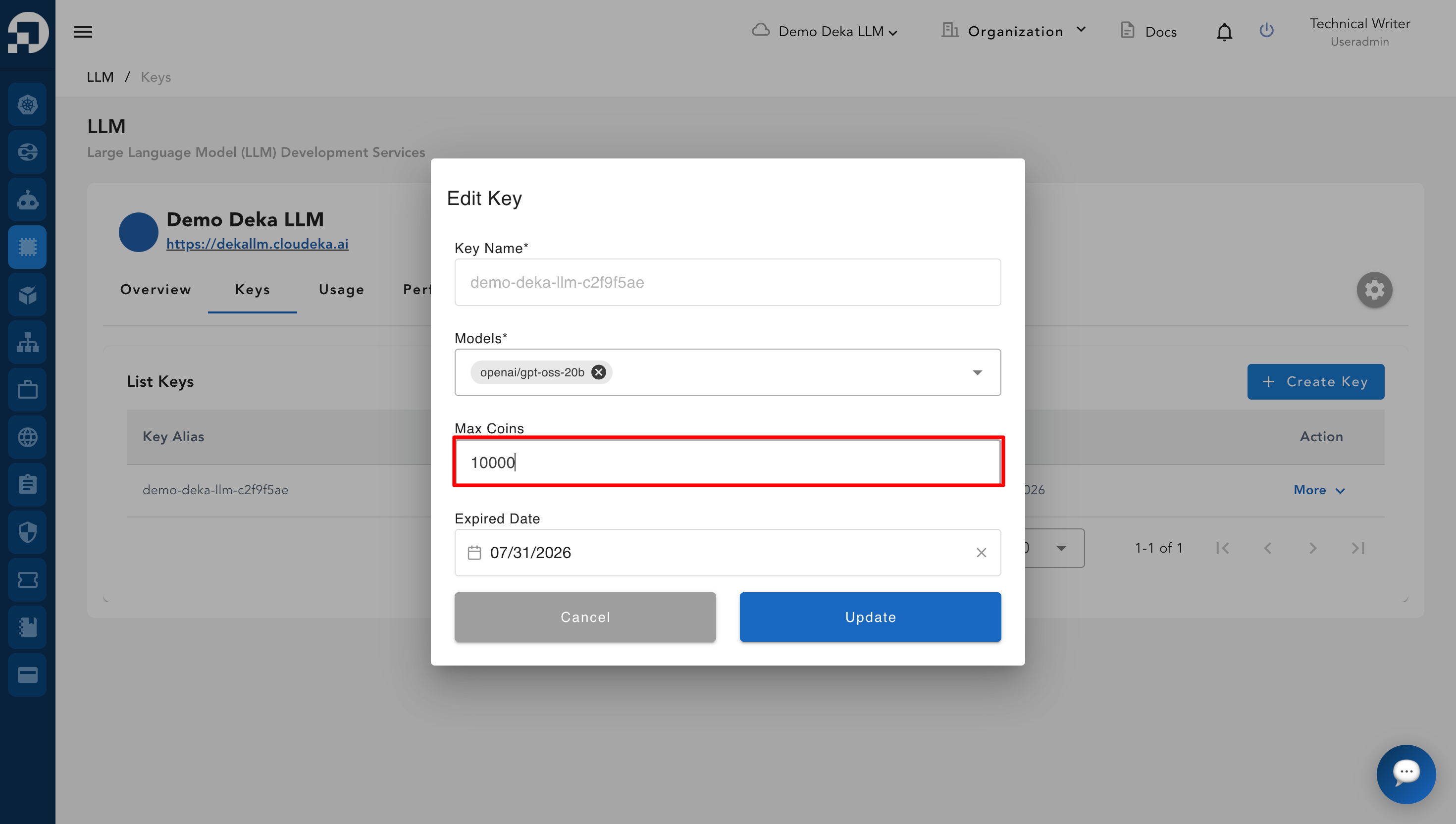
Anda dapat memperbarui jumlah maksimum koin yang akan digunakan.

{% hint style="success" %}
Untuk memeriksa sisa saldo koin, lihat [Overview Tab](/deka-gpu-documentations/panduan-untuk-enterprise/deka-llm/detail-deka-llm/overview-tab.md). Jika ingin menambah koin, ikuti langkah-langkah pada [Top Up Coin](/deka-gpu-documentations/panduan-untuk-enterprise/deka-llm/detail-deka-llm/top-up-coin.md).
{% endhint %}

{% hint style="warning" %}
Pastikan jumlah yang dimasukkan tidak melebihi saldo koin yang tersedia.
{% endhint %}

<figure><img src="https://753761090-files.gitbook.io/~/files/v0/b/gitbook-x-prod.appspot.com/o/spaces%2FtAYQyBIz2BclZ3ZHHlS4%2Fuploads%2Fgit-blob-f5e3496d06343424412bf2879a6baa97b5cb49f5%2Fimage.png?alt=media" alt=""><figcaption></figcaption></figure>

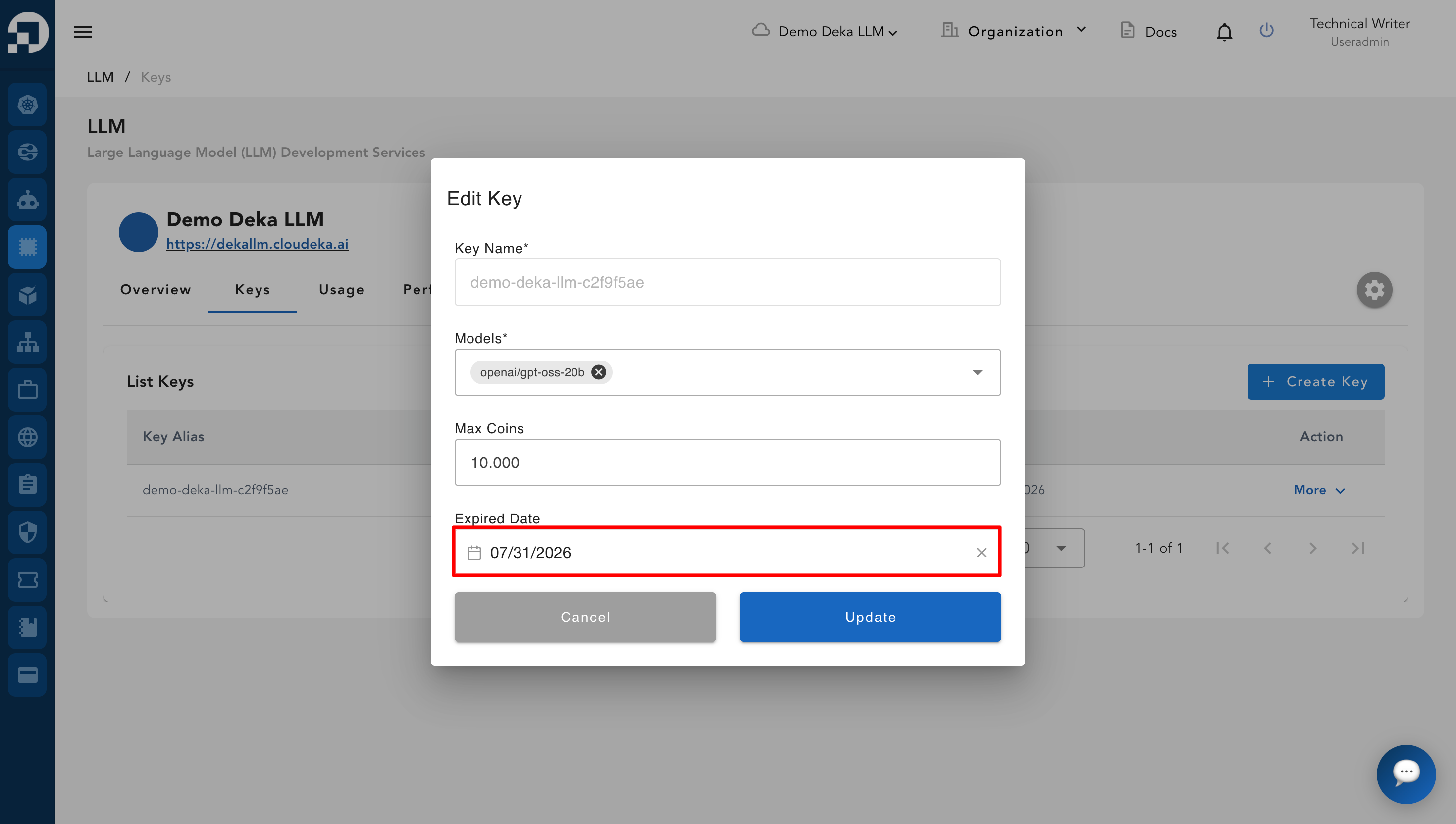
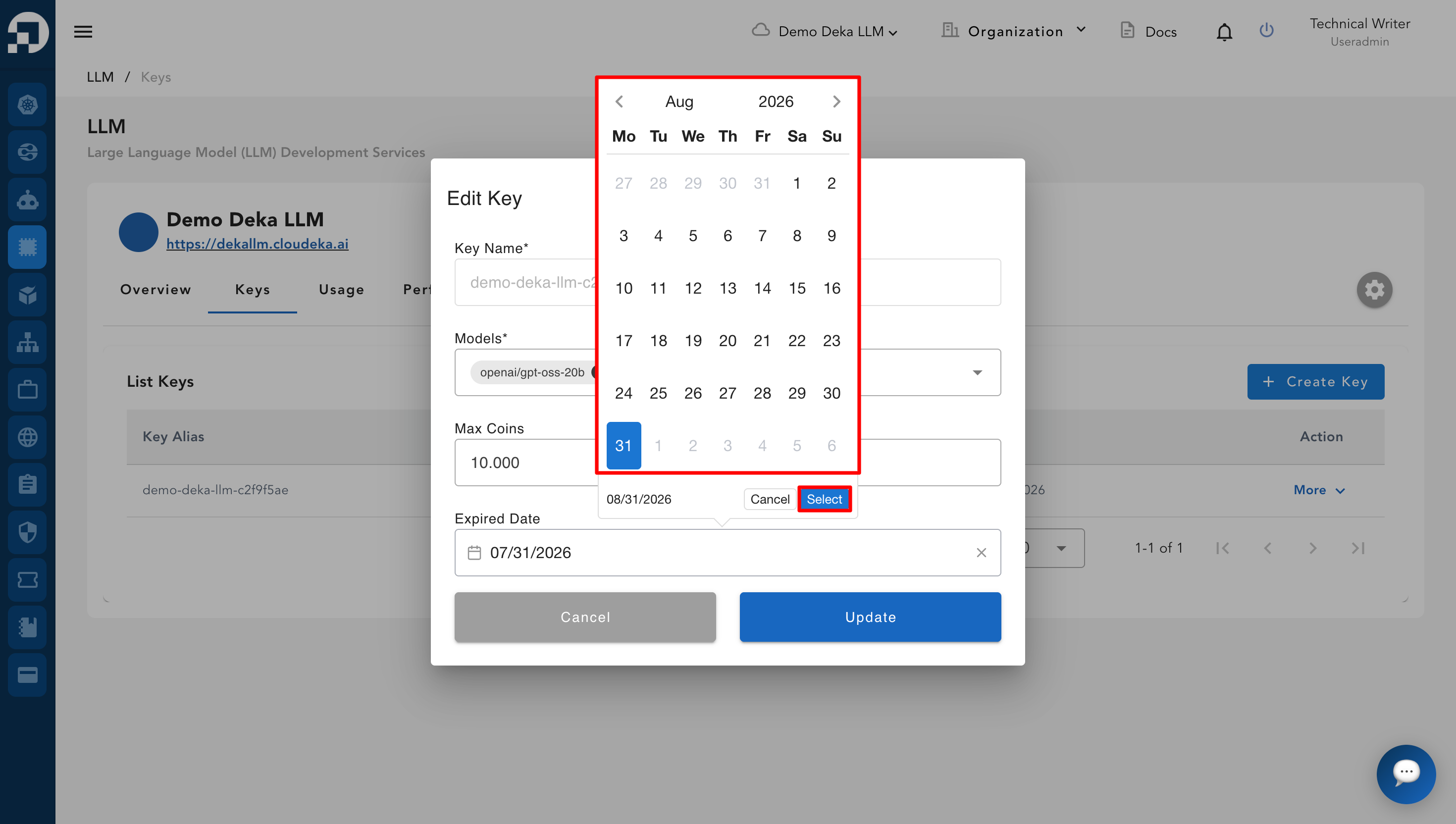
Anda dapat memperbarui tanggal kedaluwarsa key dengan mengklik kolom **Expired Date**.

<figure><img src="https://753761090-files.gitbook.io/~/files/v0/b/gitbook-x-prod.appspot.com/o/spaces%2FtAYQyBIz2BclZ3ZHHlS4%2Fuploads%2Fgit-blob-5c268f0595e1bf61f673124a83621e20242cdb3f%2Fimage.png?alt=media" alt=""><figcaption></figcaption></figure>

Pilih tanggal kedaluwarsa key. Klik tombol **Select** untuk menyimpan tanggal kedaluwarsa yang dipilih atau klik tombol **Cancel** untuk kembali ke jendela **Edit Key**.

<figure><img src="https://753761090-files.gitbook.io/~/files/v0/b/gitbook-x-prod.appspot.com/o/spaces%2FtAYQyBIz2BclZ3ZHHlS4%2Fuploads%2Fgit-blob-2b6b1893a4402467faf50e402654d1581bfcf621%2Fimage.png?alt=media" alt=""><figcaption></figcaption></figure>

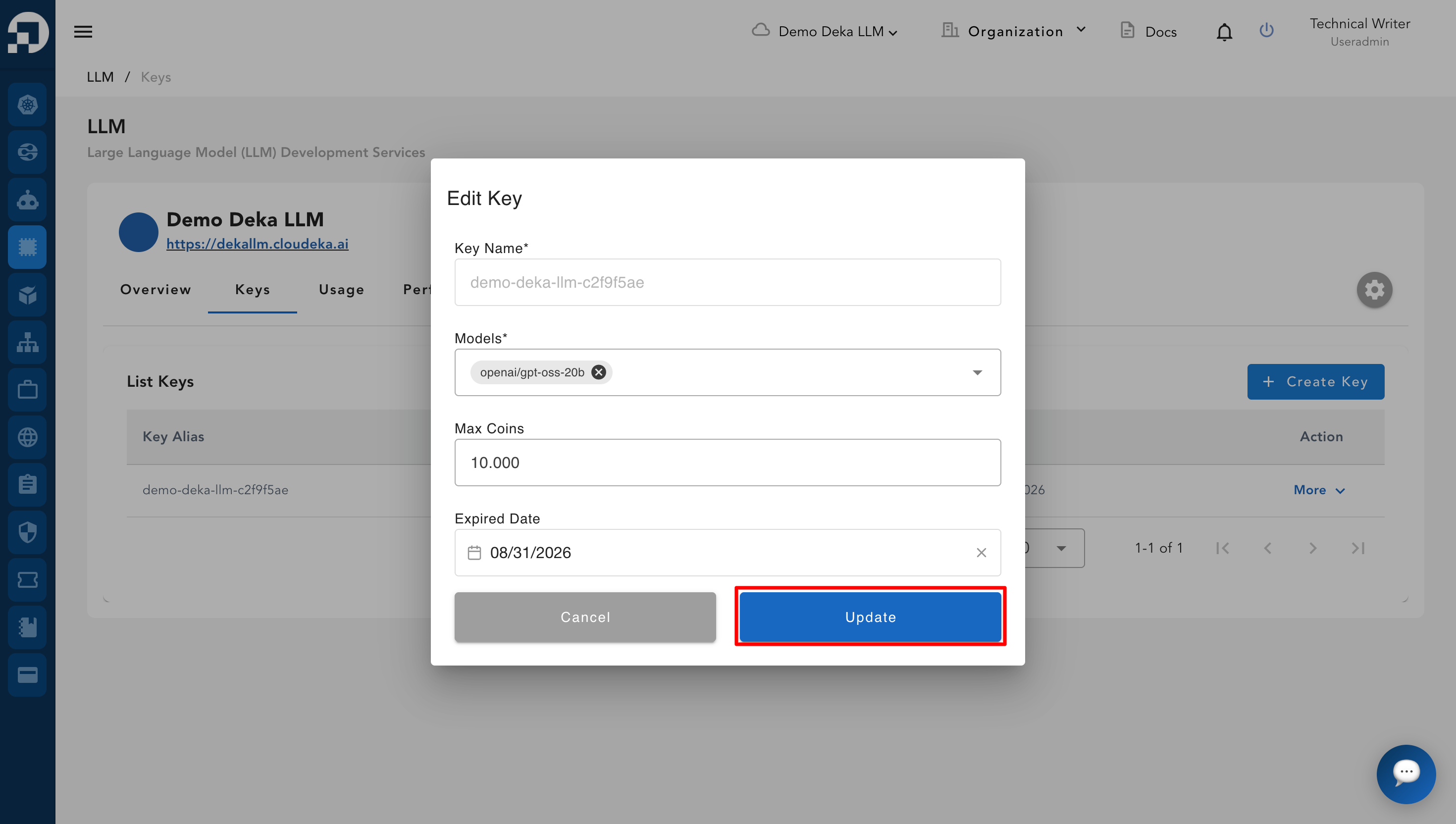
Klik tombol **Update** untuk menyimpan perubahan yang telah dibuat.

<figure><img src="https://753761090-files.gitbook.io/~/files/v0/b/gitbook-x-prod.appspot.com/o/spaces%2FtAYQyBIz2BclZ3ZHHlS4%2Fuploads%2Fgit-blob-4ef61767b39917869d96f15da5ac2602a717d7f4%2Fimage.png?alt=media" alt=""><figcaption></figcaption></figure>

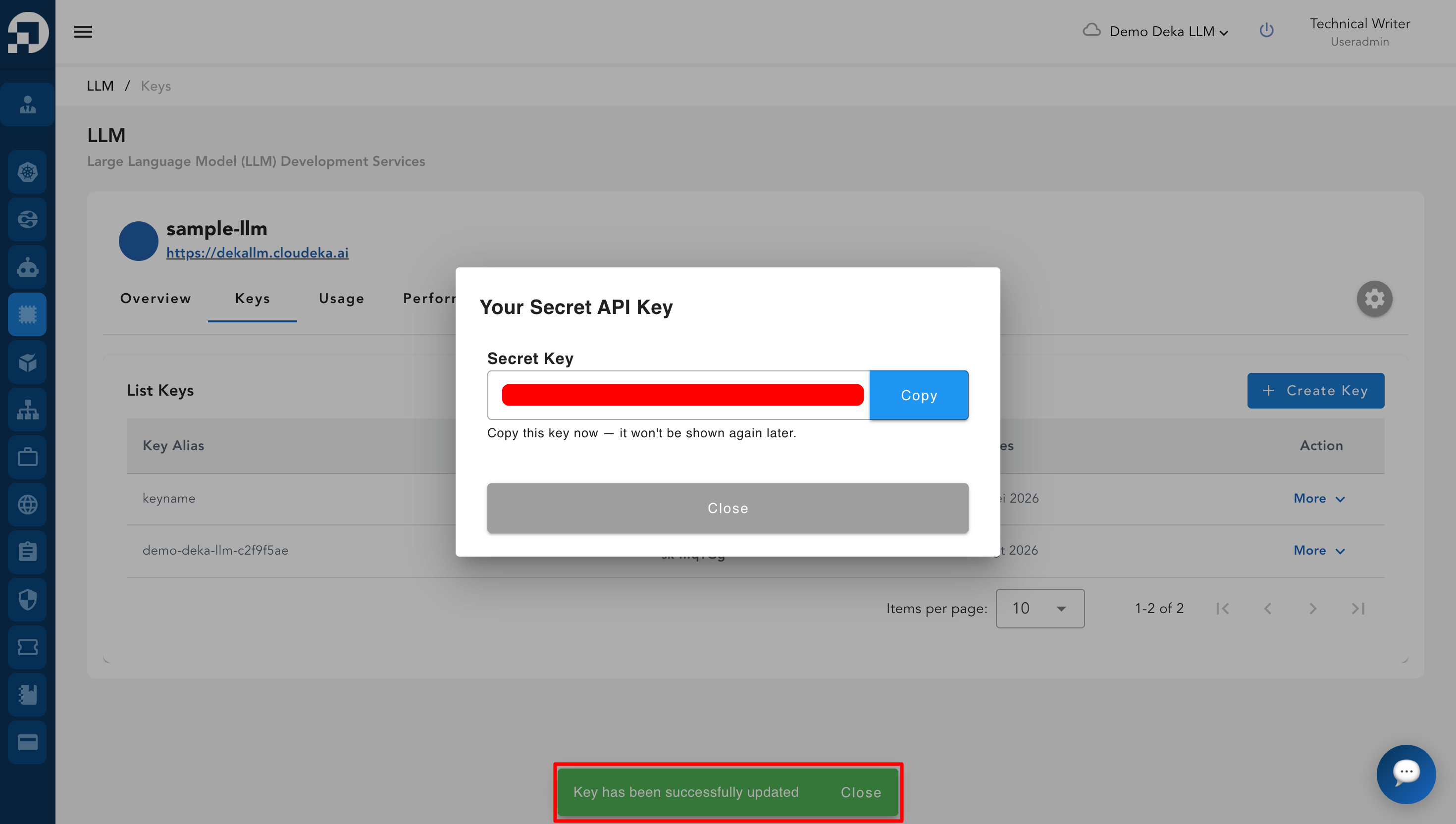
Setelah memperbarui key, akan muncul notifikasi "Key has been successfully updated".
<figure><img src="https://753761090-files.gitbook.io/~/files/v0/b/gitbook-x-prod.appspot.com/o/spaces%2FtAYQyBIz2BclZ3ZHHlS4%2Fuploads%2Fgit-blob-7e3bf20ff86a918f34f04712e918e6fee0120767%2Fimage.png?alt=media" alt=""><figcaption></figcaption></figure>