> For the complete documentation index, see [llms.txt](https://docs.cloudeka.ai/llms.txt). Markdown versions of documentation pages are available by appending `.md` to page URLs; this page is available as [Markdown](https://docs.cloudeka.ai/deka-gpu-documentations/panduan-untuk-enterprise/deka-llm/detail-deka-llm/top-up-coin.md).

# Isi Ulang Koin

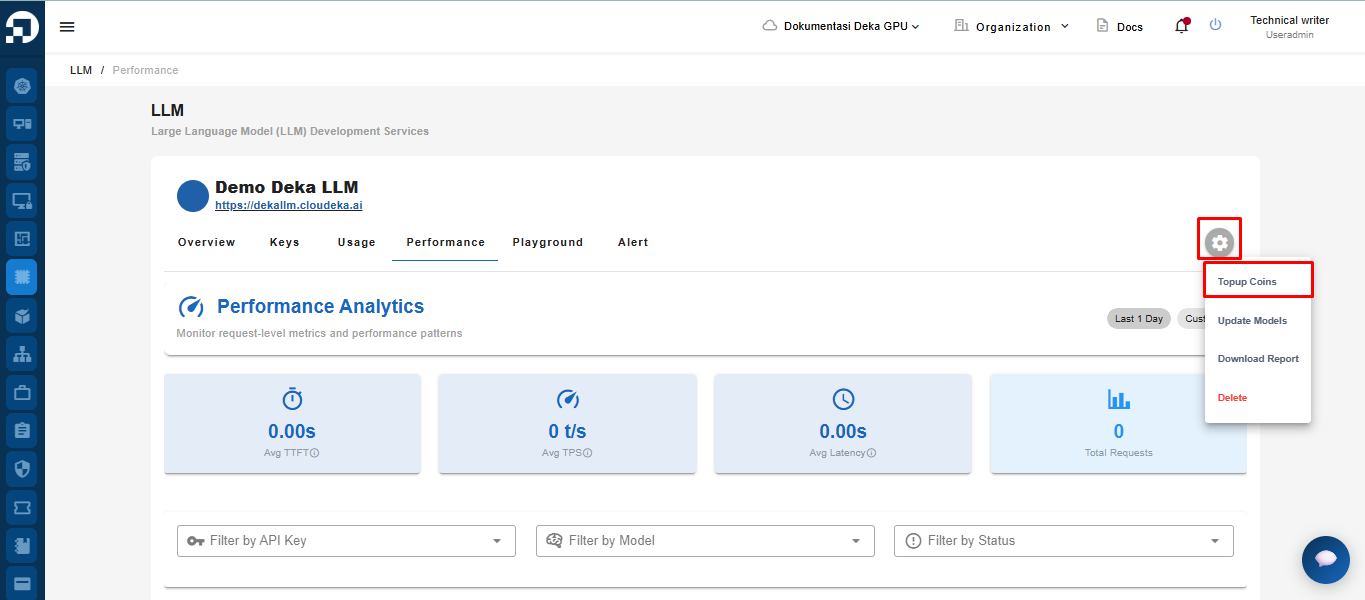
Anda dapat menambahkan koin untuk digunakan di Deka LLM. Pada halaman Deka LLM, klik tombol Settings, lalu pilih Topup Coins.

<figure><img src="https://753761090-files.gitbook.io/~/files/v0/b/gitbook-x-prod.appspot.com/o/spaces%2FtAYQyBIz2BclZ3ZHHlS4%2Fuploads%2Fgit-blob-d589f2cf60cbd5a84f5b4aeea3e3f915272ab909%2Fimage.png?alt=media" alt=""><figcaption></figcaption></figure>

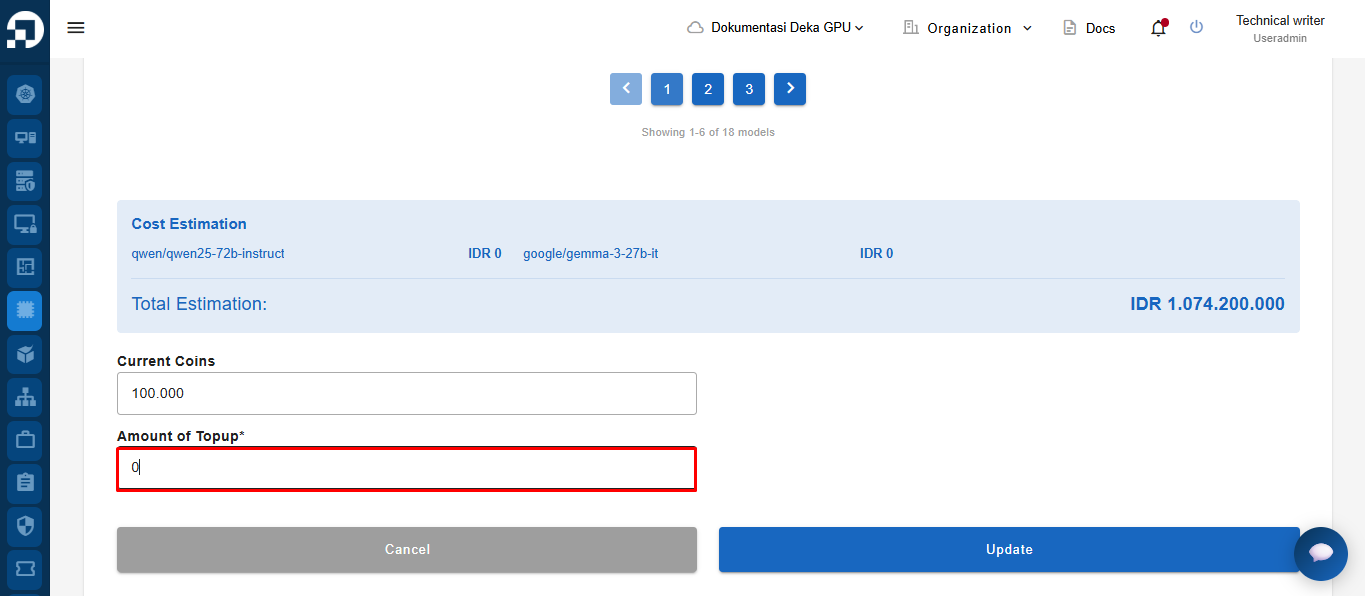
Halaman Topup LLM Coins akan muncul. Pada kolom Account of Topup, masukkan jumlah koin yang dibutuhkan.

<figure><img src="https://753761090-files.gitbook.io/~/files/v0/b/gitbook-x-prod.appspot.com/o/spaces%2FtAYQyBIz2BclZ3ZHHlS4%2Fuploads%2Fgit-blob-ef290d1a43d35fd028f913e0f973ca8619a3c8c1%2Funknown.png?alt=media" alt=""><figcaption></figcaption></figure>

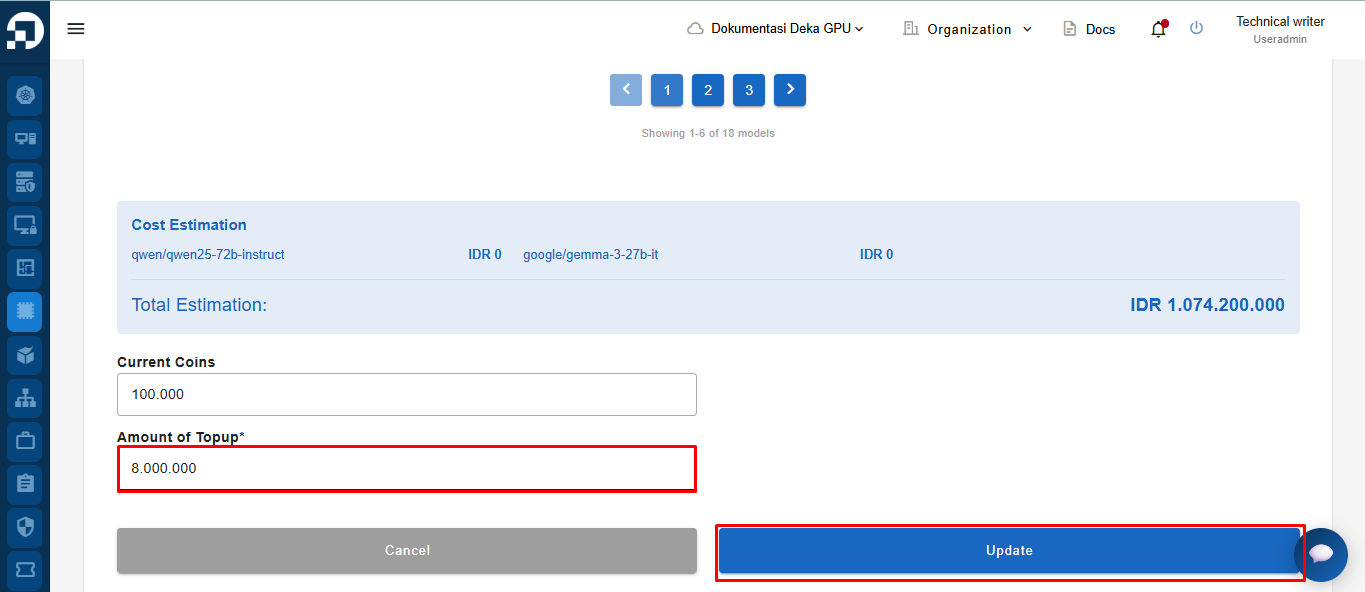
Masukkan jumlah koin yang ingin ditambahkan, lalu klik tombol Update untuk menyimpan perubahan.

<figure><img src="https://753761090-files.gitbook.io/~/files/v0/b/gitbook-x-prod.appspot.com/o/spaces%2FtAYQyBIz2BclZ3ZHHlS4%2Fuploads%2Fgit-blob-c1992b6444cbac61cdcf096072b3418e0a5974f5%2Funknown.png?alt=media" alt=""><figcaption></figcaption></figure>

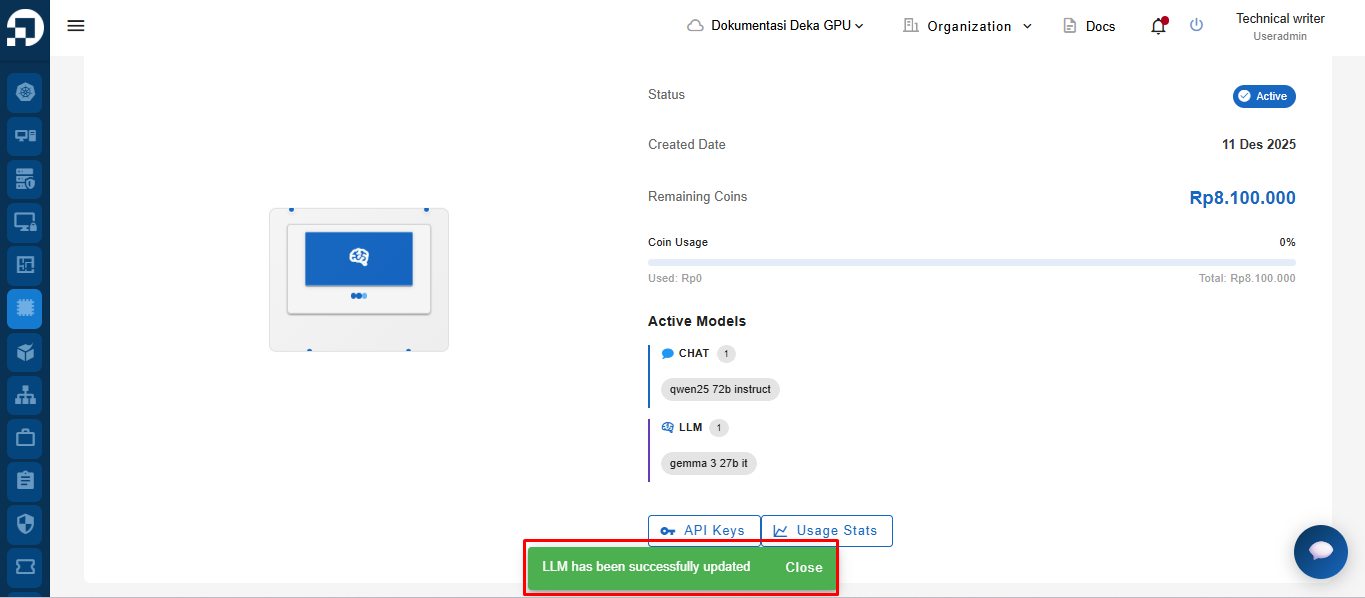
Notifikasi “LLM has been successfully updated” akan muncul.
<figure><img src="https://753761090-files.gitbook.io/~/files/v0/b/gitbook-x-prod.appspot.com/o/spaces%2FtAYQyBIz2BclZ3ZHHlS4%2Fuploads%2Fgit-blob-095eed797bf763c90030d6a1b9b4ede1e4873e2b%2Funknown.png?alt=media" alt=""><figcaption></figcaption></figure>