> For the complete documentation index, see [llms.txt](https://docs.cloudeka.ai/llms.txt). Markdown versions of documentation pages are available by appending `.md` to page URLs; this page is available as [Markdown](https://docs.cloudeka.ai/deka-gpu-documentations/panduan-untuk-enterprise/deka-metal/deka-metal-deka-box/manage-access-key/add-access-key.md).

# Tambah Access Key

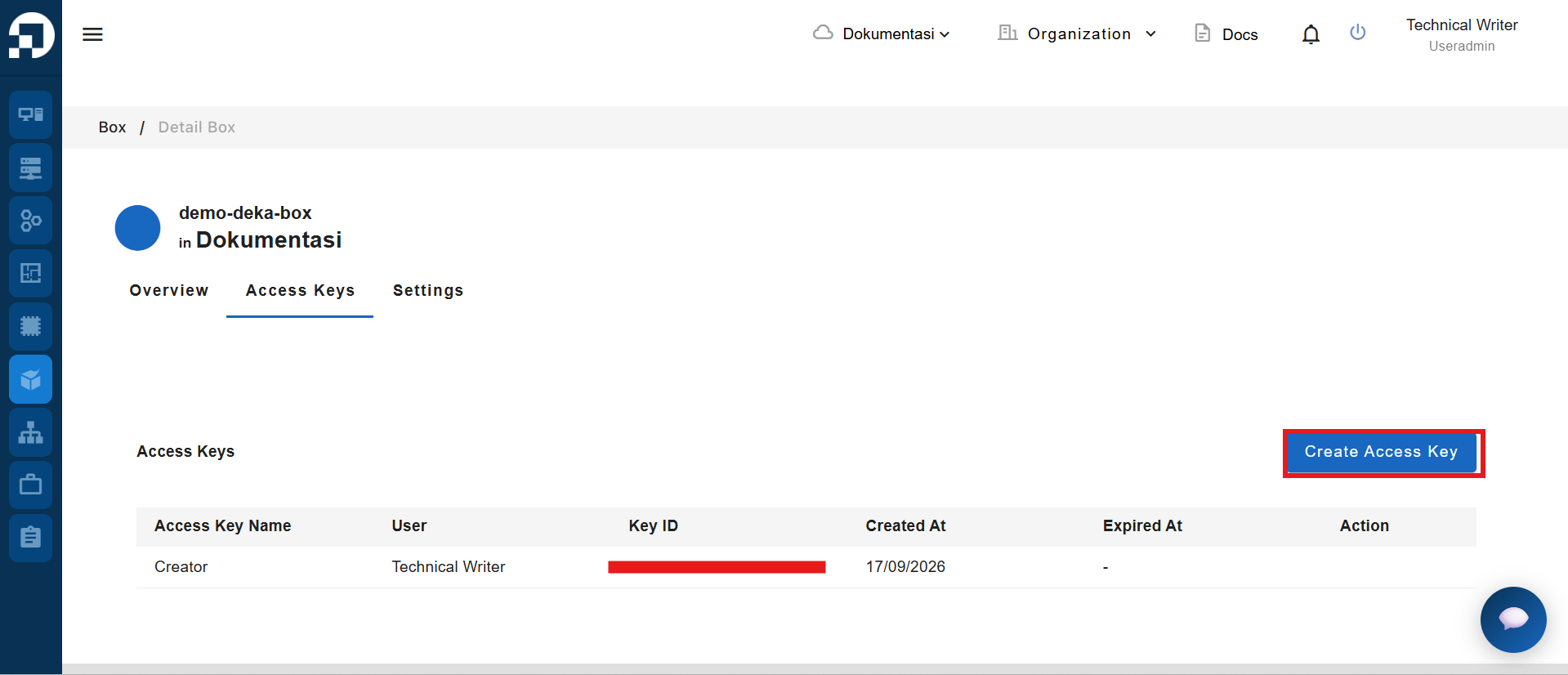
Untuk menambahkan Access Key ke Deka Box, klik tombol **Create Access Key** pada tab **Access Key**.

<figure><img src="https://753761090-files.gitbook.io/~/files/v0/b/gitbook-x-prod.appspot.com/o/spaces%2FtAYQyBIz2BclZ3ZHHlS4%2Fuploads%2Fgit-blob-60fe2951eca9db9782bd780c711555867e7e3d16%2Fimage.png?alt=media" alt=""><figcaption></figcaption></figure>

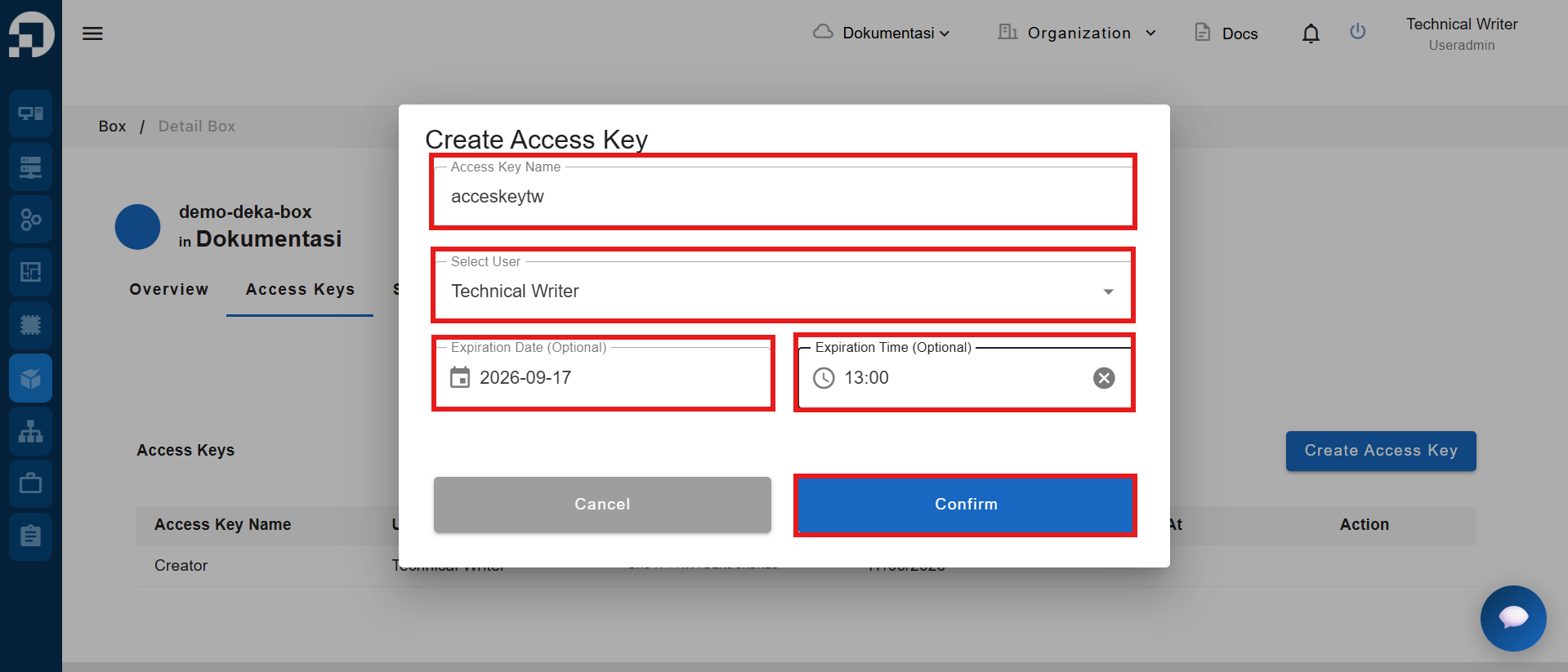
Jendela **Create Access Key** akan muncul. Masukkan **Access Key Name** dan tentukan pengguna yang akan menggunakannya. Kemudian, klik tombol **Confirm**.

<figure><img src="https://753761090-files.gitbook.io/~/files/v0/b/gitbook-x-prod.appspot.com/o/spaces%2FtAYQyBIz2BclZ3ZHHlS4%2Fuploads%2Fgit-blob-cceb4cb139591b0fdc67f9ce06c443887d3f028c%2Fimage.png?alt=media" alt=""><figcaption></figcaption></figure>

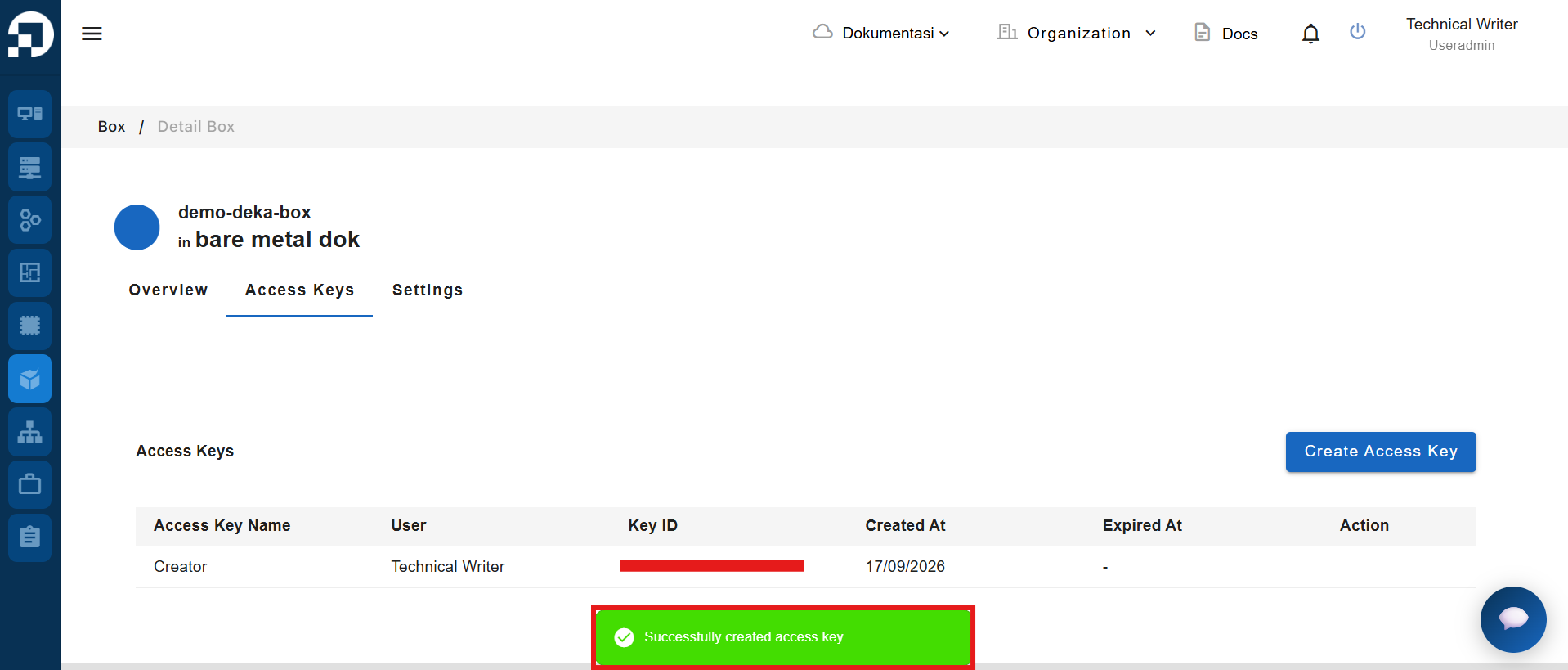
Jika Access Key berhasil ditambahkan, akan muncul notifikasi **"Successfully created access key."**
<figure><img src="https://753761090-files.gitbook.io/~/files/v0/b/gitbook-x-prod.appspot.com/o/spaces%2FtAYQyBIz2BclZ3ZHHlS4%2Fuploads%2Fgit-blob-727f96186fec12f9a34651ac76ec030875093668%2Fimage.png?alt=media" alt=""><figcaption></figcaption></figure>