> For the complete documentation index, see [llms.txt](https://docs.cloudeka.ai/llms.txt). Markdown versions of documentation pages are available by appending `.md` to page URLs; this page is available as [Markdown](https://docs.cloudeka.ai/deka-gpu-documentations/panduan-untuk-enterprise/deka-metal/deka-metal-deka-box/overview-deka-box/add-bucket.md).

# Tambah Bucket

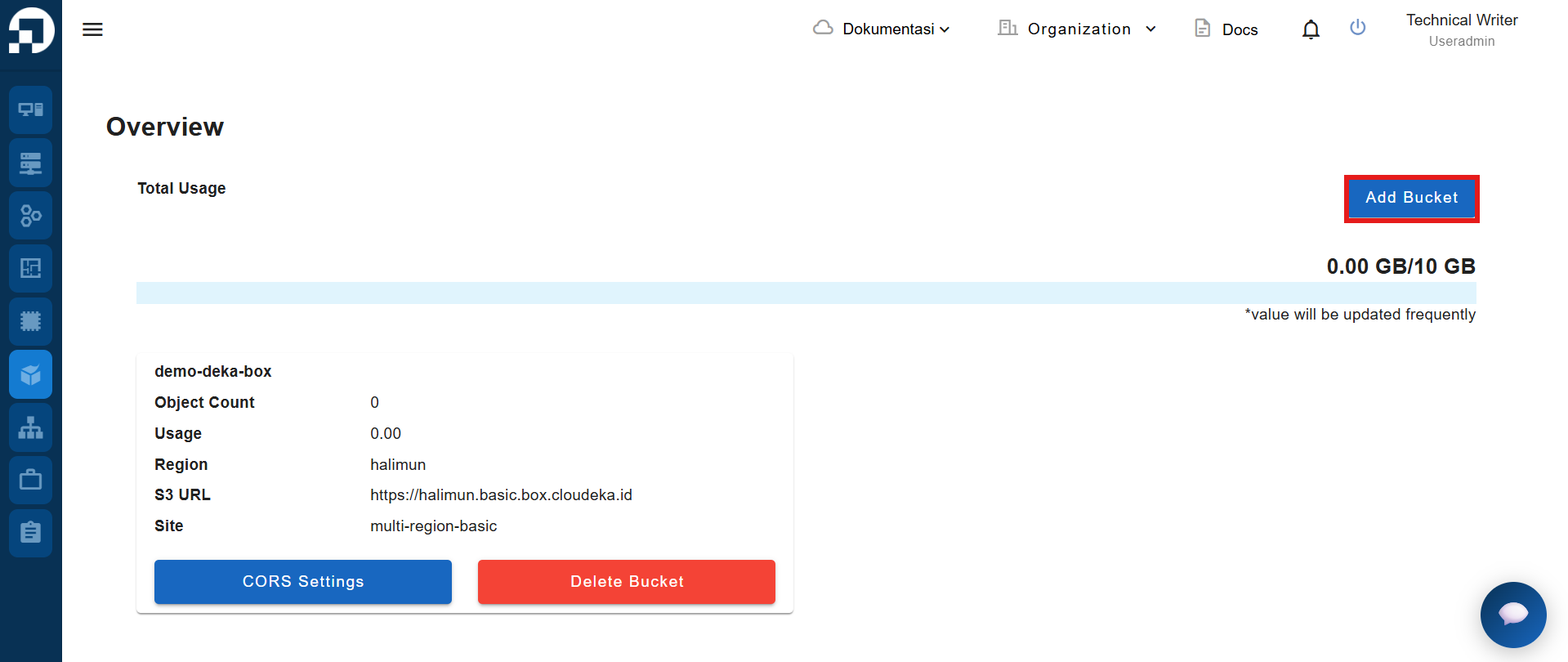
Untuk menambahkan bucket ke Deka Box melalui Service Portal Cloudeka, buka halaman **Deka Box Overview**, lalu klik tombol **Add Bucket**.

<figure><img src="https://753761090-files.gitbook.io/~/files/v0/b/gitbook-x-prod.appspot.com/o/spaces%2FtAYQyBIz2BclZ3ZHHlS4%2Fuploads%2Fgit-blob-5487188e57644679c50293b5753394937dbf61f7%2Fimage.png?alt=media" alt=""><figcaption></figcaption></figure>

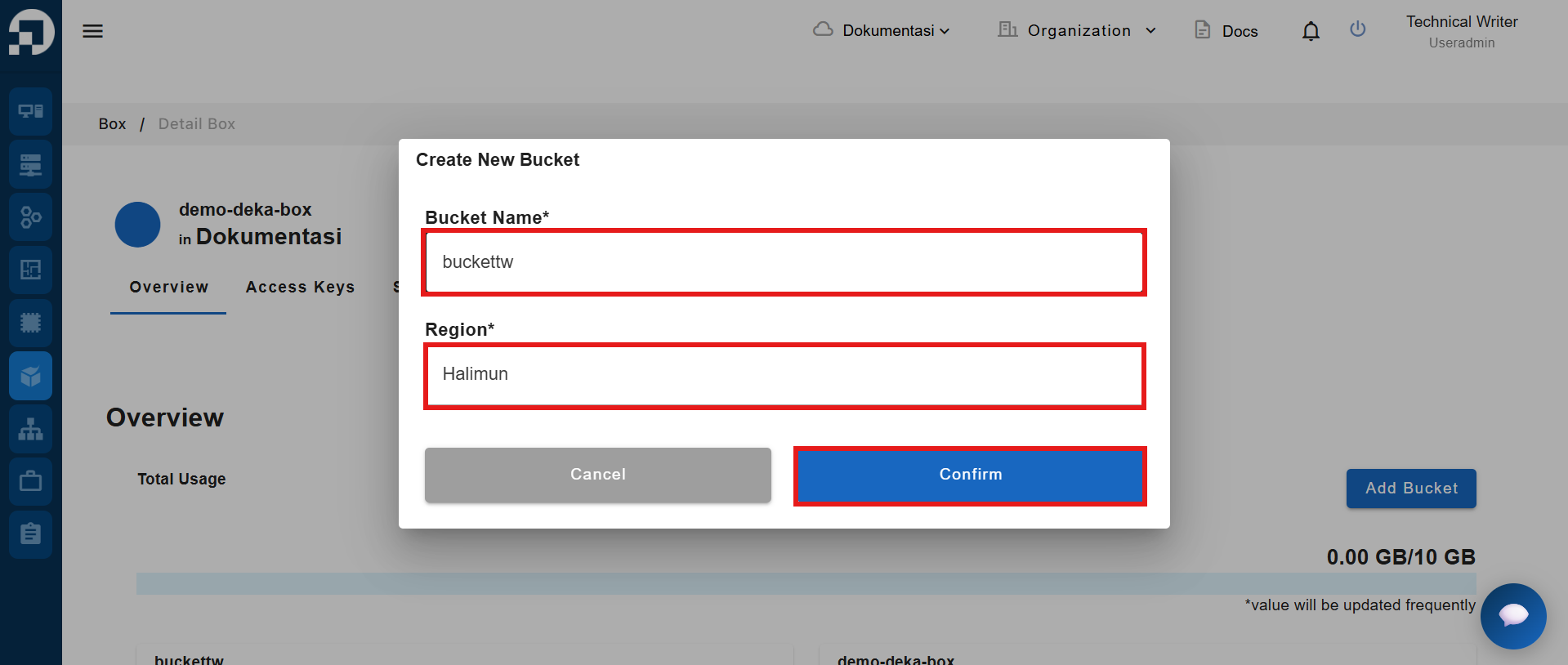
Jendela **Create New Bucket** akan muncul. Masukkan **Bucket Name**, lalu klik tombol **Confirm**.

<figure><img src="https://753761090-files.gitbook.io/~/files/v0/b/gitbook-x-prod.appspot.com/o/spaces%2FtAYQyBIz2BclZ3ZHHlS4%2Fuploads%2Fgit-blob-0b26e07f6ccc6195489c5def8a6a5f43ac1f36ed%2Fimage.png?alt=media" alt=""><figcaption></figcaption></figure>

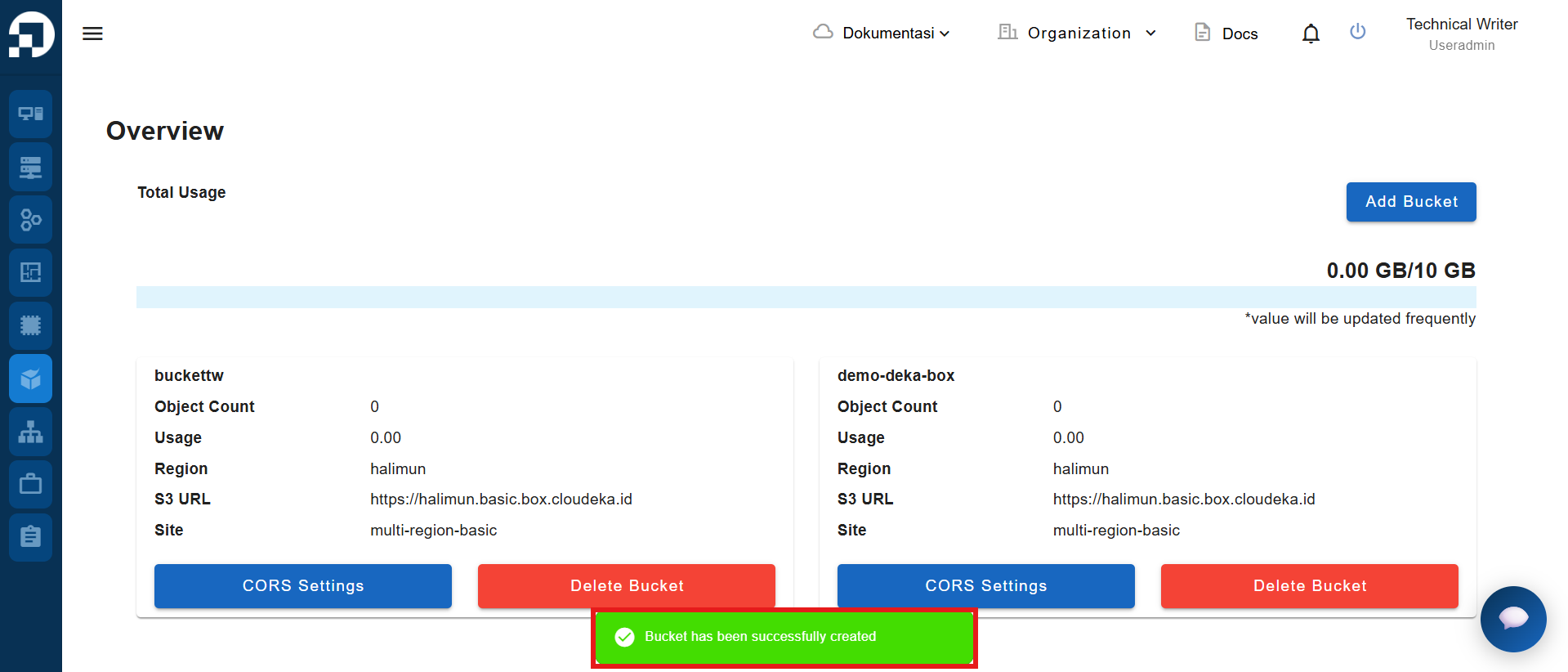
Notifikasi **“Bucket has been successfully created”** akan muncul.
<figure><img src="https://753761090-files.gitbook.io/~/files/v0/b/gitbook-x-prod.appspot.com/o/spaces%2FtAYQyBIz2BclZ3ZHHlS4%2Fuploads%2Fgit-blob-5e420822e680edcab2005e763da78d8b5fb599fe%2Fimage.png?alt=media" alt=""><figcaption></figcaption></figure>