> For the complete documentation index, see [llms.txt](https://docs.cloudeka.ai/llms.txt). Markdown versions of documentation pages are available by appending `.md` to page URLs; this page is available as [Markdown](https://docs.cloudeka.ai/deka-gpu-documentations/panduan-untuk-enterprise/deka-notebook/detail-deka-notebook/configuration-deka-notebook.md).
# Konfigurasi Deka Notebook
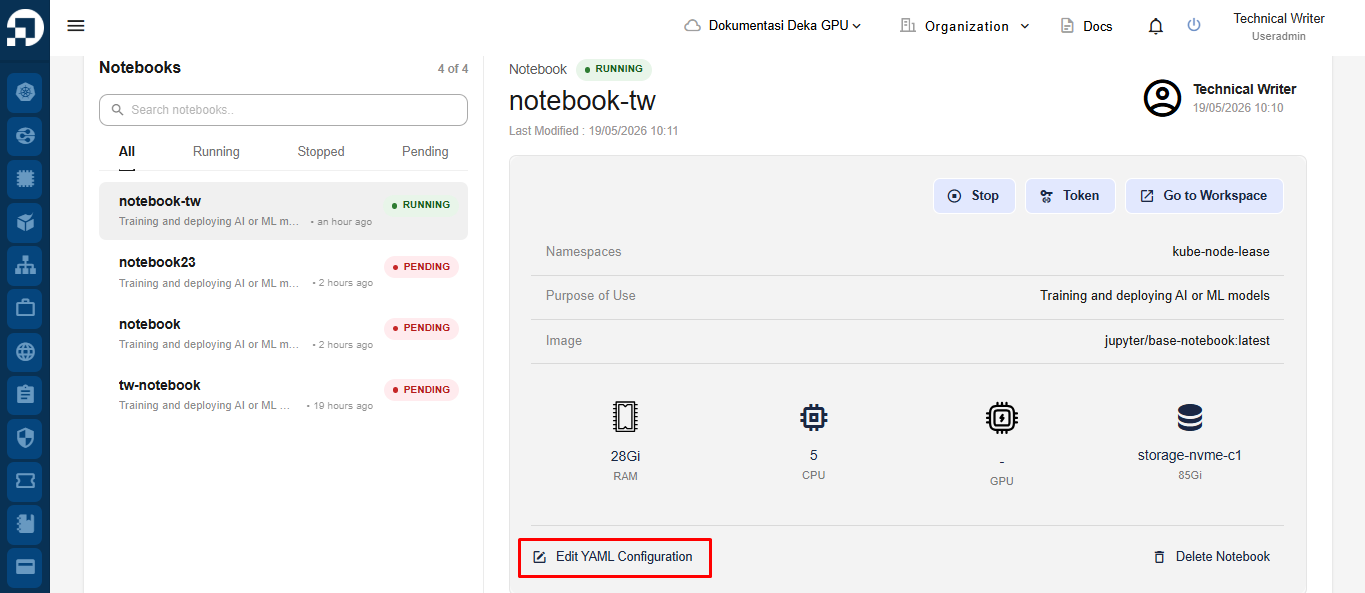
Fitur Konfigurasi Deka Notebook digunakan untuk memperbarui konfigurasi Deka Notebook, termasuk sumber daya CPU, GPU, memori, dan konfigurasi lainnya. Pada halaman **Deka Notebook**, pilih notebook yang ingin dikonfigurasi, lalu klik tombol **Edit YAML Configuration**.
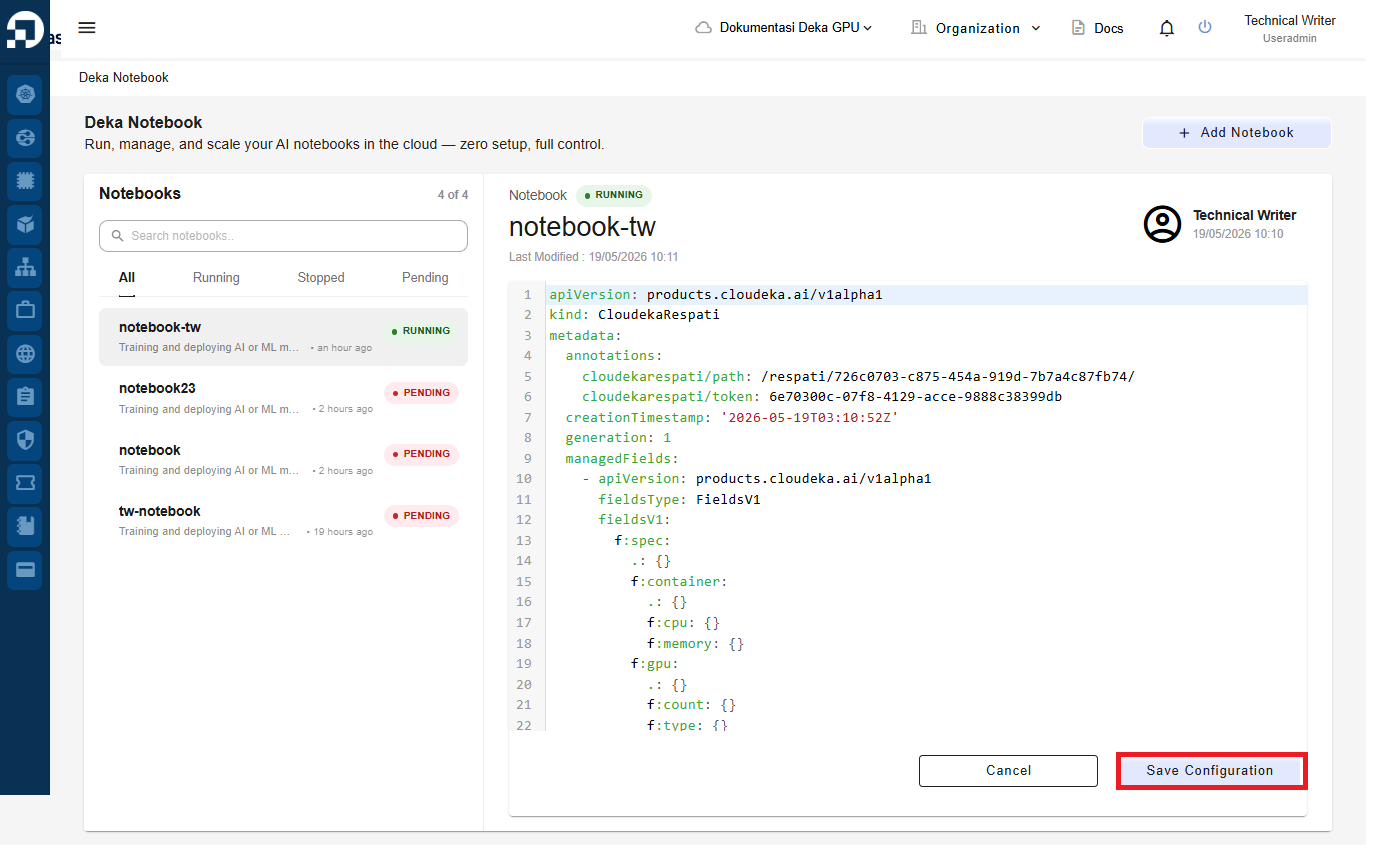
Halaman Konfigurasi YAML akan muncul dan menampilkan kode notebook dalam format YAML. Perbarui konfigurasi sumber daya sesuai kebutuhan, lalu klik tombol **Save Configuration** untuk menyimpan perubahan konfigurasi notebook.
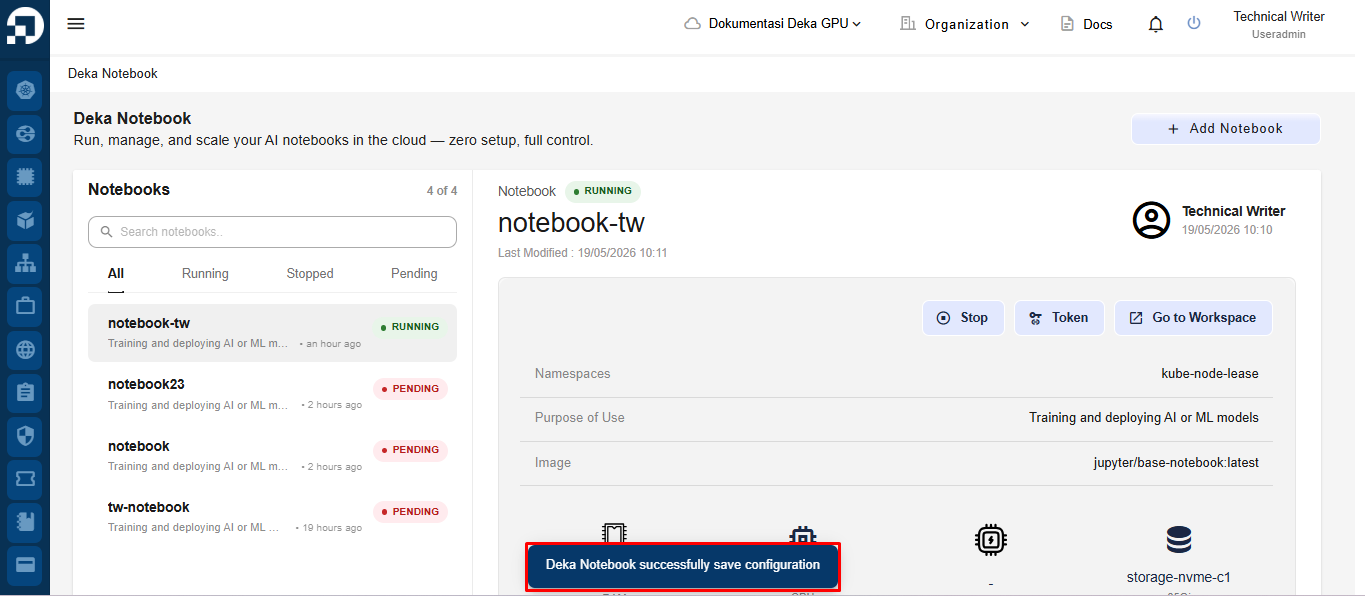
Tunggu hingga proses pembaruan selesai dan notifikasi **"Deka Notebook sucessfully configuration"** muncul.