> For the complete documentation index, see [llms.txt](https://docs.cloudeka.ai/llms.txt). Markdown versions of documentation pages are available by appending `.md` to page URLs; this page is available as [Markdown](https://docs.cloudeka.ai/deka-gpu-documentations/panduan-untuk-enterprise/deka-notebook/how-to-create-a-simple-deka-notebook/running-the-deka-notebook.md).
# Menjalankan Deka Notebook
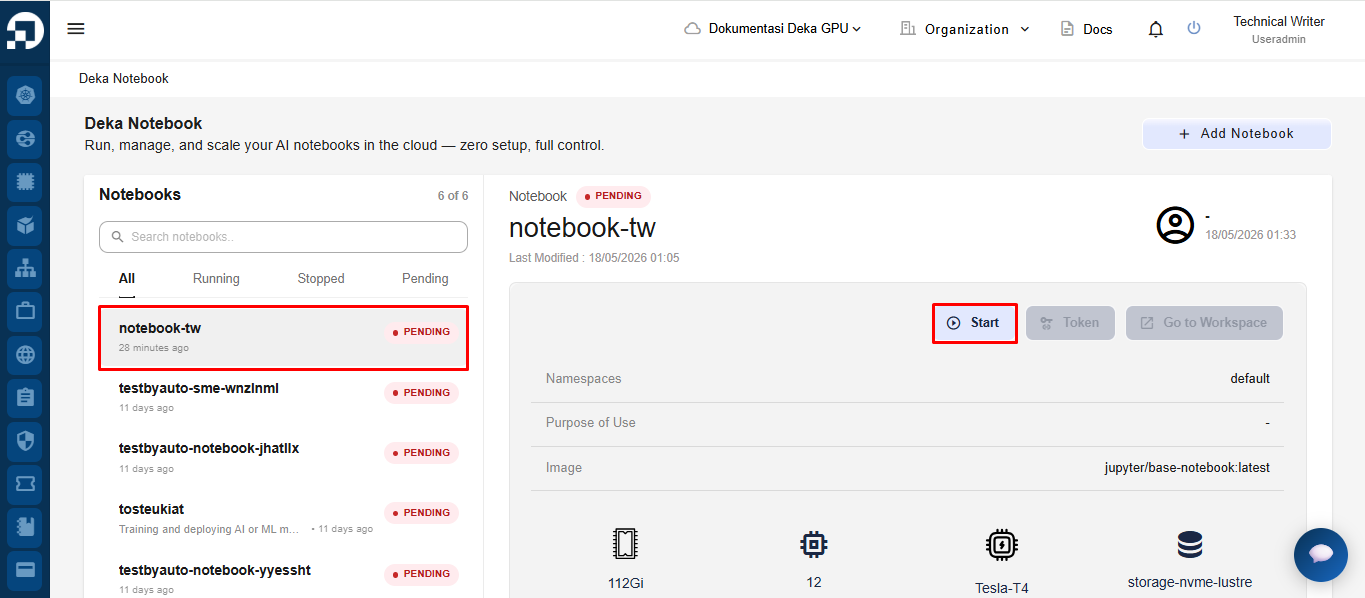
Start Deka Notebook adalah salah satu fitur yang tersedia di Service Portal Cloudeka untuk memulai layanan Deka Notebook. Pada halaman Deka Notebook, pilih notebook yang ingin dijalankan, lalu klik tombol **Start**.
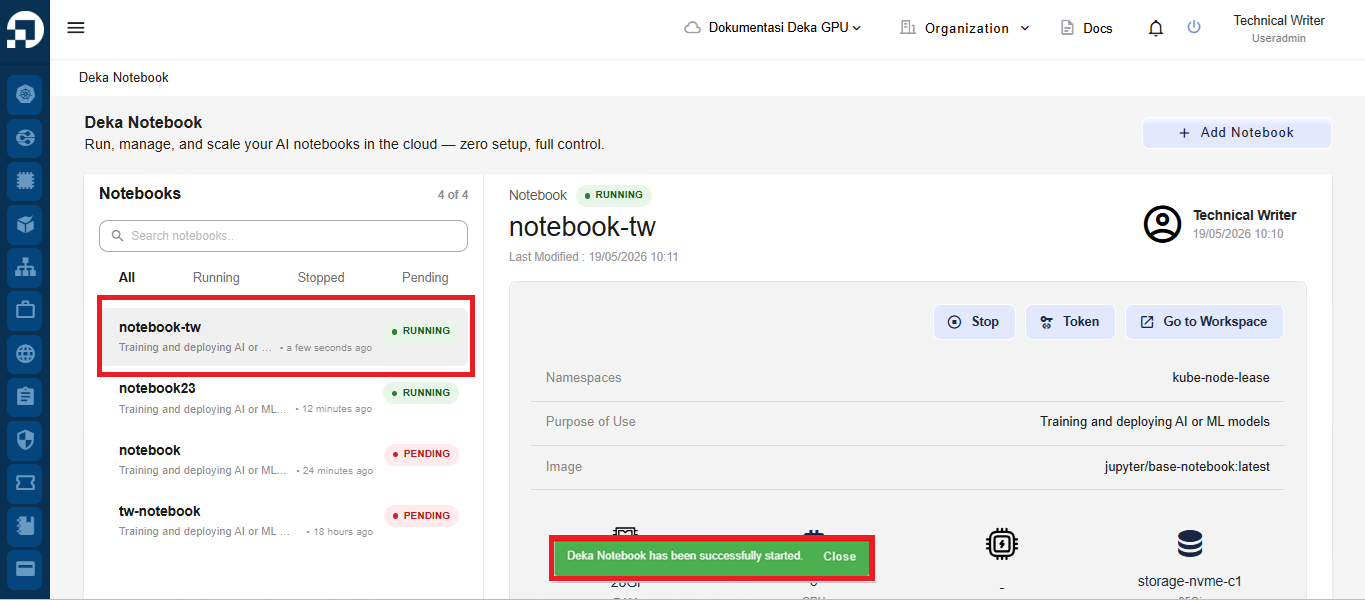
Jika proses berhasil, status notebook akan berubah menjadi **Running** dan sistem akan menampilkan notifikasi bahwa notebook berhasil dijalankan.
{% hint style="success" %}
Anda dapat menggunakan tombol **Start** pada **Deka Notebook** saat kolom **Running** menampilkan status **pending**.
{% endhint %}
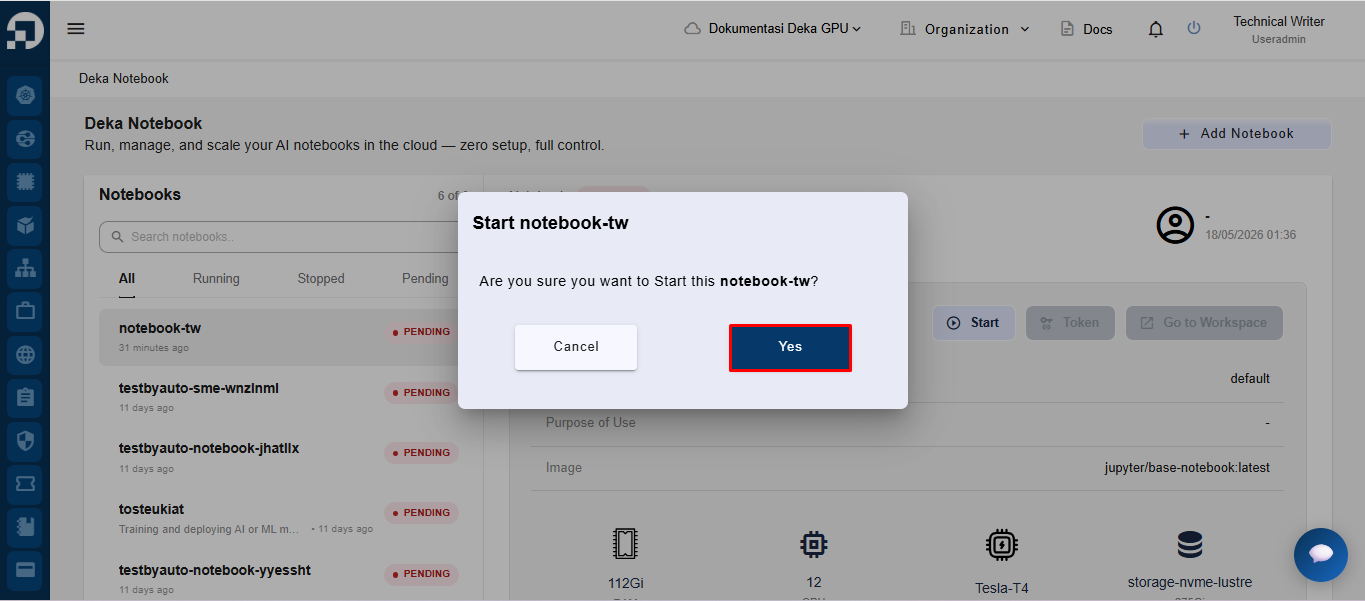
Jendela dengan nama **Deka Notebook** Anda akan muncul. Klik tombol **Yes** untuk melanjutkan.
Setelah proses startup selesai, sistem akan menampilkan notifikasi **“Deka Notebook has been successfully started.”**. Saat proses startup berhasil, status notebook akan otomatis berubah menjadi **“RUNNING”**, seperti yang ditampilkan pada daftar notebook.