> For the complete documentation index, see [llms.txt](https://docs.cloudeka.ai/llms.txt). Markdown versions of documentation pages are available by appending `.md` to page URLs; this page is available as [Markdown](https://docs.cloudeka.ai/deka-gpu-documentations/panduan-untuk-enterprise/deka-registry/detail-registry/member/add-user.md).
# Tambahkan Pengguna
Berikut langkah-langkah untuk menambahkan pengguna agar dapat mengakses repository pada layanan Deka GPU di Service Portal Cloudeka.
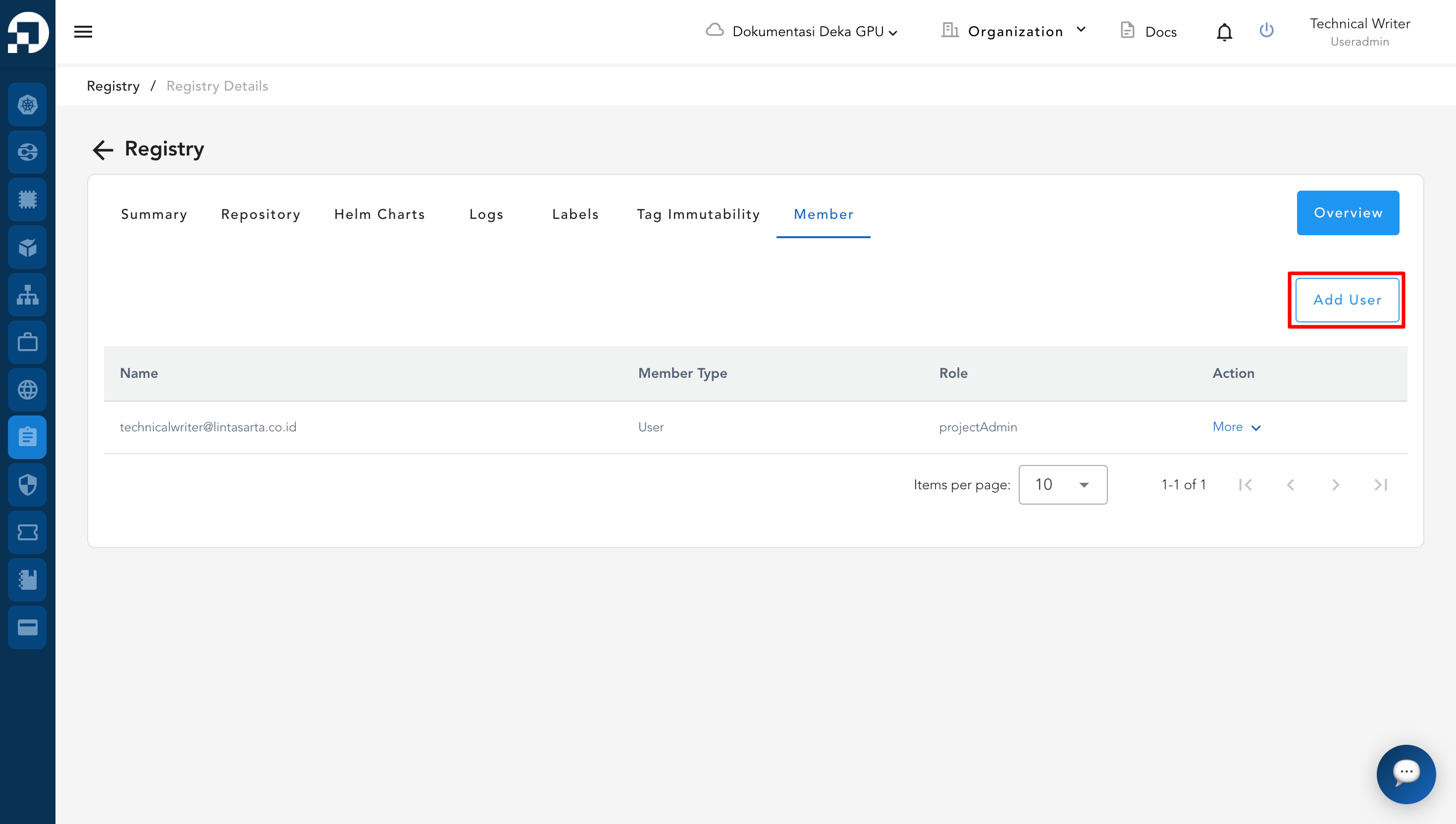
Pada halaman Members, klik tombol Add User.
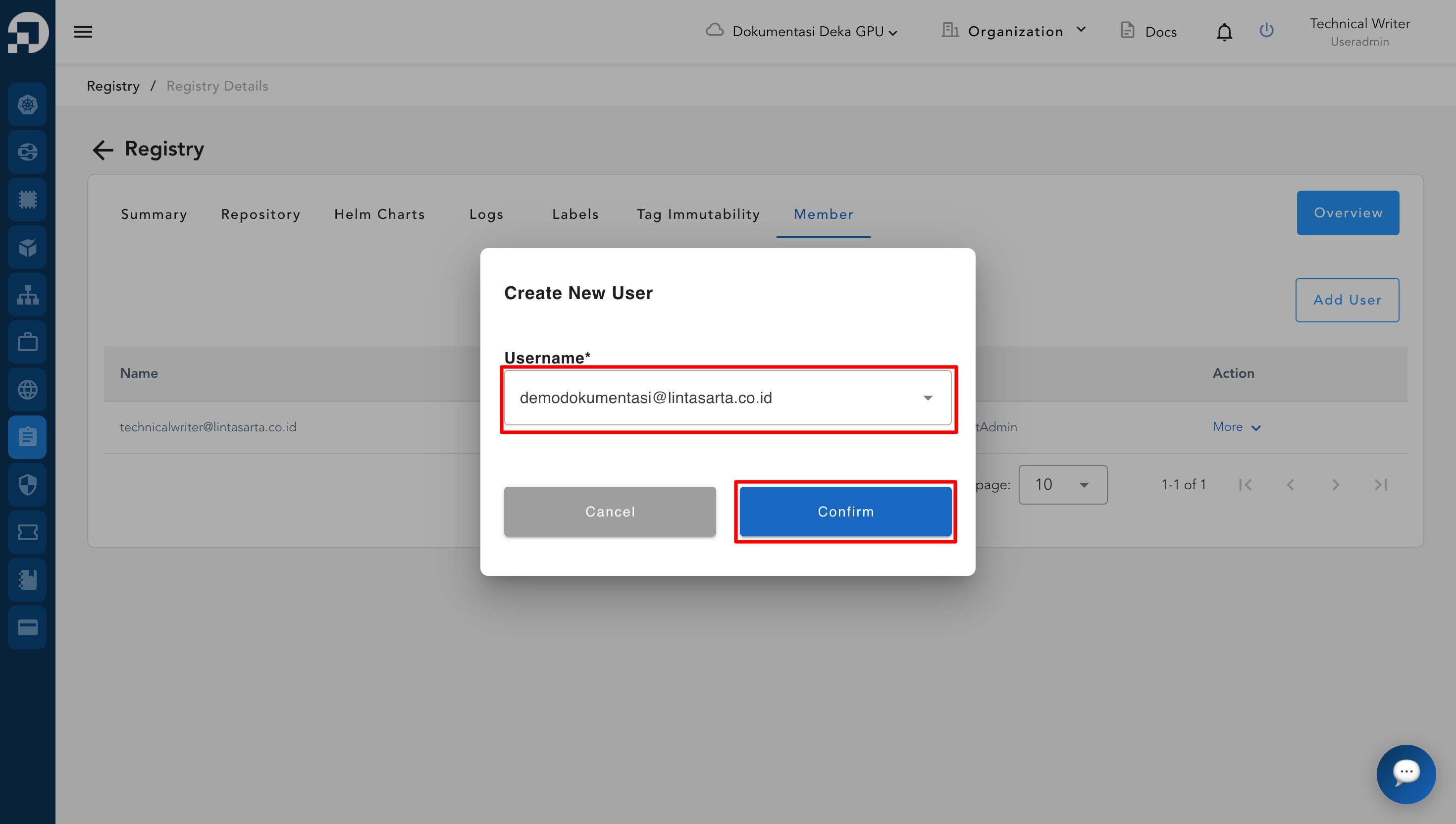
Jendela Create New User akan tampil. Tentukan Username yang akan ditambahkan. Klik tombol Confirm setelah menentukan username dan role yang akan digunakan.
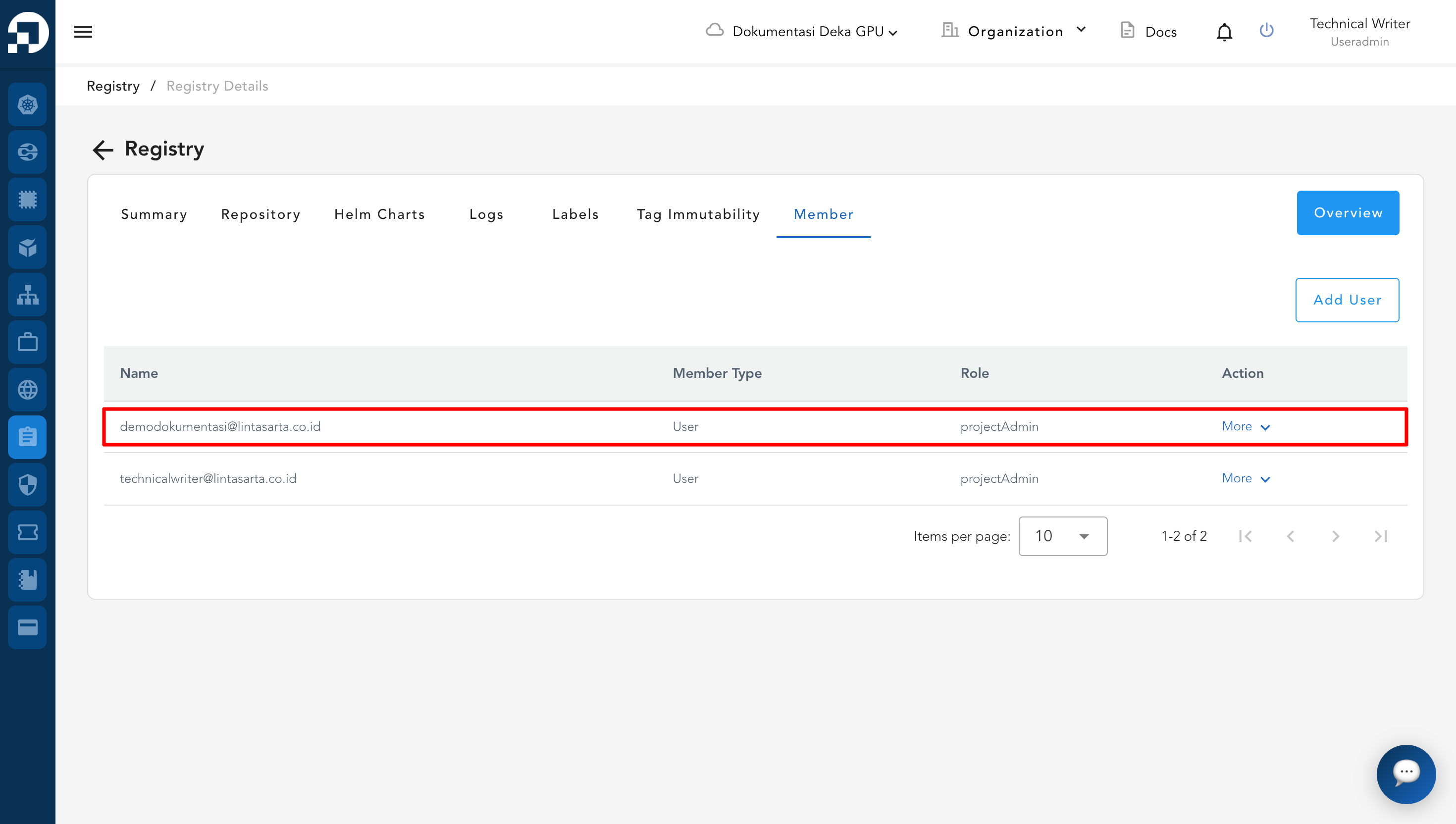
Setelah pengguna berhasil dibuat, pengguna tersebut akan tampil dalam daftar Member seperti berikut.