> For the complete documentation index, see [llms.txt](https://docs.cloudeka.ai/llms.txt). Markdown versions of documentation pages are available by appending `.md` to page URLs; this page is available as [Markdown](https://docs.cloudeka.ai/deka-gpu-documentations/panduan-untuk-enterprise/service-portal-cloudeka/project/add-project.md).
# Tambah Proyek
{% hint style="info" %}
Untuk **tipe *****project Prepaid***, Anda **hanya dapat memiliki 1 proyek**, sedangkan untuk **tipe *****project Postpaid***, **Anda hanya dapat menambahkannya melalui akun *****Super Admin*****.**
{% endhint %}
Berikut adalah langkah-langkah menambahkan *project* pada halaman *Service Portal* Cloudeka:
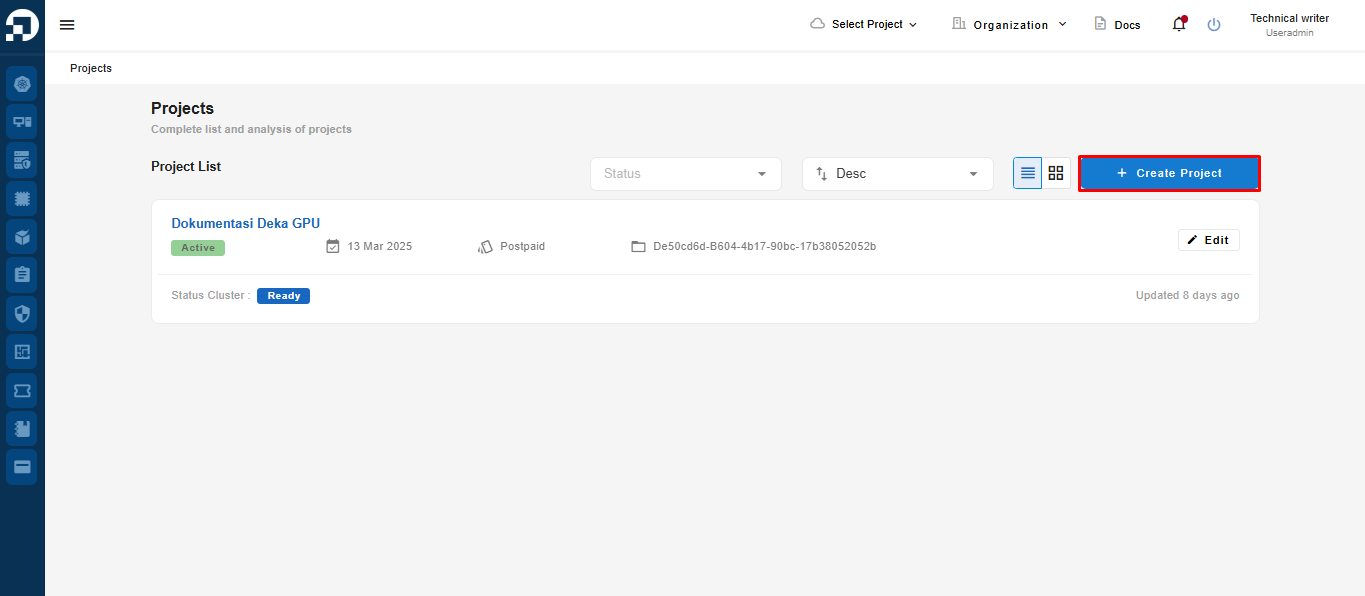
Pada halaman *Project List*, klik tombol ***Create Project***.
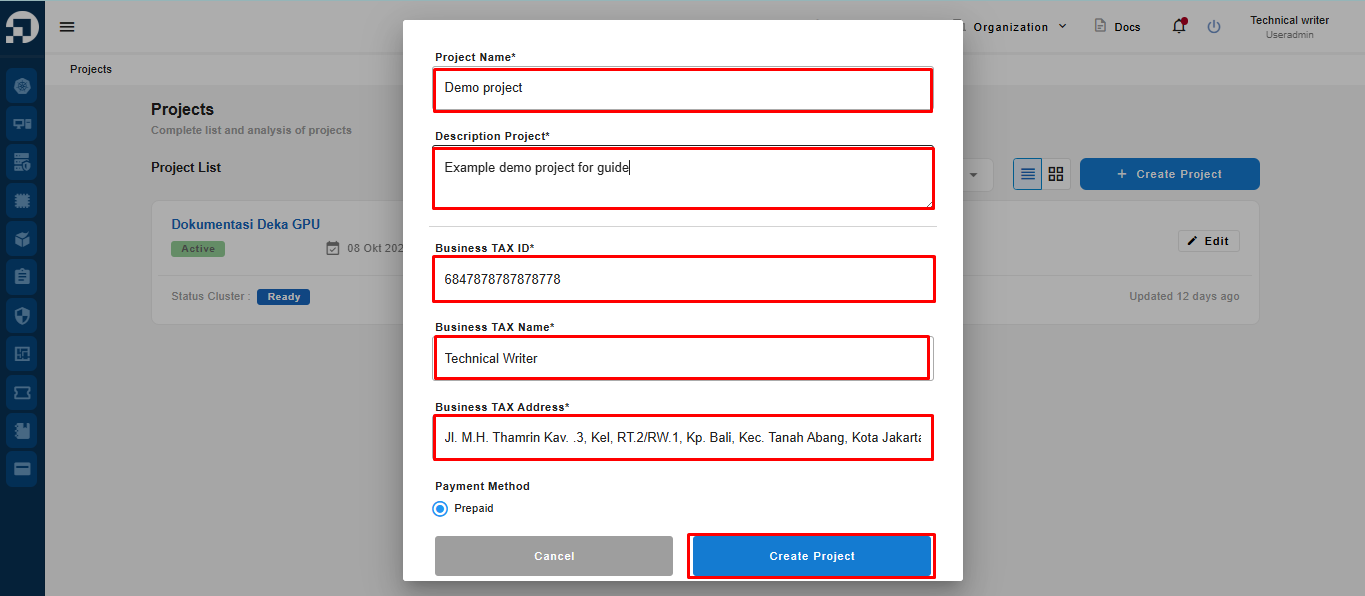
Jendela *Create Project* akan muncul, terdapat beberapa kolom yang harus diisi. Setelah semua kolom terisi, klik tombol ***Create Project***.
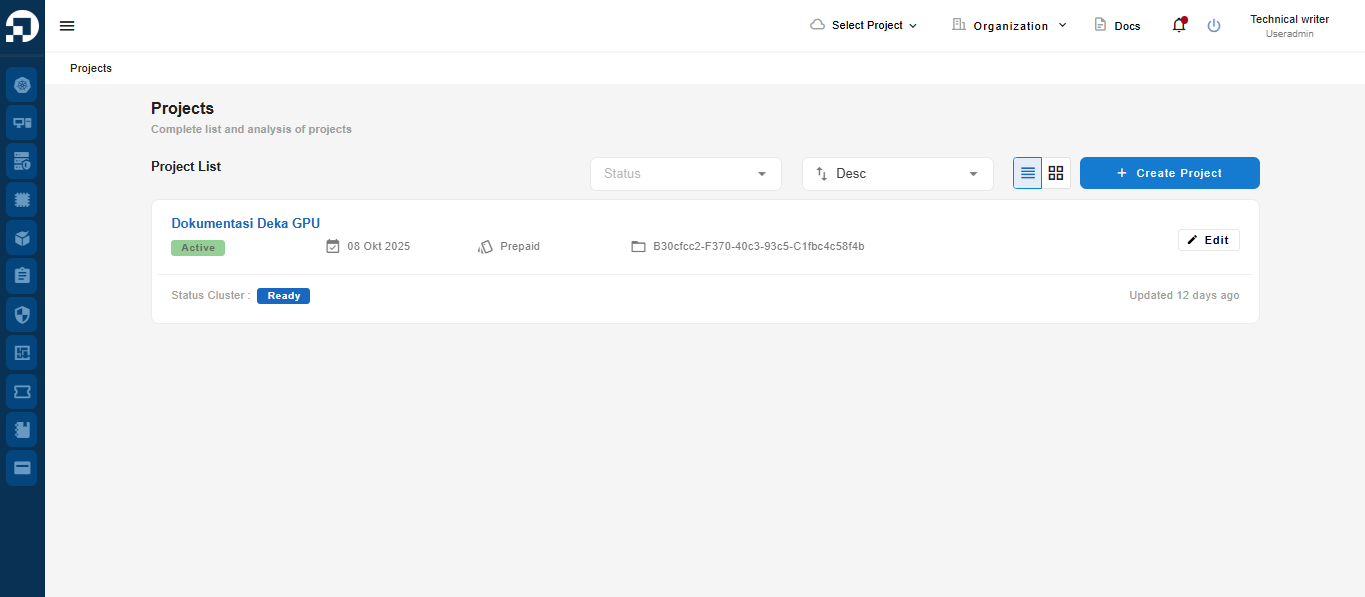
Proyek yang telah dibuat akan muncul pada halaman ***Project List***.