> For the complete documentation index, see [llms.txt](https://docs.cloudeka.ai/llms.txt). Markdown versions of documentation pages are available by appending `.md` to page URLs; this page is available as [Markdown](https://docs.cloudeka.ai/deka-gpu-mlops/home.md).
# Home
On the Home page, there are two menus available on this page, namely the **Dashboard** menu and the **Activity** menu.
## Dashboard Menu
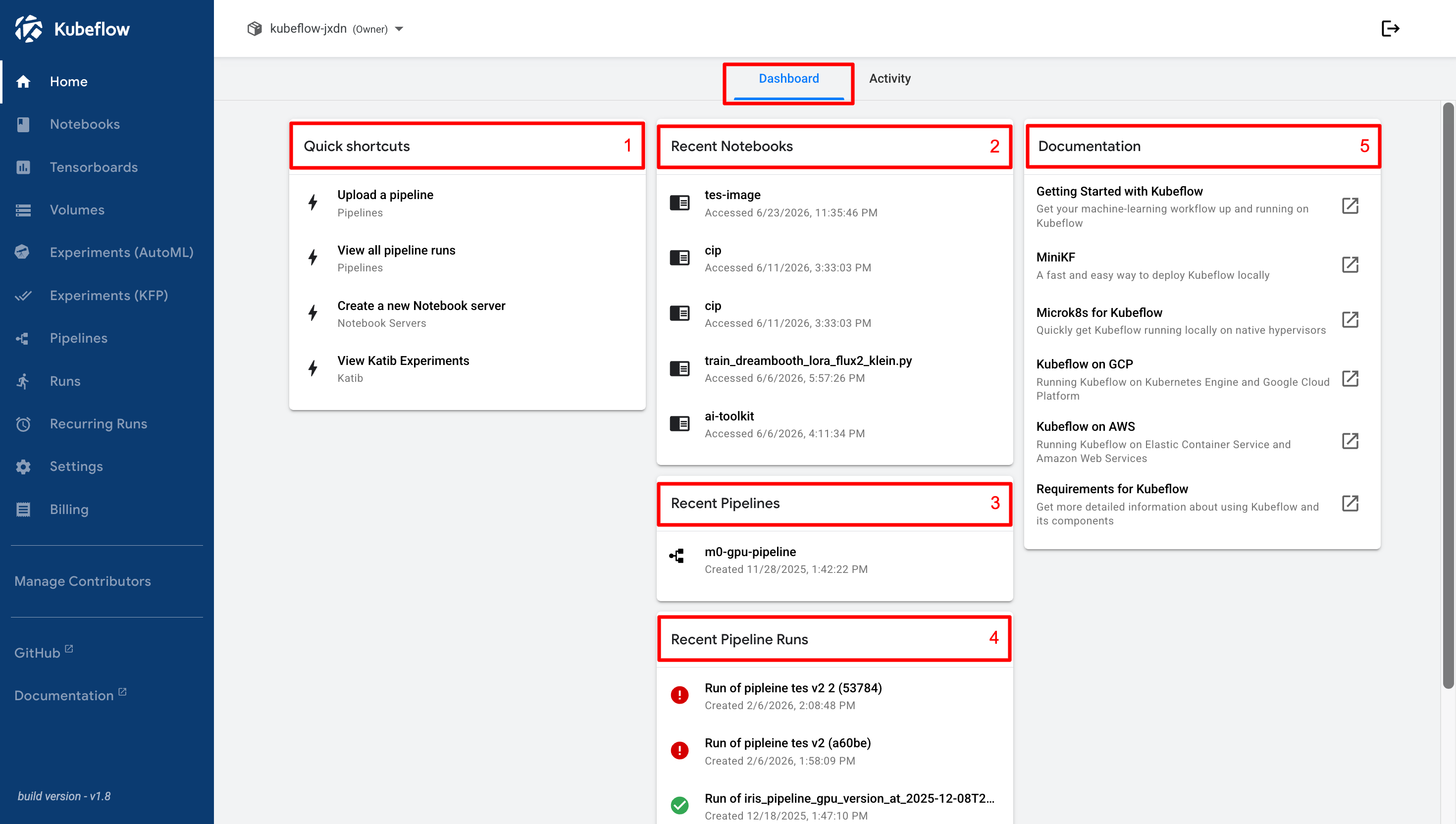
This menu is used to access several features in the Cloudeka Deka MLOps Service Portal.
The following is an explanation of the components displayed in the Dashboard menu.
1. **Quick Shortcuts**\
This section lists important features in Kubeflow that can be accessed quickly, making it easier to open various tools and services without having to navigate through multiple menus.
2. **Recent Notebooks**\
This section displays a list of recently opened notebooks, making it easier to quickly access previously opened notebooks without having to search for them manually.
3. **Recent Pipelines**\
This section displays a list of recently opened pipelines, making it easier to continue working on previously used pipelines.
4. **Recent Pipeline Runs**\
This section displays a list of recently executed Pipeline Runs. You can monitor the status of pipeline runs and view additional information for each run, such as logs and relevant metrics.
5. **Documentation**\
This section displays a list of documentation links that redirect you directly to the official Kubeflow documentation page.
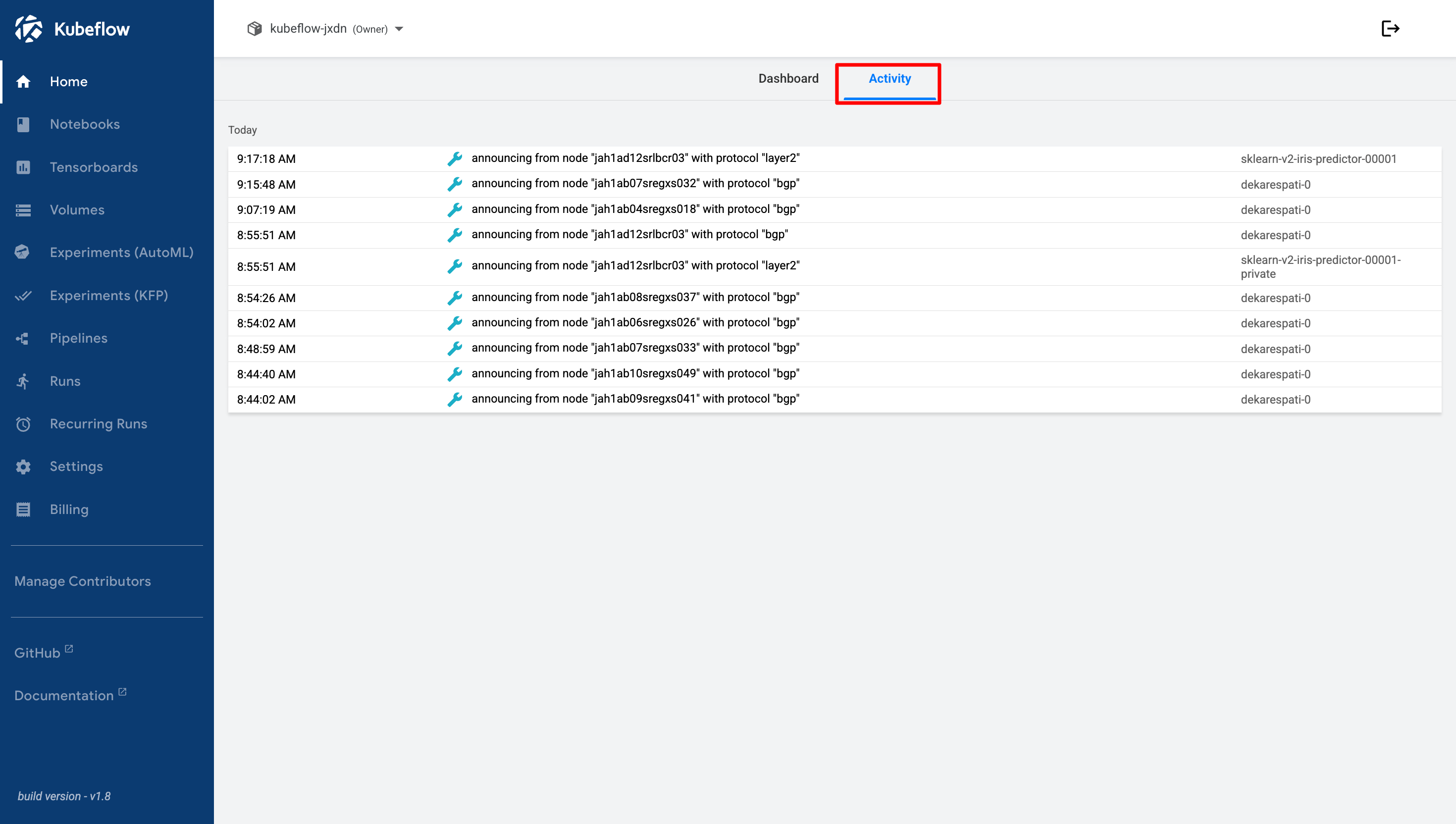
## Activity Menu
This menu allows you to monitor activities that occur in the Cloudeka Deka MLOps Service Portal environment.
The following is an example of an activity that appears in the Activity menu after successfully creating a Volume from the **Volumes** menu.