> For the complete documentation index, see [llms.txt](https://docs.cloudeka.ai/llms.txt). Markdown versions of documentation pages are available by appending `.md` to page URLs; this page is available as [Markdown](https://docs.cloudeka.ai/deka-gpu-mlops/runs.md).
# Runs
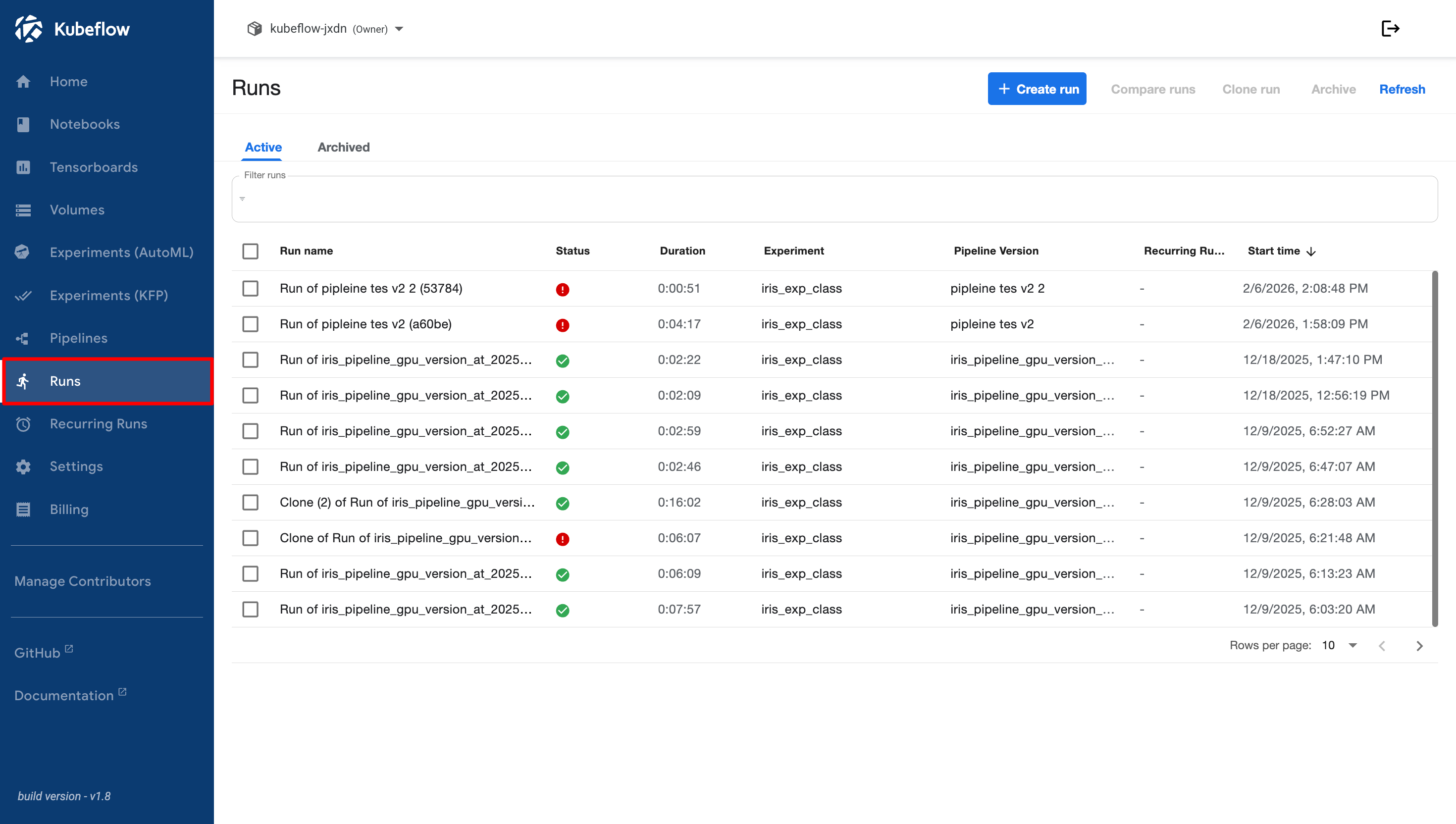
The **Runs** menu is used to execute pipelines in the Cloudeka Deka MLOps Service Portal. Each pipeline execution is considered a run. On the Cloudeka Deka MLOps Service Portal page, select the **Runs** menu.
In the **Runs** menu, several submenus are available, as described below.
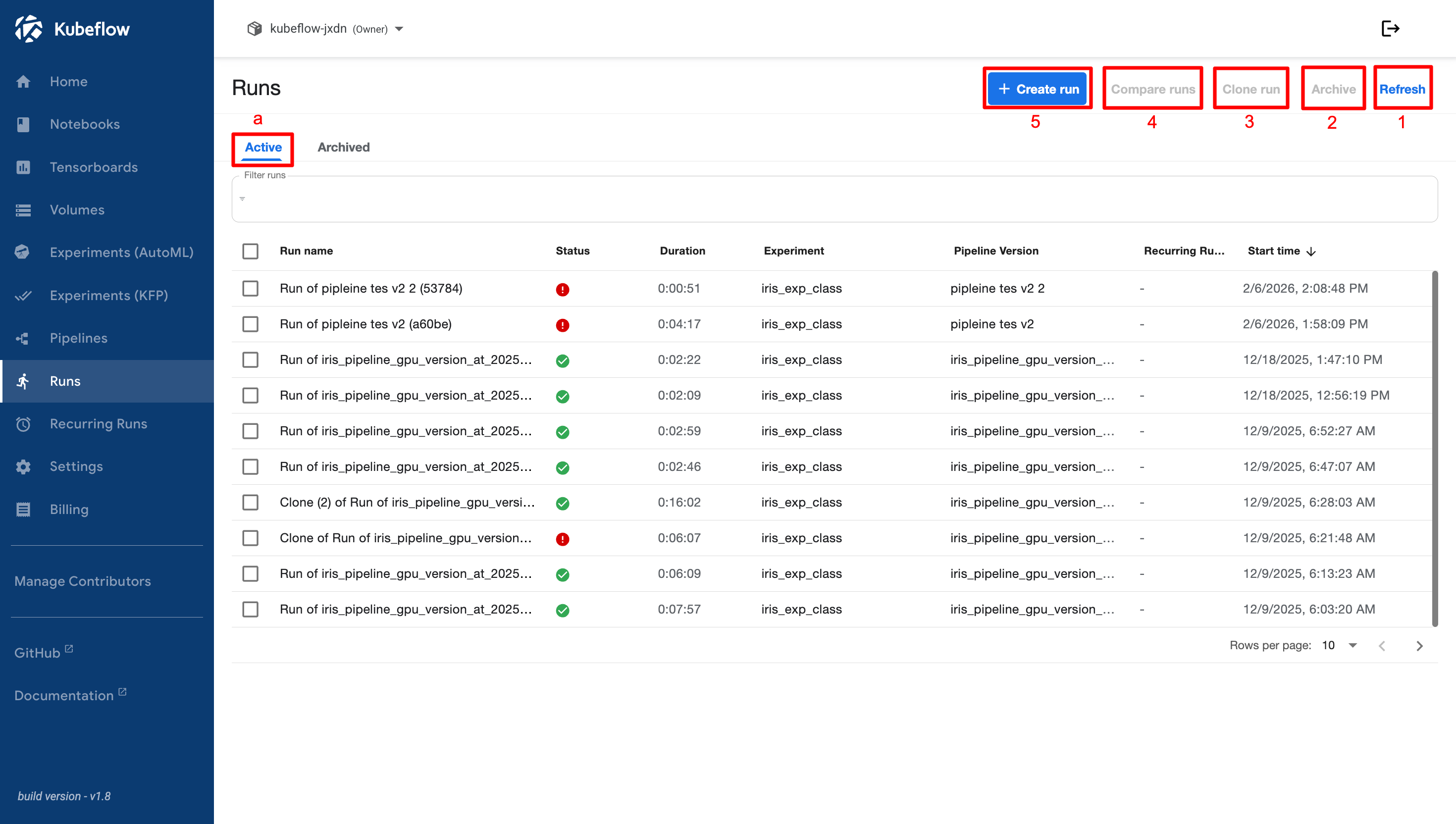
a. **Active**
The **Active** submenu is used to manage and monitor currently running or recently completed pipeline runs. This section provides several features for interacting with ongoing experiments and evaluating their performance. The following options are available in the **Active** menu:
1. **Refresh**
This option refreshes the list of active runs, ensuring that the latest information is displayed.
2. **Archive**
This option allows you to archive runs that are no longer active, helping to keep the workspace organized by removing completed runs from the active list.
3. **Clone Run**
This option allows you to duplicate an existing run, making it easier to rerun experiments with the same configuration without manually re-entering the settings.
4. **Compare Runs**
This feature enables you to compare the results of multiple runs side by side, helping you analyze the performance and outcomes of different experiments.
5. **Create Runs**
This option allows you to create a new pipeline run. When you select **+ Create Run**, you are prompted to provide the required information, such as the pipeline to be used, the run type (one-off or recurring), and any parameters required for execution. This is the starting point for executing machine learning workflows in Kubeflow Pipelines.
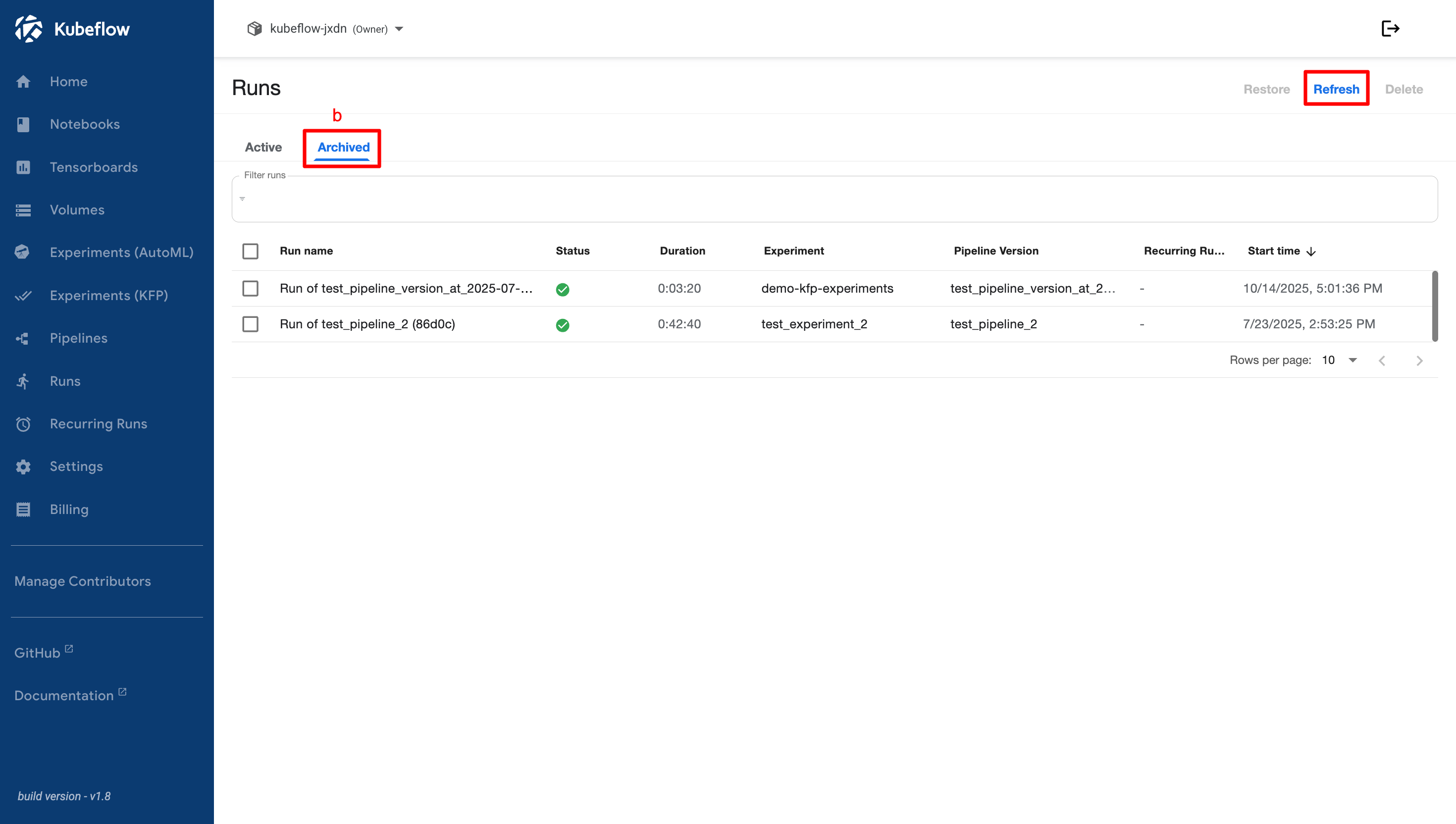
b. **Archived**
The **Archived** submenu contains only the **Refresh** option. This option refreshes the archived runs list, ensuring that newly archived runs are displayed. Since archived runs are no longer active, no additional management options are available in this submenu. The focus is on keeping archived run information up to date while maintaining a clean and organized interface.