> For the complete documentation index, see [llms.txt](https://docs.cloudeka.ai/llms.txt). Markdown versions of documentation pages are available by appending `.md` to page URLs; this page is available as [Markdown](https://docs.cloudeka.ai/deka-gpu/deka-gpu-kubernetes/services-account/tab-cluster-role-bindings/delete-cluster-role-bindings.md).
# Delete Cluster Role Bindings
The Delete Cluster Role Binding feature is used to remove a Cluster Role Binding from the system. Once deleted, the binding will no longer grant access permissions to users, groups, or service accounts within the cluster, so make sure it is no longer needed before deletion.
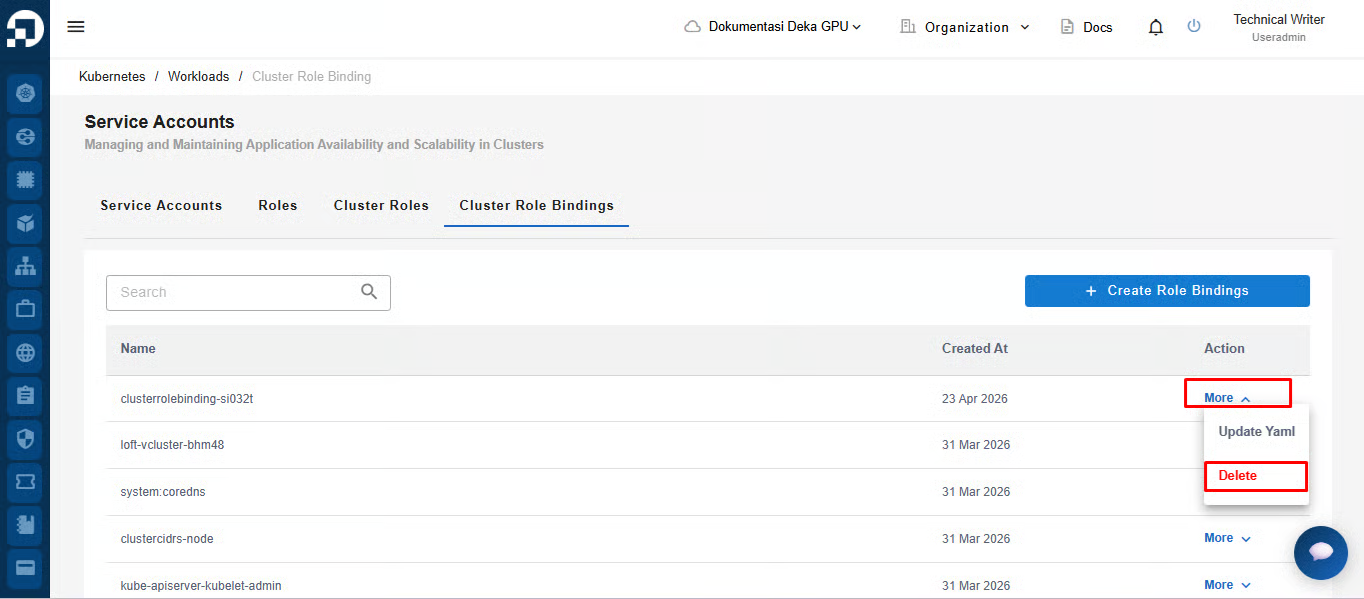
To delete a Cluster Role Bindings, click the **More** button, then select **Delete**.
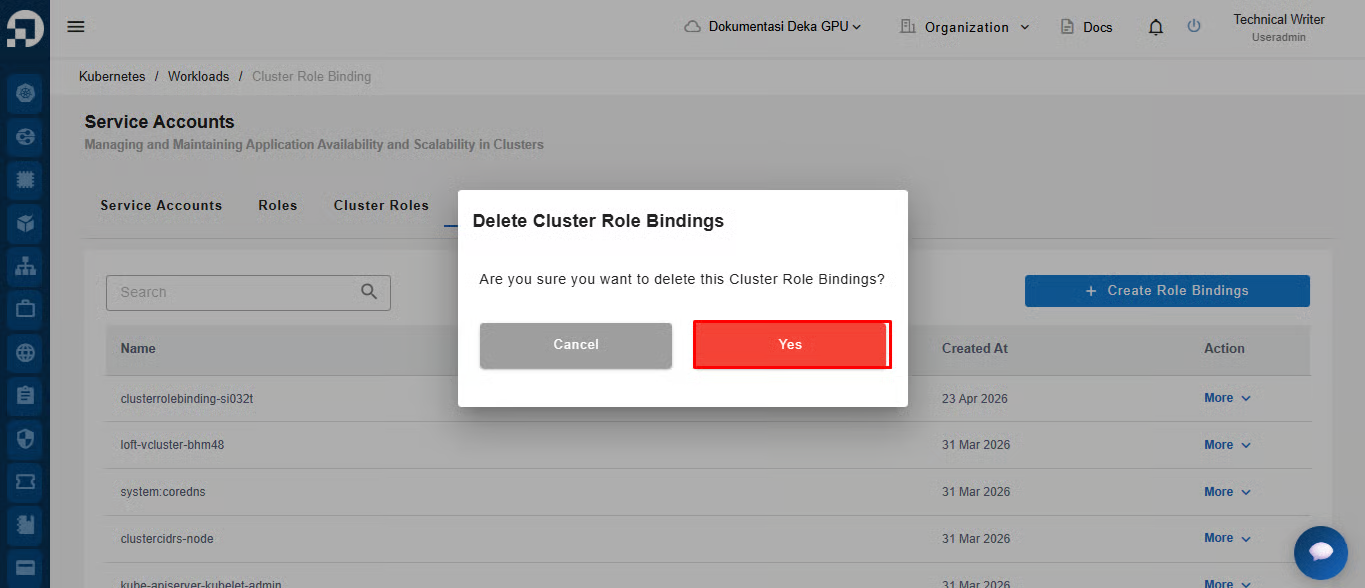
The system will display a confirmation notification, click the **Yes** button to proceed.
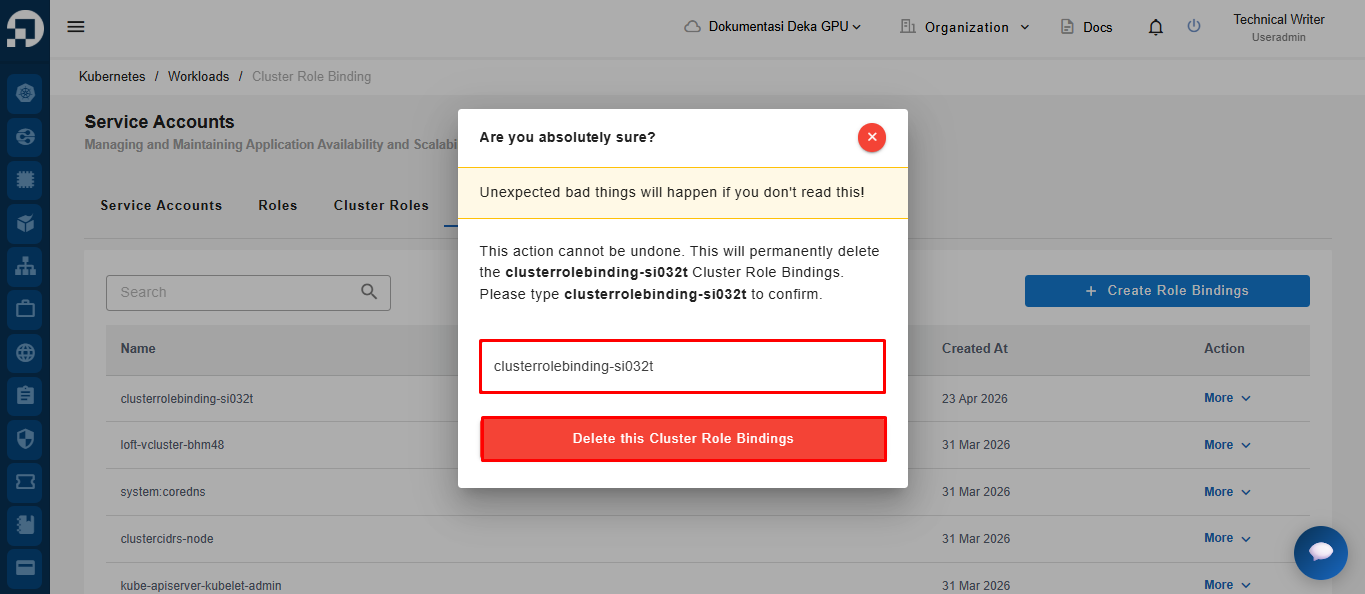
A confirmation page will appear. Re-enter the role name in the provided field. Click **Delete this Cluster Role Bindings** to complete the deletion process.
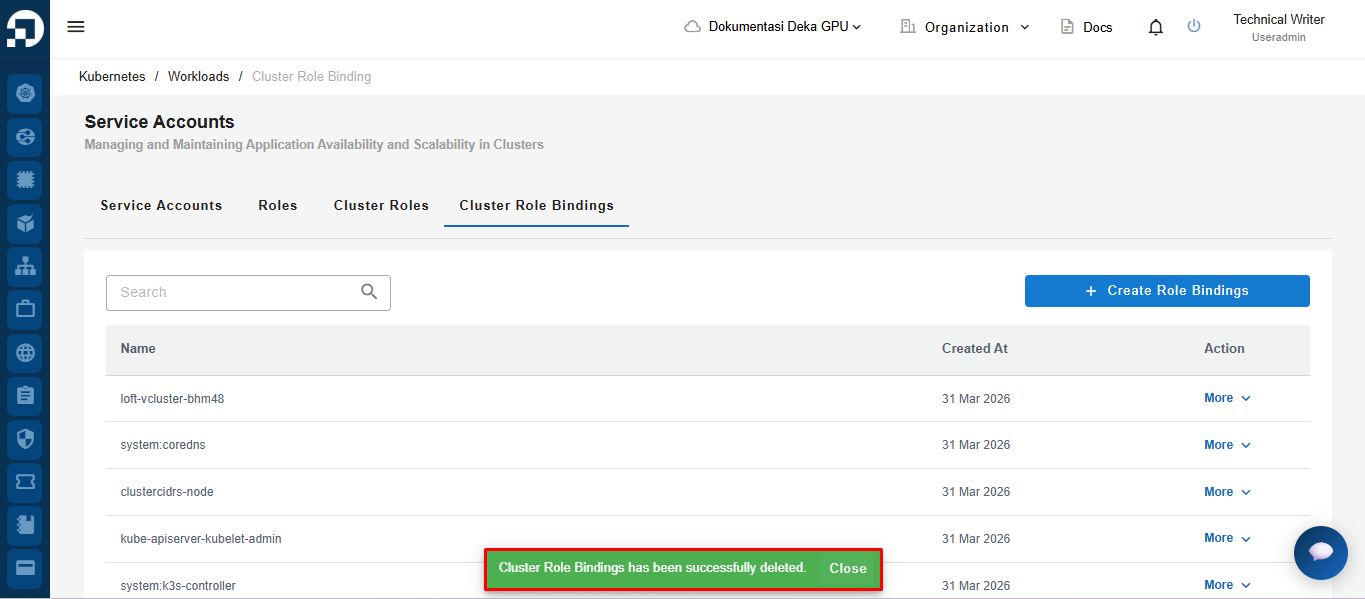
After the deletion process is successful, the system will display a notification **“Cluster Role Bindings has been successfully deleted.”**