> For the complete documentation index, see [llms.txt](https://docs.cloudeka.ai/llms.txt). Markdown versions of documentation pages are available by appending `.md` to page URLs; this page is available as [Markdown](https://docs.cloudeka.ai/deka-gpu/deka-gpu-kubernetes/storages/data-volume/delete-data-volume.md).
# Delete Data Volume
The **Delete** feature is used to remove a Data Volume that is no longer required. Deleting a Data Volume helps users keep the storage environment organized by removing unused resources from the system.
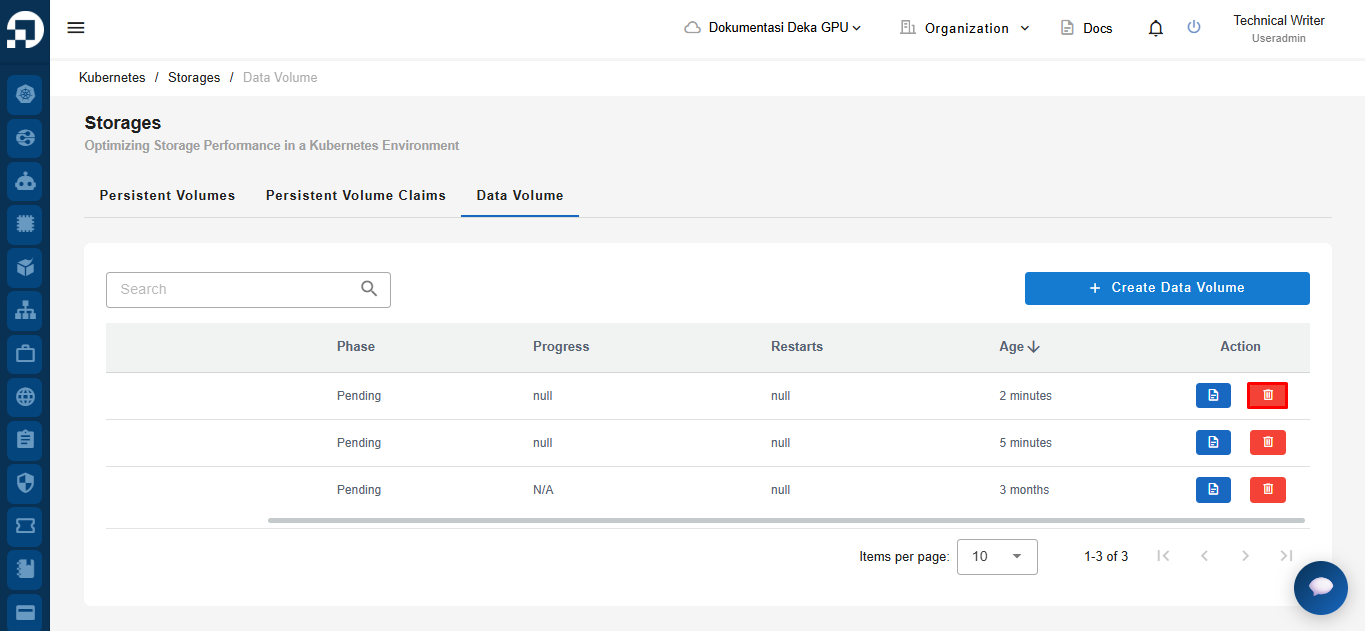
On the **Data Volume** page, locate the Data Volume you want to delete. Click the **Delete** icon in the **Action** column to proceed with the deletion process.
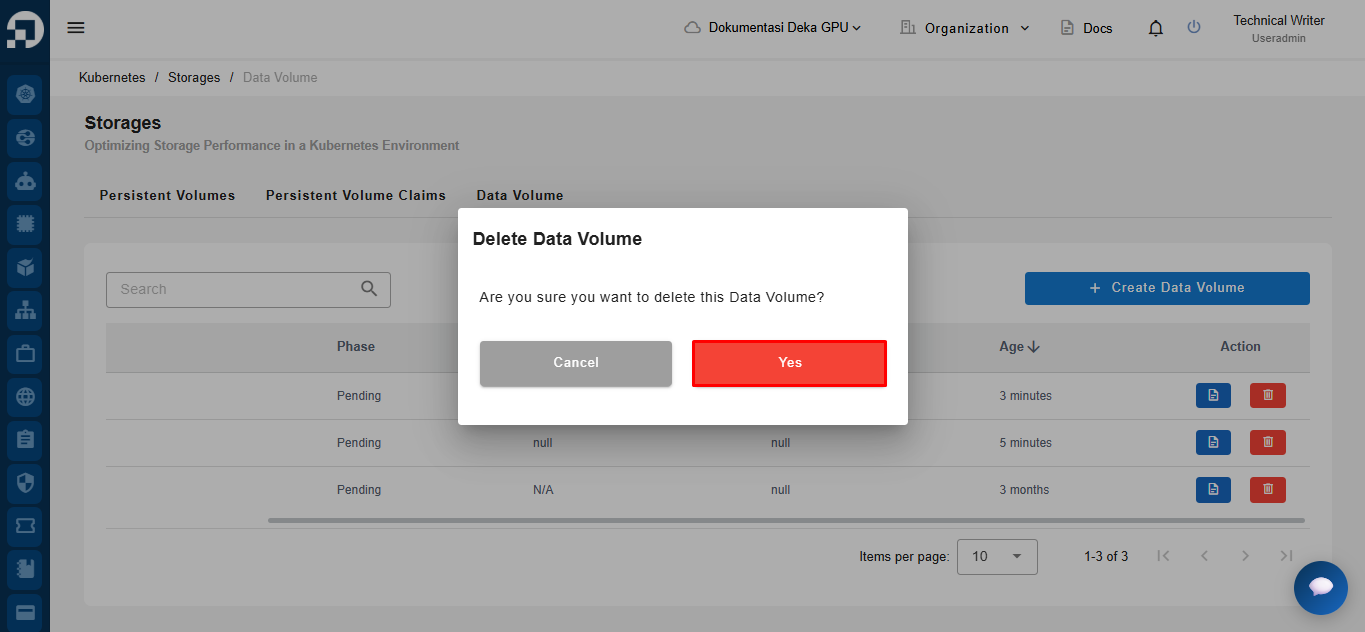
A confirmation dialog will appear to verify the deletion action. If you are sure you want to remove the selected Data Volume, click the **Yes** button to continue the deletion process.
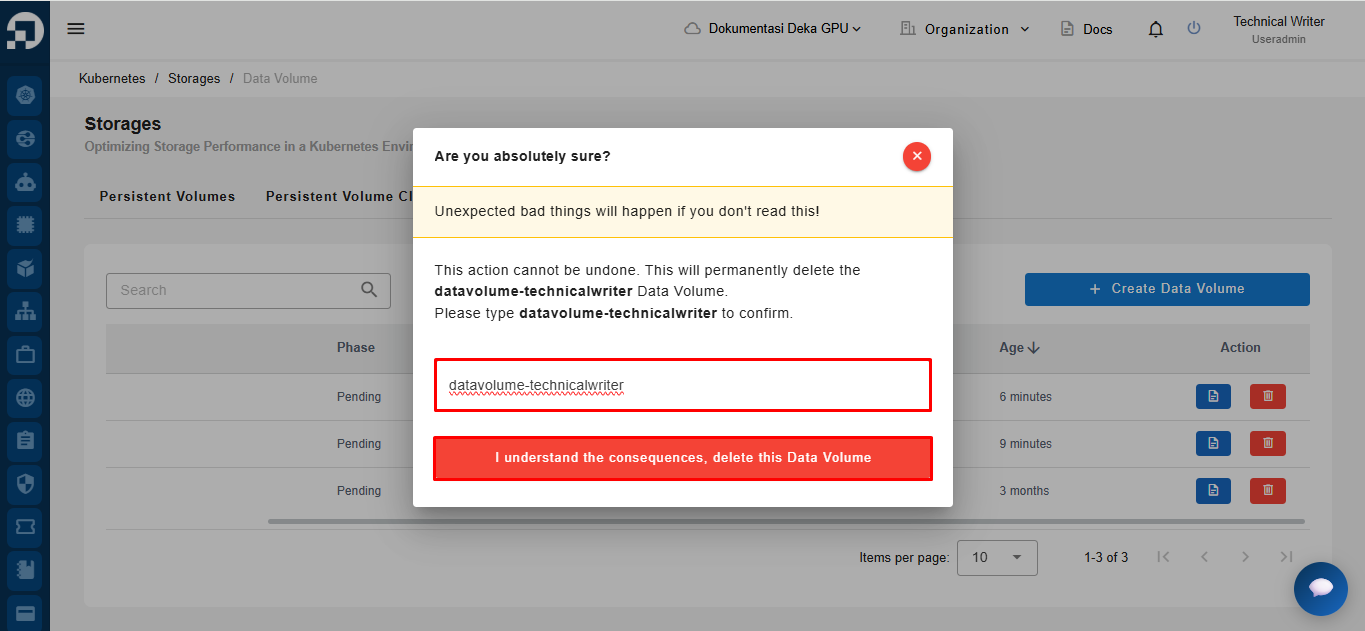
The system will display an additional confirmation page before permanently deleting the Data Volume. Enter the Data Volume name exactly as shown in the confirmation message, then click **I understand the consequences, delete this Data Volume** to continue.
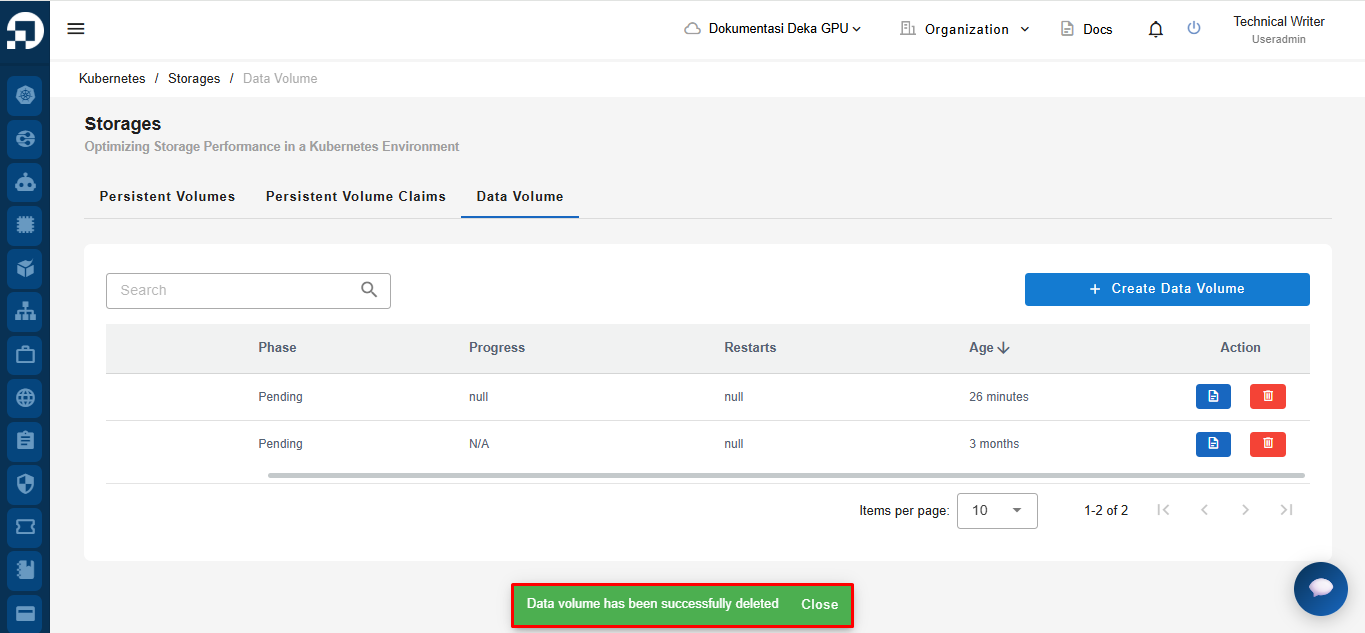
If the deletion process is successful, the system will display a notification stating **"Data volume has been successfully deleted"** to confirm that the selected Data Volume has been removed.