> For the complete documentation index, see [llms.txt](https://docs.cloudeka.ai/llms.txt). Markdown versions of documentation pages are available by appending `.md` to page URLs; this page is available as [Markdown](https://docs.cloudeka.ai/deka-gpu/deka-gpu-kubernetes/storages/persistent-volume-claims/create-a-new-persistent-volume-claim.md).
# Create a New Persistent Volume Claim
**Create Persistent Volume Claim (PVC)** is used to request and allocate storage resources from available Persistent Volumes in a Kubernetes cluster. A Persistent Volume Claims defines the required storage capacity, access mode, and storage class that can be consumed by workloads such as Pods and applications.
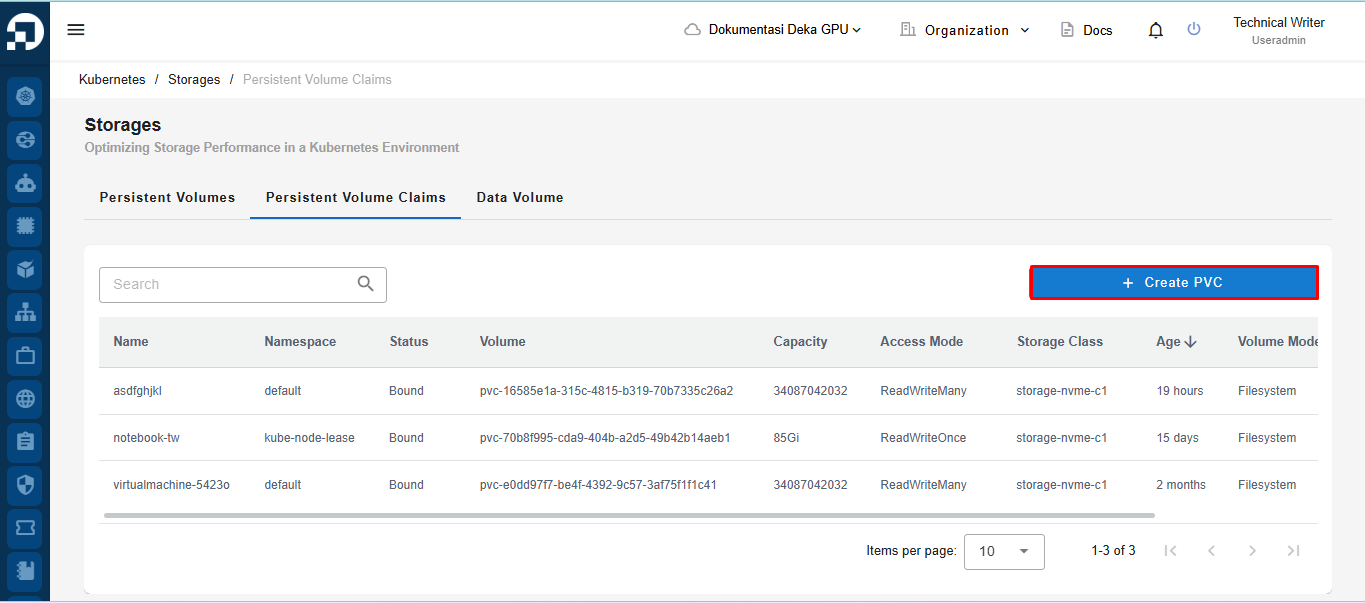
Navigate to the **Persistent Volume Claims** tab. Click **Create PVC**.
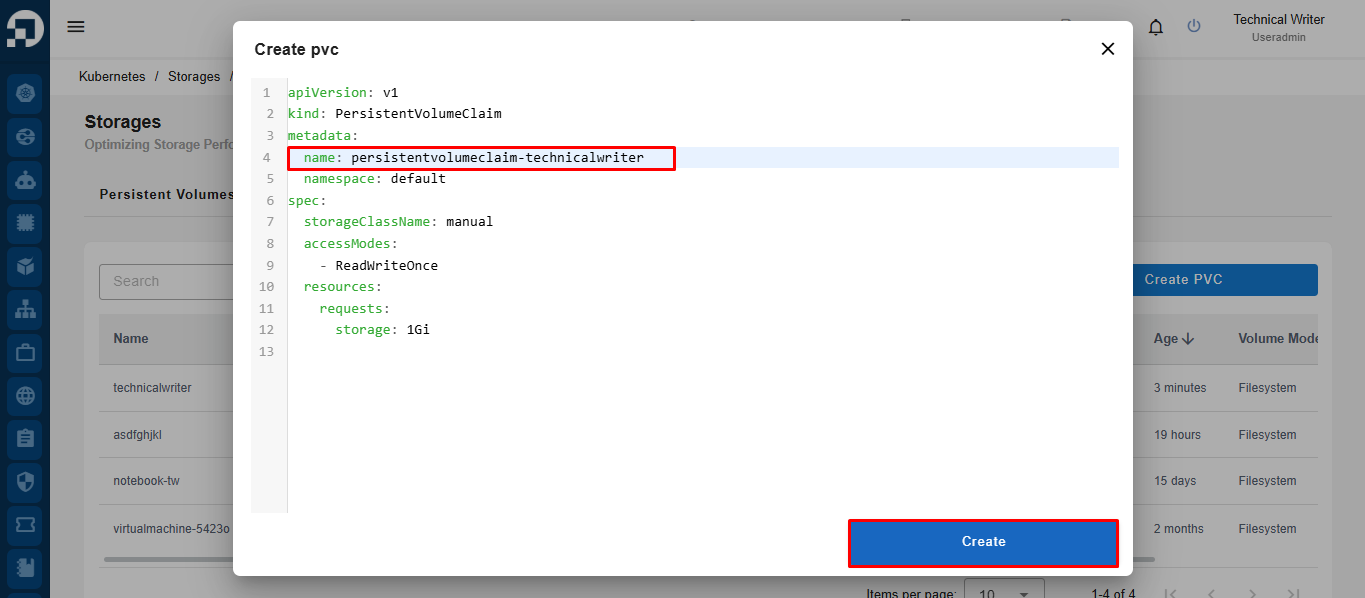
Enter the desired Persistent Volume Claim name in the **name** field, then review the remaining YAML configuration as required. Click **Create** to create the Persistent Volume Claim.
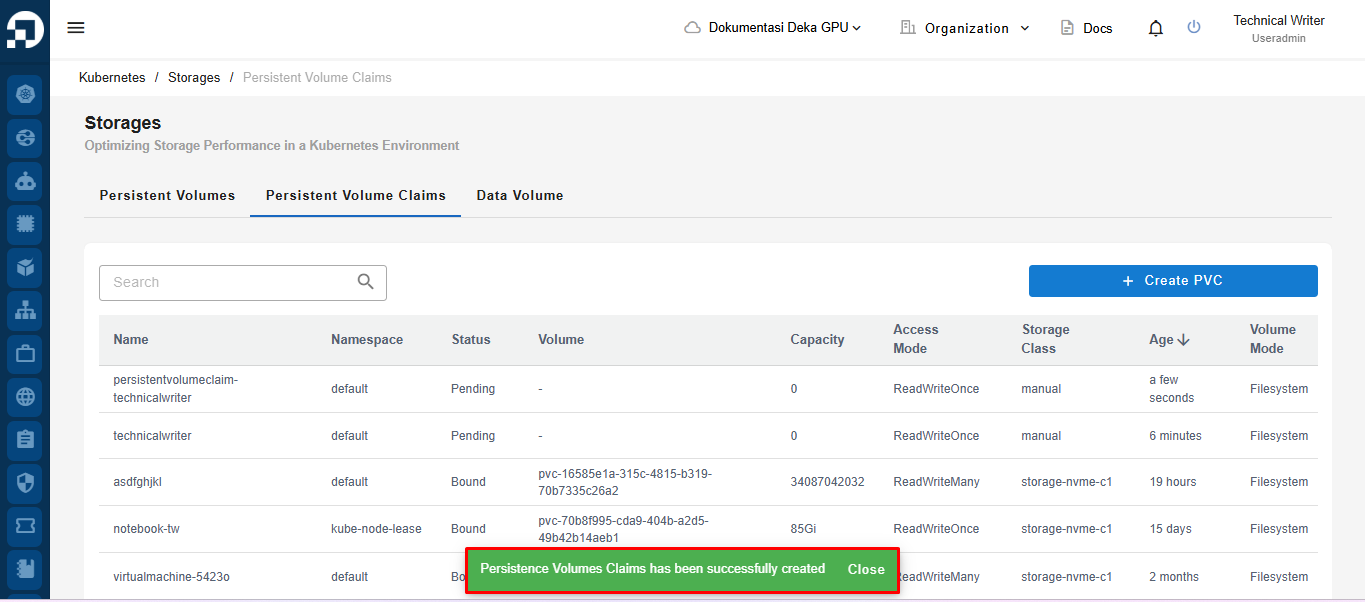
After the creation process is completed successfully, the system will display a notification stating **"Persistence Volumes Claims has been successfully created"**. The newly created Persistent Volume Claim will also be displayed in the **Persistent Volume Claims** table.