> For the complete documentation index, see [llms.txt](https://docs.cloudeka.ai/llms.txt). Markdown versions of documentation pages are available by appending `.md` to page URLs; this page is available as [Markdown](https://docs.cloudeka.ai/deka-gpu/deka-gpu-vms/feature-overview-of-virtual-machine/show-yaml.md).
# Show YAML
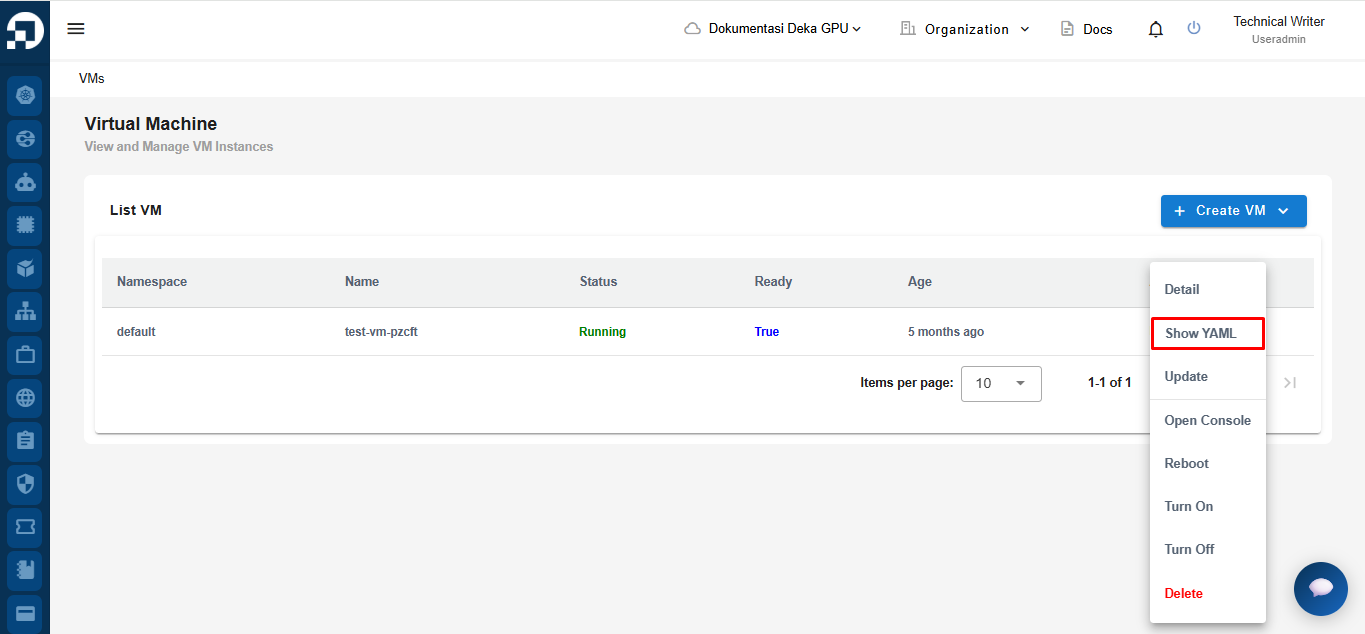
To view the YAML configuration of a VM, open the VMs menu on the Deka GPU page, then click More and select **Show YAML.**
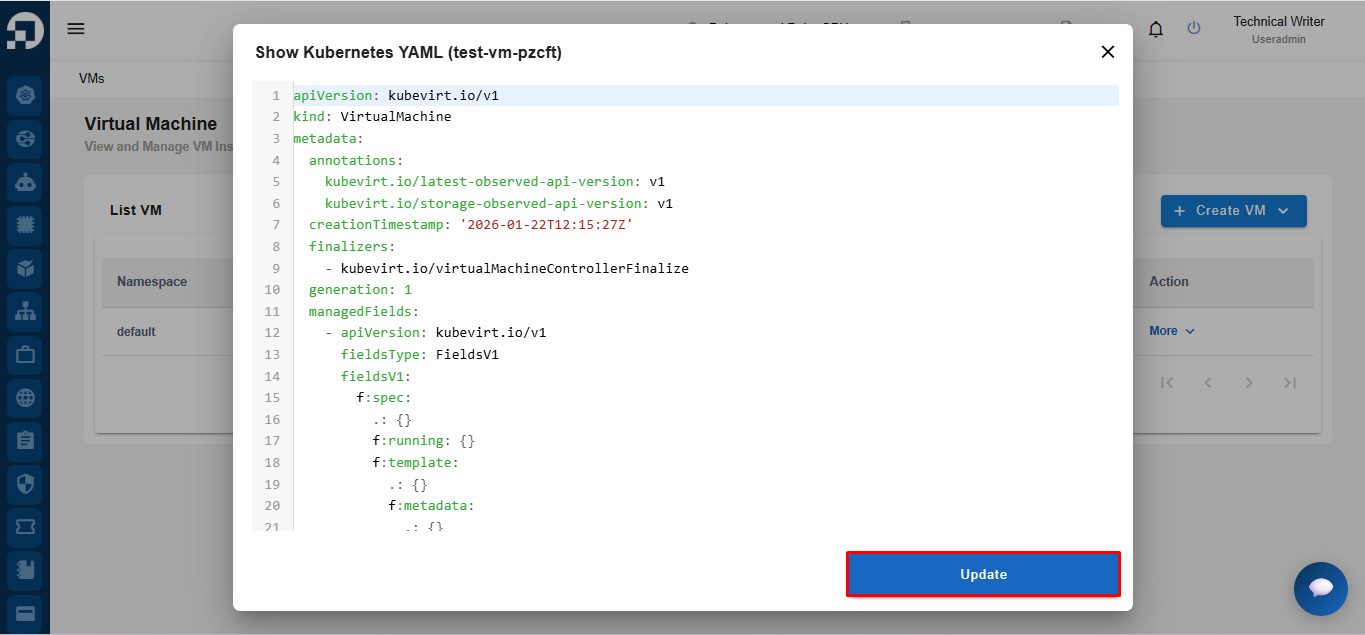
The **Show Kubernetes YAML** dialog displays the VM's Kubernetes YAML configuration. You can review the configuration and make changes if needed. After editing the YAML, click **Update** to save the changes.