> For the complete documentation index, see [llms.txt](https://docs.cloudeka.ai/llms.txt). Markdown versions of documentation pages are available by appending `.md` to page URLs; this page is available as [Markdown](https://docs.cloudeka.ai/deka-gpu/deka-gpu-vms/feature-overview-of-virtual-machine/turn-on-a-vm-instance.md).
# Turn On a VM Instance
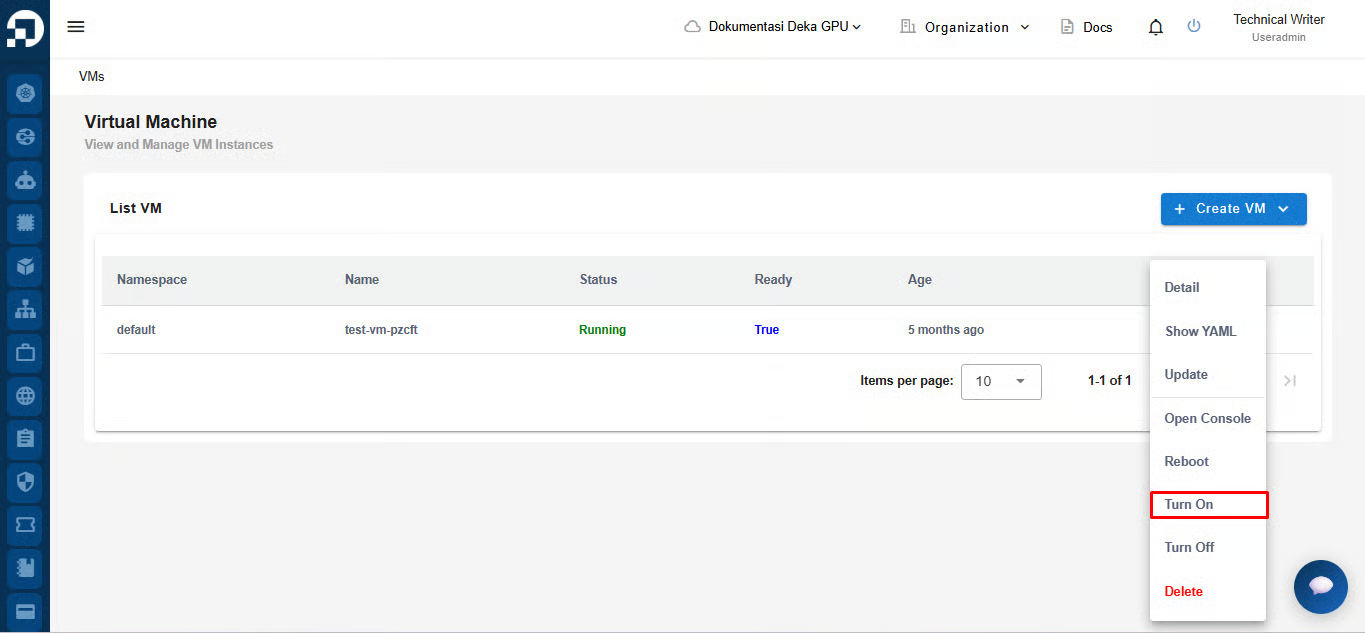
You can disable a VM with Stopped status by pressing the More button and selecting Turn On.
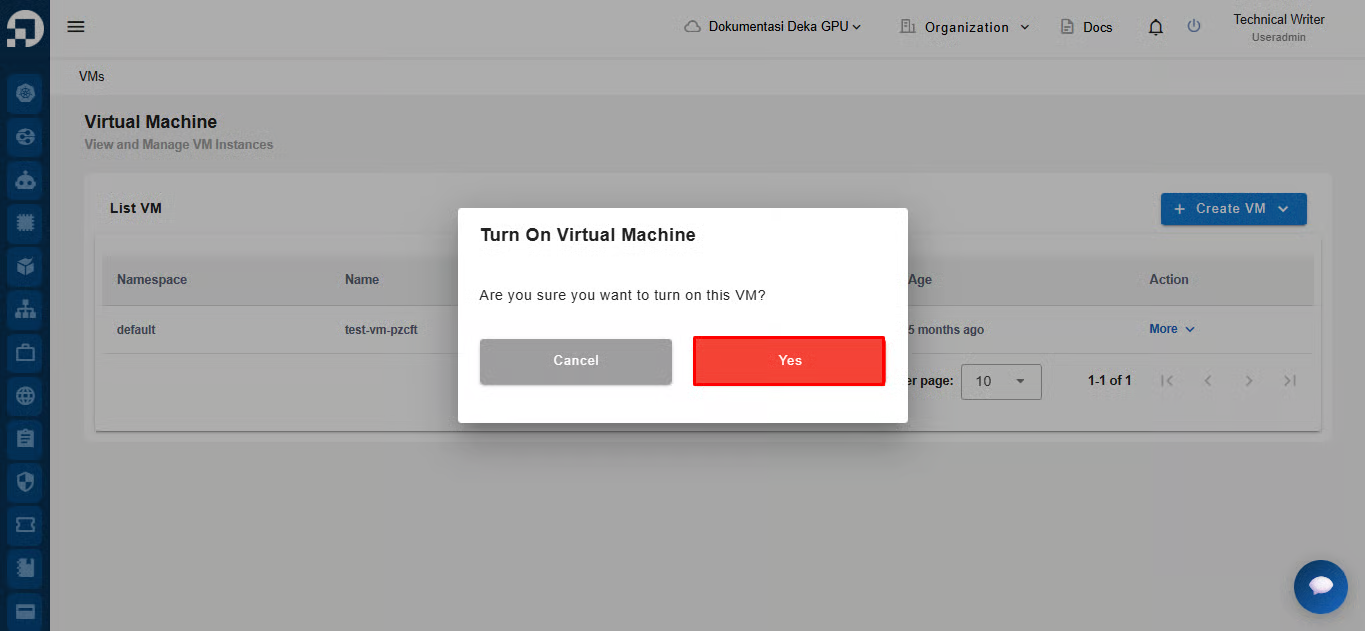
The Turn On Virtual Machine window appears, clickthe Yes button to continue deactivating the VM.
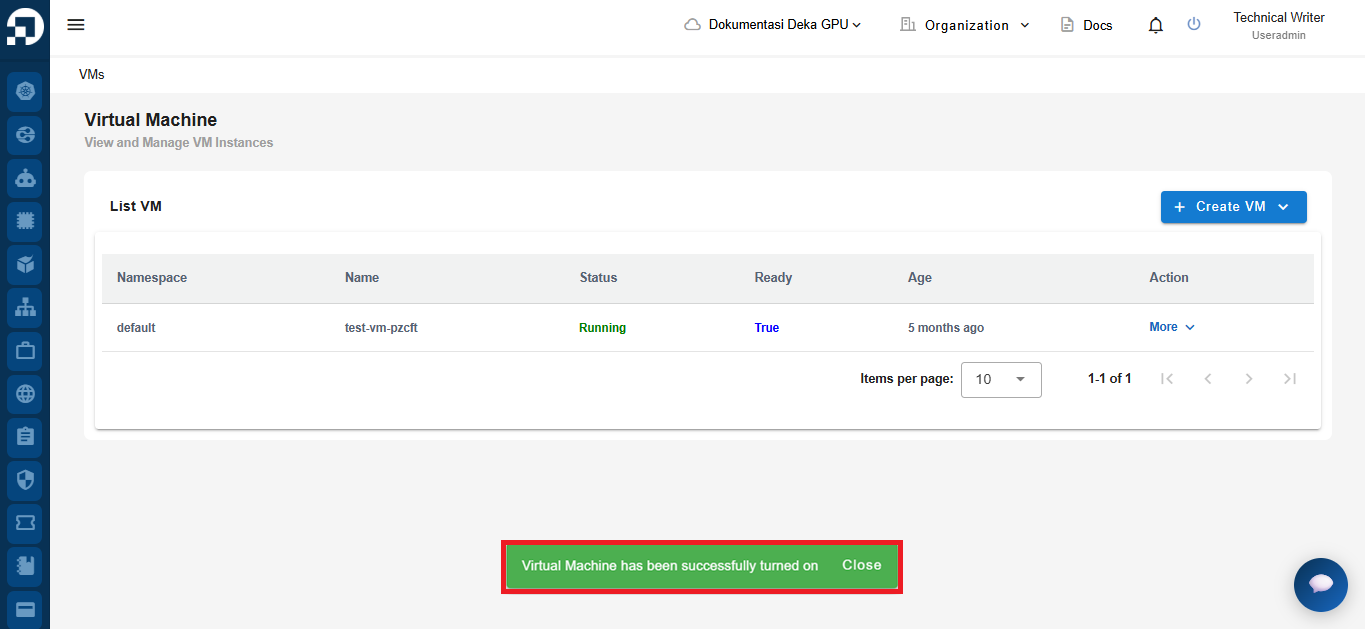
If you successfully activate the VM, there will be a notification "Virtual Machine has been successfully turned on" and the status column will be "Running".