> For the complete documentation index, see [llms.txt](https://docs.cloudeka.ai/llms.txt). Markdown versions of documentation pages are available by appending `.md` to page URLs; this page is available as [Markdown](https://docs.cloudeka.ai/deka-metal/deka-metal-deka-box/delete-deka-box.md).
# Delete Deka Box
This document describes how to delete Object Storage in Service Portal Cloudeka. Deleting object storage will permanently destroy all the objects inside the bucket, follow these steps to delete the object storage. Go to the Deka Box page.
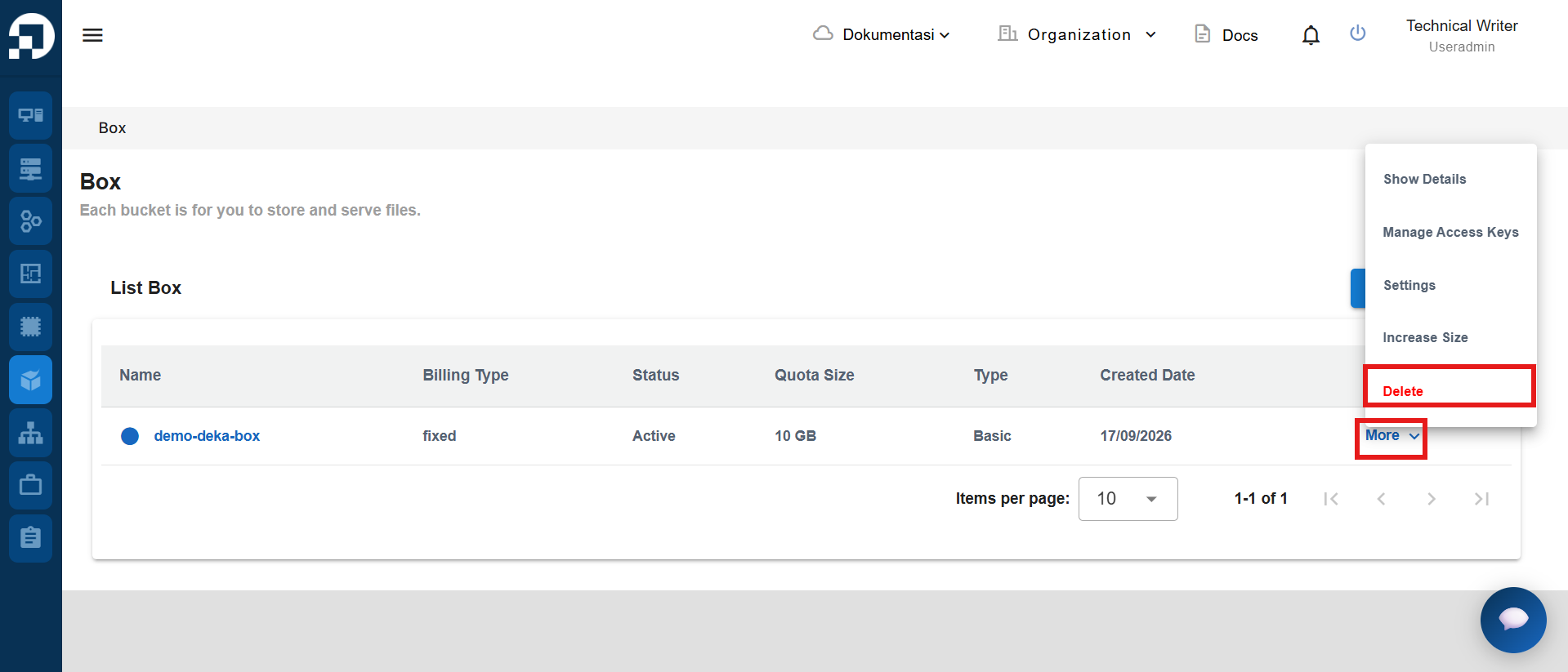
Choose the bucket you want to delete, in the Action column click More, then click Delete.
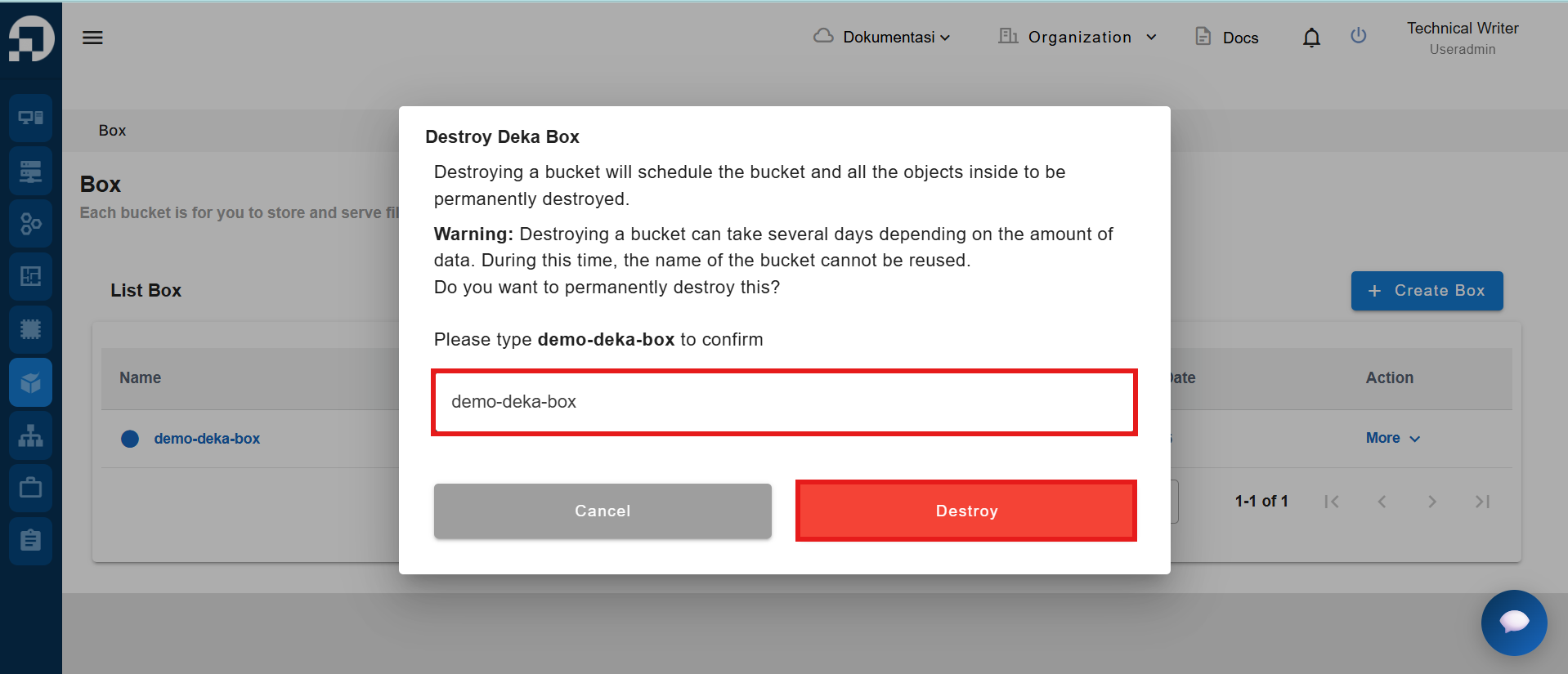
The system displays a confirmation form to delete the Deka Box. Retype the Deka Box name in the provided field, then click **Destroy** to confirm the deletion.
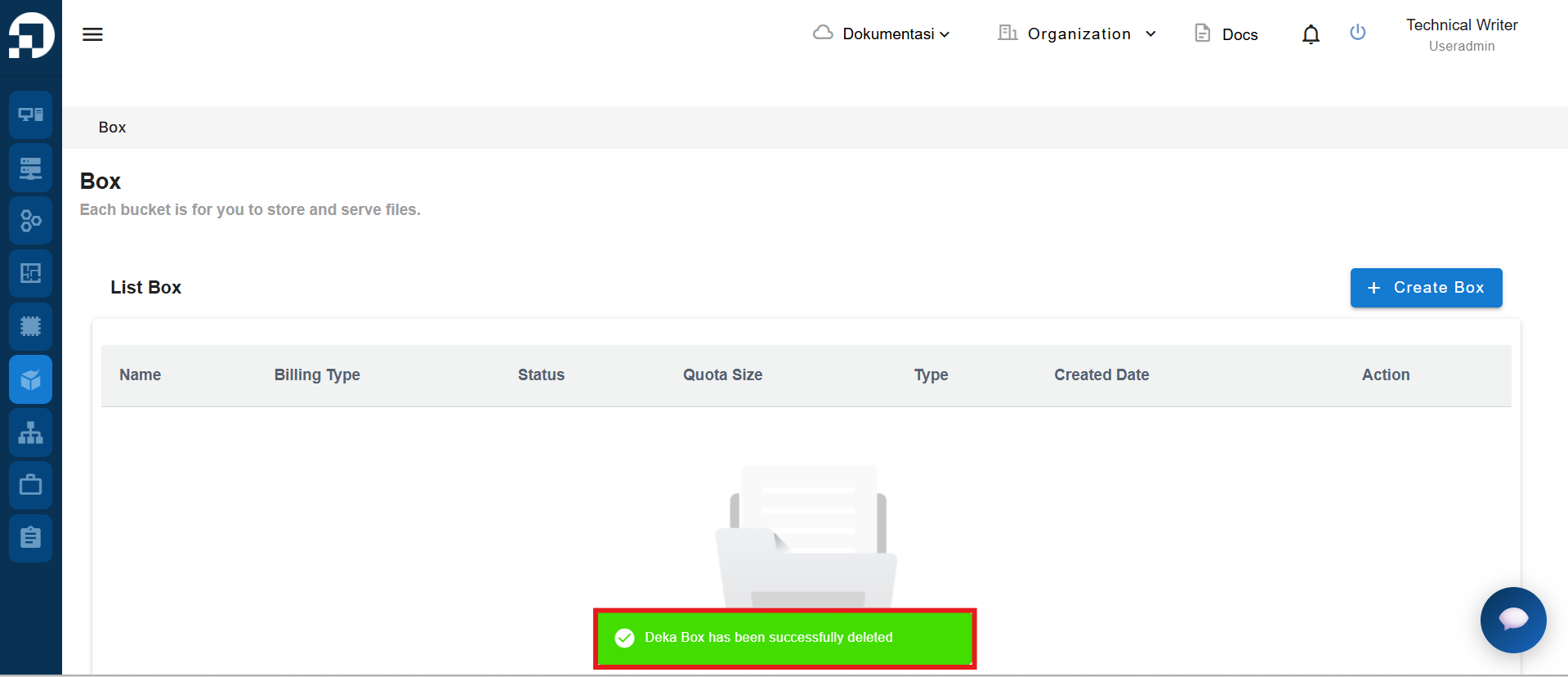
If the Deka Box has been deleted, there will be a notification "Deka Box (deka box name) has been successfully destroyed".