> For the complete documentation index, see [llms.txt](https://docs.cloudeka.ai/llms.txt). Markdown versions of documentation pages are available by appending `.md` to page URLs; this page is available as [Markdown](https://docs.cloudeka.ai/deka-metal/deka-metal-deka-box/manage-access-key.md).
# Manage Access Key
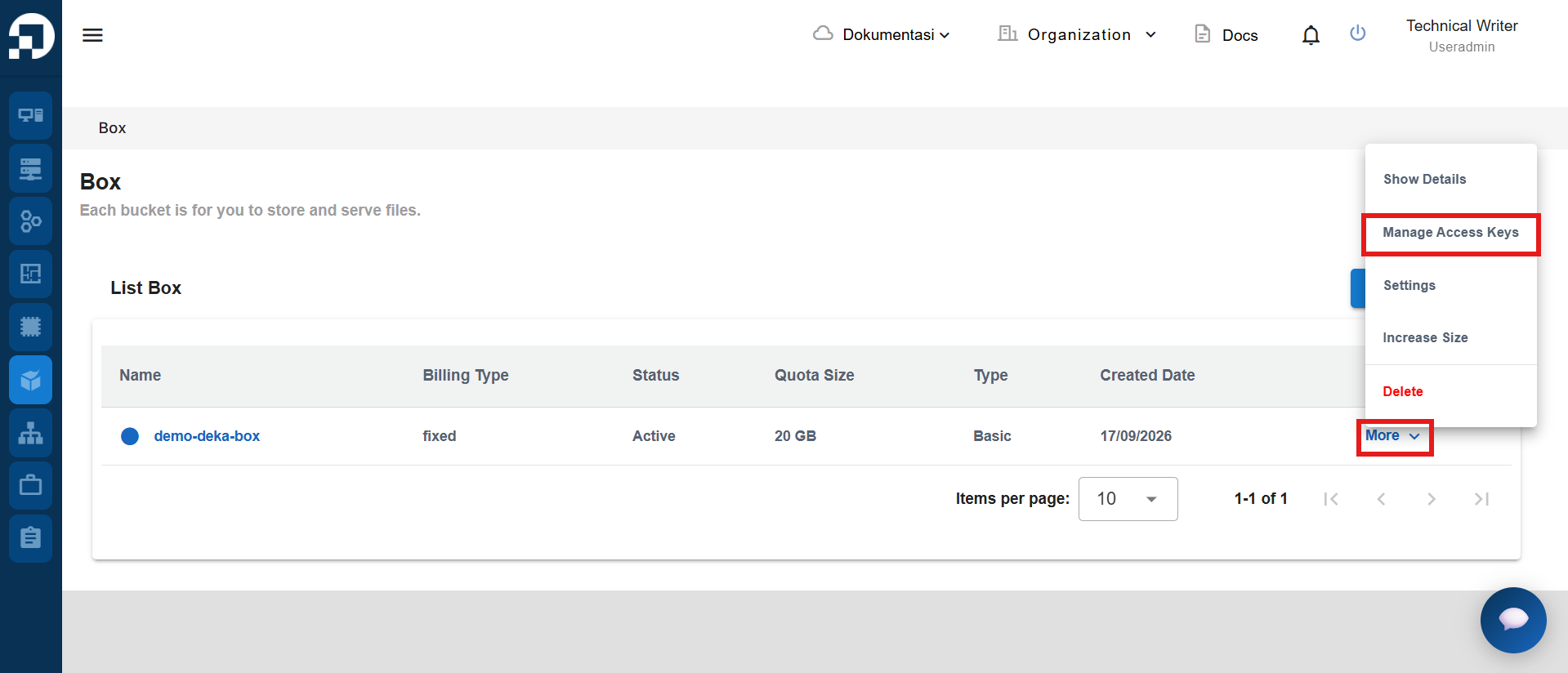
The Object Storage Access Key is a unique identifier for the object in the bucket, the access key will generate a Key ID and Secret Key. Go to **Deka Box** page. there will show you an object storage list. Select the bucket you want to manage, in the **Action** column click **More**. then select **Manage Access Keys**.
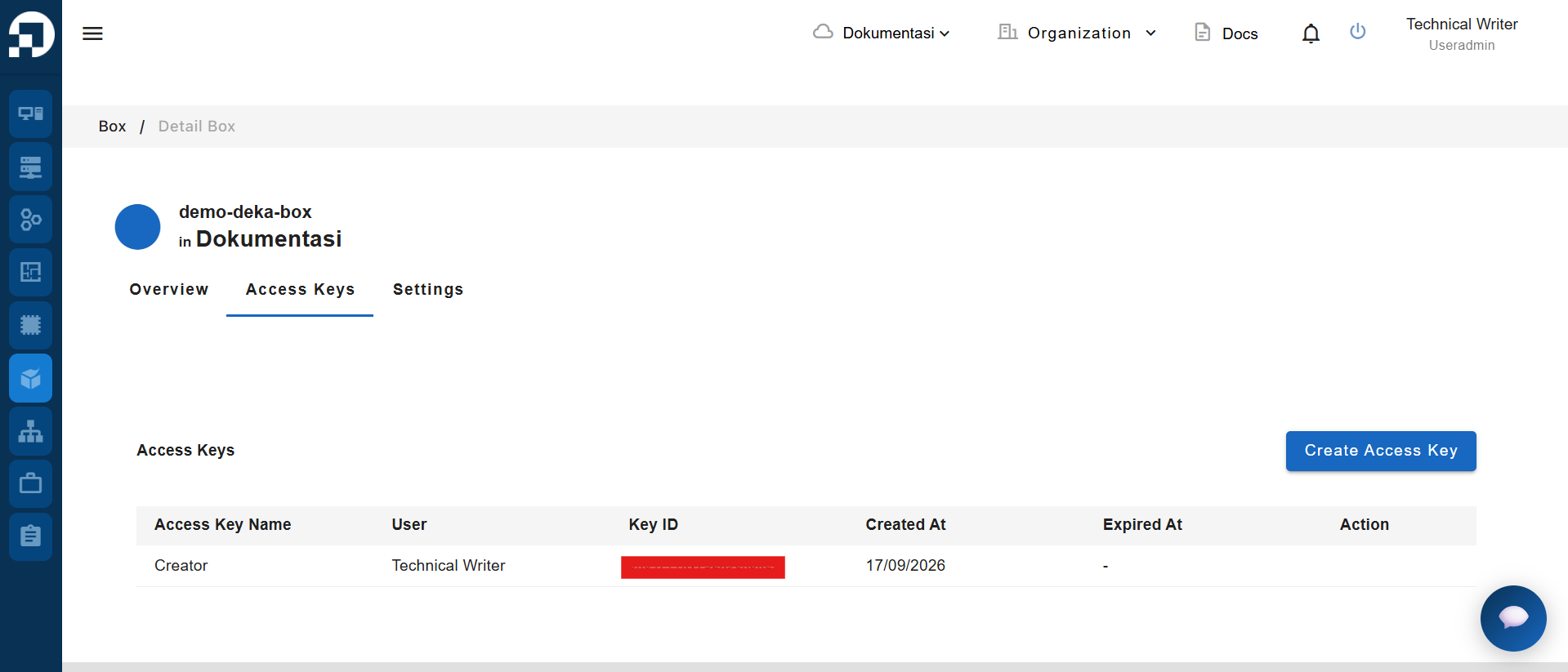
On the manage access key page, it will display a list of access keys.
Column
Description
Access Key Name
The name of the access key.
User
The user who has the access key.
Key ID
Key ID for access the bucket.
Created At
The date when the access key was created.
Expired At
The date when the access key expires.
You can also add a new Access Key by following the steps available on [Add Access Key ](/deka-box/manage-access-key/add-access-key.md)and if you want to delete an unused Access Key, you can follow the steps available on [Delete Access Key](/deka-box/manage-access-key/delete-access-key.md).