> For the complete documentation index, see [llms.txt](https://docs.cloudeka.ai/llms.txt). Markdown versions of documentation pages are available by appending `.md` to page URLs; this page is available as [Markdown](https://docs.cloudeka.ai/deka-metal/deka-metal-deka-box/overview-deka-box/delete-bucket.md).
# Delete Bucket
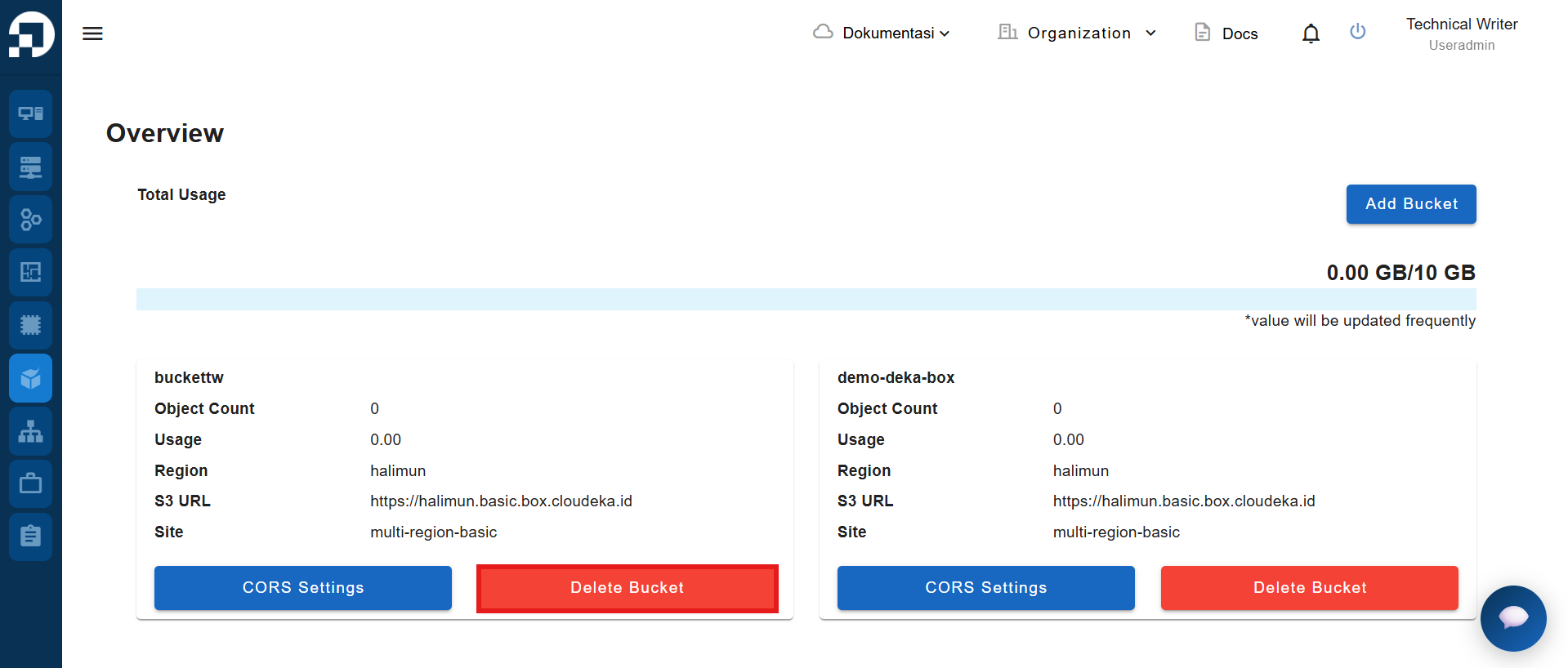
To delete an unused bucket via the **Service Portal Cloudeka**, select the bucket you want to remove and click the **Delete Bucket** button.
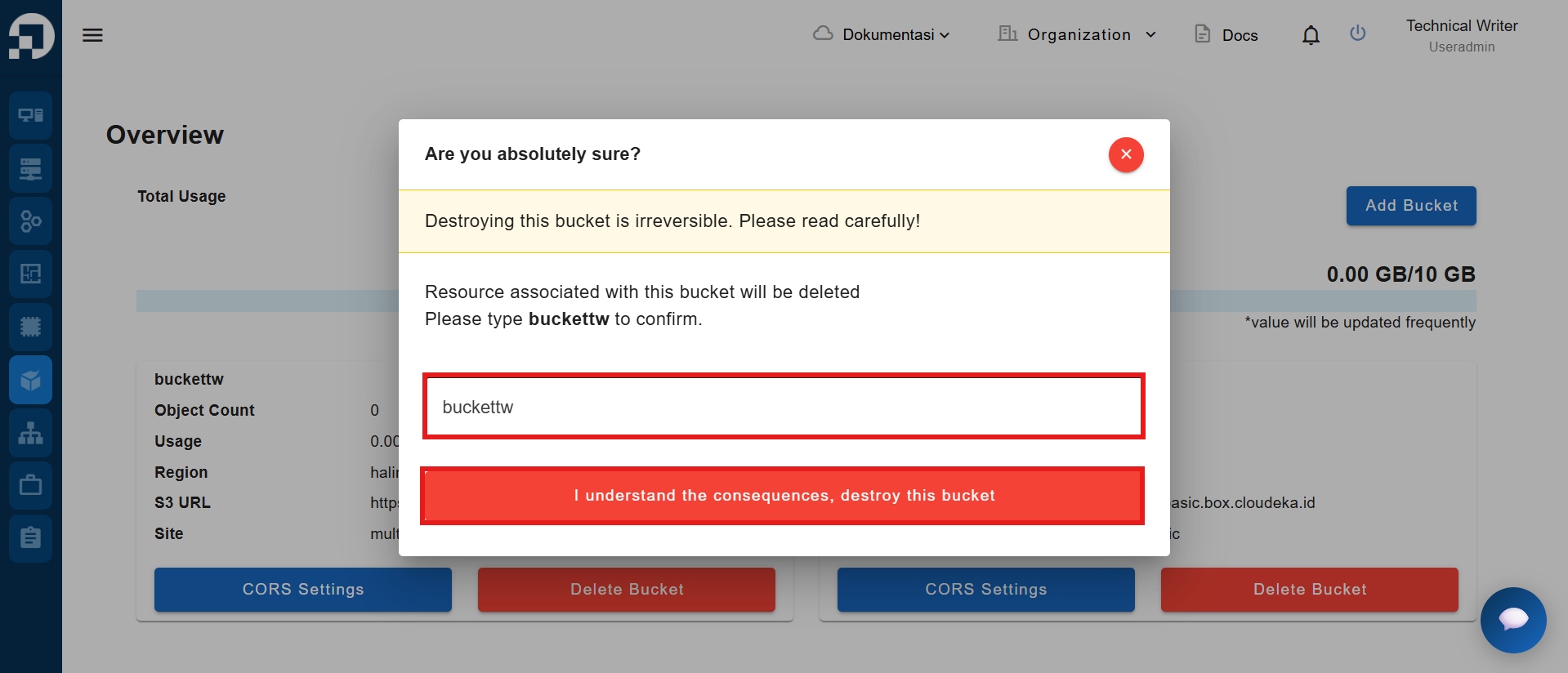
The Delete Bucket window appears, fill in the name of the bucket to be deleted and press the "I understand the consequences, delete this bucket" button.
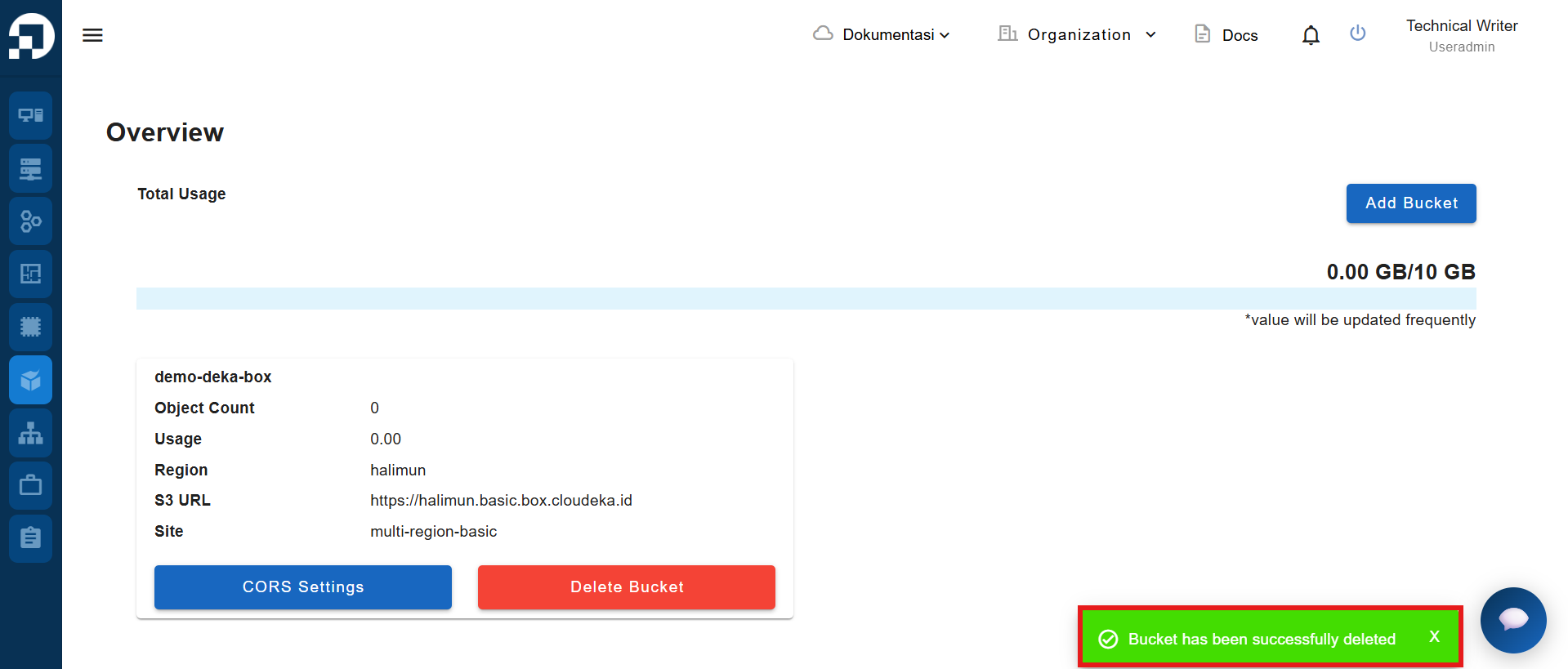
After confirming the deletion, the system displays a notification **"Bucket has been successfully deleted"** to indicate that the bucket has been successfully deleted.