> For the complete documentation index, see [llms.txt](https://docs.cloudeka.ai/llms.txt). Markdown versions of documentation pages are available by appending `.md` to page URLs; this page is available as [Markdown](https://docs.cloudeka.ai/deka-metal/deka-metal-deka-box/resize-deka-box.md).

# Resize Deka Box

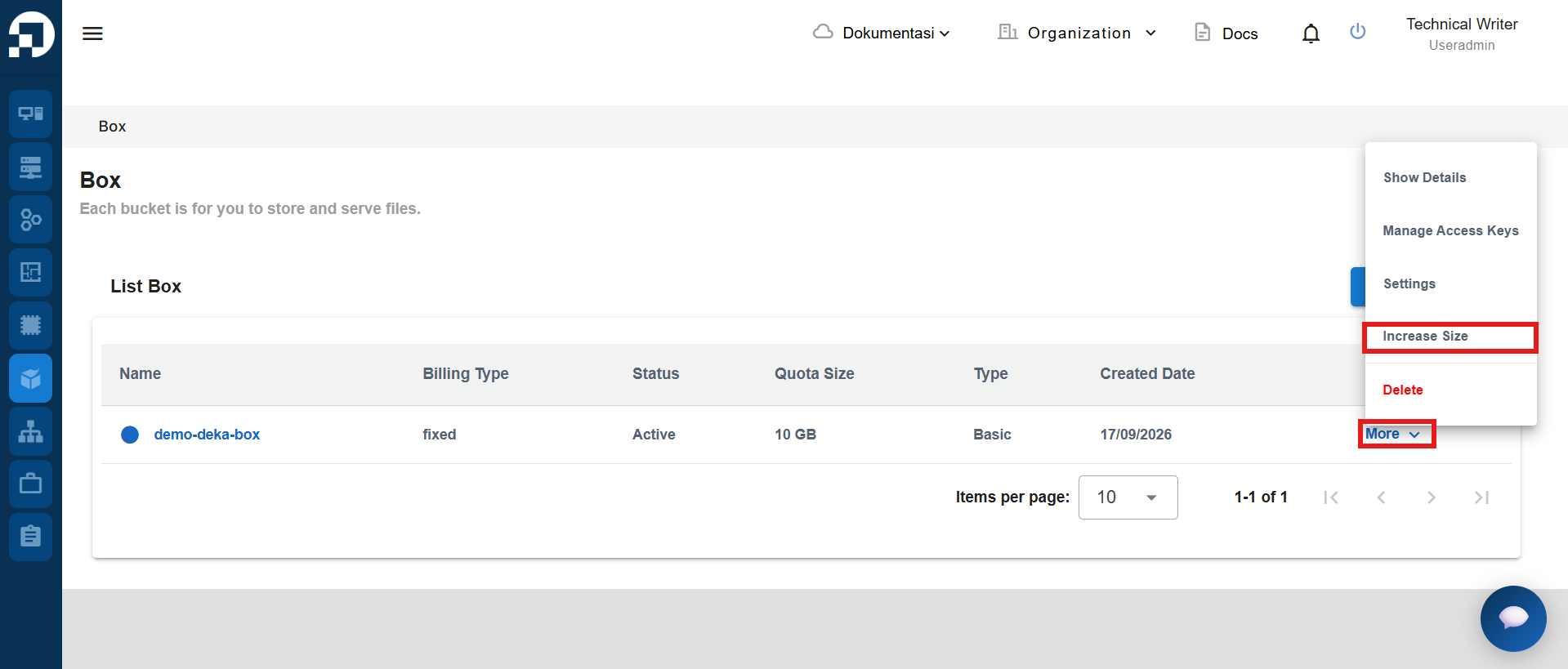
You can change the size of the Deka Box according to the needs of the workload. Click More then select Increase Size.

<figure><img src="https://2882153758-files.gitbook.io/~/files/v0/b/gitbook-x-prod.appspot.com/o/spaces%2Fi9YWb69HFXLHYlXffReU%2Fuploads%2Fgit-blob-8af072f5616967efb2bd6835256eb6e1d0b6f90f%2Fimage.png?alt=media" alt=""><figcaption></figcaption></figure>

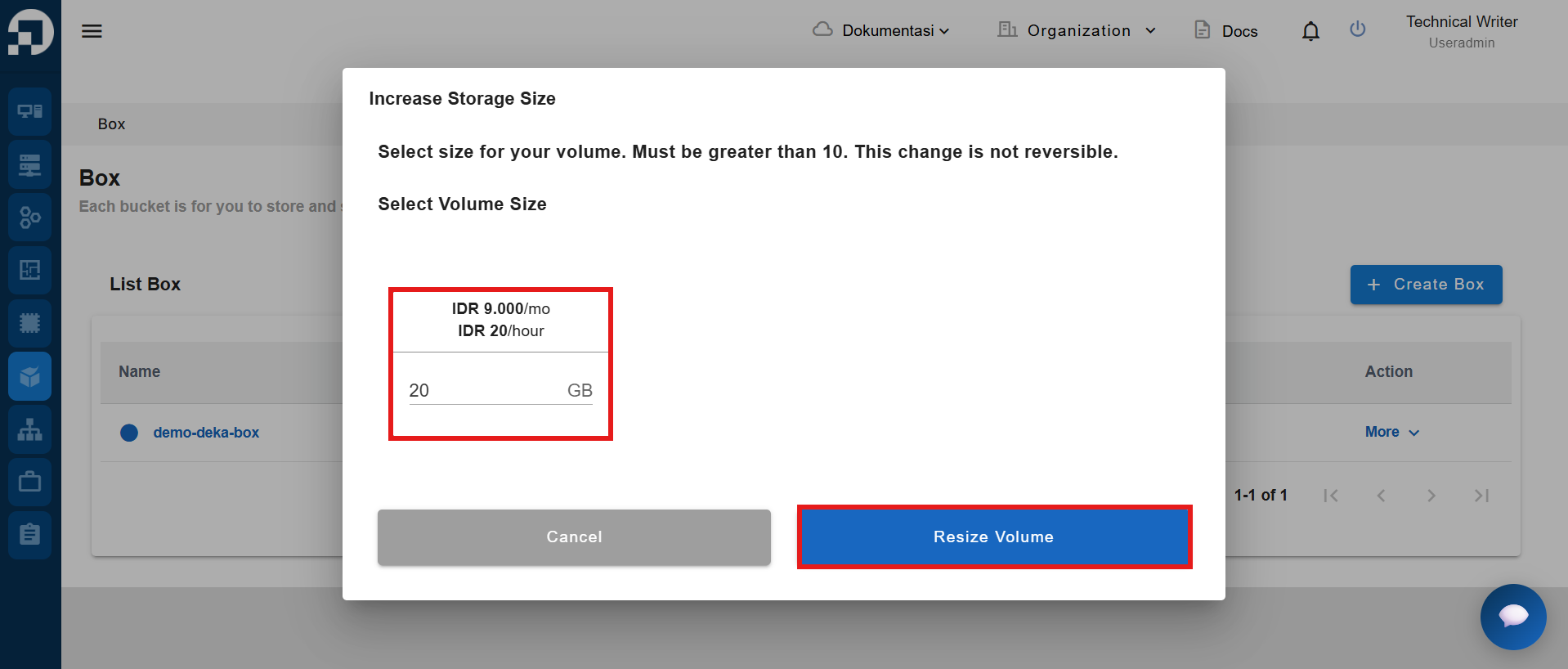
The Increase Storage Size page appears. Enter the required Deka Box size then click Resize Volume.

{% hint style="success" %}
Ensure that you add a volume size larger than the size previously used.
{% endhint %}

<figure><img src="https://2882153758-files.gitbook.io/~/files/v0/b/gitbook-x-prod.appspot.com/o/spaces%2Fi9YWb69HFXLHYlXffReU%2Fuploads%2Fgit-blob-f45bd88c242a8da8558633305f13caf3ce4428f8%2Fimage.png?alt=media" alt=""><figcaption></figcaption></figure>

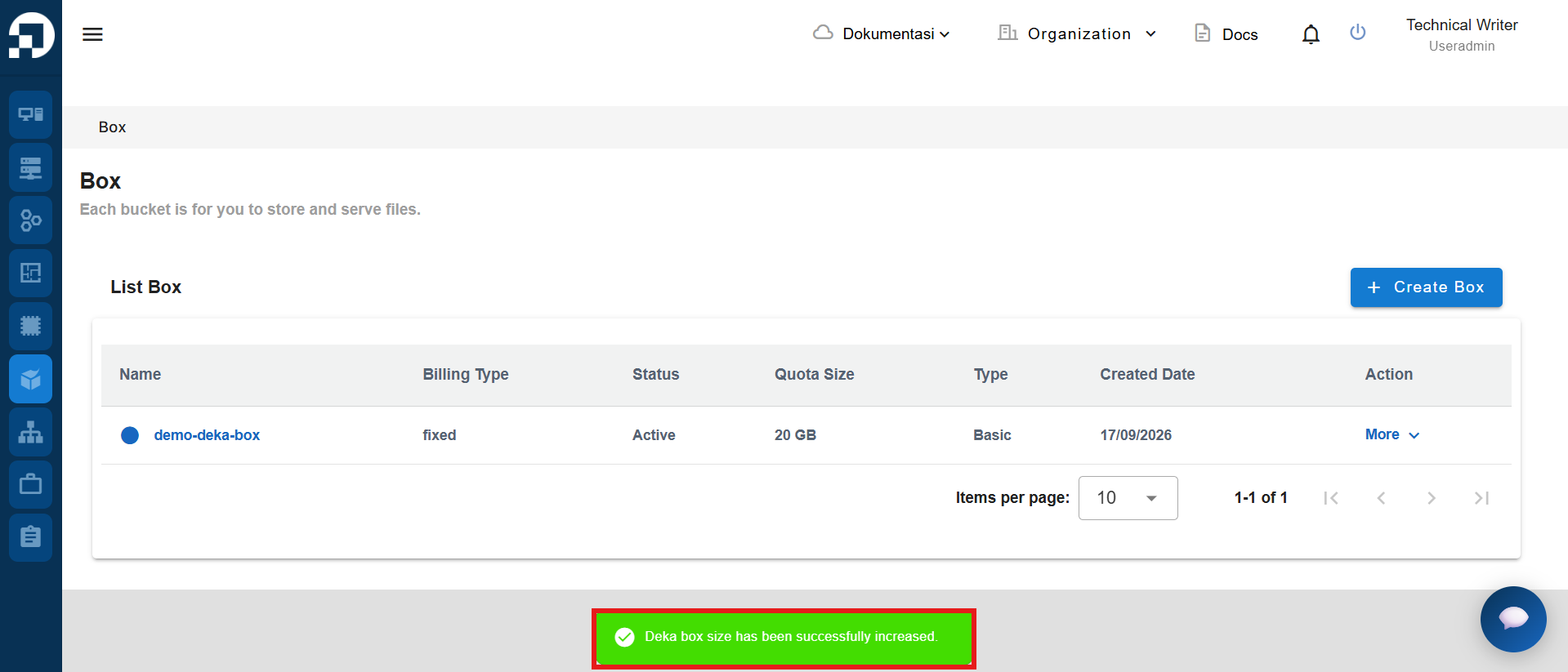
The notification **"Deka box size has been successfully increased"** will appear.
<figure><img src="https://2882153758-files.gitbook.io/~/files/v0/b/gitbook-x-prod.appspot.com/o/spaces%2Fi9YWb69HFXLHYlXffReU%2Fuploads%2Fgit-blob-6d7aefeb89894f9e23e4853196b68b10d312f114%2Fimage.png?alt=media" alt=""><figcaption></figcaption></figure>