> For the complete documentation index, see [llms.txt](https://docs.cloudeka.ai/llms.txt). Markdown versions of documentation pages are available by appending `.md` to page URLs; this page is available as [Markdown](https://docs.cloudeka.ai/guidance-for-individual/cloudeka-api-list/command-reference/cldkctl-dns/record-create.md).
# record-create
The dns record-create command adds a new DNS record to a specific DNS zone.This command requires the DNS zone ID and record details, including record type, name, content, and TTL.
## Usage
```
cldkctl dns record-create [id] [flags]
```
## Steps
Follow the steps below to run and view the result of this command:
1. Run the following command in your terminal:
```
cldkctl dns record-create [dns-zone-id] --type [record-type] --name [record-name] --content [record-content] --ttl [record-ttl]
```
2. Replace `[dns-zone-id]` with the ID of the DNS zone. Refer to dns list section to obtain the DNS zone ID.
3. Replace `[record-type]` with the DNS record type.
4. Replace `[record-name]` with the record name.
5. Replace `[record-content]` with the record value.
6. Replace `[record-ttl]` with the desired TTL (time to live) value.
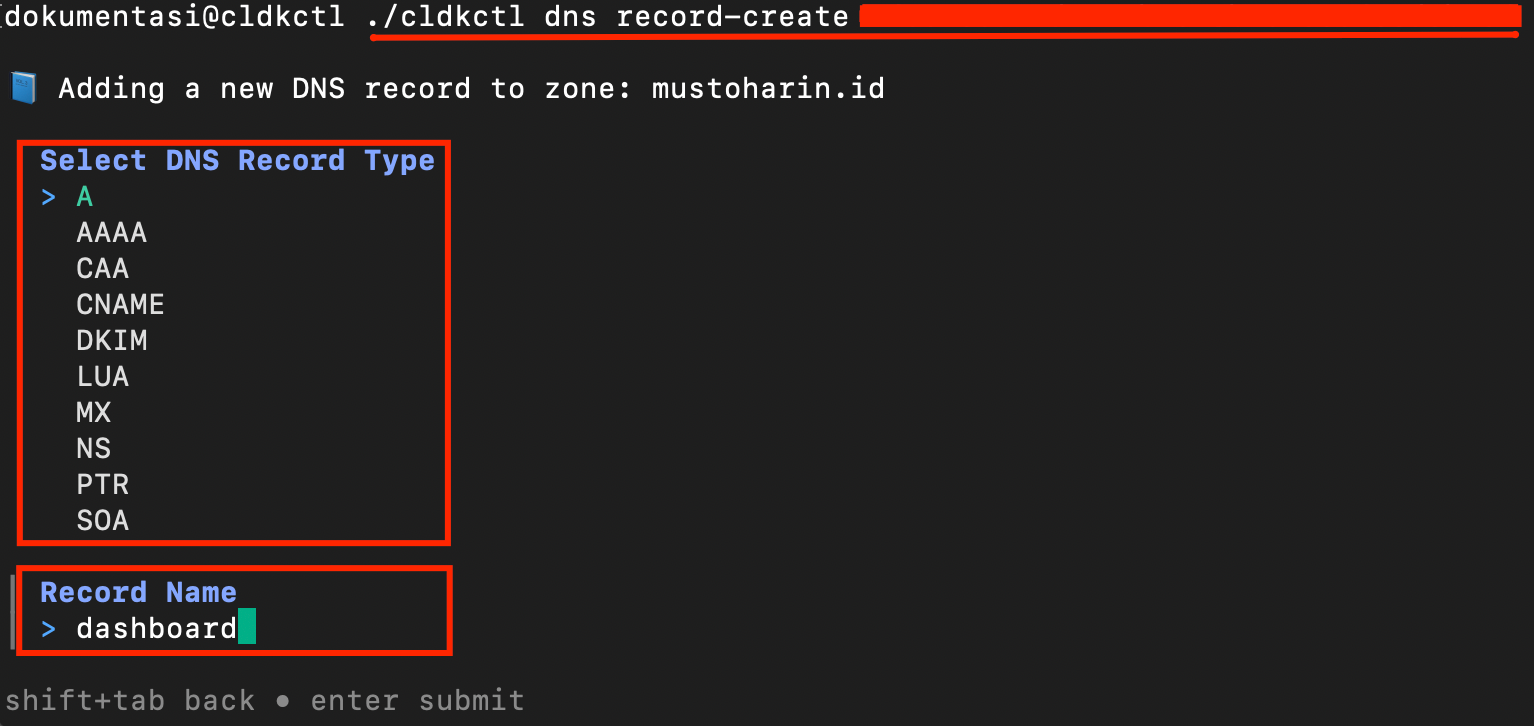
7. Or alternatively, run the command without flags to create a DNS record interactively using TUI mode:
```
cldkctl dns record-create [dns-zone-id]
```
8. Select the DNS record type from the list.
9. Enter the record name when prompted.
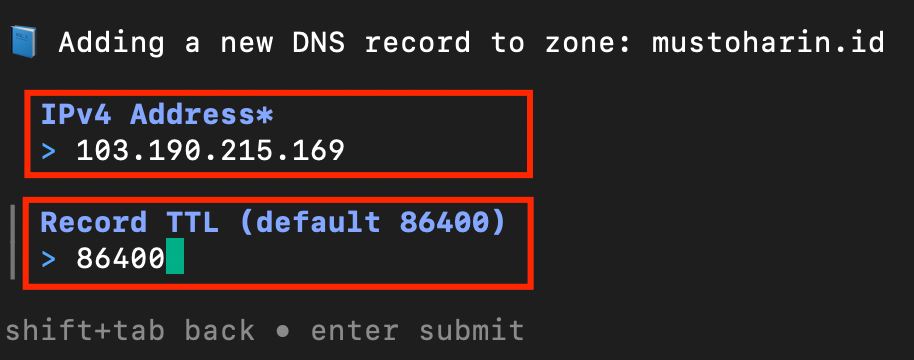
10. Enter the record content when prompted.
11. Enter the TTL value or press Enter to use the default value (86400).
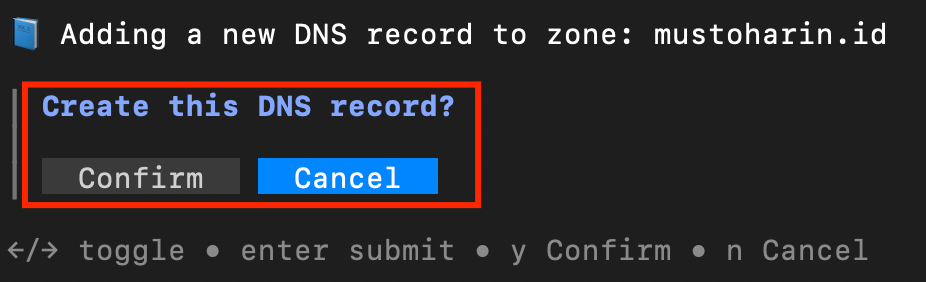
12. Confirm the record creation by pressing y for Confirm or n for Cancel.
13. Once completed successfully, a message **“✓ DNS record created successfully!”** will appear in the terminal.
## Flags
{% hint style="info" %}
This command supports [global flags](/guidance-for-individual/cloudeka-api-list/global-flags.md). Refer to the Global Flags section for details.
{% endhint %}
| Flag | Description |
| -------------------- | ---------------------------------------------- |
| -c, --content string | DNS record content. |
| -h, --help | Help for dns record create command. |
| -n, --name string | DNS record name. |
| --ttl int | DNS record TTL (time to live) (default 86400). |
| -t, --type string | DNS record type. |