> For the complete documentation index, see [llms.txt](https://docs.cloudeka.ai/llms.txt). Markdown versions of documentation pages are available by appending `.md` to page URLs; this page is available as [Markdown](https://docs.cloudeka.ai/guidance-for-individual/deka-flexi/deka-volume-storage/increase-storage.md).
# Increase Storage
This guide explains how to increase the storage size of a volume in Deka Flexi.
{% hint style="warning" %}
To increase the storage size, the volume must be detached from the instance. Resizing cannot be performed while the volume is still attached.
{% endhint %}
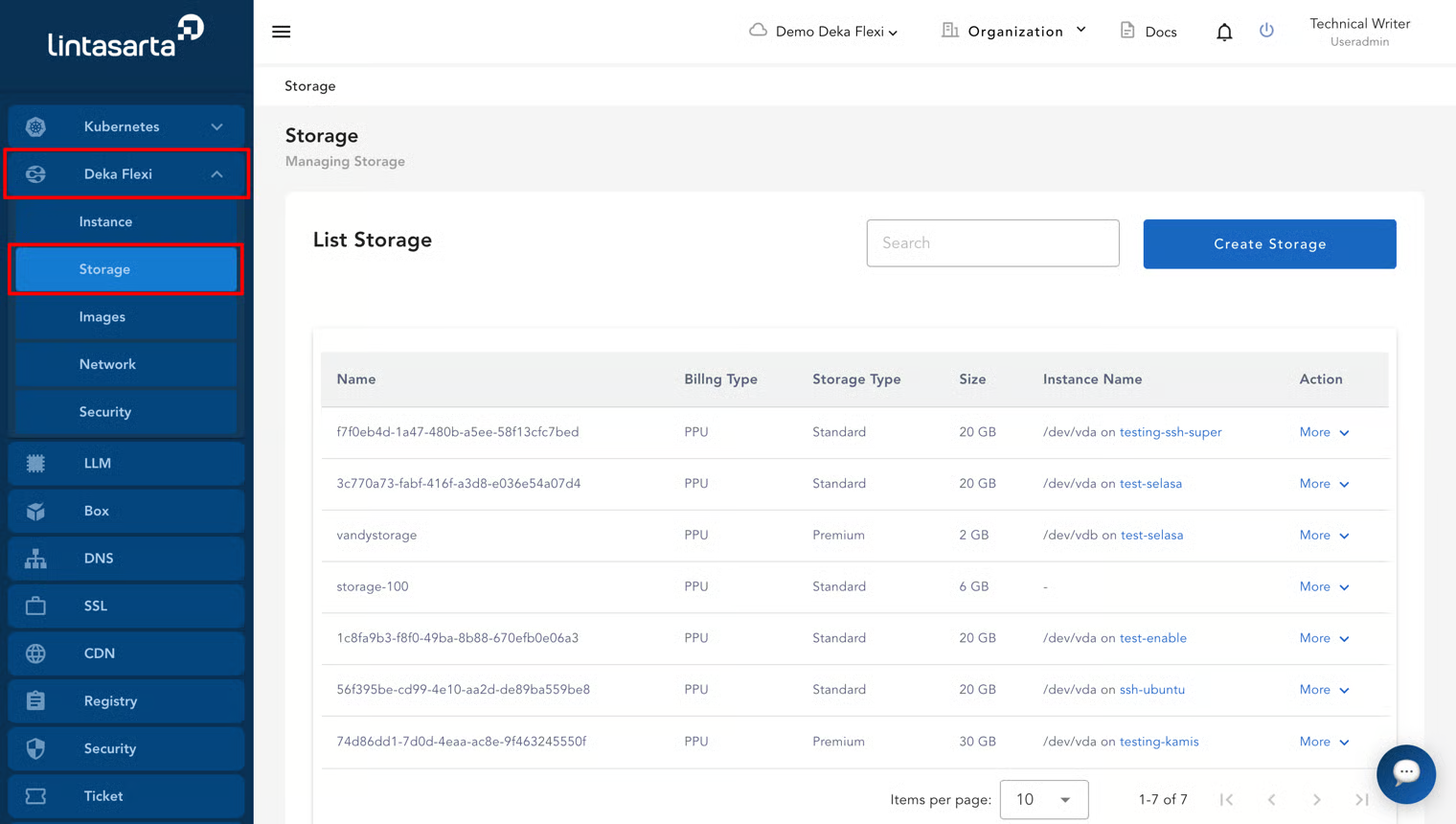
* Open the **Storage** page by selecting the **Storage** menu.
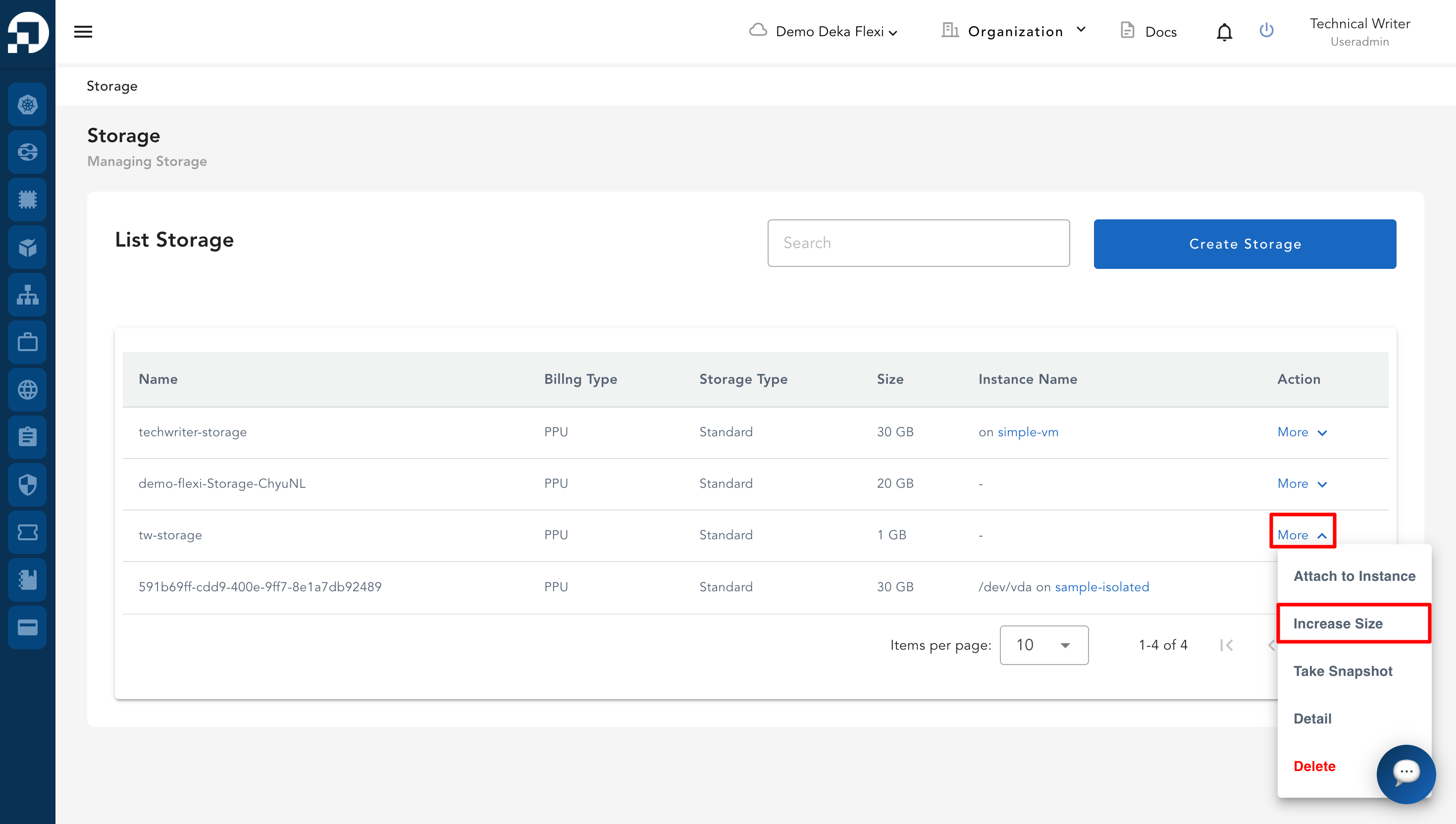
* On the **Storage** page, in the **Action** column, click **More**, then select **Increase Size**.
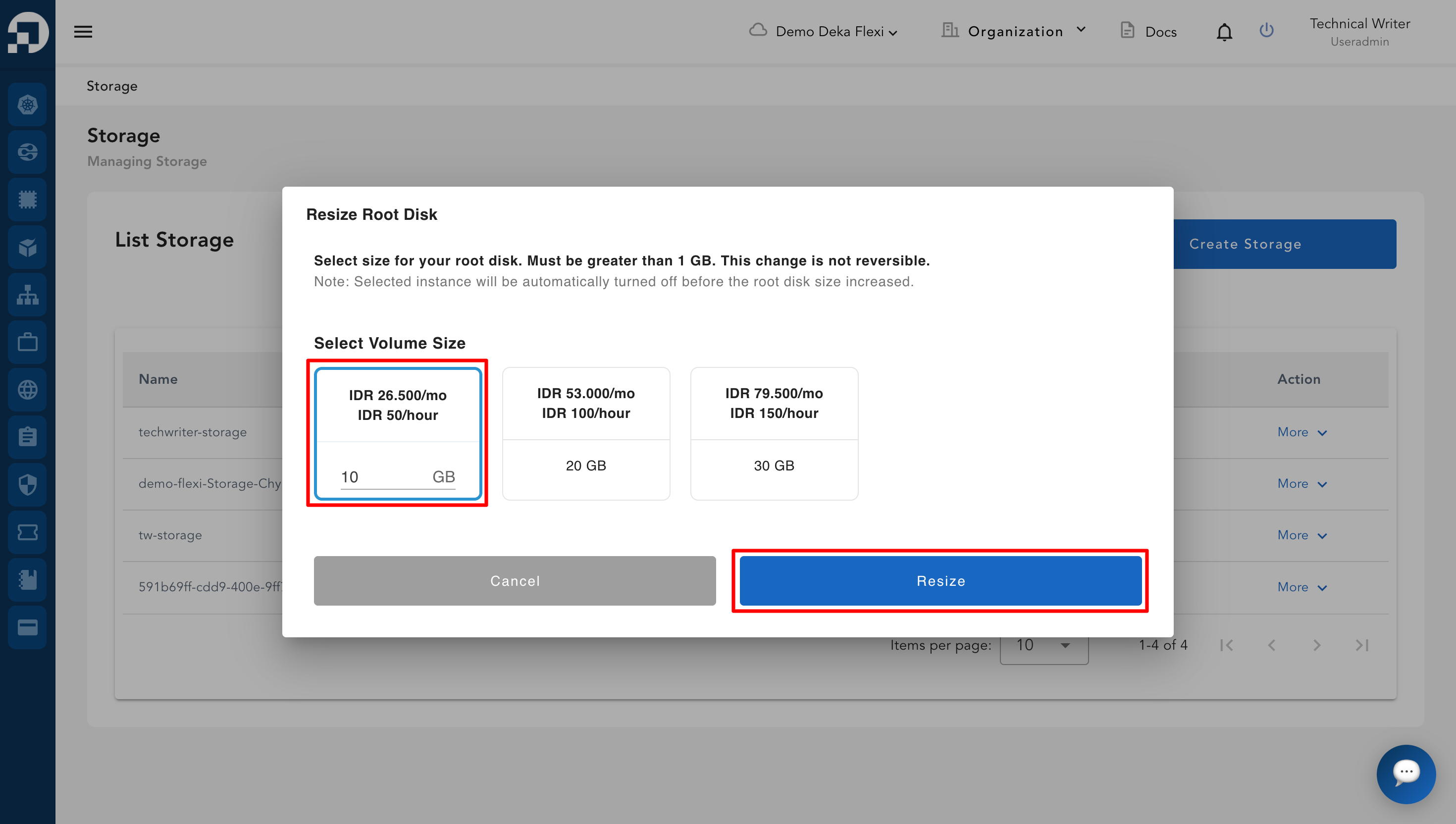
* Select the desired storage size. Then click **Resize Volume** to continue the resizing process or **Cancel** if you do not want to proceed.
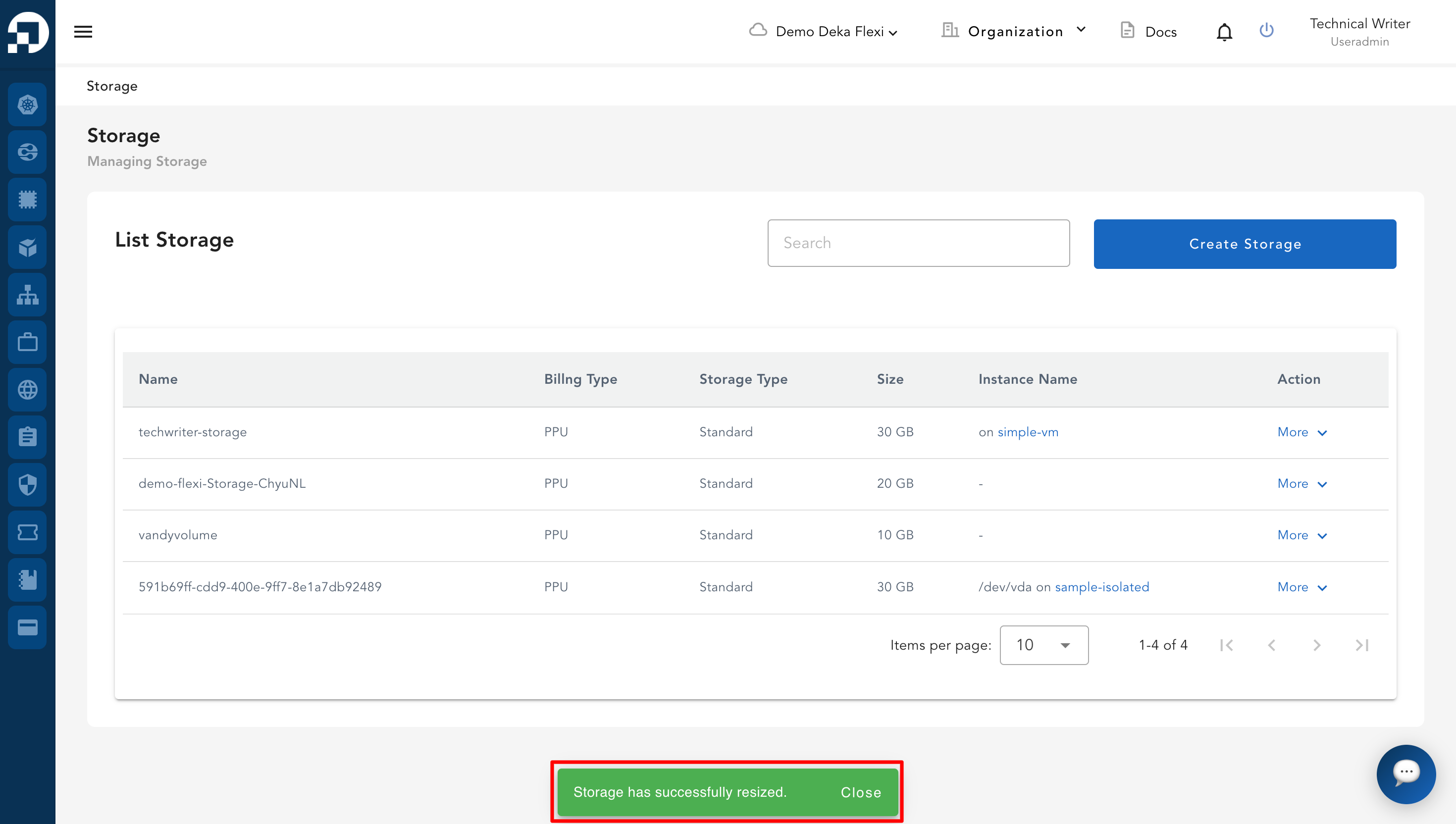
* A notification will appear displaying the message "**Storage has successfully resized**".