# Get Experiments Results

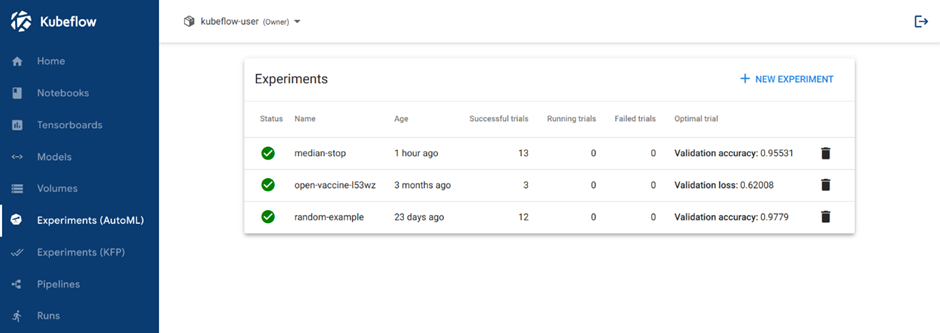
You should be able to view the list of Experiments on Experiments (AutoML) menu page:

<figure><img src="/files/AGhmWXtHLg6wT809183R" alt=""><figcaption><p>Homepage</p></figcaption></figure>

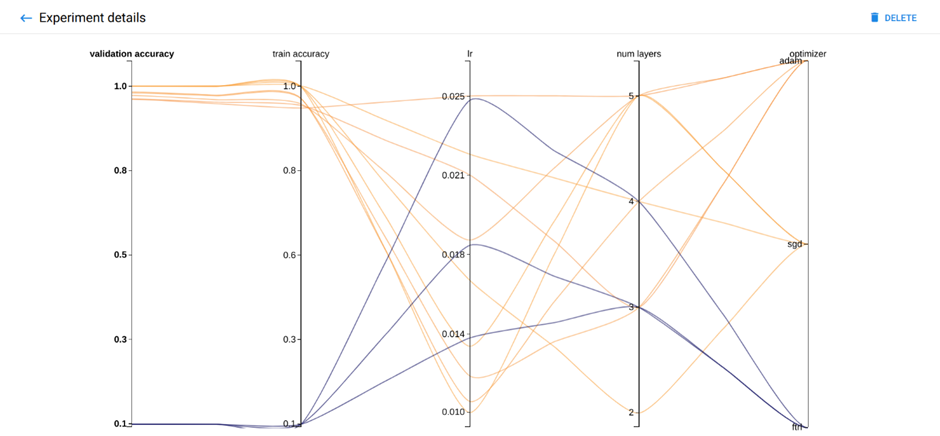
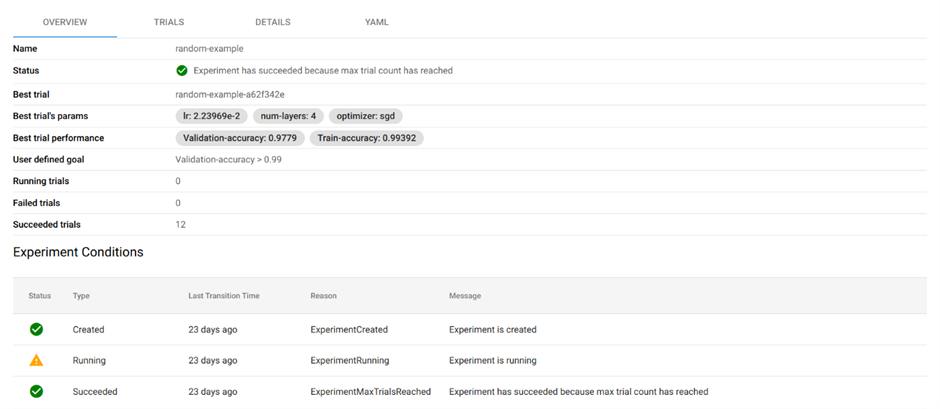
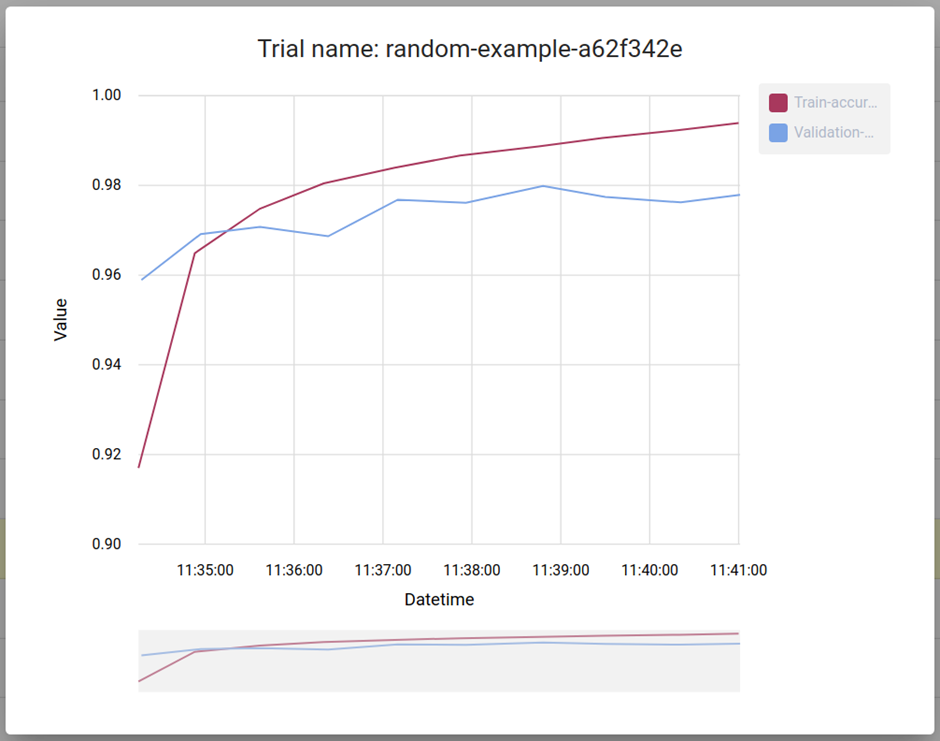
Click the name of your Experiment. For example, click “random-example”. There should be a graph showing the level of validation and train accuracy for various combinations of the hyperparameter values (learning rate, number of layers, and optimizer).

<figure><img src="/files/VqeSyHJ2dLY5pLhmXzYu" alt=""><figcaption></figcaption></figure>

<figure><img src="/files/5pqeJ9A1oTtzRs4fanDF" alt=""><figcaption><p>Experiments Result Visualized</p></figcaption></figure>

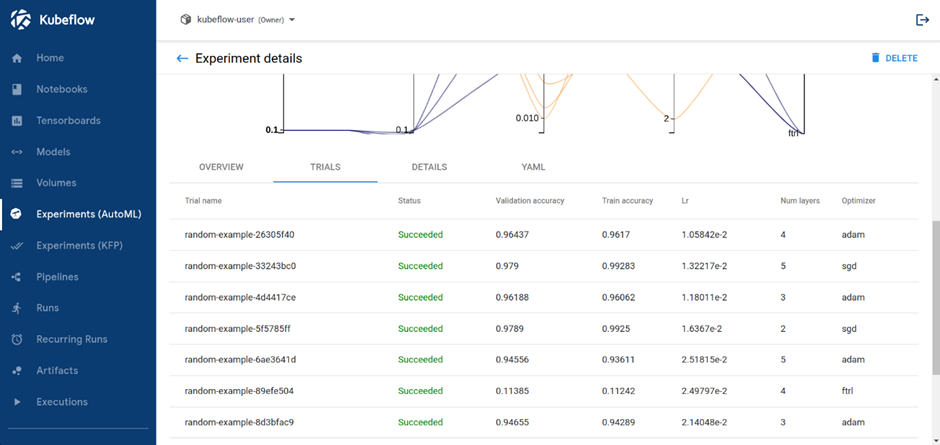
If you click to the Trials tab, you will see list of Trials that ran withing the Experiment.

<figure><img src="/files/op55tHU8CkguAvaFiPTI" alt=""><figcaption><p>Trials Run by the Experiment</p></figcaption></figure>

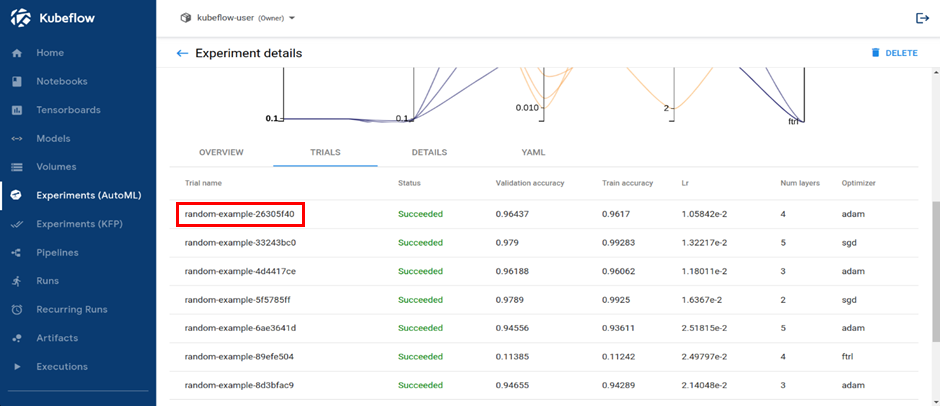
You can click on Trial name to get metrics for the Trial.
<figure><img src="/files/ys87KS1kwU4XizZPE9nN" alt=""><figcaption><p>Trials Run by the Experiment</p></figcaption></figure>

<figure><img src="/files/m7rqHA3FwWIRKgcB707X" alt=""><figcaption><p>Individual Trial Metrics</p></figcaption></figure>


---

# Agent Instructions
This documentation is published with GitBook. GitBook is the documentation platform designed so that both humans and AI agents can read, navigate, and reason over technical content effectively. Learn more at gitbook.com.

## Querying This Documentation
If you need additional information that is not directly available in this page, you can query the documentation dynamically by asking a question.

Perform an HTTP GET request on the current page URL with the `ask` query parameter:

```
GET https://docs.cloudeka.ai/guidance-for-individual/deka-gpu-mlops/experiments-automl/get-experiments-results.md?ask=<question>
```

The question should be specific, self-contained, and written in natural language.
The response will contain a direct answer to the question and relevant excerpts and sources from the documentation.

Use this mechanism when the answer is not explicitly present in the current page, you need clarification or additional context, or you want to retrieve related documentation sections.