> For the complete documentation index, see [llms.txt](https://docs.cloudeka.ai/llms.txt). Markdown versions of documentation pages are available by appending `.md` to page URLs; this page is available as [Markdown](https://docs.cloudeka.ai/guidance-for-individual/deka-gpu/deka-gpu-registry/how-to-store-and-manage-artifacts-in-deka-registry/verify-artifacts.md).
# Verify Artifacts
After pushing artifacts, you can verify that they are available in the Service Portal AI.
### Verify Docker Images
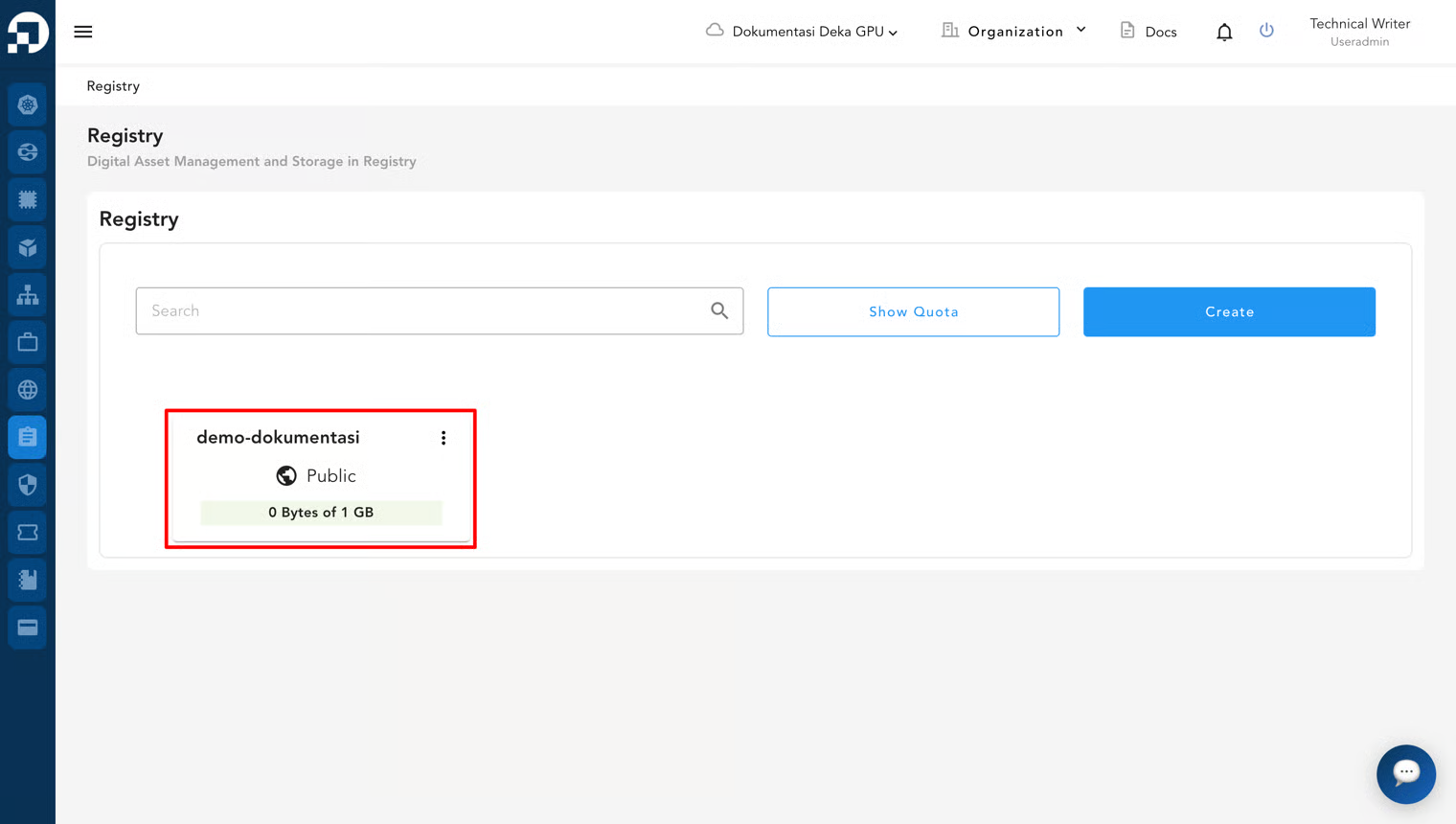
1. Open the registry details page.
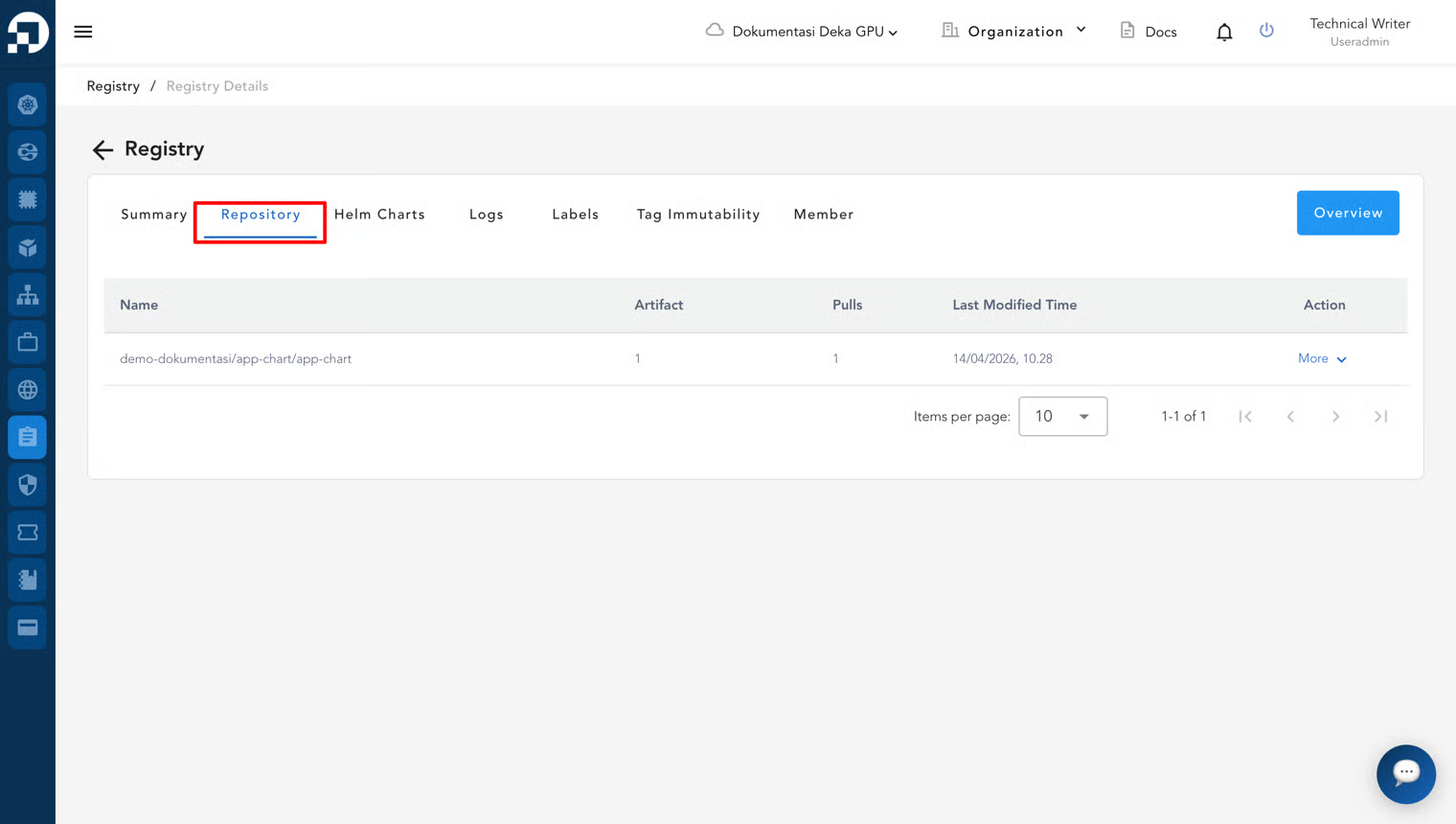
2. Select the **Repository** tab.
3. Check that your Docker image appears in the list. You can click the repository name to view image details such as tags and digest.
### Verify Helm Charts
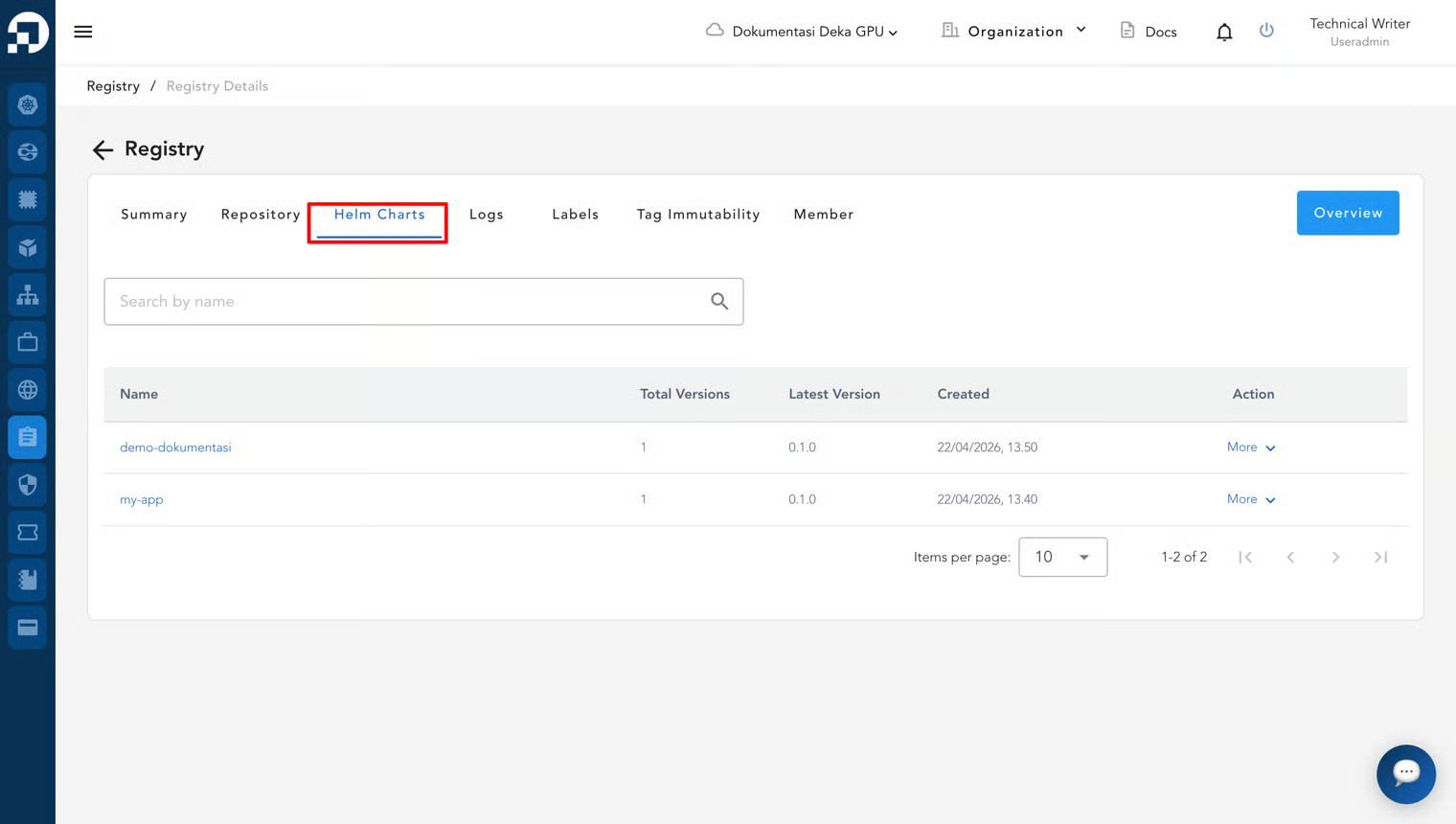
1. From the registry details page, select the **Helm Charts** tab.
2. Check that your Helm chart appears in the list. You can click the chart name to view details such as version and metadata.
{% hint style="warning" %}
If the artifact does not appear, make sure the push process completed successfully.
{% endhint %}