> For the complete documentation index, see [llms.txt](https://docs.cloudeka.ai/llms.txt). Markdown versions of documentation pages are available by appending `.md` to page URLs; this page is available as [Markdown](https://docs.cloudeka.ai/guidance-for-individual/deka-llm/check-project-type.md).
# Check Project Type
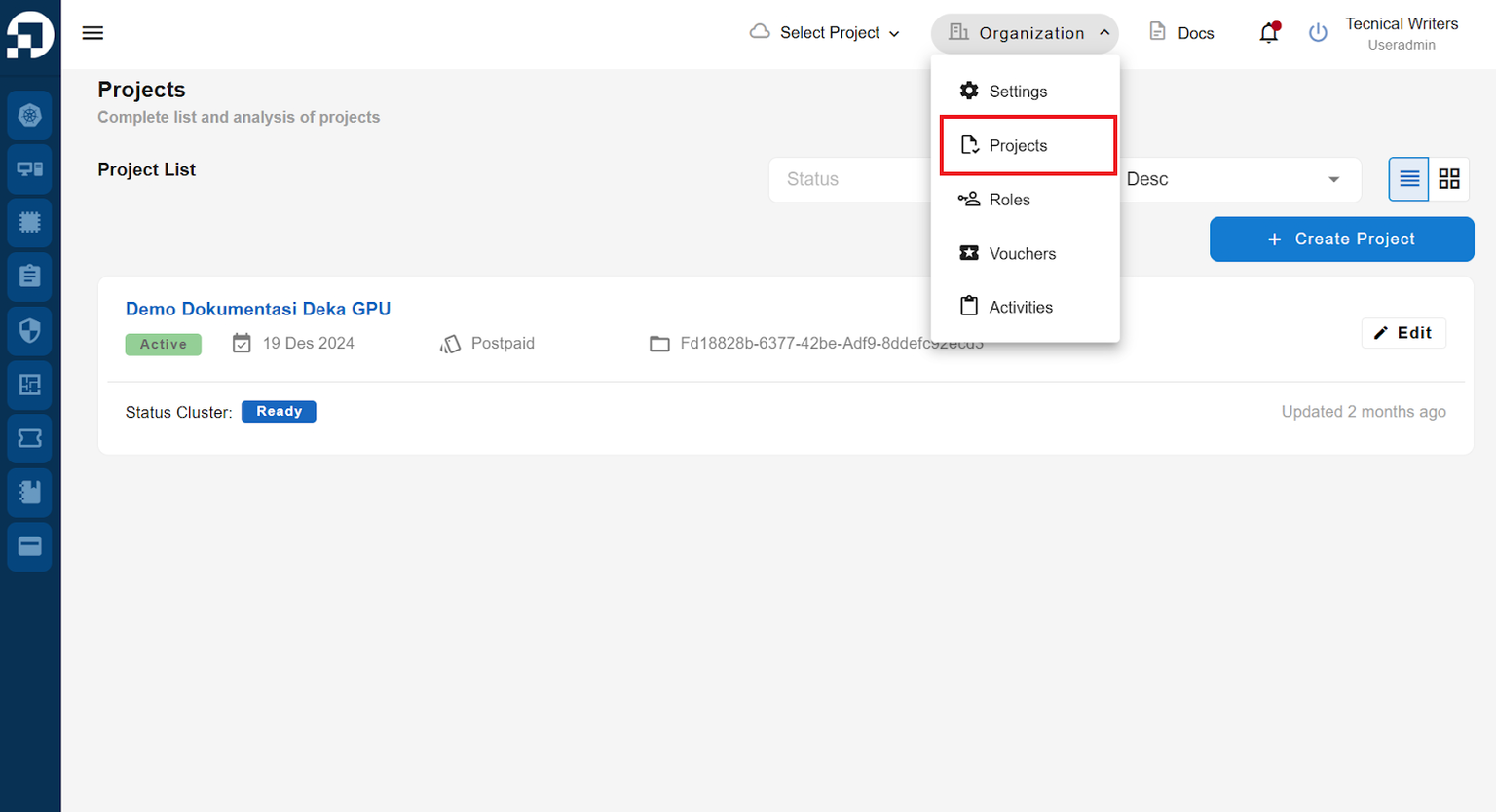
There are different workflows for creating a new Deka LLM depending on the project type used. To check your project type in the Service Portal AI, go to Organization and select Projects.
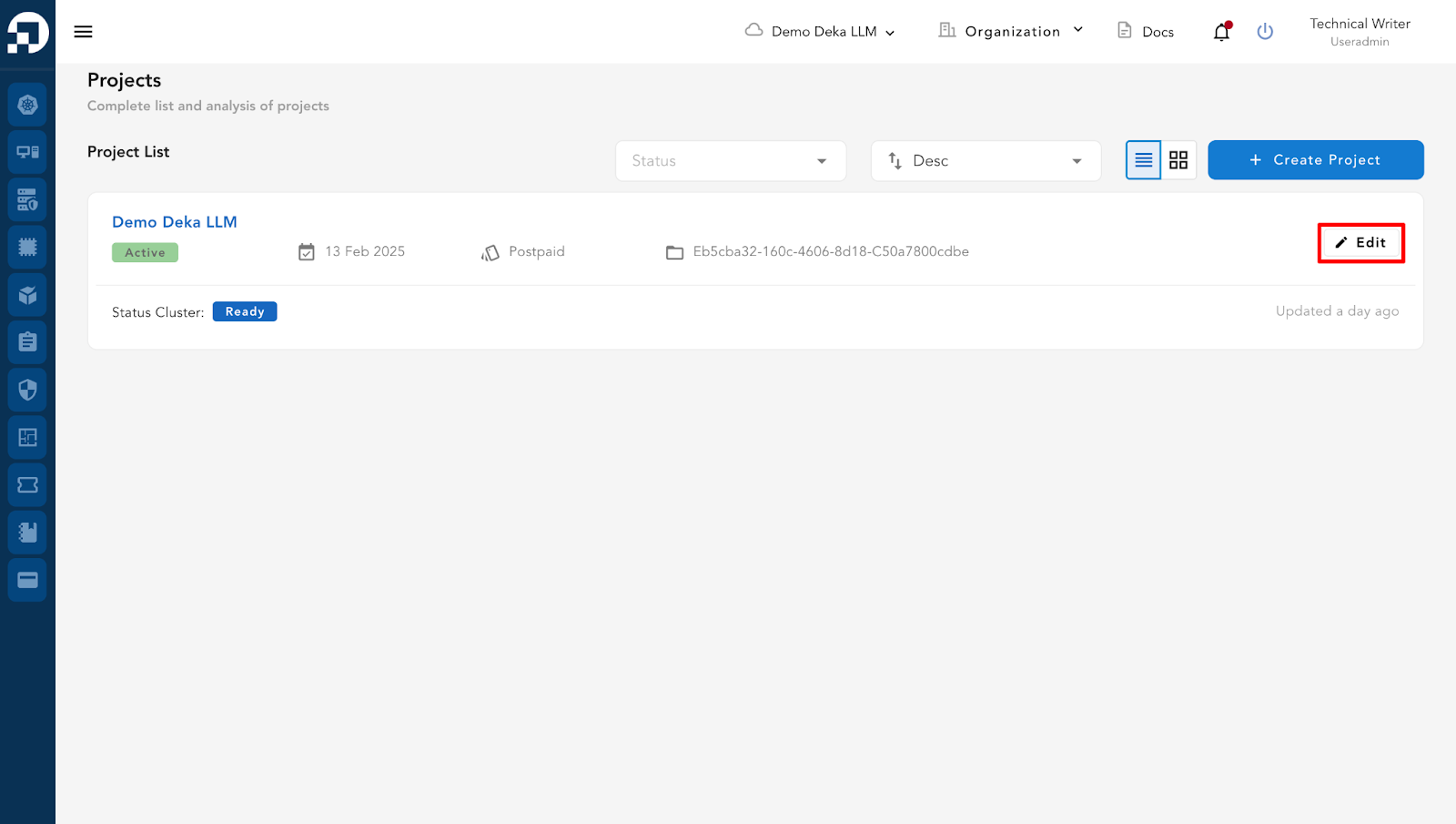
On the Projects page, click the Edit button.
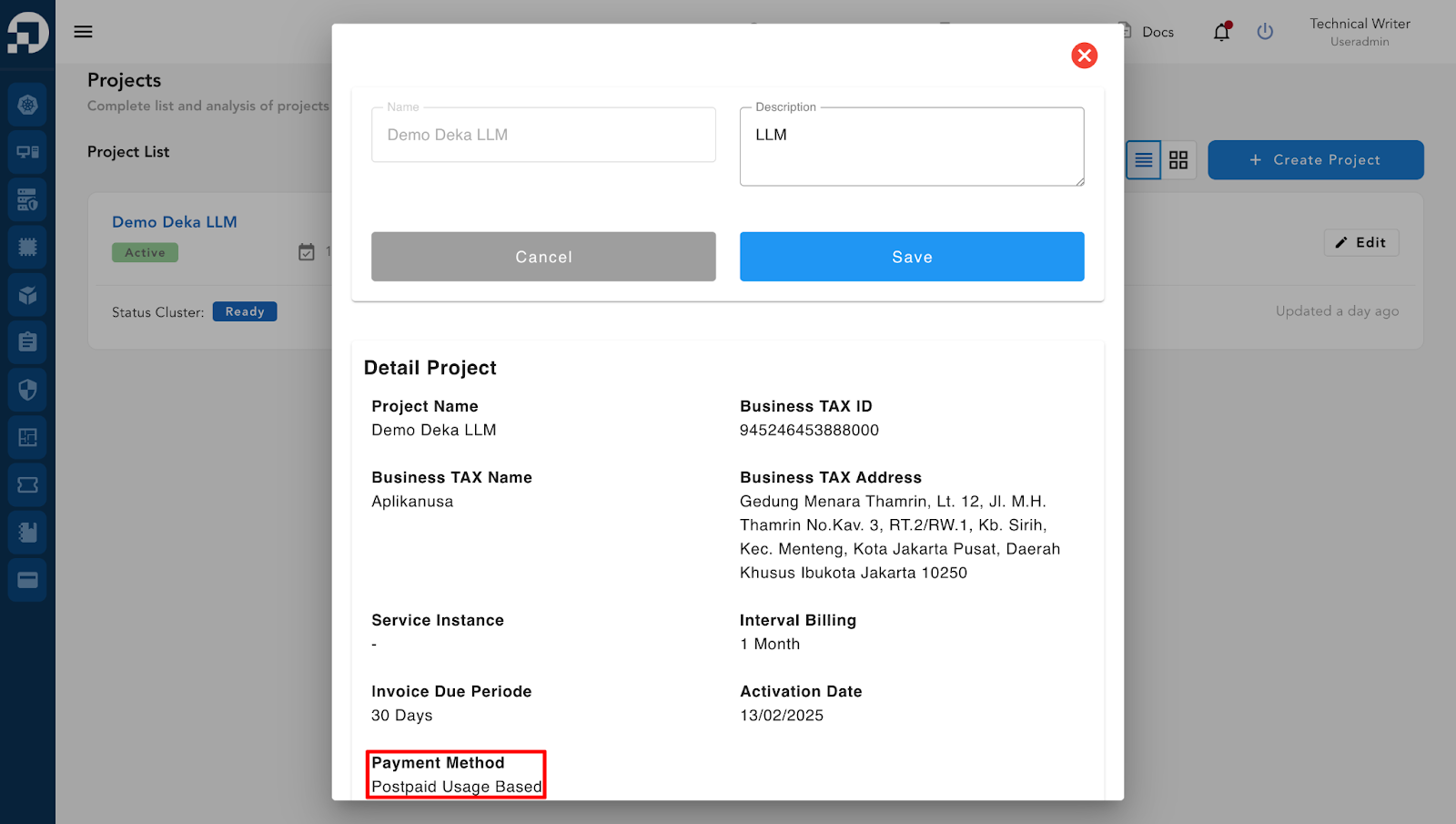
A Project Detail window will appear, where you can see the Payment Method field
## There are two types of payment methods displayed
## 1. Postpaid
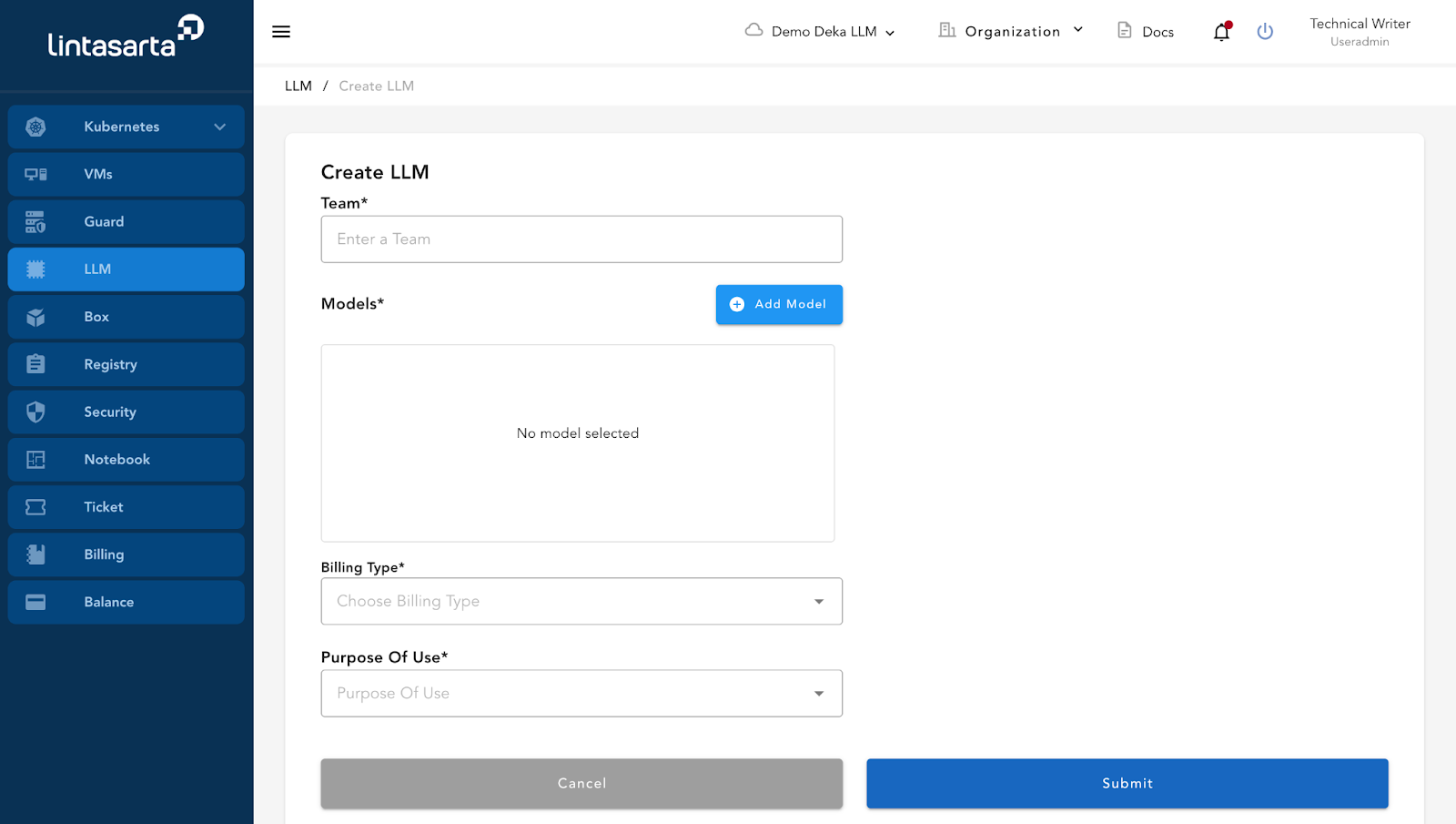
If your Payment Method is Postpaid, it means your project type is Enterprise. In an Enterprise project, when creating an LLM, the Amount of Topup field is not available. Only the Team field, Add Model button, Billing Type field, and Purpose of Use fields are visible on this page. You need to add LLM Coins, and you can contact Lintasarta Sales for assistance. Below is the interface for creating an LLM in an Enterprise project in the Service Portal AI.
## 2. Prepaid
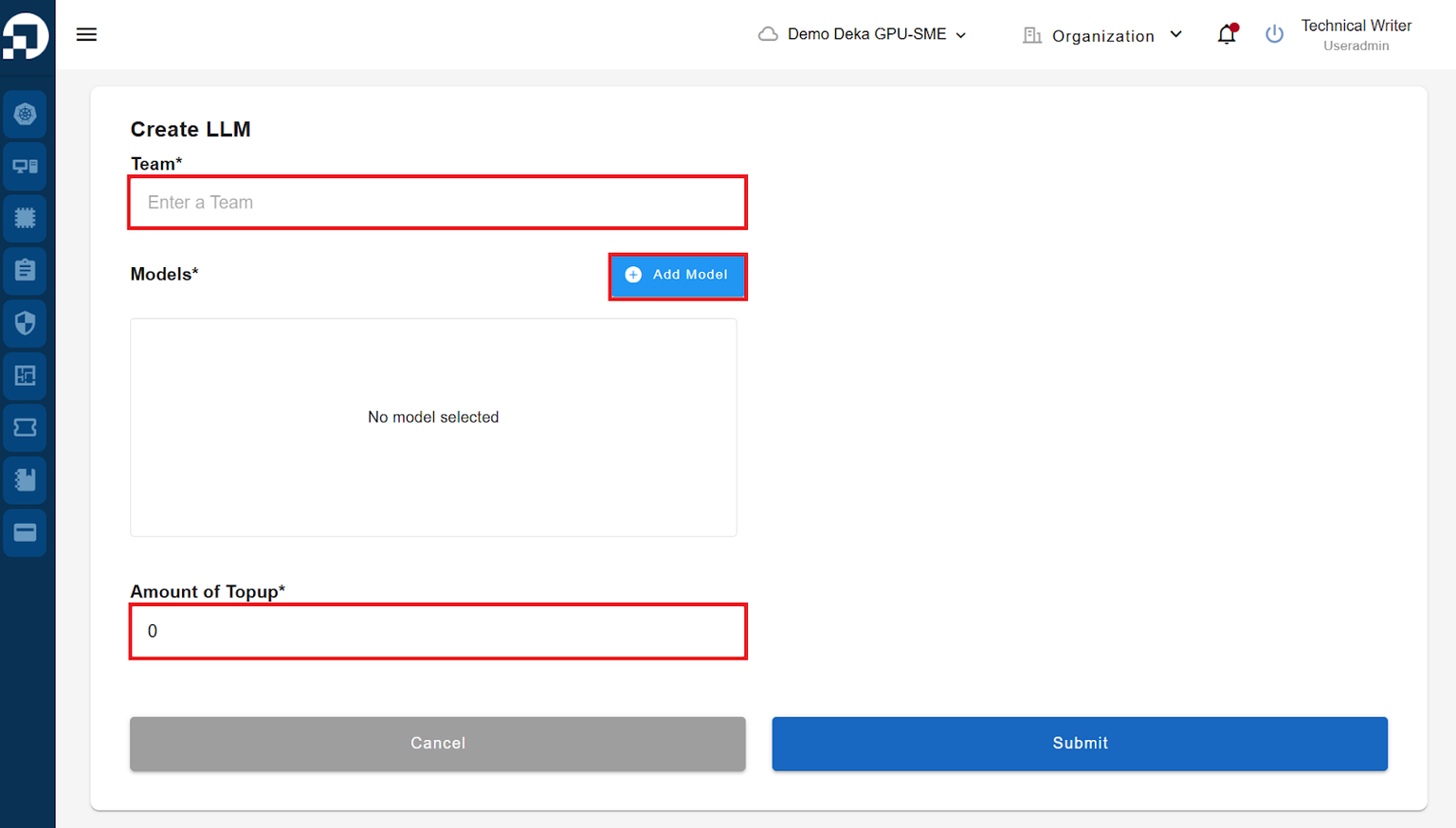
If your Payment Method is Prepaid, it means your project type is Small Medium Enterprise (SME). In an SME project, when creating an LLM, the Amount of Topup field is available. Similar to the Enterprise project, you will see the Team field and the Add button. You need to add LLM Coins, and you can contact the Cloudeka Team for assistance. Below is the interface for creating an LLM in an SME project in the Service Portal AI.