> For the complete documentation index, see [llms.txt](https://docs.cloudeka.ai/llms.txt). Markdown versions of documentation pages are available by appending `.md` to page URLs; this page is available as [Markdown](https://docs.cloudeka.ai/guidance-for-individual/deka-llm/detail-deka-llm/playground/integrasi-api-preview.md).
# Integrasi API Preview
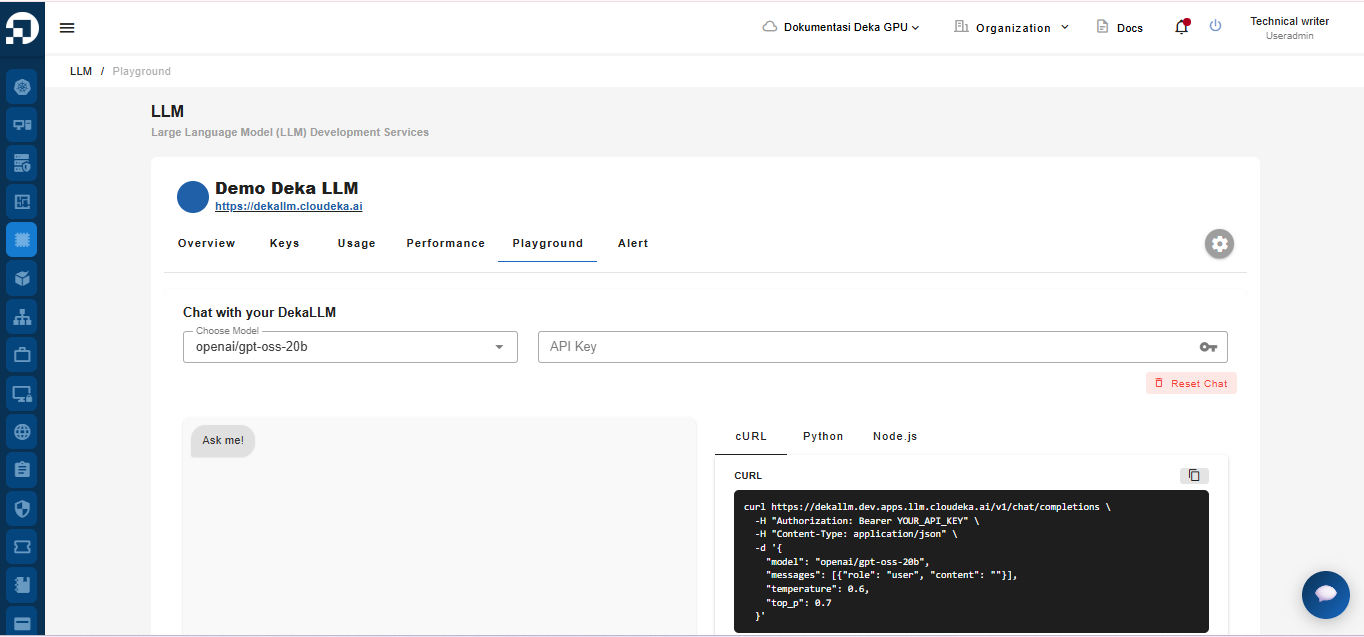
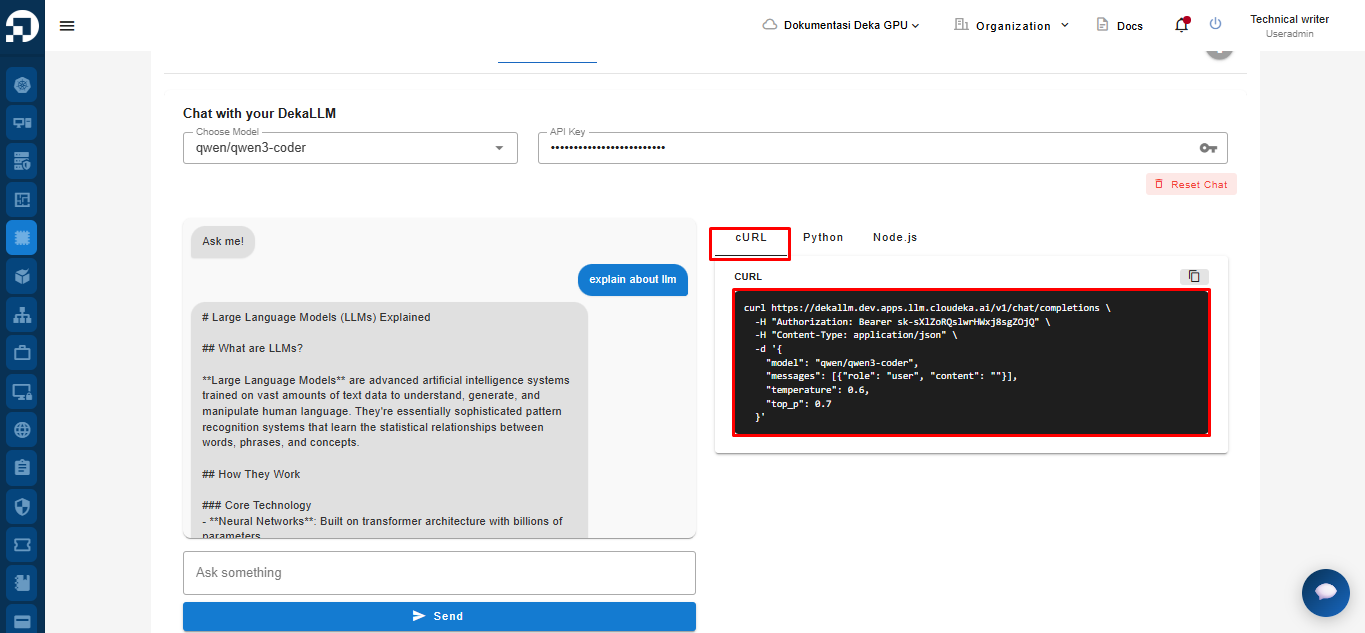
API Integration Preview is a feature provided by the Service Portal AI that displays an auto-generated code snippet for each prompt you submit to the model via the Interactive Chat panel. So, every time you test a prompt in the Playground Tab, Deka LLM automatically generates a ready-to-use API call example.
## cURL
**cURL (Client URL)** is a command-line tool used to send requests to servers using various protocols such as HTTP, HTTPS, and FTP. Below is an example of a `cURL` command generated when you input a prompt.
{% code lineNumbers="true" %}
```url
curl https://dekallm.cloudeka.ai/v1/chat/completions \
-H "Authorization": "Bearer YOUR_API_KEY" \
-H "Content-Type: application/json" \
-d '{
"model": "meta/llama-4-maverick-instruct",
"messages": [{"role": "user", "content": ""}],
"temperature": 0.6,
"top_p": 0.7
}'
```
{% endcode %}
Explanation of the cURL Command.
```
curl https://dekallm.cloudeka.ai/v1/chat/completions \
```
This line `curl https://dekallm.cloudeka.ai/v1/chat/completions \`defines the API endpoint URL used by Deka LLM to request a chat completion.
```
-H "Authorization": "Bearer YOUR_API_KEY" \
```
{% hint style="success" %}
This line corresponds to the API Key you entered in the API Key field.
{% endhint %}
This line `-H "Authorization": "Bearer YOUR_API_KEY" \` is used to authenticate the API request by providing the API key in a Bearer token format.
```
-H "Content-Type: application/json" \
```
This line `-H "Content-Type: application/json" \` sets the request payload format to JSON.
```
-d '{
"model": "meta/llama-4-maverick-instruct",
"messages": [{"role": "user", "content": ""}],
"temperature": 0.6,
"top_p": 0.7
}'
```
This JSON object is sent via an HTTP POST request and contains:
* **`"model": "meta/llama-4-maverick-instruct",`**
Specifies the LLM model to use in Deka LLM.
* **`"messages": [{"role": "user", "content": ""}],`**
An array of messages, where `"role": "user"` represents the you, and `"content": ""` is the prompt.
* **`temperature": 0.6`**
Controls the creativity or randomness of the response (higher value = more creative).
* **`"top_p": 0.7`**
Configures nucleus sampling to control the cumulative probability for token selection, affecting the randomness.
## Python
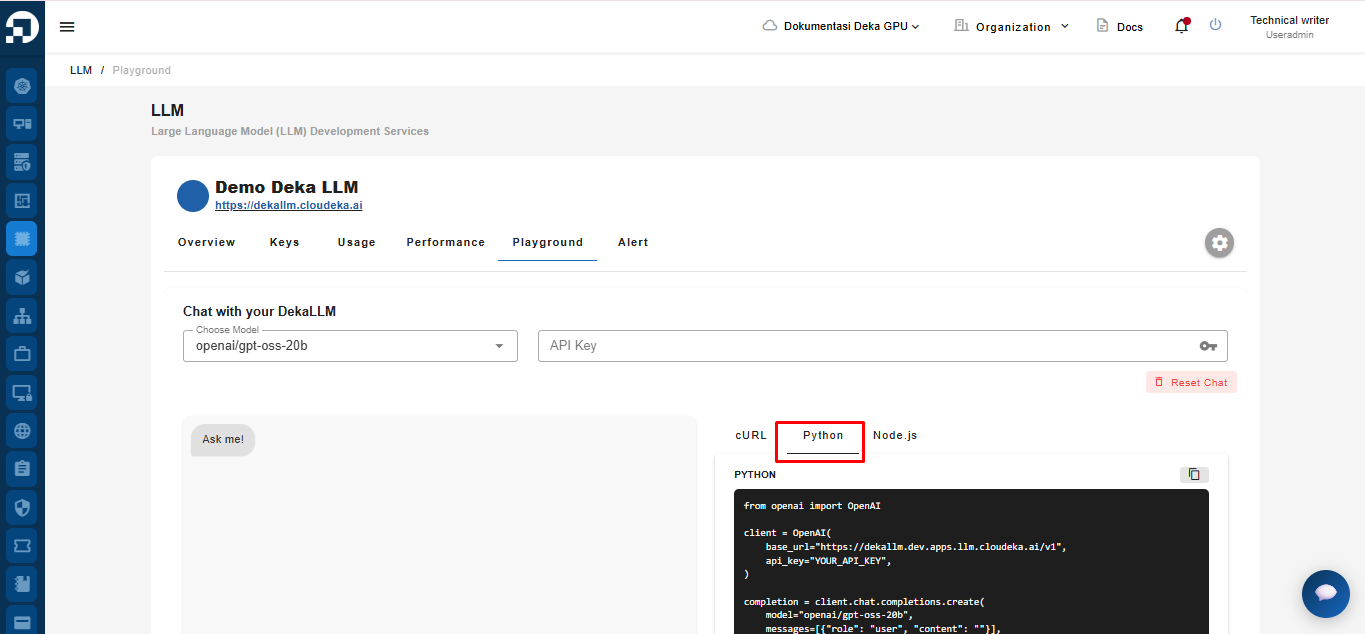
**Python** is a programming language known for its simple syntax, readability, and support for imperative, functional, and object-oriented paradigms. Below is the example code auto-generated when you input a prompt.
{% code lineNumbers="true" %}
```
from openai import OpenAI
client = OpenAI(
base_url="https://dekallm.cloudeka.ai/v1",
api_key="YOUR_API_KEY",
)
completion = client.chat.completions.create(
model="baai/bge-multilingual-gemma2",
messages=[{"role": "user", "content": ""}],
temperature=0.6,
top_p=0.7,
)
print(completion.choices[0].message.content)
```
{% endcode %}
Explanation of the Python Code:
```
from openai import OpenAI
```
Imports the `OpenAI` class from the official OpenAI Python SDK, which provides an interface to interact with LLM API.
```
client = OpenAI(
base_url="https://dekallm.cloudeka.ai/v1",
api_key="YOUR_API_KEY",
)
```
This line is used to create a client instance to communicate with the Deka LLM API endpoint. There are two important parameters used
* `base_url` displays the URL of the Deka LLM endpoint,
* `api_key` is sed to authenticate requests and is taken from the API Key column.
```
completion = client.chat.completions.create(
model="meta/llama-4-maverick-instruct",
messages=[{"role": "user", "content": ""}],
temperature=0.6,
top_p=0.7,
)
```
This line `client.chat.completions.create()`is used to send a request for chat completion. There are four important parameters used, namely:
* `model="meta/llama-4-maverick-instruct",`
Specifies the LLM model to use in Deka LLM.
* `messages=[{"role": "user", "content": ""}],`
An array of messages, where `"role": "user"` represents the you, and `"content": ""` is the prompt.
* `temperatur=0.6`
Controls the creativity or randomness of the response (higher value = more creative).
* and `top_p=0.7`
Configures nucleus sampling to control the cumulative probability for token selection, affecting the randomness.
```
print(completion.choices[0].message.content)
```
This line `print(completion.choices[0].message.content)` is used to represent the model's response to the message you send.
## Node.js
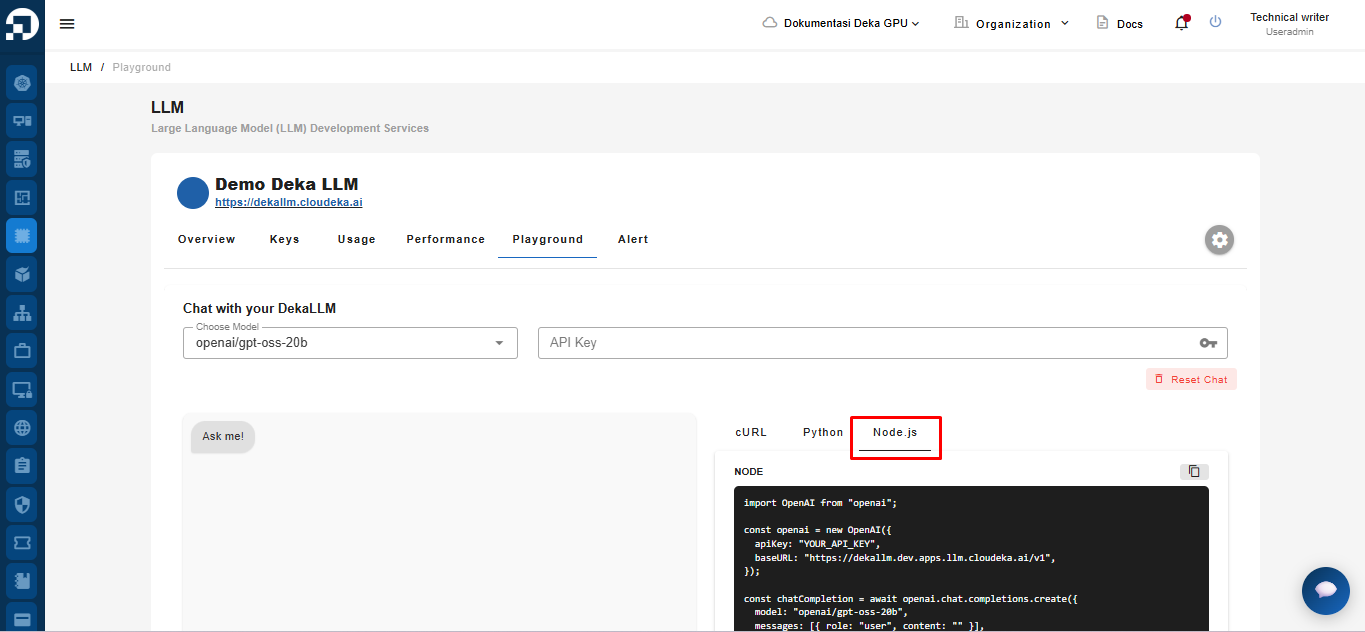
**Node.js** is a runtime environment for executing JavaScript code outside the browser. Below is an example Node.js code generated when you input a prompt.
```
import OpenAI from "openai";
const openai = new OpenAI({
apiKey: "YOUR_API_KEY",
baseURL: "https://dekallm.cloudeka.ai/v1",
});
const chatCompletion = await openai.chat.completions.create({
model: "baai/bge-multilingual-gemma2",
messages: [{ role: "user", content: "" }],
temperature: 0.6,
top_p: 0.7,
});
```
Explanation of the Node.js Code:
```
import OpenAI from "openai";
```
This line `import OpenAI from "openai";` imports the OpenAI class from the official Node.js SDK, which allows you to interact with the Deka LLM API.
```
const openai = new OpenAI({
apiKey: "YOUR_API_KEY",
baseURL: "https://dekallm.cloudeka.ai/v1",
});
```
This line `const openai = new OpenAI({...});` is used to create your instance with`apiKey` and`baseURL` configurations.
```
const chatCompletion = await openai.chat.completions.create({
model: "baai/bge-multilingual-gemma2",
messages: [{ role: "user", content: "" }],
temperature: 0.6,
top_p: 0.7,
});
```
This line `const chatCompletion = await openai.chat.completions.create({...});` is used to send a chat completion request to the model you are using in Deka LLM with parameters. There are four important parameters used, namely:
* `model="meta/llama-4-maverick-instruct",`
Specifies the LLM model to use in Deka LLM.
* `messages=[{"role": "user", "content": ""}],`
An array of messages, where `"role": "user"` represents the you, and `"content": ""` is the prompt.
* `temperatur=0.6`
Controls the creativity or randomness of the response (higher value = more creative).
* and `top_p=0.7`
Configures nucleus sampling to control the cumulative probability for token selection, affecting the randomness.