> For the complete documentation index, see [llms.txt](https://docs.cloudeka.ai/llms.txt). Markdown versions of documentation pages are available by appending `.md` to page URLs; this page is available as [Markdown](https://docs.cloudeka.ai/guidance-for-individual/deka-metal/deka-metal-bare-metal/create-bare-metal.md).
# Create Bare Metal
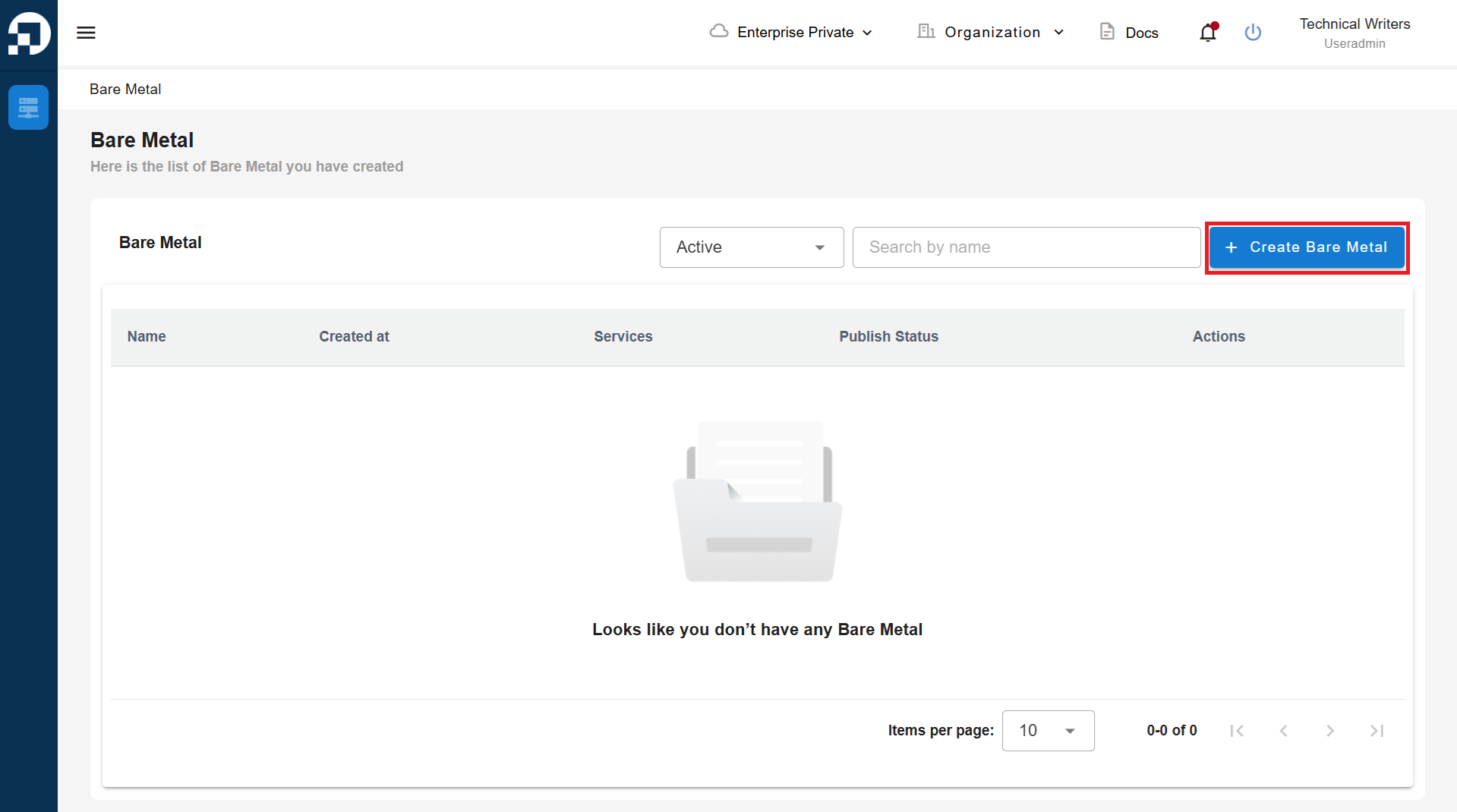
On the **Bare Metal** menu page in the **Service Portal AI**, click the **"+ Create Bare Metal"** button.
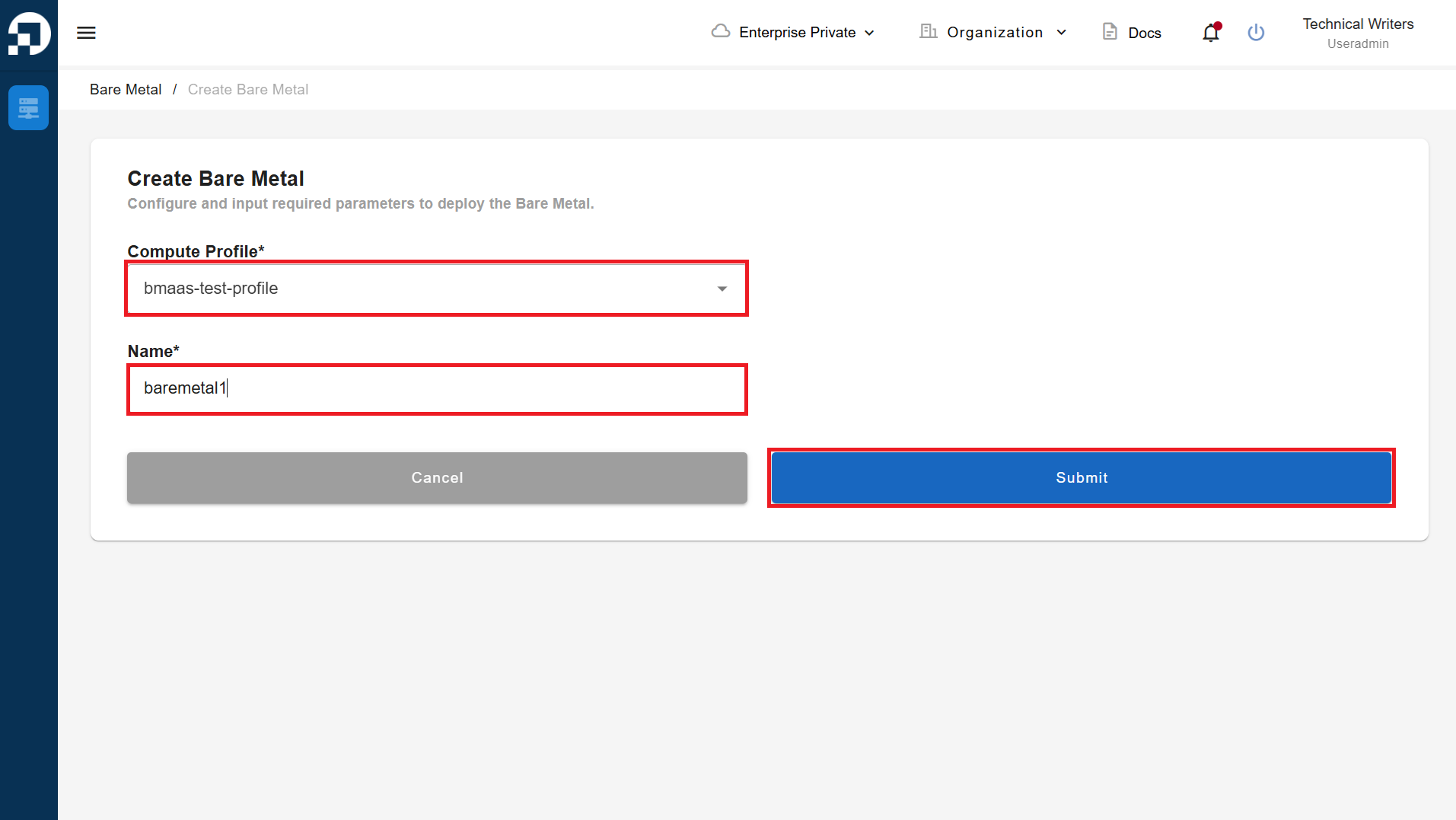
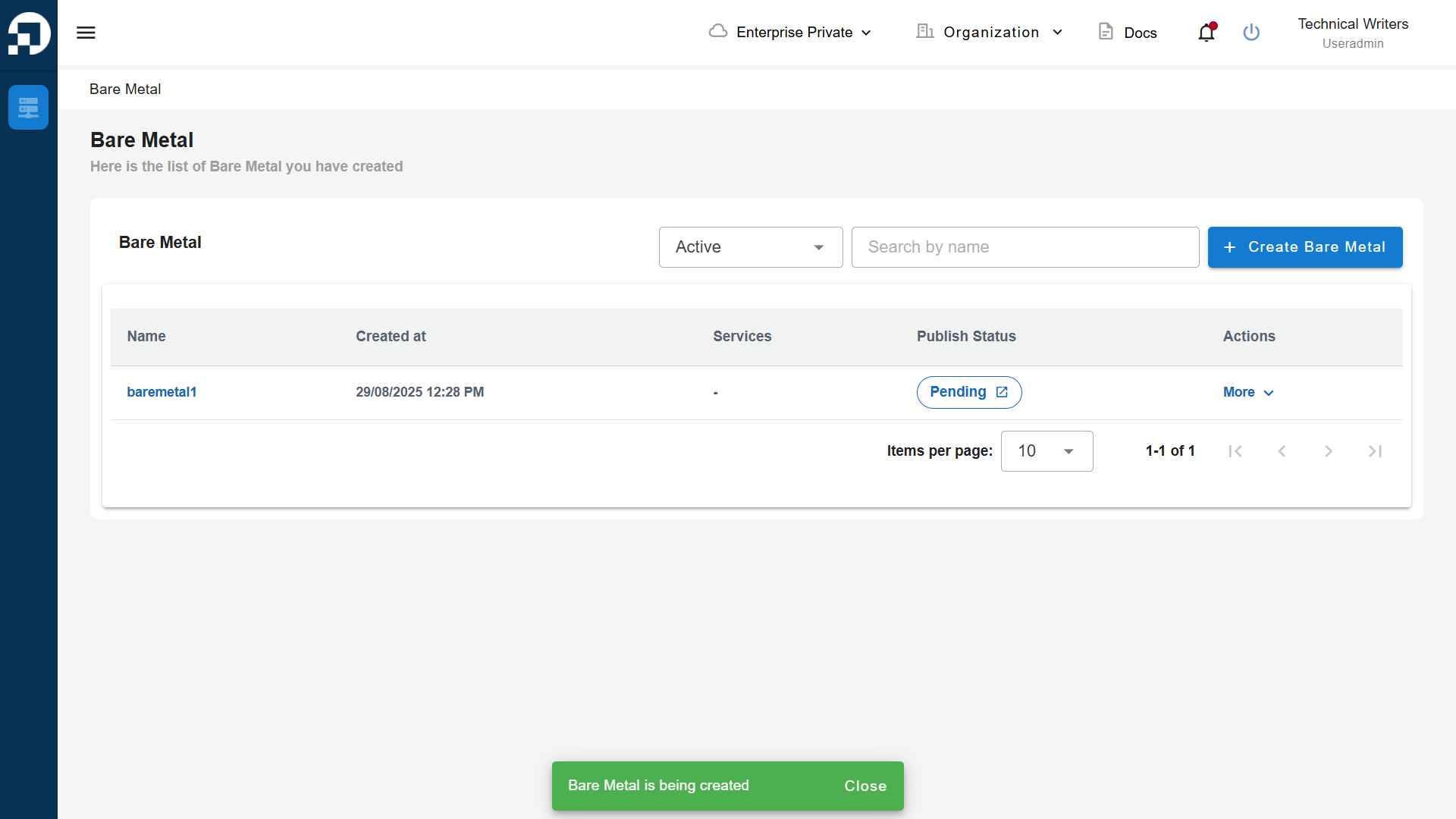
The **Create Bare Metal** page will appear, showing two available fields. Select the available **Compute Profile** and enter the **Name**. Click the **Submit** button to create a Bare Metal instance in the Service Portal AI.
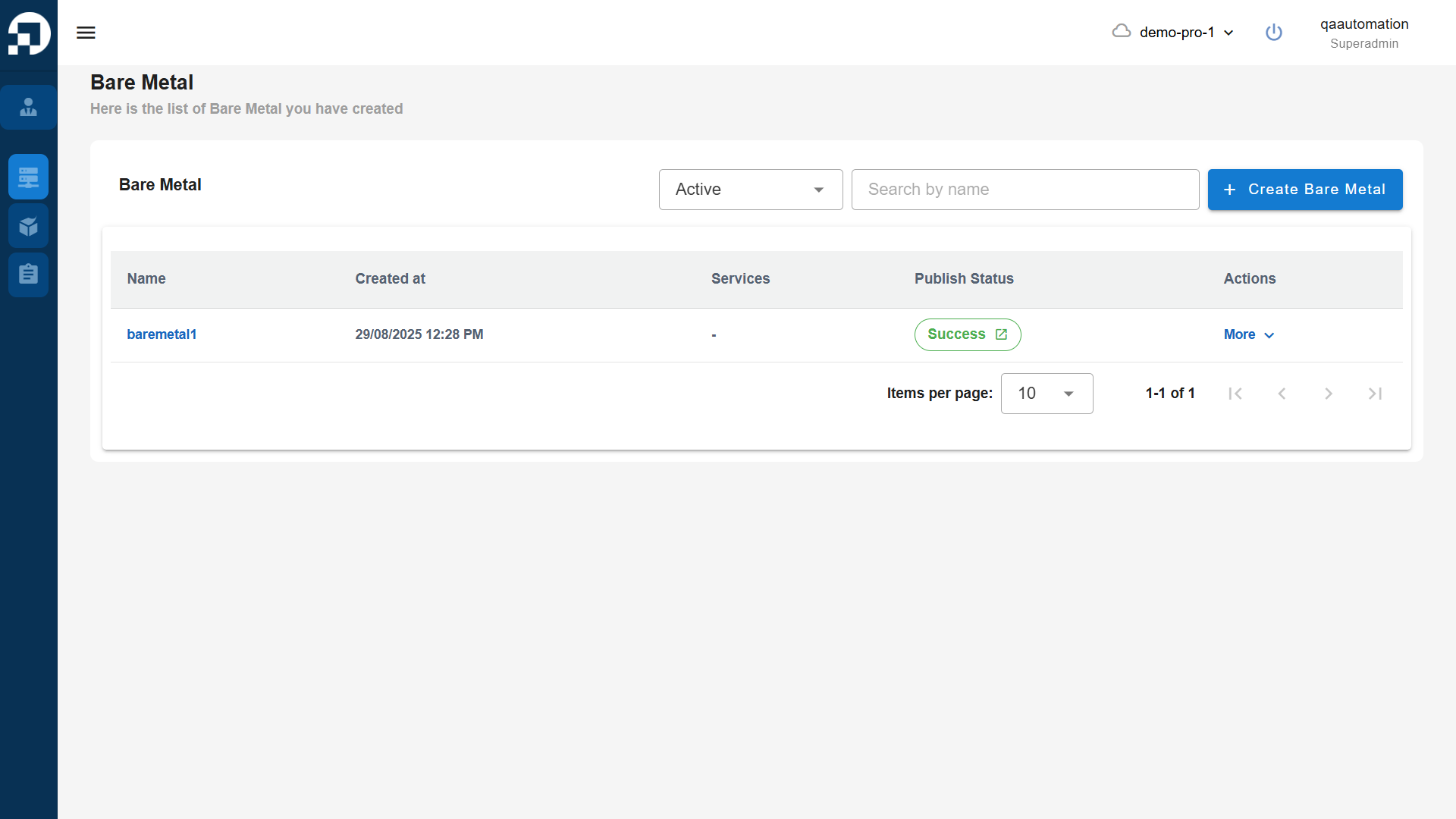
Wait until the **Publish Status** changes to **Success**.