> For the complete documentation index, see [llms.txt](https://docs.cloudeka.ai/llms.txt). Markdown versions of documentation pages are available by appending `.md` to page URLs; this page is available as [Markdown](https://docs.cloudeka.ai/guidance-for-individual/deka-vpn/configuration-deka-vpn-openvpn/openvpn-user/delete-openvpn-user.md).
# Delete OpenVPN User
The Delete OpenVPN User section provides an option to remove a specific OpenVPN user account from the system. This action ensures that the selected account can no longer access the VPN service. The following are the steps to Delete OpenVPN User from the Service Portal AI:
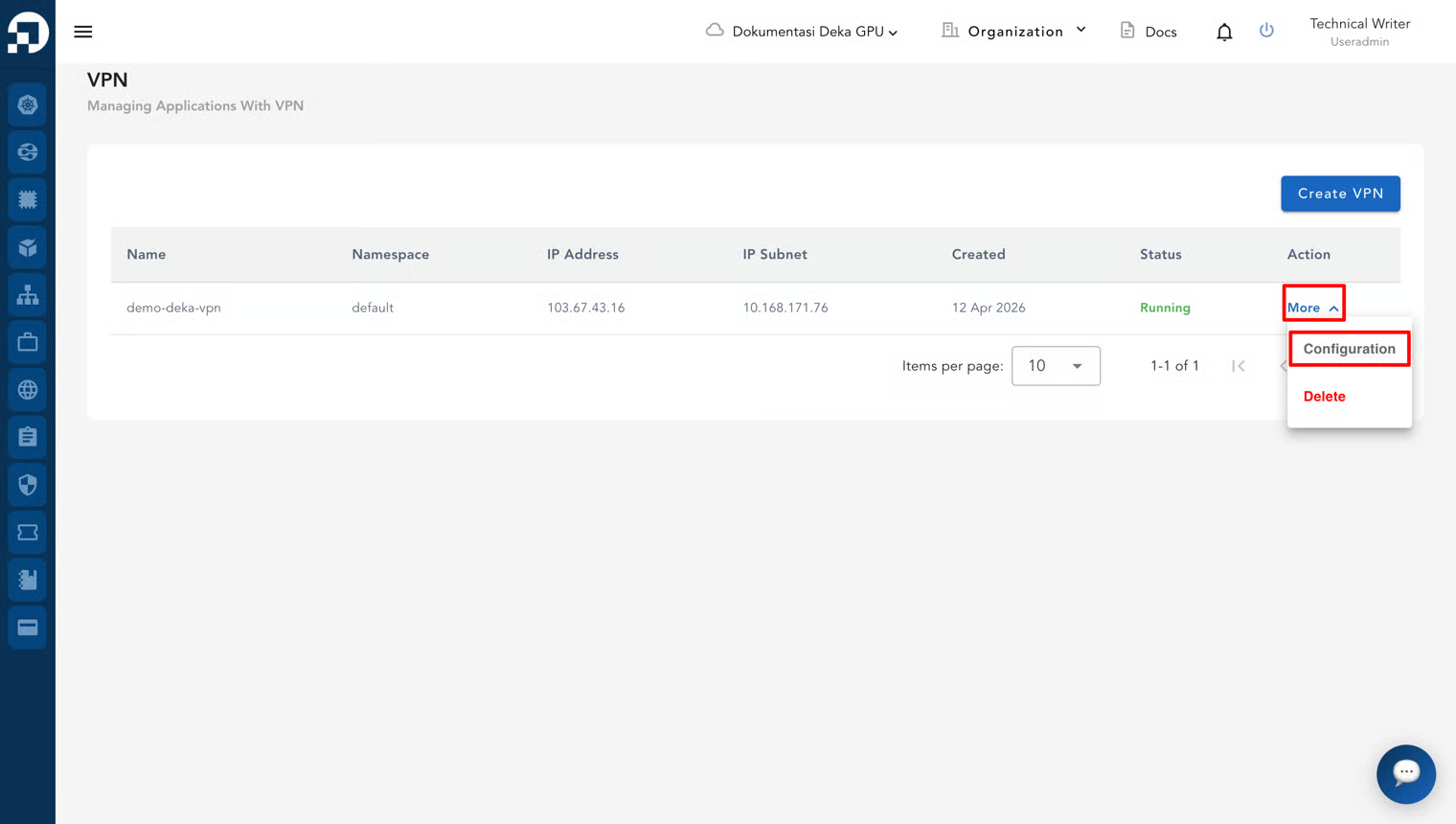
* From the **VPN List Table**, click **More** and select **Configuration** on the VPN that will be managed.
* On the configuration page, go to the **OpenVPN** tab.
* Scroll down to the **OpenVPN User** section.
* Click the **Delete OpenVPN** button on the right side of the page.
* The Delete OpenVPN User section provides an option to remove a specific OpenVPN user account from the system. This action ensures that the selected account can no longer access the VPN service.
.png)