> For the complete documentation index, see [llms.txt](https://docs.cloudeka.ai/llms.txt). Markdown versions of documentation pages are available by appending `.md` to page URLs; this page is available as [Markdown](https://docs.cloudeka.ai/guidance-for-individual/deka-vpn/configuration-deka-vpn-openvpn/openvpn-user/reset-password.md).
# Reset Password
The Reset Password feature in the OpenVPN User section is used to update the password of an existing account. This ensures that user credentials remain secure and can be refreshed whenever required. The following are the steps to Reset Password from the Service Portal AI:
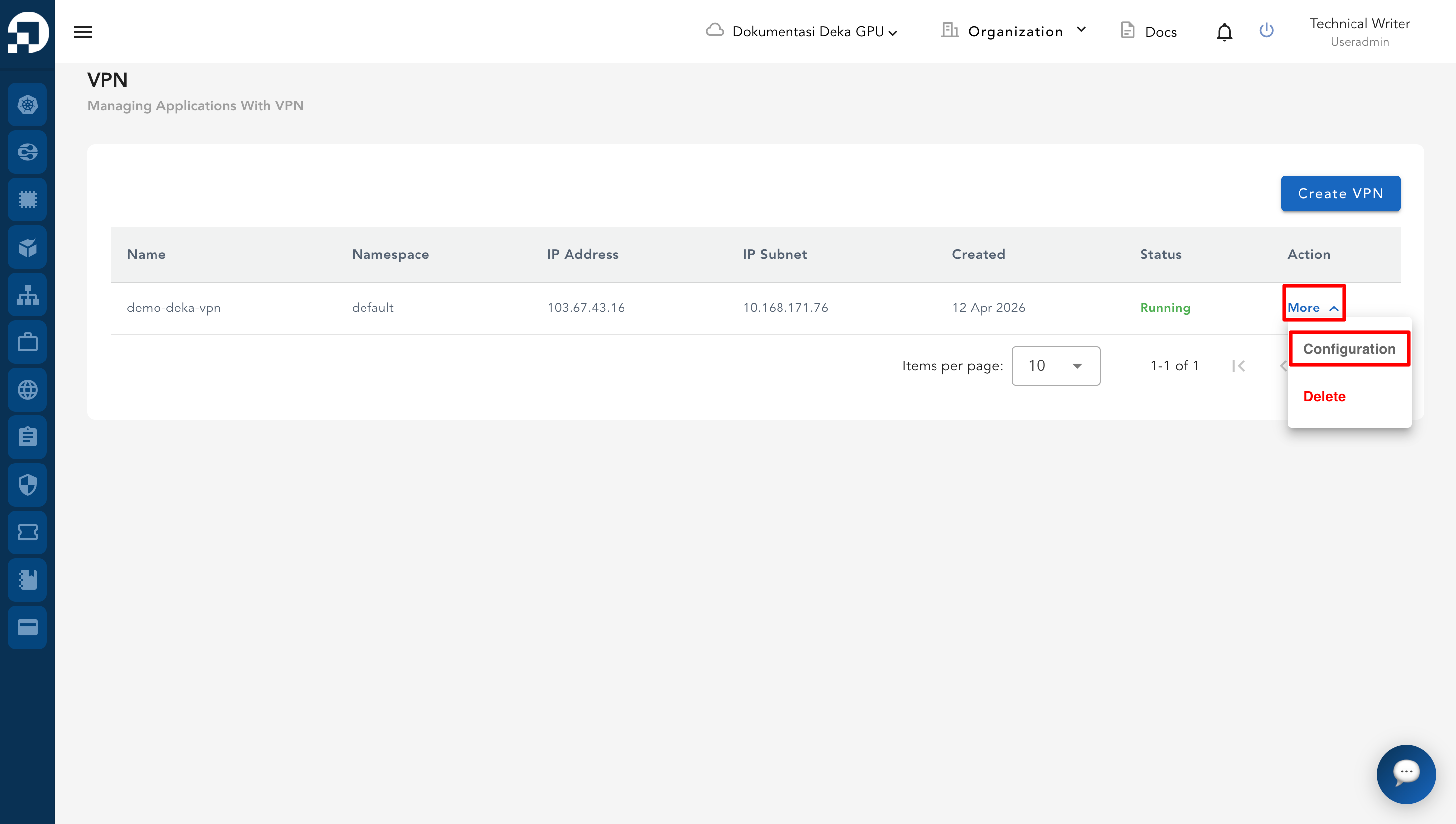
* From the **VPN List Table**, click **More** and select **Configuration** on the VPN that will be managed.
* On the configuration page, go to the **OpenVPN** tab.
* Scroll down to the **OpenVPN User** section. In the **Action** column of the selected user, click **More** and select **Reset Password**.
* In the **Reset Password** dialog box, enter the new password and confirm it. Click **Submit** to apply the changes.
* Click **Close** button to cancel or if you do not wish to proceed.
* If you proceed with submitting, a notification will appear "**User has been successfully updated.**"
.png)
.png)
.png)
.png)
.png)